SSOGEN / Java Agent: Tomcat and Spring Boot SSO from one pasted file
SSOGEN
Java Agent: Tomcat and Spring Boot SSO from one pasted file
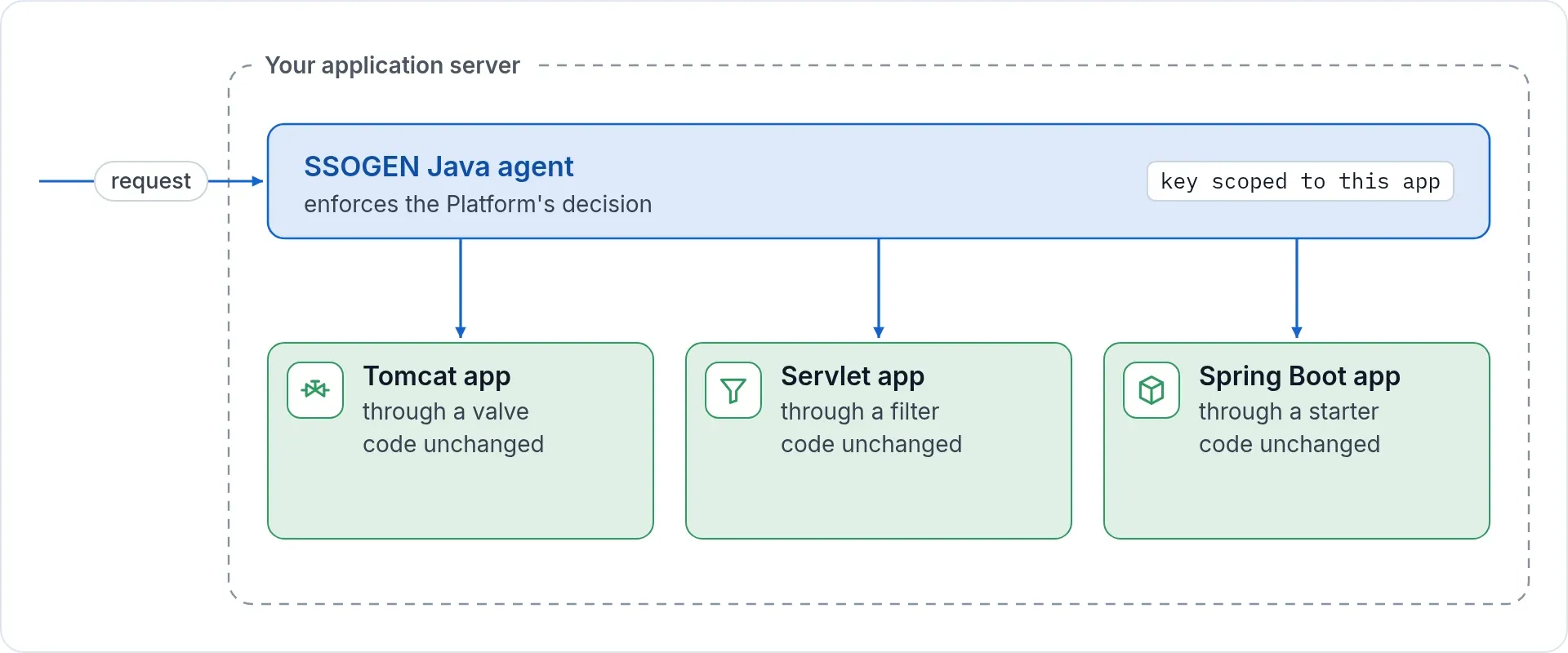
A Tomcat valve, a servlet filter or a Spring Boot starter protects Java apps with the same policy, sign-out and keys as Apache.
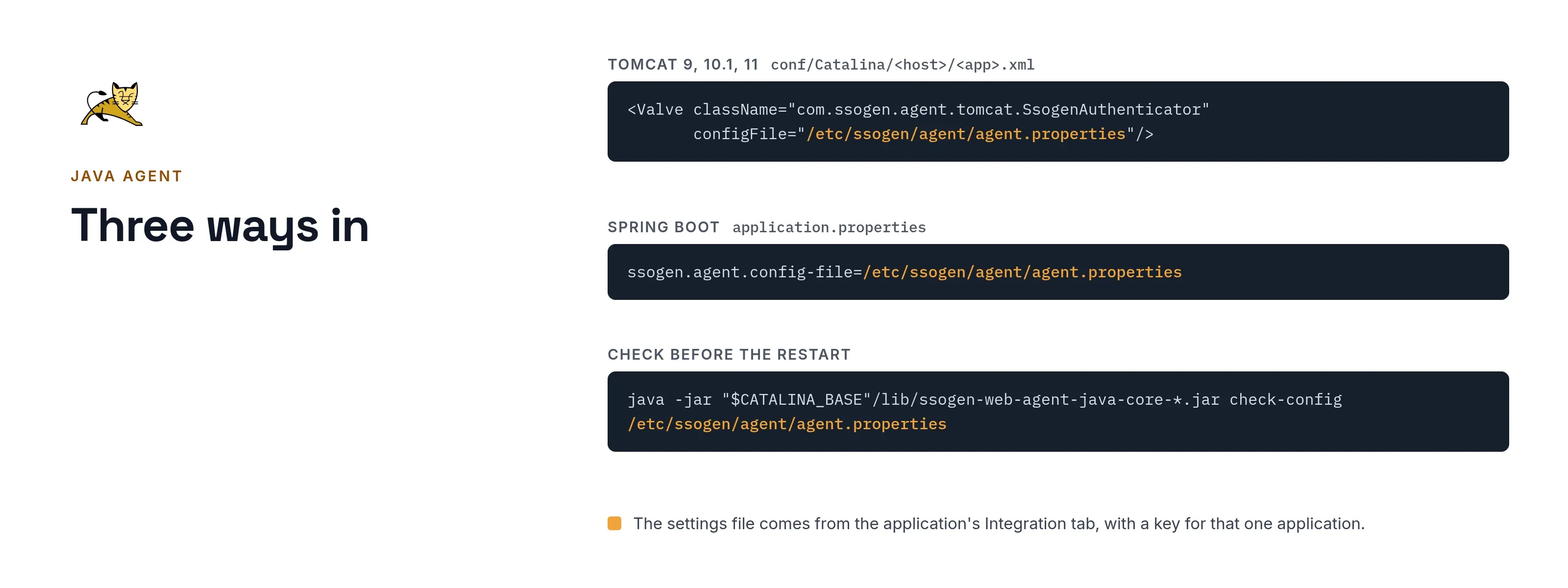
Three ways in
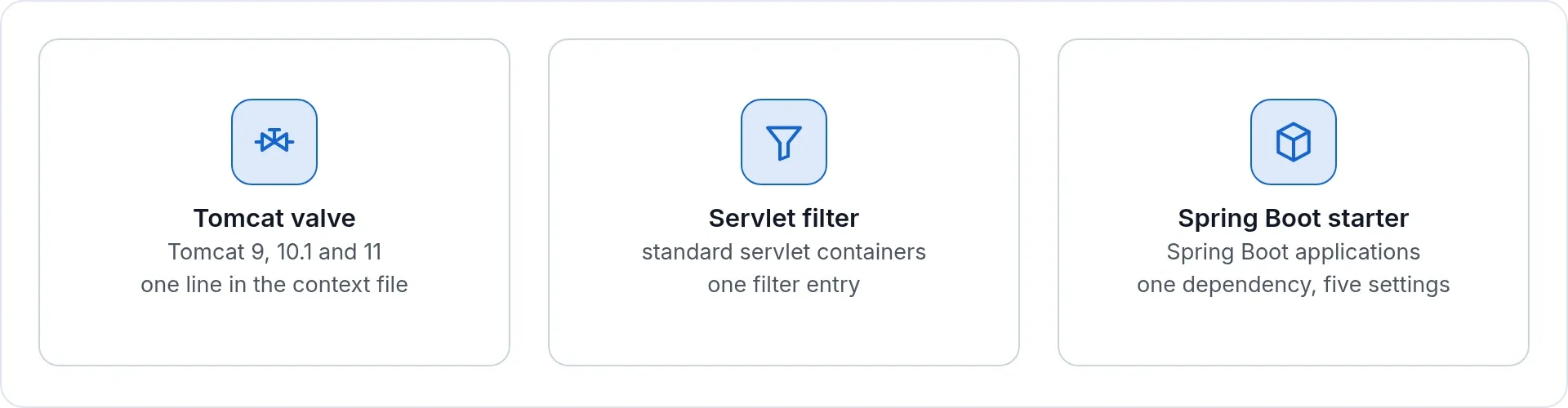
| Form | For | What changes in the application |
|---|---|---|
| Tomcat valve | Tomcat 9, 10.1 and 11 | Nothing. One line in the context file. |
| Servlet filter | Standard servlet containers | One filter entry in the deployment descriptor. |
| Spring Boot starter | Spring Boot applications | One dependency and five settings. |
All three share one core, so they behave the same way. Applications on the older javax and the current jakarta packages are both covered.
Same decision as everywhere else
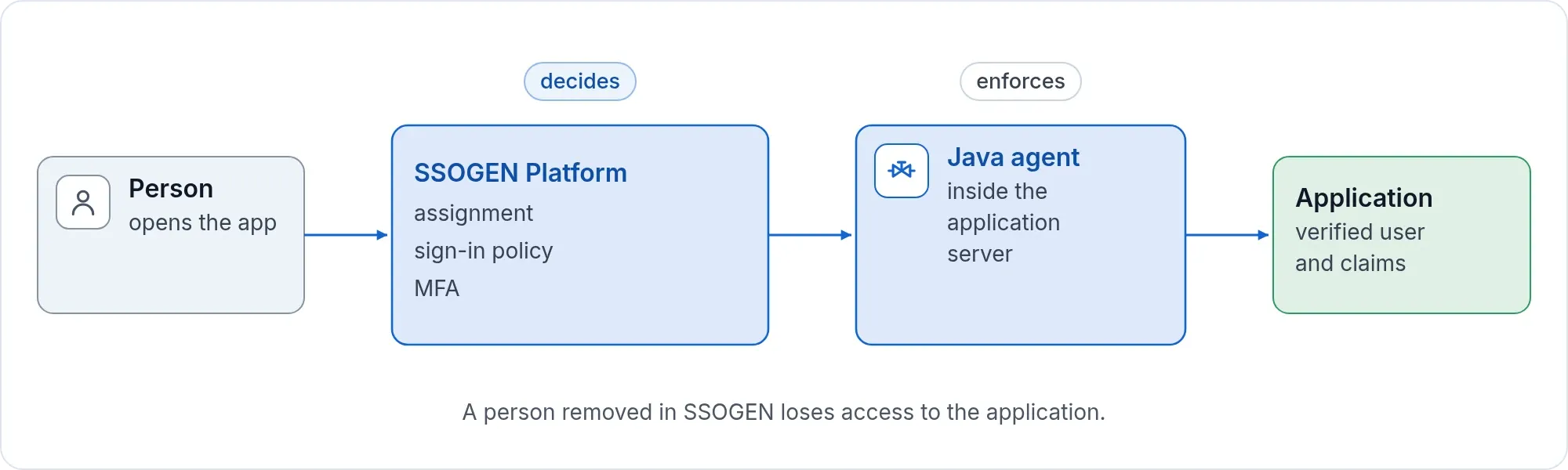
A Java application is a normal SSOGEN application. It is assigned to people, covered by the same sign-in policy and MFA as a SAML or Web Agent application, and shows up in My Apps. SSOGEN makes the decision once. The agent enforces it.
- Identity the application expects. The application receives the signed-in user, plus the extra attributes you define with claims rules in the console. Oracle-style applications get the form they already read; generic applications get the name as delivered.
- Sign-out your way. Sign-out can end this application’s session or the whole SSOGEN session.
- Revocation. A person removed in SSOGEN loses access to the application.
Nothing to enroll
The console generates the settings file on the application’s Integration tab. It carries a key scoped to that one application. The key is shown once and stored only as a hash in SSOGEN. Your Java team does not hold an SSOGEN account, run an enrollment command or handle a certificate authority.
- Copy the agent jars from the SSOGEN download.
- Create the session secret file, and copy the same file to every server of the application.
- Save the generated settings file with owner-only permissions.
- Add the valve or the filter, or set the Spring Boot property.
- Restart. Check the configuration first with the agent’s own check command.
Rotate the key by regenerating it in the console and pasting the new line on each server. Each server reports in, and the console lists the servers it has seen for the application.
Ships with SSOGEN
The agent jars are in the same SSOGEN download. There is nothing separate to order, and each release carries the agent that was built and checked with it.
Next step
Pick one Java application, generate its settings file and see it behind sign-in. The Java agent guide walks through it, and the configuration reference lists every setting.