SSOGEN / Single sign-on software / SSOGEN Directory: One User Store for Every Source
Integration
SSOGEN Directory: One User Store for Every Source
Accounts, Active Directory, LDAP, SAML, OpenID Connect, SCIM from an HR system or a CSV file all land in one directory of users and groups.
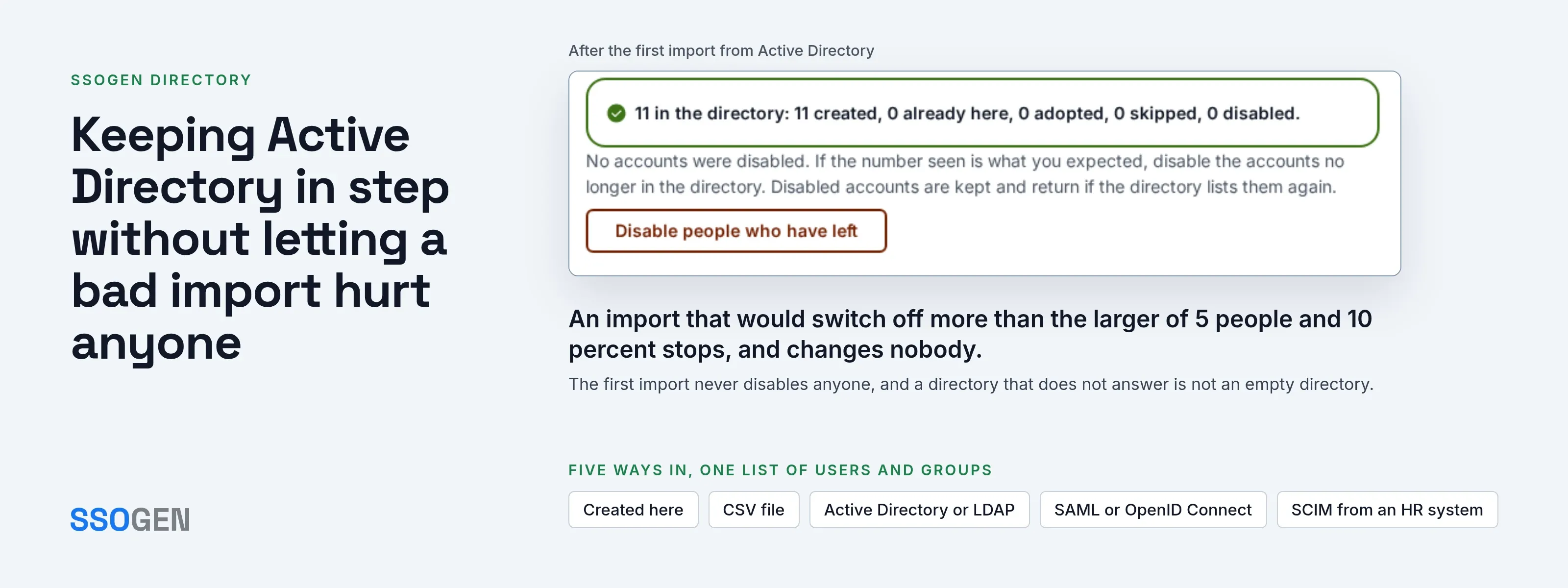
SSOGEN Directory gives one answer for every person, wherever the account came from: who the person is, which groups they belong to and which applications they can open.
In SSOGEN every account lives in one list under Identity, Users. A Source column shows how each account arrived.
- SSOGEN as the only user store. Create and manage every account in SSOGEN, a complete identity provider in production since 2016.
- SSOGEN following an owner. Keep Active Directory or your HR system as the owner, and SSOGEN stays in step with it.
Applications and policies see the same user record either way.
Five ways people get into the directory
| Source | How people arrive | Who owns the data afterward |
|---|---|---|
| SSOGEN’s own accounts | An administrator uses Create user, or a person is invited from a CSV import. | SSOGEN. The Source reads Created here. |
| CSV file | Import users takes a file of up to 2 MB and 5,000 rows, checks it first and creates nobody until you confirm. | SSOGEN, with each person invited to set a password. |
| Active Directory or LDAP | A person is created at first sign-in, or the whole directory is read by an import. | The directory. Source: Provisioned from the directory’s name. |
| SAML or OpenID Connect provider | The account is created at the person’s first sign-in through that provider. | The provider supplies the fields you map. |
| SCIM from an HR system | The HR system calls SSOGEN’s SCIM endpoint to create, update and switch off people and groups. | The HR system, with a token you can revoke. |
Sources combine in one realm. A typical realm has local accounts for a few administrators and contractors, and one directory or provider for everyone else.
Keeping Active Directory in step without letting a bad import hurt anyone
Connecting a directory takes a read-only service account, LDAPS or StartTLS, a user base DN and attribute mappings. SSOGEN does not copy passwords. Each sign-in is checked against the directory.
The import is built to protect access when the directory or its configuration is wrong:
- The first import never disables anybody. It reports the count it saw (“1,204 in the directory”). Compare that with reality before you press Disable people who have left.
- A suspicious run halts. An import stops when it would switch off or change more than the larger of 5 people and 10 percent of the directory’s active people, or when the directory returns nobody. It touches no one’s access and tells you to check the base DN.
- An unreachable directory is not an empty directory. If the directory does not answer, nothing changes and nobody is disabled.
- It only touches its own people. An import changes only accounts that directory created. It never undoes an administrator’s decision, never archives or deletes, and never switches off the last administrator.
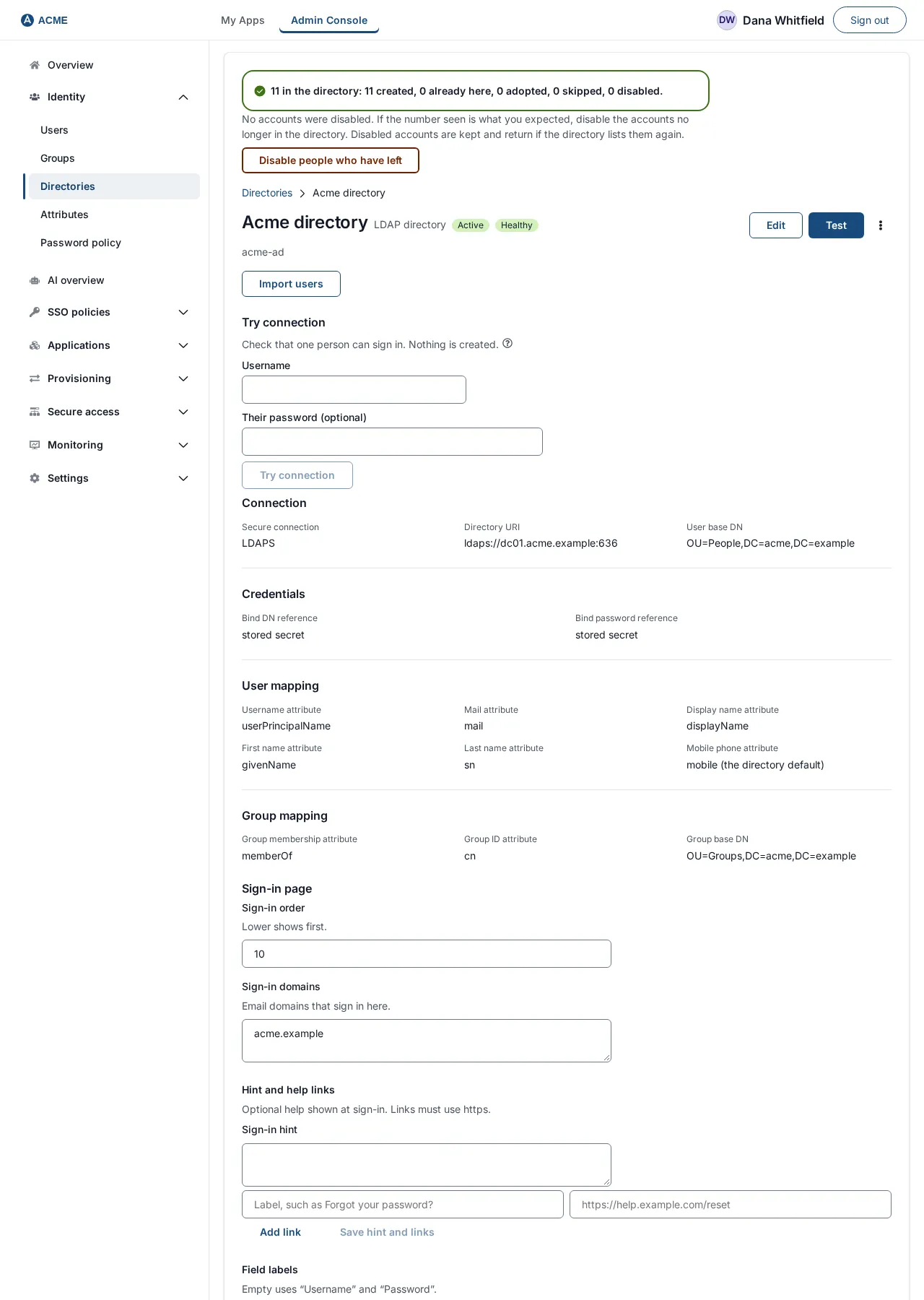
The result of a first import, with the Disable people who have left button.
For a directory behind a firewall, the Directory Connector lets you test a connection to it from inside your network, with no inbound port open. Sign-in does not use the connector yet.
Profile attributes you define yourself
Every person has a name, an email and a mobile phone. Anything else is an attribute you define under Identity, Attributes.
- Name: up to 48 characters of lowercase letters, digits and underscores (for example
badge_number). - Label and kind: the kind is Text, Email address or Phone number.
- Limits: a realm holds at most 64. Once defined, the name and kind are fixed.
Four sources fill an attribute: a CSV column named attr:badge_number, a directory’s extra attributes, a SAML or OpenID Connect claim mapping, or the person themselves.
Each person’s Overview tab shows the value and where it came from, such as CSV import or Directory with the directory’s name.
A field the directory owns shows as plain text with Managed by. It is read-only in SSOGEN, because the next sync would overwrite it.
Email and phone attributes also decide where sign-in codes and password resets go. For example, Acme’s field team has a personal_email attribute of kind Email address. Choose it under Email for codes, and the codes reach a personal address.
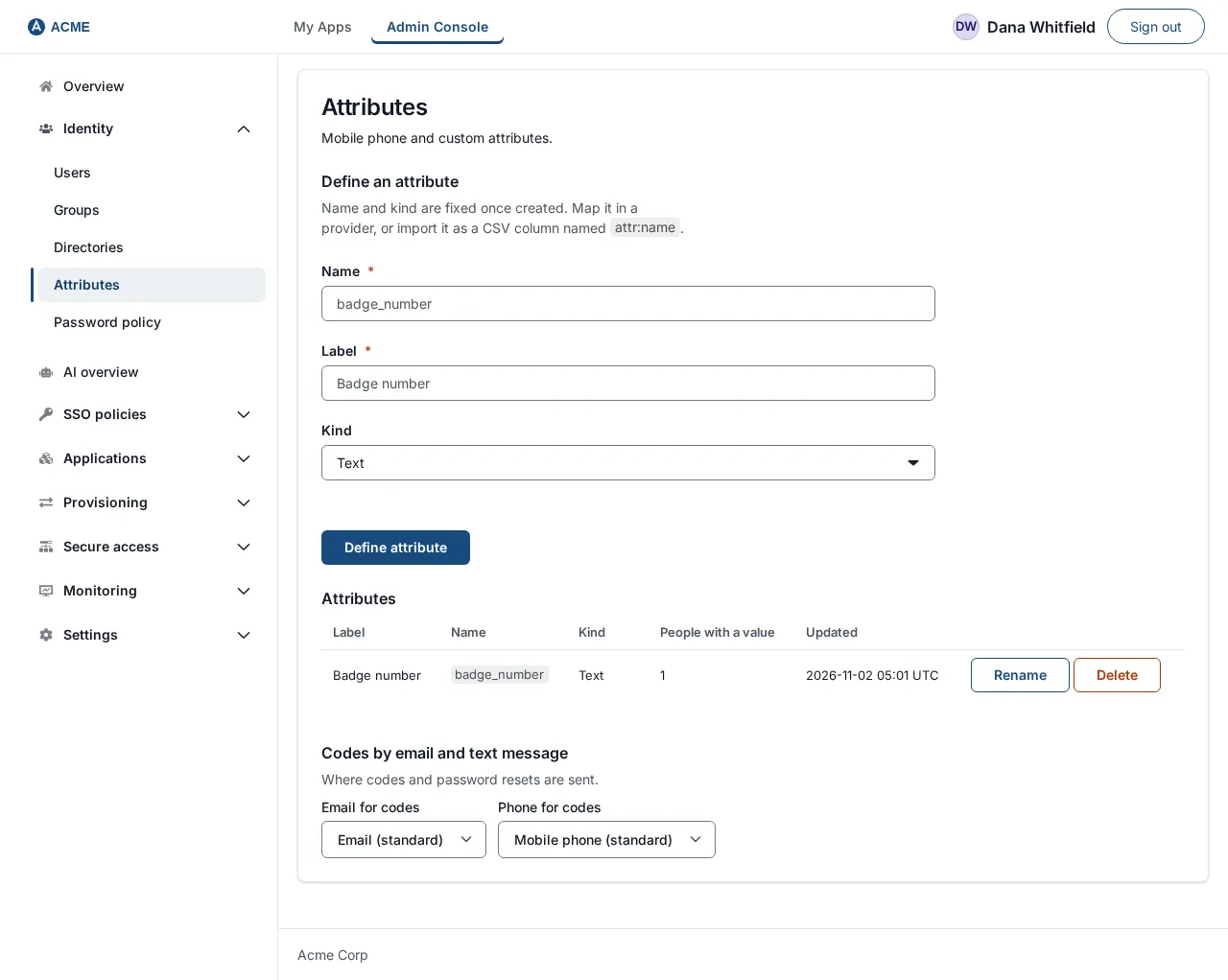
The Attributes page.
Groups that carry access
A group is a named set of people.
- Assign once. Assign an application to a group once and every member can open it from My Apps.
- Groups can nest. Everyone in Backend counts as a member of Engineering, with nobody copied.
- No loops. Nesting refuses a loop.
- One rule group. SSOGEN keeps one rule group, Everyone, that cannot be edited.
- Directory groups. Groups created by a directory keep the directory’s membership.
- Policy rules. Policy rules can match on a group name.
SCIM in both directions
SCIM 2.0 moves people in and out.
- Inbound. Your HR system or identity provider pushes people and groups to a SCIM base URL.
- Bearer token. It authenticates with a bearer token that SSOGEN shows once and stores only as a fingerprint.
- Removals. People removed at the other end are disabled, not deleted.
- Outbound. SSOGEN creates, updates and switches off accounts in applications that offer SCIM 2.0.
- Only assigned people. Only the people assigned to those applications are touched.
Questions people ask
Can SSOGEN be my only user store?
Yes. Create people by hand or by CSV import, give them groups and applications, and SSOGEN signs them in with its own accounts.
Does SSOGEN copy my Active Directory passwords?
No. Each sign-in is checked against the directory. SSOGEN does not store the password.
What happens when someone leaves?
An import that disables leavers switches the account off and ends the person’s sessions. A person your HR system deletes over SCIM is archived. Nothing is deleted outright, and you can restore an archived account.
Can I bring existing password hashes in a CSV?
Yes, in forms the import recognizes: bcrypt, Argon2id, Django and passlib PBKDF2, and salted SHA-256 or SHA-512 ({SSHA256}, {SSHA512}). A person with a hash keeps their password and gets no invitation.
Where to go next
- Start here. The users guide.
- Connect a source. Use the Active Directory and LDAP guide, or let your HR system provision people through SCIM.
- The rest. The profile attributes guide and the groups guide cover it.
- Provisioning. User provisioning shows how accounts reach your applications.