SSOGEN Single Sign-On Software for Every Application

Single Sign-On Software for Every Application

People sign in once and one decision governs every launch, for SAML and OpenID Connect applications and for Apache, Oracle HTTP Server and Java apps.

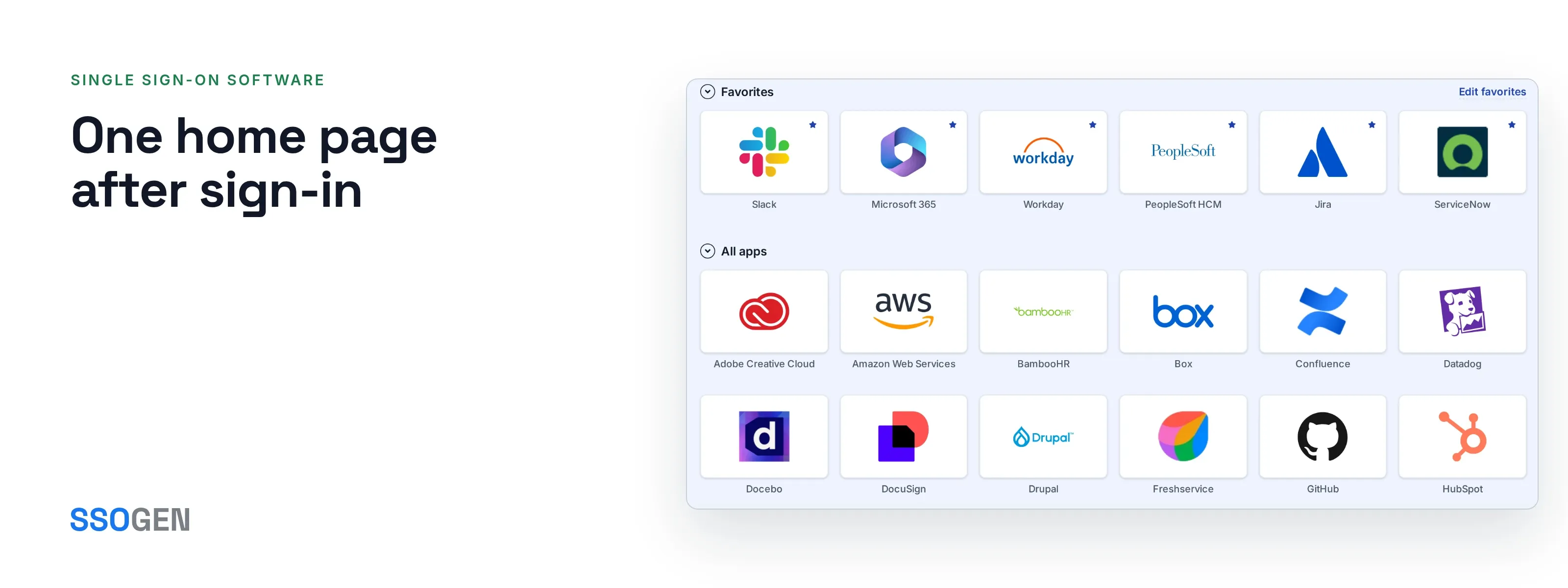
Single sign-on software: SSOGEN My Apps with application tiles, search and favorites for one employee
The employee's home page, every application a keystroke away.

Works with

  • SAML 2.0
  • OpenID Connect
  • LDAP
  • Active Directory
  • Apache 2.2 and 2.4
  • Oracle HTTP Server
  • Tomcat and Spring Boot

Four ways in

SSOGEN is a SAML and OpenID Connect provider. It also brings the applications that speak neither standard into single sign-on, through a module that sits in front of the application.

  • Modern applications: SAML and OpenID Connect

    Register the application, upload its SAML metadata to fill in the details, and assign it to groups. OpenID Connect uses the authorization code flow with PKCE.

    Start with a SAML application or an OpenID Connect application.

  • Older web applications: the Web Agent

    One module for Apache 2.4, Apache 2.2 and Oracle HTTP Server.

    The Web Agent confirms that the person has signed in, then gives the application the verified user in the form it already expects. Profiles cover Oracle E-Business Suite, PeopleSoft and JD Edwards.

  • Java applications: the Java agent

    Tomcat, servlet applications and Spring Boot, with the same policy, sign-out choices and key model as the Web Agent.

  • Internal applications: the App Proxy

    Put sign-in in front of an internal web application without touching it. The App Proxy runs on the SSOGEN Gateway inside your network.

Bring the identity provider you already have

Connect Microsoft Entra ID, Okta, Keycloak or any SAML or OpenID Connect provider, and people keep the sign-in they know.

  • Test against the real provider. Press Test and SSOGEN contacts the provider and checks the result.
  • Activate when it passes. A provider stays a draft until its test has passed.
  • Or use SSOGEN alone. Local users, your database, LDAP and Active Directory work without another provider.

Identity providers in the documentation

Illustration with fictional data.

One home page after sign-in

People land on My Apps: the applications assigned to them, and their own account.

  • Search, recents and favorites. The application a person needs is one or two keystrokes away.
  • No second prompt. Opening another application costs no further sign-in while the session is valid.
  • Self-service account. Profile, password, authenticator, sessions, devices and activity are on the same page.
Illustration with fictional data.

One decision for every launch

Whichever way a person comes in, the same two questions run every time. Is this person assigned to the application, and does its sign-in policy allow them? There is one gate, not one per integration style.

The four ways in and the check each one passes
Way inUsed forWhere it sitsThe check
SAML or OpenID ConnectSaaS and modern applicationsIn the application's own sign-in settingsAssignment and policy
Web AgentApache and Oracle HTTP Server applicationsOn the web server in front of the applicationAssignment and policy
Java agentTomcat, servlet and Spring Boot applicationsIn the Java application serverAssignment and policy
App ProxyInternal web applicationsOn the Gateway in your networkAssignment and policy

Sign-out you control

  • Each application chooses

    An application signs out of its own session only, or ends the SSOGEN session too. You set this per application.

  • Connected applications are told

    Connected applications receive back-channel sign-out, so a session does not linger in an application that was left open.

  • Revocation reaches every way in

    When you revoke a person, each enforcement point picks it up within seconds to minutes, depending on the point.

Packages for Oracle and web servers

Generated packages carry the web server configuration for each product. Nothing is registered on the application host: the administrator copies a short block, and the application team pastes it and restarts.

Common questions

Do applications outside the gallery connect?

Yes. The gallery saves typing, and any SAML or OpenID Connect application connects without it.

What does the application team do on the application host?

They paste one configuration block and restart the web server.

The key inside is shown once, stored only as a hash and scoped to one application. You replace it by generating a new one, and you choose how long the old one keeps working.

Which checks protect an OpenID Connect sign-in?

The authorization code flow with PKCE, plus state, nonce, issuer, audience and signature checks. These checks are always on.

Can the Web Agent work with another identity provider directly?

Yes. The module can sign people in against any standard SAML or OpenID Connect provider. That standalone mode uses a license key.

Do deep links survive sign-in?

Yes. A person who opens a link deep inside an application signs in and arrives at that same page. Protection is set per location: protected, optional or off.