SSOGEN / Why SSOGEN: single sign-on for every application, including the ones that run your business
SSOGEN
Why SSOGEN: single sign-on for every application, including the ones that run your business
SSOGEN handles sign-in, MFA, internal apps, server access and audit, on your servers or hosted, for Oracle and SaaS alike.
What you get
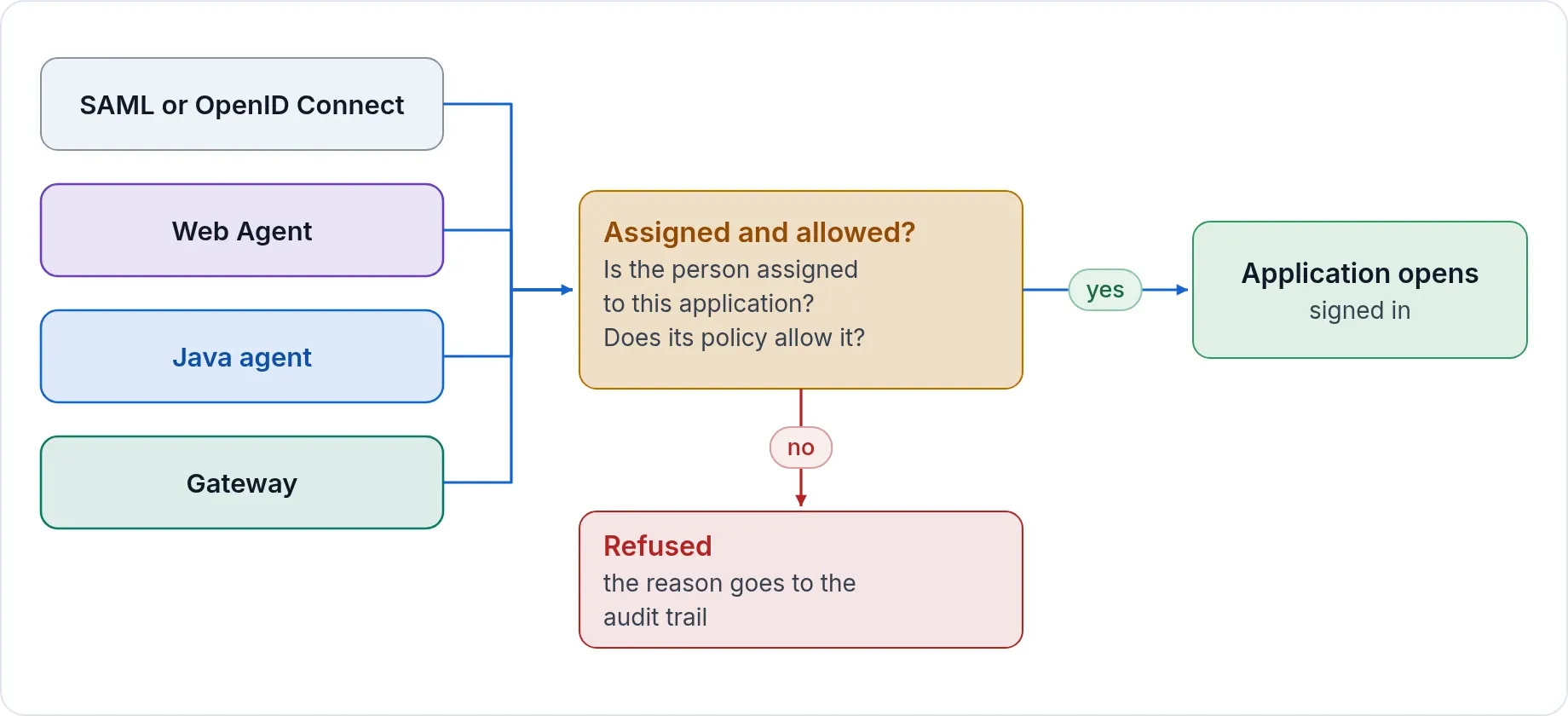
- One sign-in for every type of application. SAML and OpenID Connect applications, Apache and Oracle HTTP Server applications, Java applications, and internal applications that speak no sign-in standard at all.
- Multi-factor sign-in people finish in seconds. Push approval with number matching, passkeys, authenticator codes, and step-up for the applications that need more.
- Access without a VPN. Internal web applications and SSH, RDP and VNC servers open in the browser through a Gateway in your network. People reach one application or one server, never the network.
- Your users, from where they already are. Active Directory, LDAP, Microsoft Entra ID, Okta or any SAML or OpenID Connect provider, plus SCIM and CSV.
- Rules you can read. A sign-in policy and an assignment per application, and a What if screen that names each reason a person was let in or refused.
- An audit trail that shows tampering. Every sign-in, administrative change and server session is chained and sealed daily, and the whole chain is checked every night.
Works with the identity provider you already run
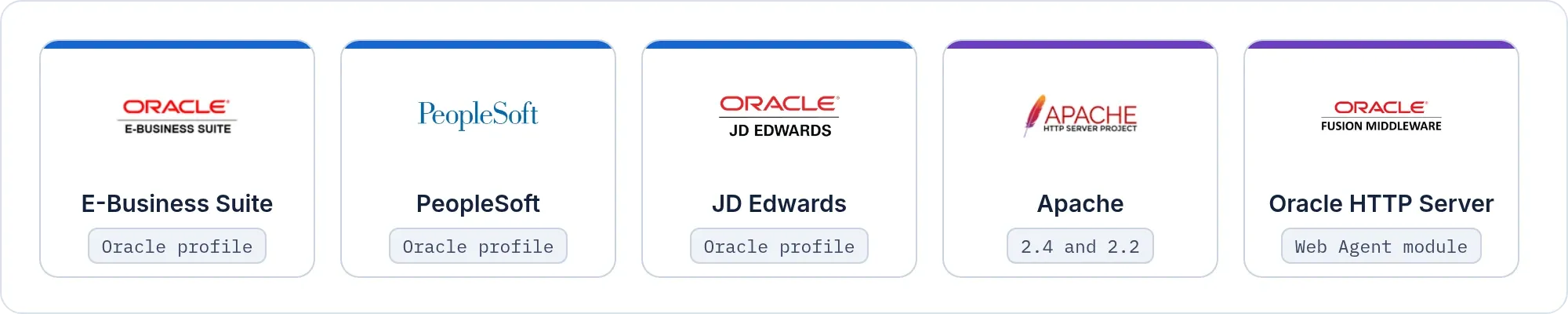
SSOGEN works with Microsoft Entra ID, Okta or any standard SAML or OpenID Connect provider. The SSOGEN Web Agent brings Oracle E-Business Suite, PeopleSoft, JD Edwards and other web applications behind Apache or Oracle HTTP Server into that sign-in.
- Your provider as the place people sign in. The SSOGEN Web Agent can sign people in directly against any standard SAML or OpenID Connect provider, with its own license key. People sign in at your provider, under the rules it applies.
- Or put SSOGEN in the middle. Connect your provider to it and get one policy, one audit trail and My Apps for every application, old and new.
- Moving off Oracle Access Manager. The same approach works one application at a time. See the migration playbooks and the comparison with Oracle Access Manager.
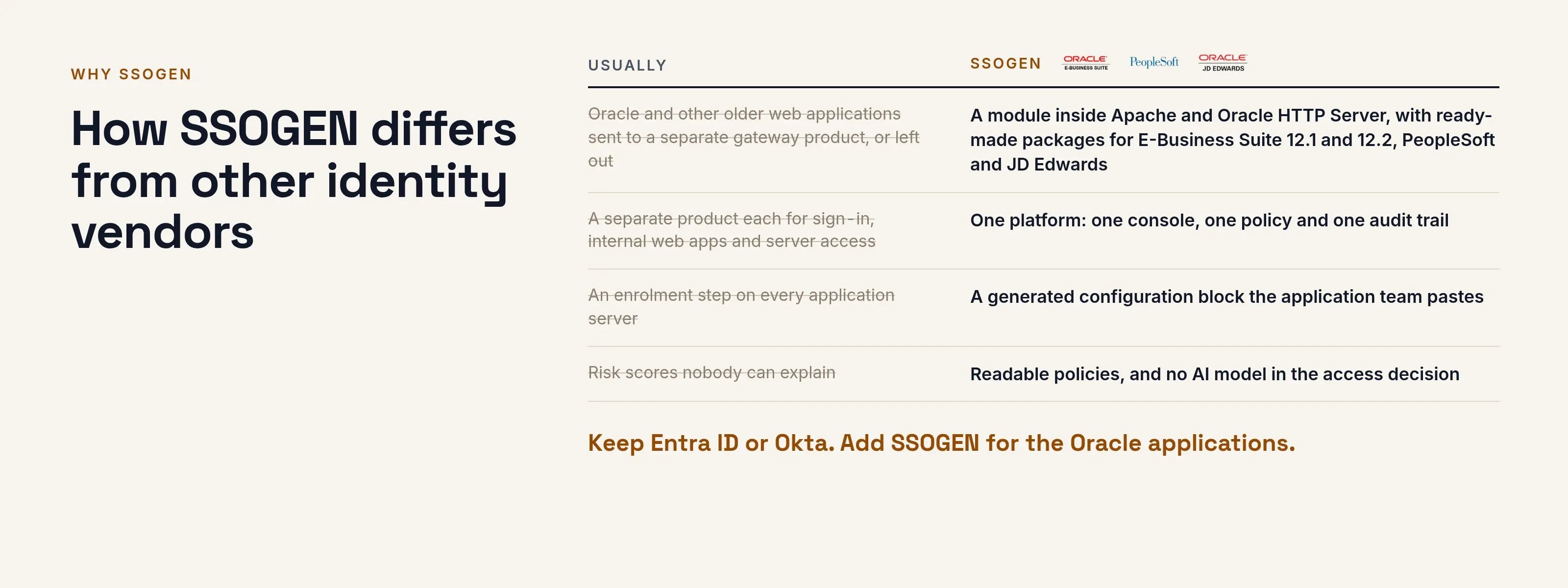
How SSOGEN differs from other identity vendors
| Usually | SSOGEN |
|---|---|
| Oracle and other older web applications sent to a separate gateway product, or left out | A module that runs inside Apache and Oracle HTTP Server, with ready-made packages for E-Business Suite 12.1 and 12.2, PeopleSoft and JD Edwards |
| A separate product each for sign-in, internal web apps and server access | One product: sign-in, App Proxy and Remote Access to servers share one console, one policy and one audit trail |
| Cloud only | Your own Enterprise Linux servers, or hosted by SSOGEN, from the same release |
| An enrollment step on every application server | A generated configuration block the application team pastes |
| A certificate authority someone must learn | Included and managed for you |
| Risk scores nobody can explain | Readable policies, and no AI model in the access decision |
The details, vendor by vendor: Okta, Microsoft Entra ID, Oracle Access Manager. What only SSOGEN does: what sets SSOGEN apart.
One product, and how it reaches your applications
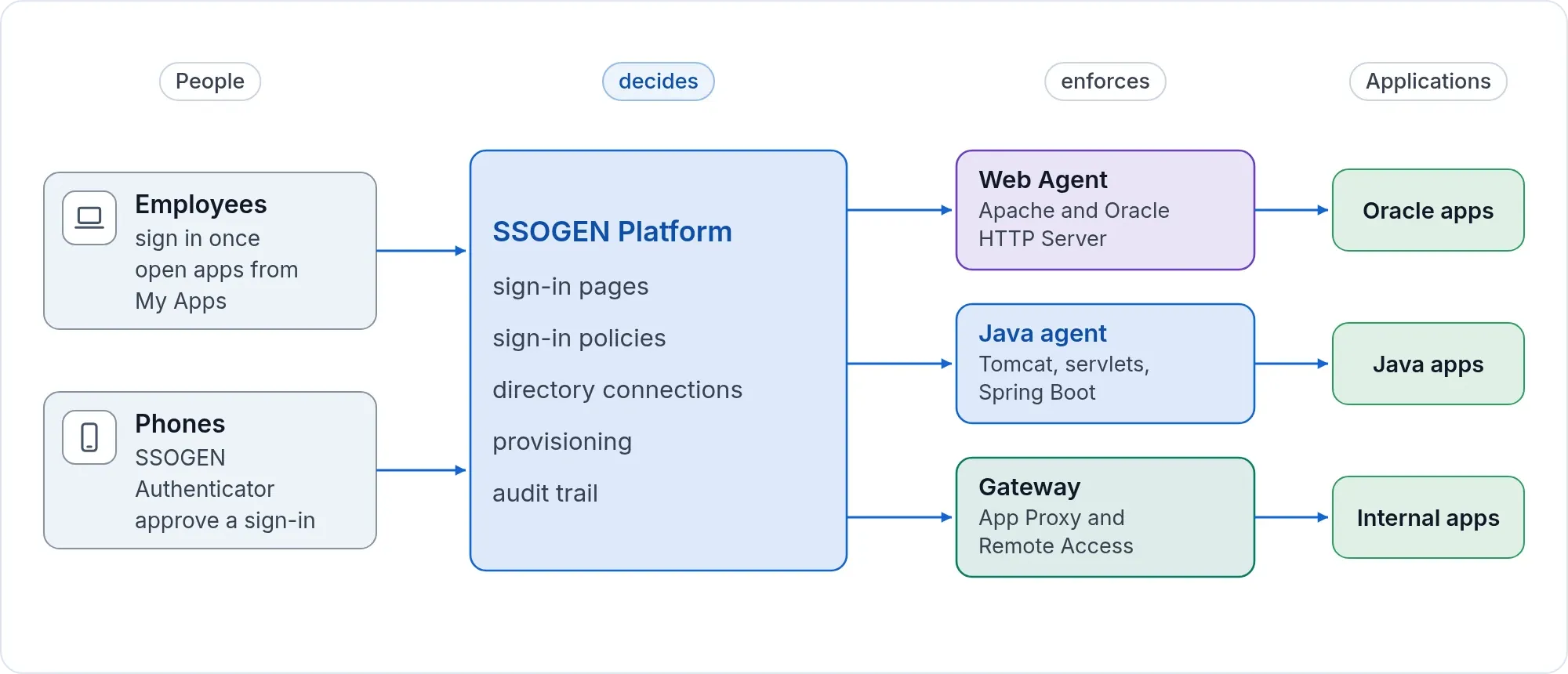
The SSOGEN server holds the sign-in pages, the policies, the directory connections and the audit trail. It decides. Everything else carries the decision to where it is needed.
| Part | What it does |
|---|---|
| SSOGEN server | Sign-in, policy, directories, provisioning, audit |
| My Apps | One home page where people find and open their applications |
| Admin Console | Where administrators set up everything, with guided steps |
| Web Agent | Sign-in inside Apache 2.2, Apache 2.4 and Oracle HTTP Server |
| Java agent | The same for Tomcat, servlet and Spring Boot applications |
| Gateway | App Proxy for internal web applications, Remote Access to servers, Outbound Connector, Directory Connector |
| SSOGEN Authenticator | Push approval with number matching, and authenticator codes, on iPhone and Android |
Your Oracle applications become SSO-protected
E-Business Suite 12.1 and 12.2, PeopleSoft, JD Edwards, and any Apache 2.2, Apache 2.4 or Oracle HTTP Server application. The integration packages generate the web-tier configuration, and the application receives the signed-in user in the form it already expects, with no change to its code.
Some products need their own single sign-on setting switched on, and the package says which. The E-Business Suite package sets the EBS profile options for you, while your team turns on the single sign-on setting in PeopleSoft and JD Edwards. What each product asks of your team is set out in the migration playbooks.
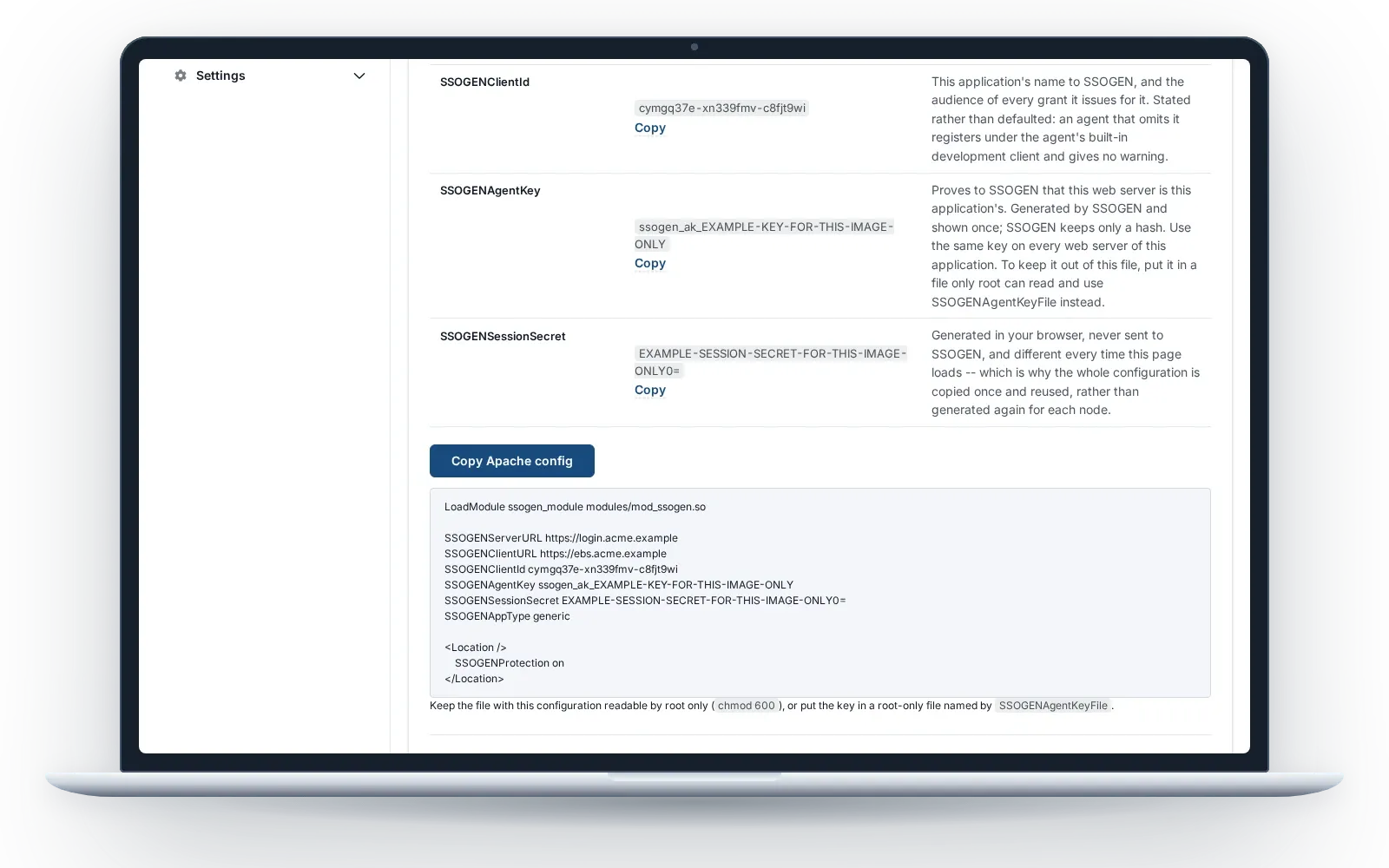
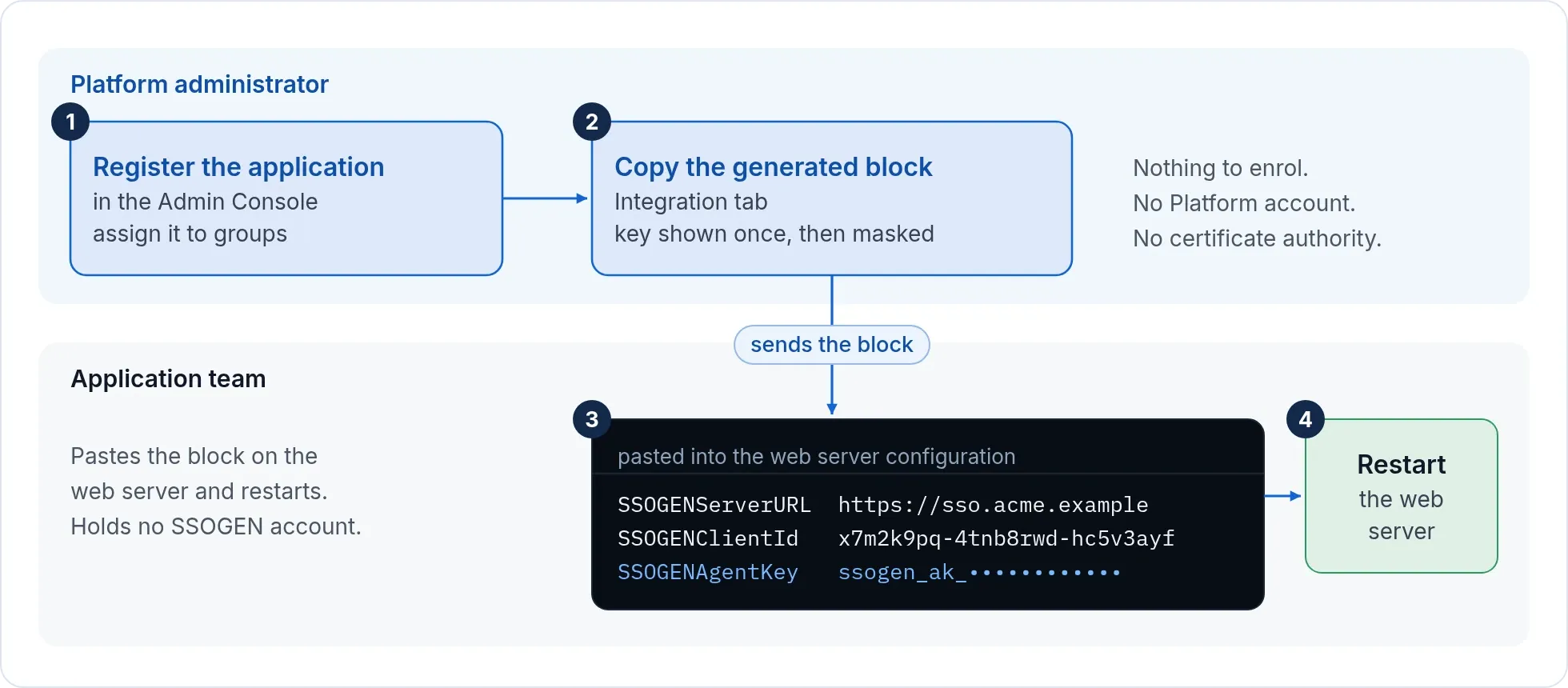
For other Apache and Oracle HTTP Server applications, the console produces a short configuration block with a key for that one application. The application team pastes it and restarts the web server. They enroll nothing, hold no SSOGEN account and run no certificate authority.
Security, in plain words
- Each organization has its own address, its own signing key and its own data.
- Behind SSOGEN, identity comes only from SSOGEN’s own sign-in, never from anything a browser sends.
- Sign-in fails closed: a request that cannot be checked is refused.
- Passwords, authenticator seeds, recovery codes, tokens and private keys are kept out of logs, and the console’s log viewer masks such values even if one reached a log file.
- Push approval always uses number matching. No setting turns it off.
- Administrator powers need a recent second factor, and break-glass recovery on the server is audited and flagged in the console.
What you can check yourself
| What | Where you see it |
|---|---|
| Exactly which build is running | The build ID in the archive’s manifest, the start-up log, the version command and the console’s Overview page |
| That the audit trail has not been altered | The nightly chain check, and a full check you can run from the console at any time |
| Why a sign-in was allowed or refused | The What if screen, which names each reason |
| What the product does not cover | The migration playbooks and the Oracle audit checklist |
For security questions, start at the trust center.
Who it suits
- Teams running Oracle E-Business Suite, PeopleSoft, JD Edwards or older web applications that need modern single sign-on and MFA without a rewrite.
- IT and security teams of a few people who want sign-in, MFA and access control that is not a second job.
- Organizations that want to reach internal applications and servers without a VPN.
- Organizations that want identity on their own servers, or hosted by SSOGEN.
- Organizations that open portals to suppliers, partners and customers, by invitation or by self sign-up with approval: customer identity.
Next: Get trial access, or send us your application list and we will tell you how each one connects.
Product names belong to their owners. SSOGEN is an Oracle partner, but Oracle has not reviewed or endorsed this page. SSOGEN is not affiliated with the other owners.