SSOGEN / Self-hosted or hosted: your servers or ours, same product, same release
SSOGEN
Self-hosted or hosted: your servers or ours, same product, same release
Install from one SSOGEN archive on Enterprise Linux 8, 9 or 10, or take a hosted organization at its own tenant address.
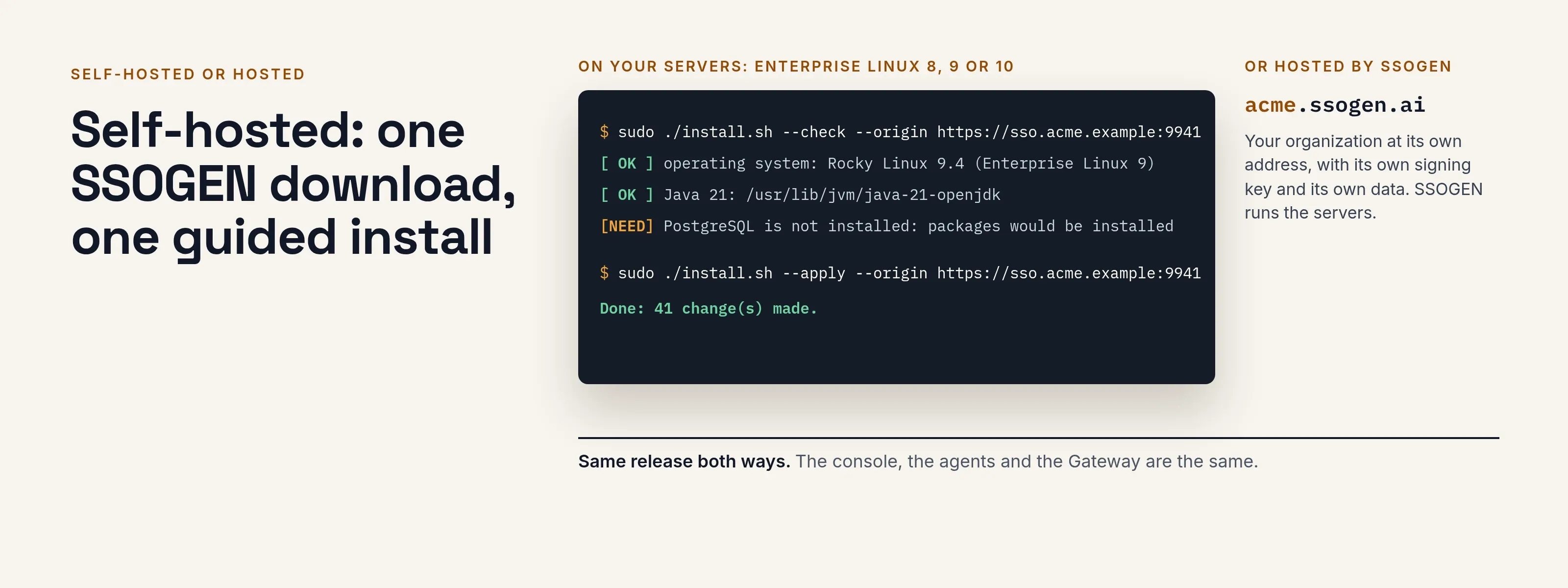
Self-hosted: one SSOGEN download, one guided install
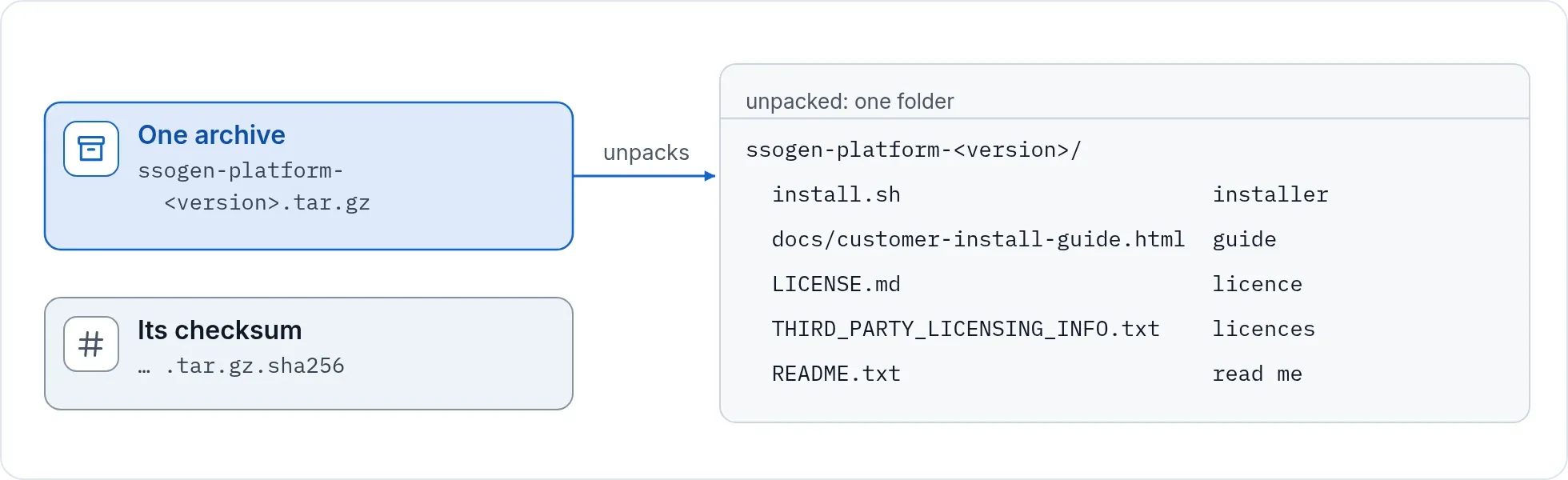
- One archive for SSOGEN. A single compressed file with its checksum. The installer, the install guide and the license texts are inside.
- Your operating system. Red Hat Enterprise Linux, Oracle Linux, Rocky Linux, AlmaLinux and CentOS Stream, versions 8, 9 and 10.
- Few requirements. Java 21 and PostgreSQL 15 or later. The installer installs both from your operating system repositories if they are missing, or uses the ones you have. It does not upgrade or replace a database server you already run.
- A guided install. Check, plan, apply, upgrade, uninstall. It checks first and says plainly what is missing.
- First run. The first administrator is created with a one-time token, must enroll a second factor, and receives recovery codes. Every new server follows the same path.
- One address. Your organization’s address is chosen at install and stays.
- Upgrade in one command. Migrations run, and your keys, applications and audit trail stay.
- Break-glass recovery. If the worst happens, a command on the server restores an administrator’s access. It is audited and the console flags it until you decide.
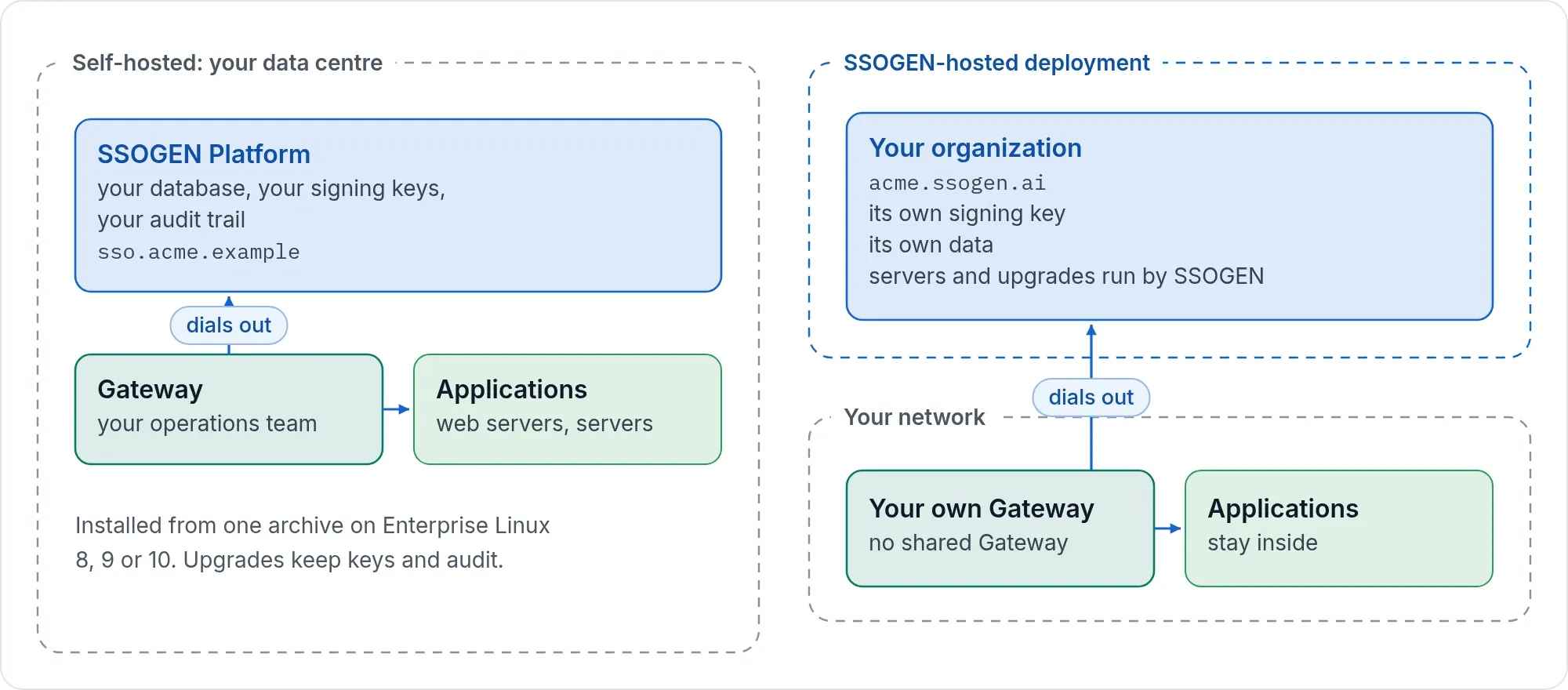
- Your data stays with you. Your database, your signing keys, your audit trail.
- Your own Gateway. The Gateway for App Proxy, Remote Access to servers, the Outbound Connector and the Directory Connector is a separate download that your operations team installs inside your network.
SSOGEN-hosted: your organization, separated
A hosted organization is set up with you. Talk to us to start one.
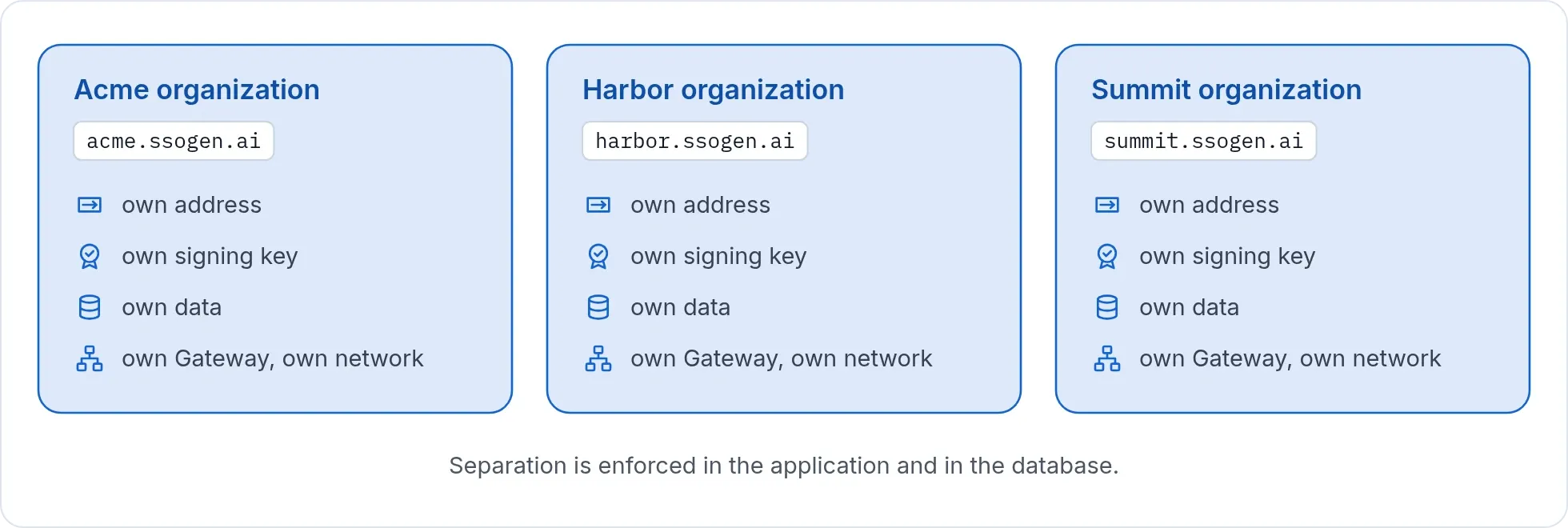
- Many organizations run on one hosted deployment. Each has its own address of the form
<name>.ssogen.ai, its own signing key and its own data. The separation is enforced in the application and in the database. - SSOGEN operates the servers, upgrades and monitoring.
- Features such as Remote Access to servers can be switched on or off for each organization.
- Each organization that uses a Gateway runs its own, inside its own network. There is no shared Gateway.
- Web Agents and Java agents connect to your organization’s address in the same way as on a self-hosted install.
Which one
| Self-hosted | SSOGEN-hosted | |
|---|---|---|
| Who runs the servers | You | SSOGEN |
| Address | Yours | <name>.ssogen.ai |
| Separation | Your own installation | Own address, key and data per organization |
| Gateway and agents | You install them | You install them |
| Data location | Your database | Hosted by SSOGEN |
| Release | Same release | Same release |
What differs on a hosted organization
The console, sign-in page, My Apps and Authenticator are the same. SSOGEN operates the service, so a few settings follow its rules:
- Features switched on for you. SSOGEN turns on Gateways, Remote Access, Web Agents, directories, Kerberos, your own mail server and MCP servers for each organization. System health lists what is on.
- A fixed address. Your
<name>.ssogen.aiaddress is set at creation. Sign-in under your own domain is a self-hosted option. - Directories over public LDAPS or StartTLS. Publish the directory on port 636 or 3269 (LDAPS), or 389 or 3268 (StartTLS).
- Data exports through SSOGEN. Ask SSOGEN for an export of your organization’s data.
Details: Your hosted SSOGEN organization.
Choosing
- Pick self-hosted when identity must live inside your own boundary, when you already run PostgreSQL and Linux well, or when your customers or regulators expect it.
- Pick hosted when you want sign-in without running servers, and your applications can reach a hosted address.
- Start on either. The product, the console and the agents are the same. The SSO architecture reference lists the ports each topology opens.
Next: Talk to us about hosting or read the installation requirements.
Product names belong to their owners. SSOGEN is an Oracle partner, but Oracle has not reviewed or endorsed this page. SSOGEN is not affiliated with the other owners.