SSOGEN / SSOGEN refuses the change that would lock you out. Break glass access gets you back in.
SSOGEN
SSOGEN refuses the change that would lock you out. Break glass access gets you back in.
The console refuses changes that remove the last administrator, and one root command on the server restores access and is audited.
The console has its own bar
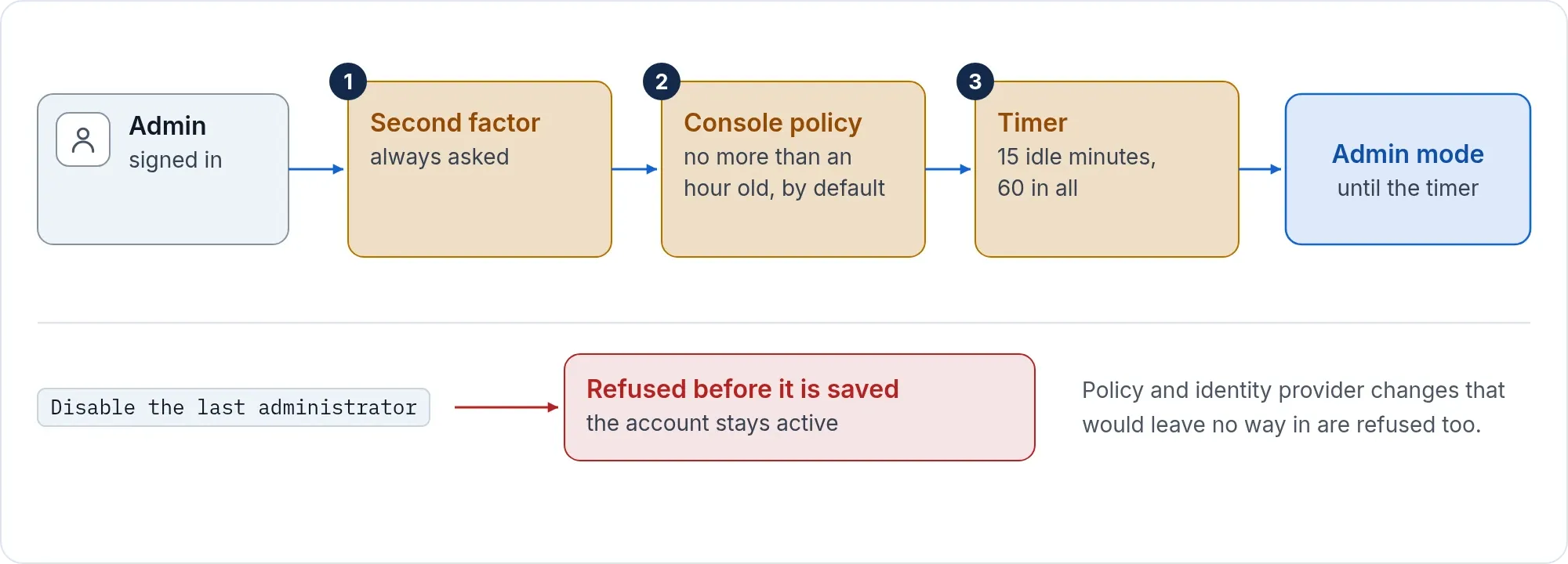
The admin console is the most valuable system in your estate, so it has its own sign-in policy, separate from your applications.
- A new installation asks for a password plus an Authenticator approval with number matching, an Authenticator code or a recovery code, and allows passkeys.
- The console always asks for a second factor. Email and text codes, and emailed sign-in links, are never accepted for it.
- Being signed in is not enough for administrator powers. The console asks for a sign-in that meets its own policy, second factor included and no more than an hour old by default. Admin mode ends on a timer: by default after 15 idle minutes or 60 minutes in all.
- Only a Super admin can change, weaken or delete the console’s policy.
- A person with an administrator role and no second factor cannot add one from My Account. They set one up at the console’s own sign-in, under that policy’s rules, or are sent to the help desk.
Refused before it can hurt
SSOGEN checks the consequences before it saves.
- Last administrator. Disabling the last administrator who can meet the console’s policy is refused. Directory sync and SCIM provisioning are refused the same way, and the account stays active.
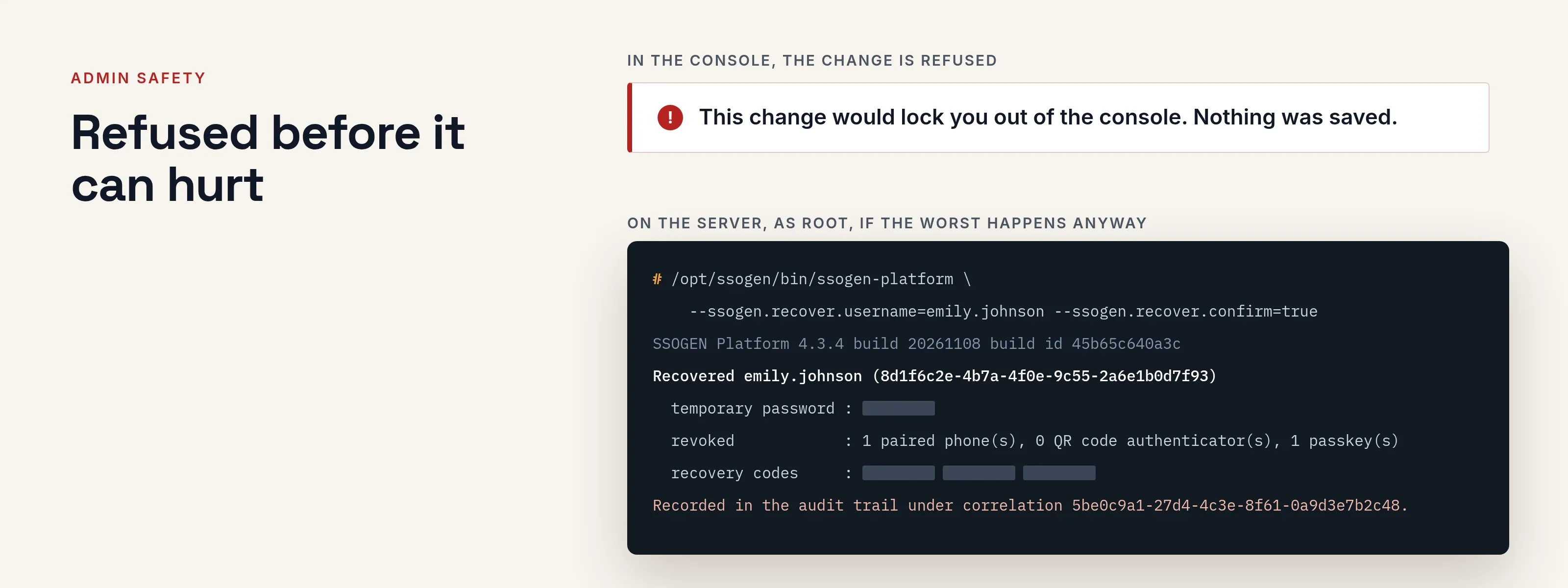
- Policy changes. A change to the default policy or the console’s policy that would leave no administrator able to sign in is refused: “Nothing was saved.”
- Identity providers. Switching off the provider the console relies on is refused while no administrator could sign in another way.
- Access rules. A change that would leave you unable to open any application you can open now is refused unless you confirm by typing your organization’s name. Rules that open access to everyone need the same confirmation, from a Super admin.
- An emergency deny is safe. Access rules never govern the console, so an emergency deny does not lock administrators out of it.
Six roles, least privilege
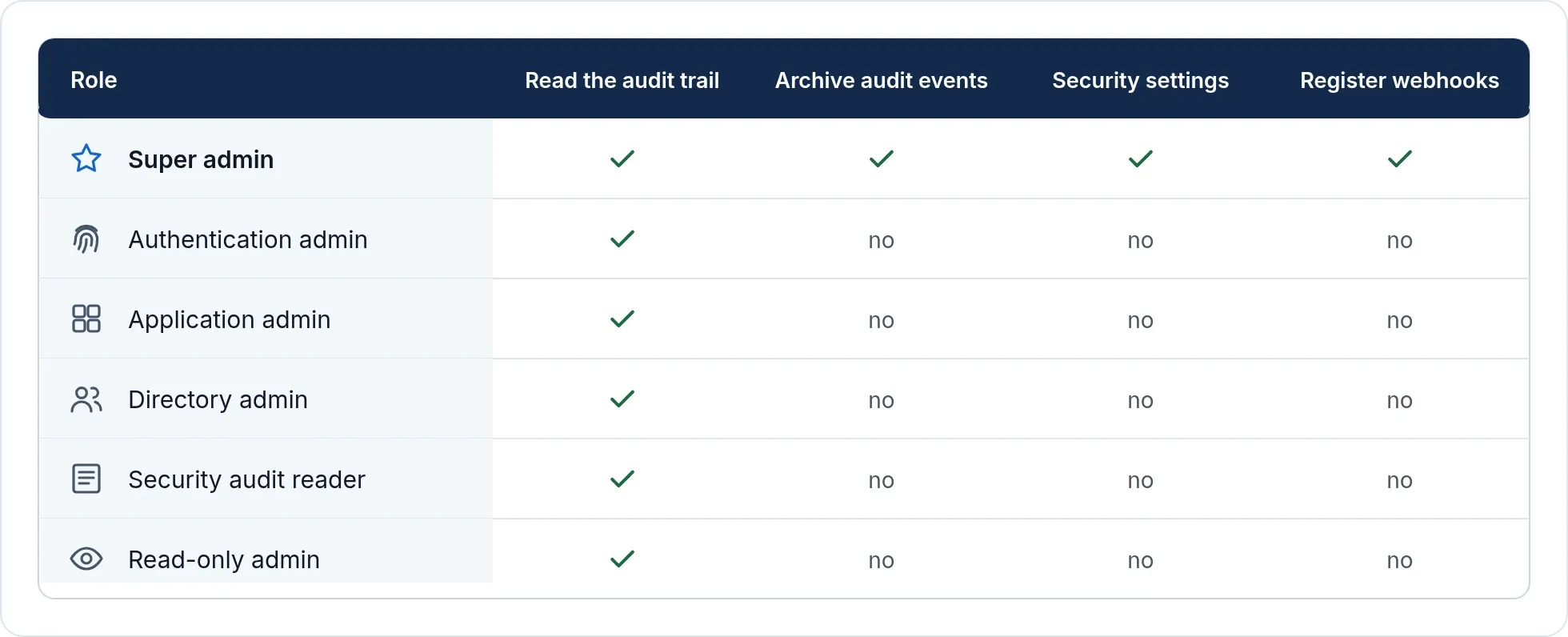
Super admin, Authentication admin, Application admin, Directory admin, Security audit reader and Read-only admin. Every administrator role can read the audit trail. Archiving audit events, changing security settings and registering webhooks are Super admin only.
Break-glass recovery
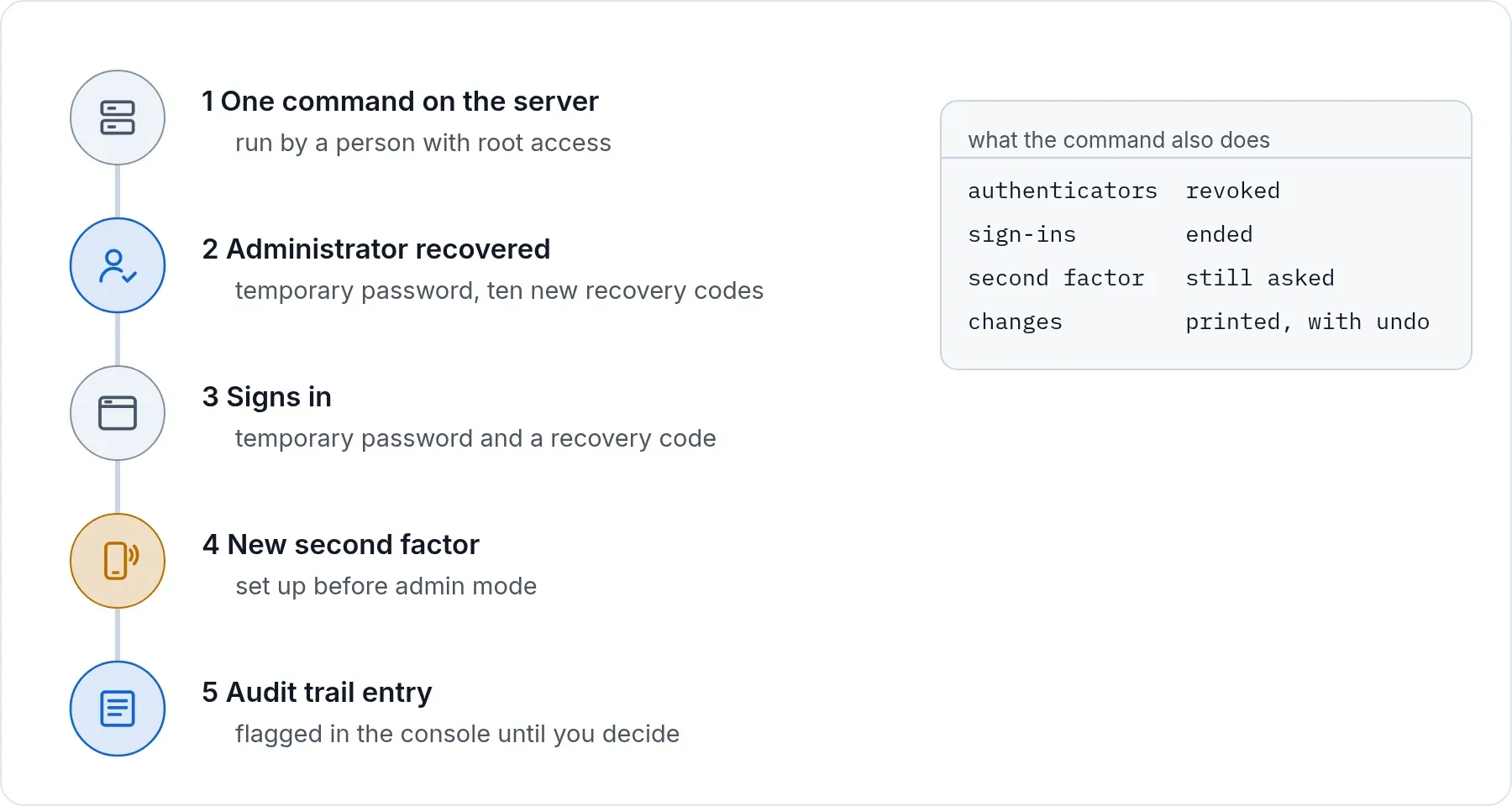
Break glass access is the emergency way into the admin console when normal sign-in fails. In SSOGEN it is a recovery command, run on the server for a named administrator. If the only administrator has lost the password and the phone, a person with root access to the server runs one command. It does five things.
- Recovers the named administrator with a temporary password. For an account your directory or identity provider owns, the command tells you first to reset it at the source or to detach it.
- Issues ten new recovery codes.
- Revokes every authenticator and sign-in that administrator had.
- Where needed, makes sure the console admits that administrator, without weakening the second factor.
- Prints exactly what it changed and how to undo it.
The person recovered signs in with the temporary password and a recovery code, then sets up a new second factor. Recovery never skips the second step. It restores the way in.
Visible afterwards
- Recovery is recorded in the audit trail as a break-glass action, with the server account that ran it, and each change it made is recorded too.
- If recovery changed who the console admits, Setup health warns until a Super admin removes the change or keeps it.
- Recovery edits only a policy the console alone uses. When the console shares a policy with applications, recovery gives the console a new one and leaves the shared one untouched.
It is part of the install, not an afterthought
The recovery steps are in the install guide, next to backup and upgrade. The full rules are in admin lockout protection.