SSOGEN / SAP SSO: Sign-In Options for SAP Web Apps
Integration
SAP SSO: Sign-In Options for SAP Web Apps
The Web Agent signs people in before SAP sees the request, and SAP cloud applications connect over SAML, while SAP keeps its own users and roles.
SAP SSO with SSOGEN means users sign in once, with MFA, and open SAP without typing another password. SSOGEN covers both kinds of SAP application through one identity provider:
- Hosted SAP web apps, such as NetWeaver Portal, sit behind a web server. The SSOGEN Web Agent runs inside that server and signs users in before SAP sees the request.
- SAP cloud apps with a SAML setting connect to SSOGEN as a SAML application.
SSOGEN handles authentication. SAP roles and authorizations stay where they are.
Which route fits which SAP application
| SAP application | Route | What you install |
|---|---|---|
| SAP NetWeaver Portal and other SAP web applications you host, served through Apache or Oracle HTTP Server | SSOGEN Web Agent in the web server | The Web Agent module on the web server |
| SAP web application that cannot sit behind a server you control | App Proxy on the SSOGEN Gateway | A gateway in your network |
| SAP cloud applications with a SAML sign-in setting (earlier SSOGEN SAP material names Concur and SuccessFactors) | SAML application registered in SSOGEN | Nothing |
The guide to choosing how to connect an application walks through the same decision for any product. Register a SAML application covers the cloud route.
The Web Agent in front of the SAP portal: an outline
SAP NetWeaver Portal can read the signed-in user from a value the web server passes along, so it does not ask for a password.
SSOGEN’s earlier SAP integration worked this way. The Web Agent supports it too: it sends the user name in a request header on every protected request.
The outline:
- Put a web server in front of SAP and forward the Portal context,
/irj, to the SAP web server behind it. - Install the Web Agent on that web server and protect
/irj. - Stop the SAP J2EE dispatcher and server services.
- In the User Management Engine configuration, add an authentication scheme to
authschemes.xmlthat reads the user from the request. SAP’s own default name for that value isOB_USER. Use the name the Web Agent sends, which the application’s Test tab in the console shows, and the agent’s value is read directly. - Add
HeaderVariableLoginModulefor each application that should accept the sign-in, and turn on the SSO logoff URL. - Restart SAP.
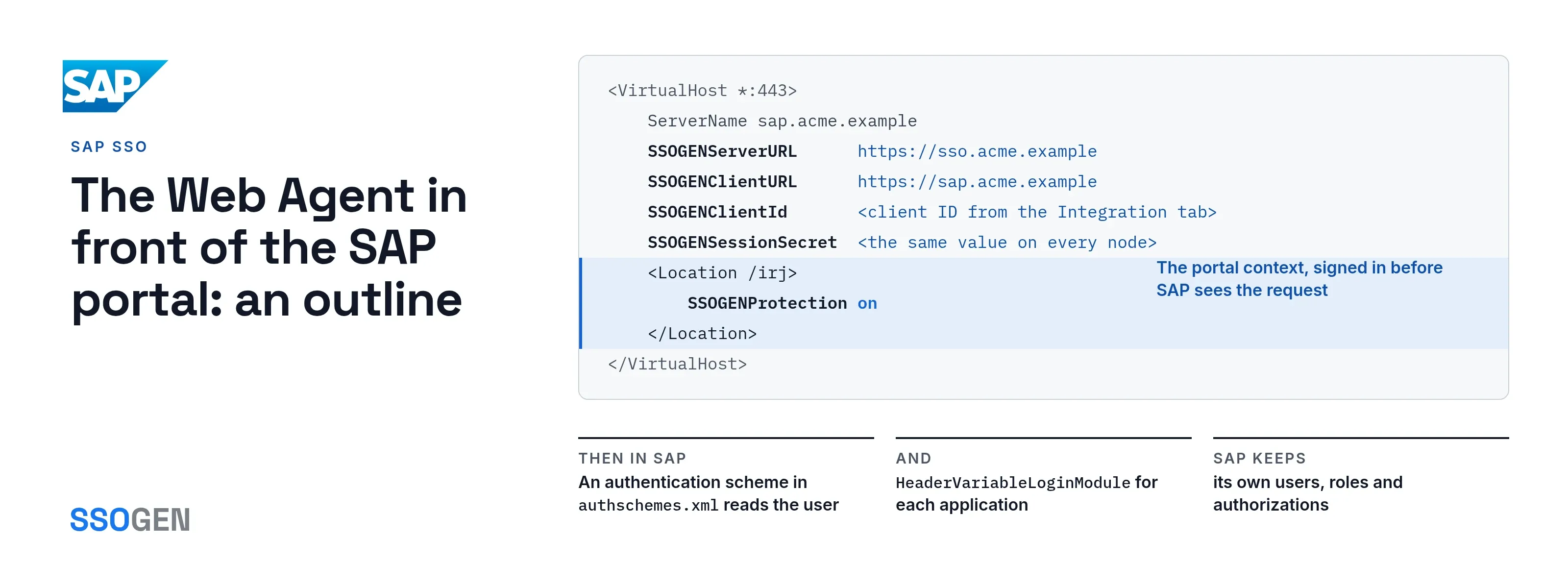
This is the Web Agent side of step 2, with placeholder names:
<VirtualHost *:443>    ServerName sap.acme.example    # your existing SSL and proxy rules for /irj stay as they are
    SSOGENServerURL      https://sso.acme.example    SSOGENClientURL      https://sap.acme.example    SSOGENClientId       <client ID from the Integration tab>    SSOGENSessionSecret  <the same value on every node>
    <Location /irj>        SSOGENProtection on    </Location></VirtualHost>
Register the application first under Applications, then Web Agent. The console writes the Apache block for you on the Integration tab.
The Web Agent guide for on-premise applications lists every setting and the build steps.
What SAP keeps doing
- Sign-in screen only. SSOGEN replaces the sign-in screen, not SAP security.
- Users and roles. They still live in SAP, and the name SSOGEN passes must match the user ID SAP already knows.
- Identify the person by. The Web Agent lets you choose which attribute becomes that name.
- MFA per application. You set multi-factor authentication in the SSOGEN sign-in policy. One SAP app can require a second factor while another accepts a directory password.
Keep SAP reachable only through the web server
Identity travels from the web server to SAP in request values, so SAP must trust only the web server.
- Firewall rule. Close the SAP ports to everything else.
- Trusted link. Use a trusted network or TLS between the two.
- Header stripping. The agent strips any identity value a browser sends before adding its own.
- Why the firewall matters. Someone who can reach SAP directly can skip the web server entirely.
Questions people ask
Does SAP SSO replace SAP authorizations?
No. SSO covers authentication. Roles and authorizations are still managed in SAP.
Do I need a third-party identity provider?
No. SSOGEN is a complete identity provider. If you already run Microsoft Entra ID, Okta or another SAML or OpenID Connect provider, SSOGEN works with it.
Can SAP and Oracle applications share one sign-in?
Yes. Each one is an application in SSOGEN with its own policy. See Oracle EBS SSO, PeopleSoft SSO and JD Edwards SSO for those products.
Where to go next
SSOGEN has run single sign-on for enterprise applications in production since 2016, and it puts SAP and Oracle applications behind one sign-in.
- Web Agent. Read about the SSOGEN Web Agent.
- On-premise guide. Then the on-premise guide.
- Other ERP products. Start with Oracle EBS SSO.