SSOGEN / A VPN alternative: give users the application, not the network.
SSOGEN
A VPN alternative: give users the application, not the network.
A Gateway in your network publishes each internal web app and server on its own, checked against policy at every launch.
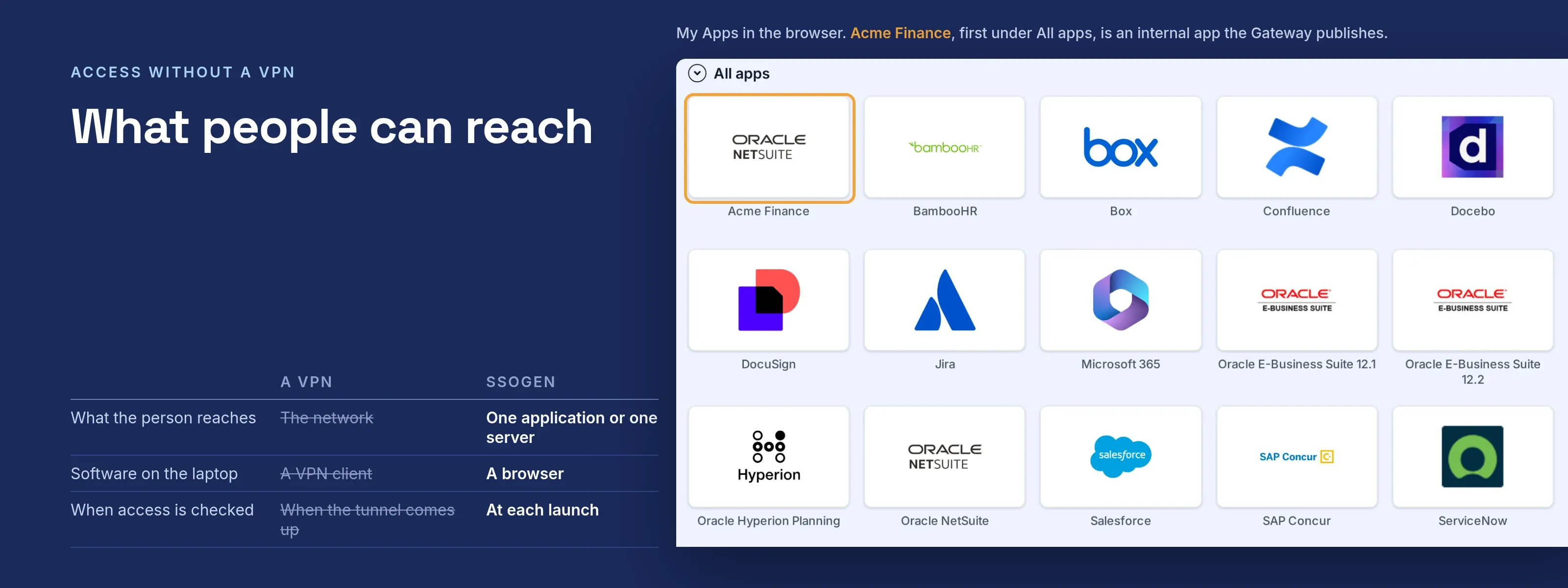
What people can reach
- Internal web applications, through the App Proxy. Each application gets its own address and its own sign-in policy. The application receives the signed-in user in the form it already reads, with no change to its code.
- Servers and desktops, through Remote Access: SSH terminals, Windows desktops over RDP, and Linux or appliance desktops over VNC, in a browser tab.
- Applications in networks that accept nothing inbound, through an Outbound Connector that dials out to the Gateway.
How a request flows
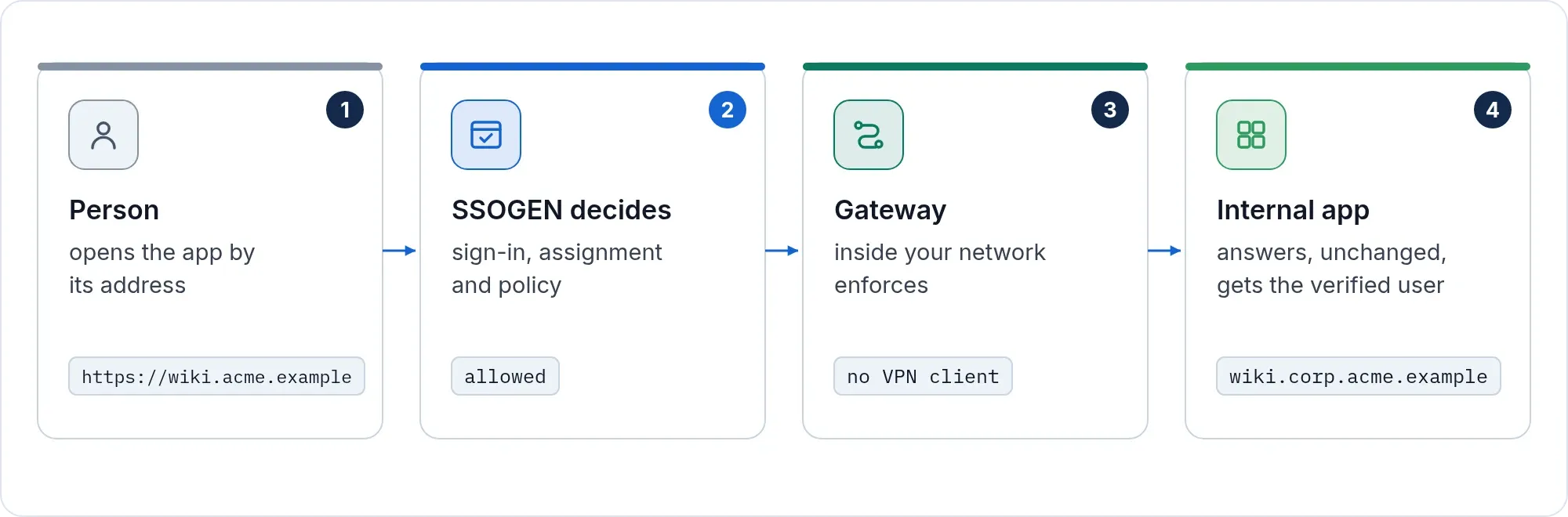
- A person opens the application or server from My Apps.
- SSOGEN checks the sign-in, the second factor and the policy for that one application, at that moment.
- The Gateway connects to the application or server your console lists for it, and only to that one. The browser never names the destination.
The same assignment and sign-in policy that guard your SAML and Oracle applications guard these too, and every launch lands in the same audit trail.
Why it is safer than a VPN
Access to one application at a time, checked at each launch, is the approach that is replacing the VPN for internal applications. It is often called zero trust network access (ZTNA).
- One application or one server at a time. There is no network-level access to misconfigure, because there is none.
- The policy is checked at each launch, not once when a tunnel came up in the morning.
- Passwords stay in the vault. A server can hold a stored account (a generated key, an uploaded key or a password) that is released for one session after access is checked again. The person never sees it, and the console never shows it back.
- Servers prove who they are. An administrator pairs each host and compares the key or certificate the Gateway saw before a stored account is ever used with it.
- Approval where it matters. A server can require a reason, a duration and an approver. The session ends when the approved window ends.
- Access ends when access ends. Lock a person’s account, sign them out everywhere, or revoke their access, and their live server sessions end within about ten seconds.
- Clipboard and file transfer are separate permissions, off until you grant them.
What you run
One Gateway on an Enterprise Linux server (Red Hat Enterprise Linux, Oracle Linux, Rocky Linux, AlmaLinux or CentOS Stream, version 9 or newer, on 64-bit x86) that can reach your applications and servers.
Your operations team installs it from the SSOGEN Gateway download and opens one listening port to your users or to the load balancer in front of it. The Gateway itself connects out to SSOGEN over HTTPS. The installer never changes a firewall rule; it prints the lines for you to apply.
People need a browser. Application teams change nothing.
The Gateway works the same with self-hosted SSOGEN and with an organization SSOGEN hosts.
What changes for your security team
| A VPN | SSOGEN | |
|---|---|---|
| What the person reaches | The network | One application or one server |
| When access is checked | When the tunnel comes up | At each launch, against the policy for that application |
| Who knows the server password | Usually the person | Nobody on the person’s side |
| Software on the laptop | A VPN client | A browser |
| Record | Network logs | One audit trail with every other SSOGEN sign-in |
Next step
Tell us which internal applications and servers people reach over the VPN now. We will map each one to an App Proxy route or a Remote Access resource with you.