SSOGEN / App Proxy: sign-in in front of every internal app, without touching the app
SSOGEN
App Proxy: sign-in in front of every internal app, without touching the app
The App Proxy publishes each intranet application under its own host name, with sign-in and policy in front, and up to 32 back ends per route.
What it does
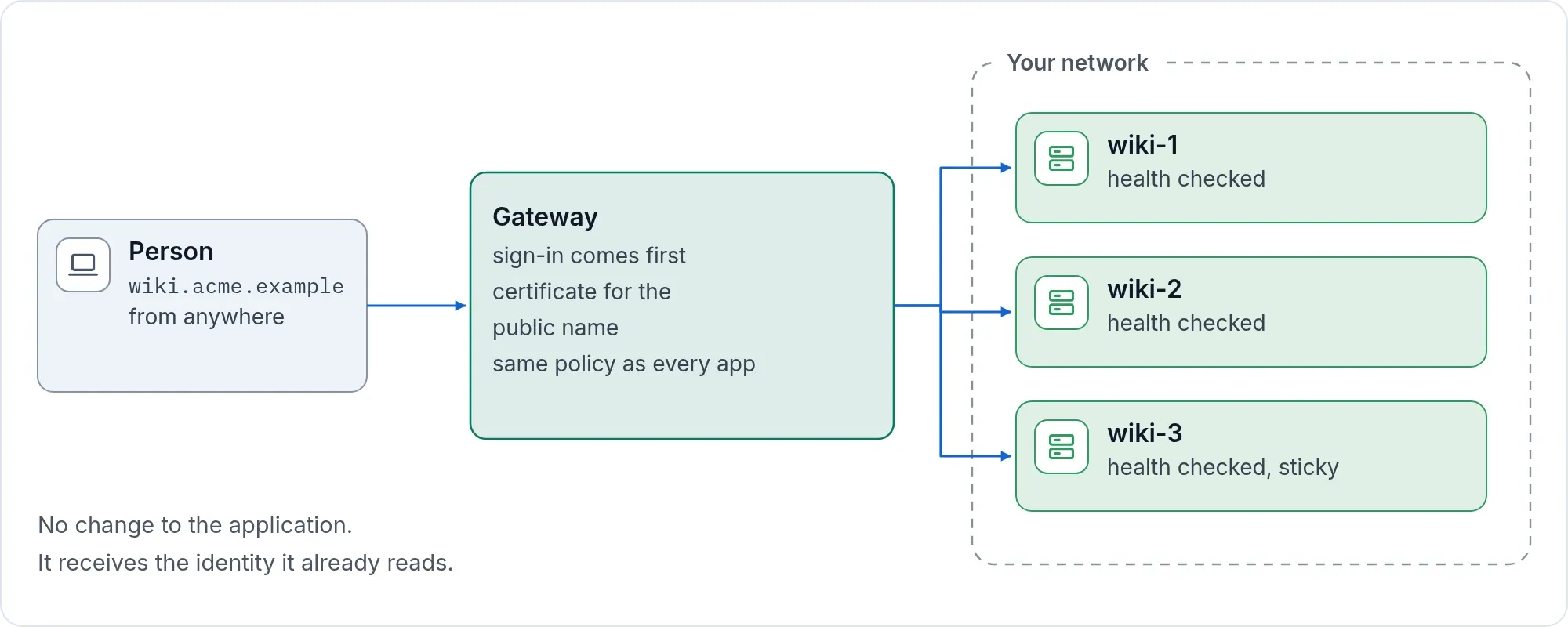
An app proxy publishes an internal web application to signed-in users without exposing the network behind it. The SSOGEN Gateway runs in your network as a reverse proxy for internal web applications. It can also act as the sign-in check for a proxy you already run.
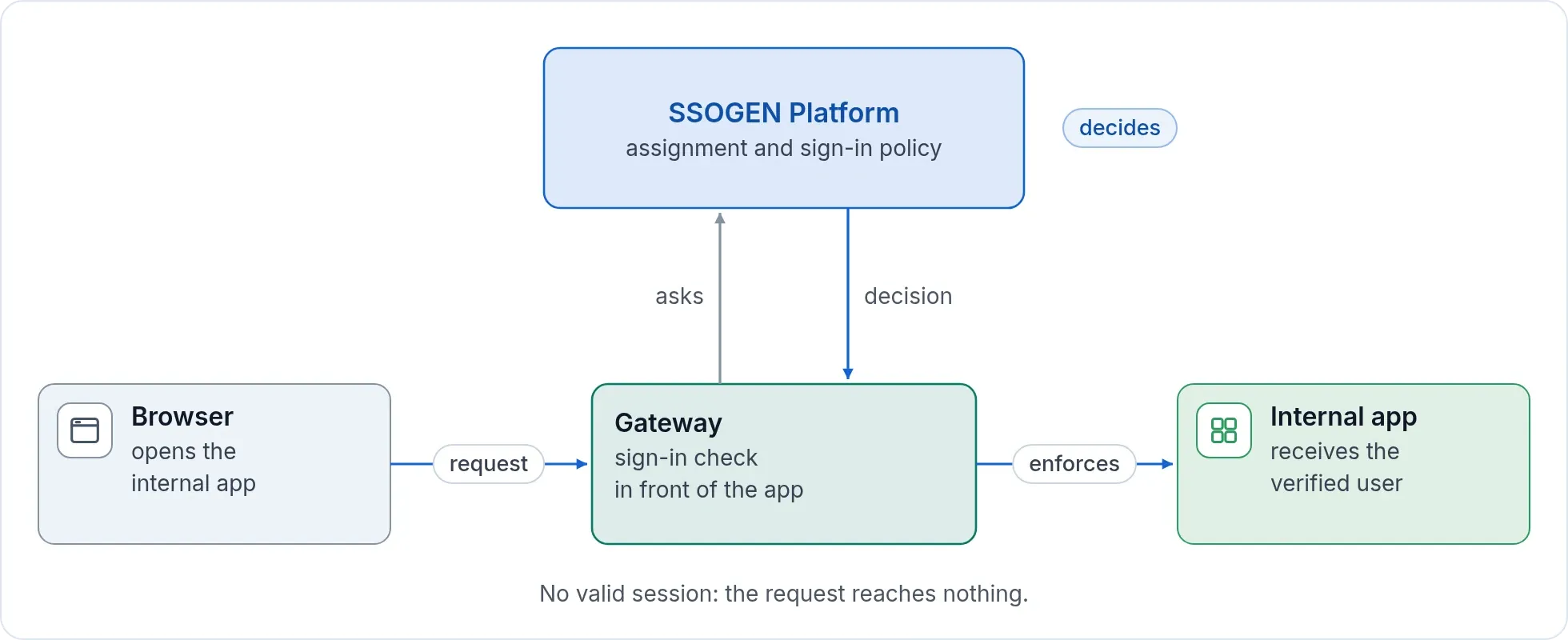
- The same decision as every other launch. An application behind the App Proxy uses the same assignment and sign-in policy as a SAML application or a Web Agent application. One policy, one audit trail.
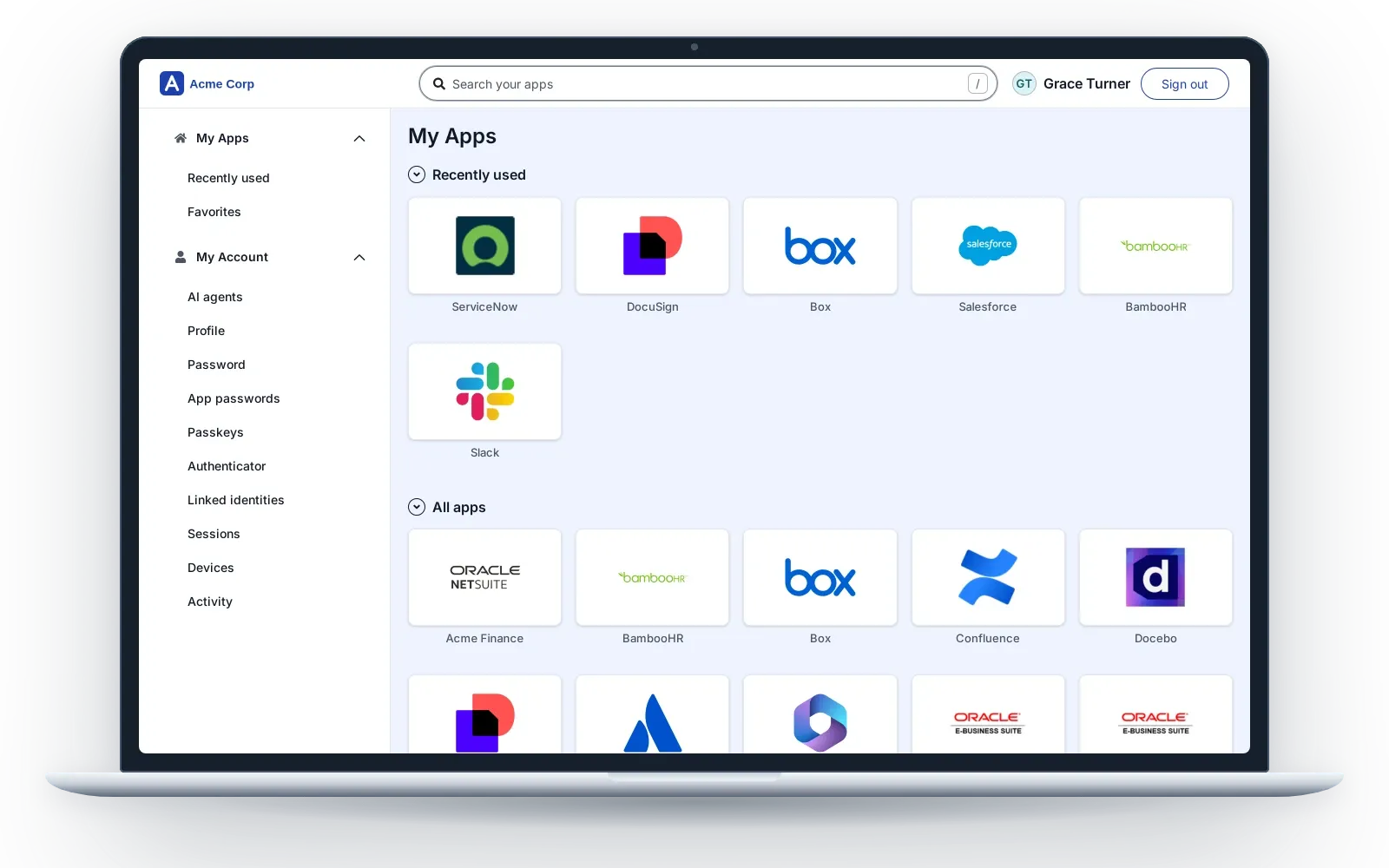
- Appears in My Apps. People open it from their home page like any other application.
- No code change. The application receives the signed-in identity in the form it already knows how to read.
- Sized for real applications. One route can front up to 32 back-end servers, with health checks and sticky sessions, and each host name can carry its own sign-in policy.
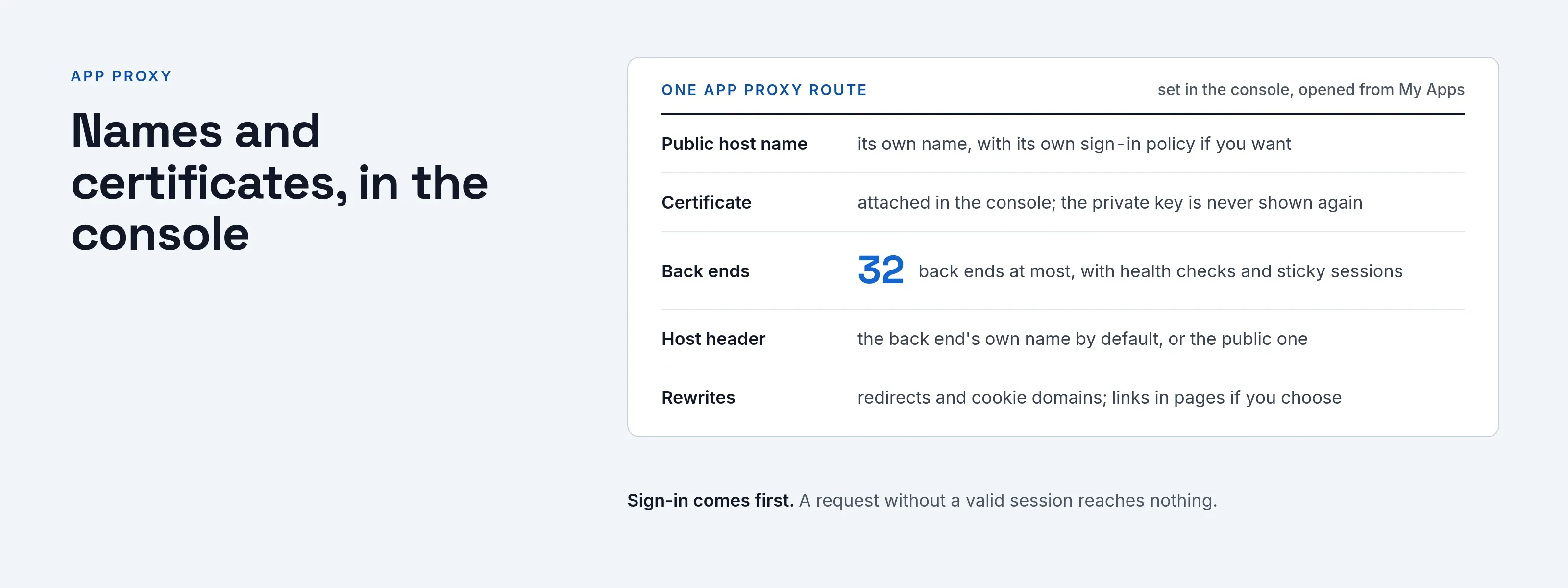
Names and certificates, in the console
You attach host names and certificates to a route in the console. After you save one, nobody sees its private key again.
The console tracks expiry and emails the Super admin at 30, 14, 7 and 1 days before a certificate runs out, where email is set up. A route can also sit behind a load balancer that holds the certificate.
Back ends that expect their own name
Many internal applications insist on their own host name and send people to it. Each route chooses whether the back end sees its own name (the default for new routes) or the public name unchanged. The Gateway rewrites redirects and cookie domains, and optionally links in the pages the application sends, so the application keeps working behind the public address.
Safe by default
- Sign-in comes first. A request without a valid session reaches nothing.
- The Gateway always checks the application’s certificate and host name. An application with a private certificate authority gets that authority’s certificate pasted into the route.
- A route can never take SSOGEN’s own address as its public name.
- The Gateway reaches only the back ends the console lists.
Reach applications in locked networks
For an application in a network that accepts nothing inbound, put an Outbound Connector in that network. The route chooses it under Reach through, and the rest stays the same.
Part of the Gateway, not one more product
You do not buy an access gateway as a second product. The App Proxy is part of the Gateway that also serves Remote Access to servers, the Outbound Connector and the Directory Connector, all managed from the same console.
Next step
Read the Gateway install guide, then publish your first internal application and open it from My Apps. For servers and desktops as well, see access without a VPN.