SSOGEN / Private network connector: publish apps in networks that accept nothing inbound
SSOGEN
Private network connector: publish apps in networks that accept nothing inbound
A small connector inside the sealed network dials out to your Gateway, so the application gets sign-in and policy with no inbound rule.
Why a locked network blocks a gateway
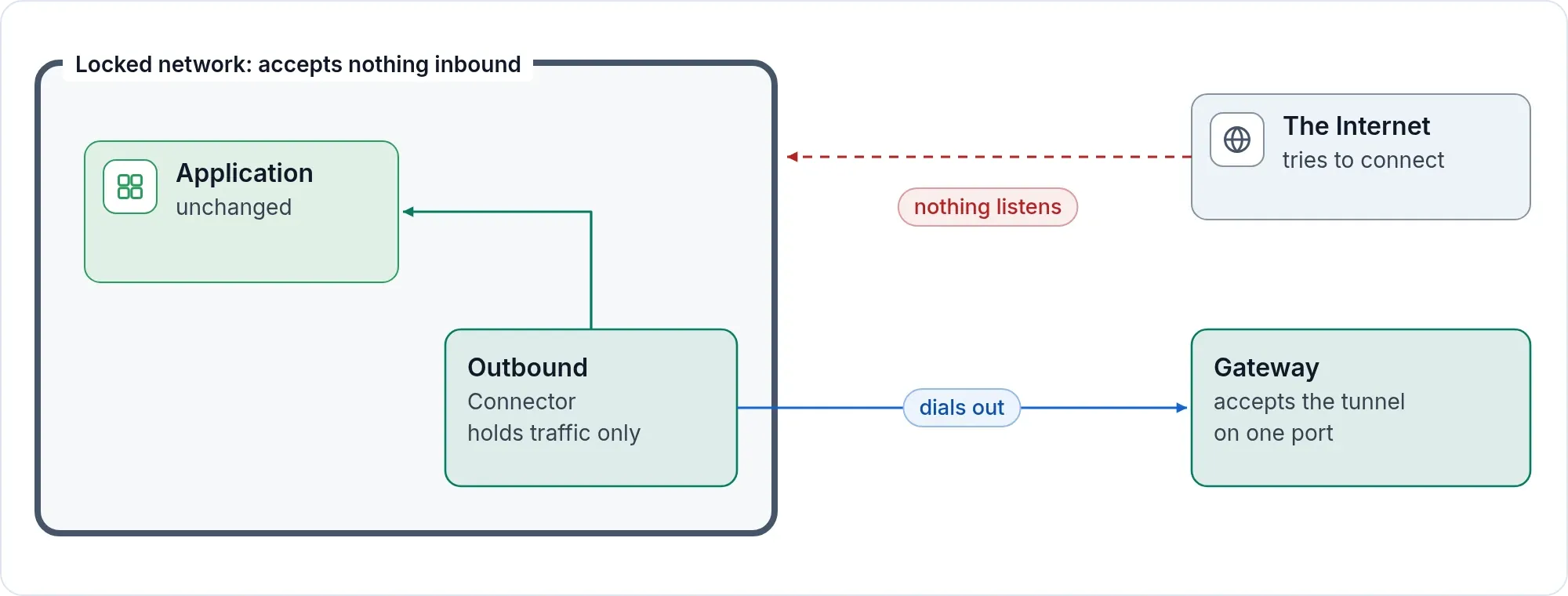
A gateway needs a path to the application. In a locked network the only path allowed is outward. Opening an inbound rule means a security review and an exposed service. Tunneling the whole network through a VPN defeats the point of locking it.
How it works
- You install an Outbound Connector in the locked network. It enrolls once.
- It dials your Gateway and holds tunnels open. The Gateway accepts those tunnels on one port.
- You give a route, or a Remote Access resource, Reach through that connector group.
- When someone opens the application, the Gateway checks sign-in and policy and sends the traffic down the tunnel. The connector hands it to the application.
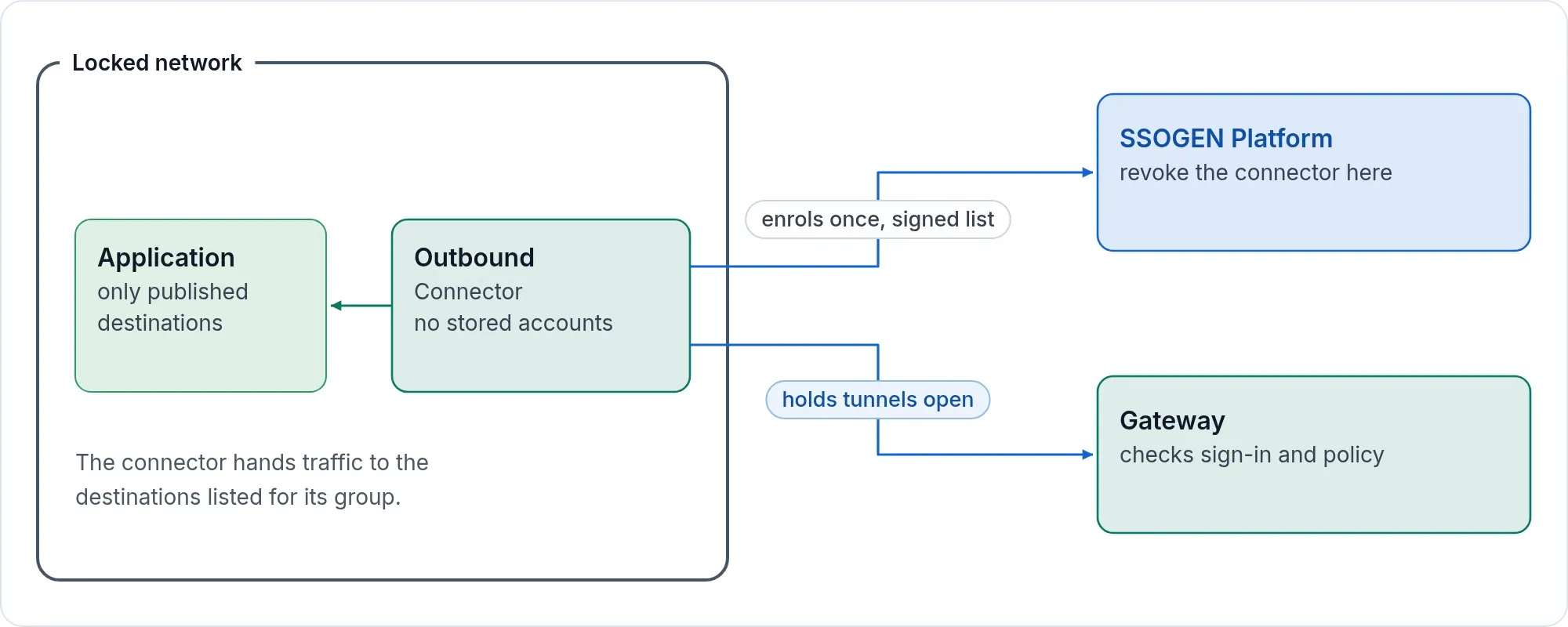
The connector reaches only the destinations your console published for its group. Applications and servers outside that list stay unreachable.
What the connector holds
Traffic only. It holds no application password, no stored account and no session secret. The Gateway does the signing in. If a connector host is compromised, the attacker finds no application password and no stored account. What the host holds is the connector’s own identity, which reaches only the destinations published for its group, and you revoke it in the console. Within about half a minute the Gateway ends its tunnels and the sessions on them.
Watch it from the console
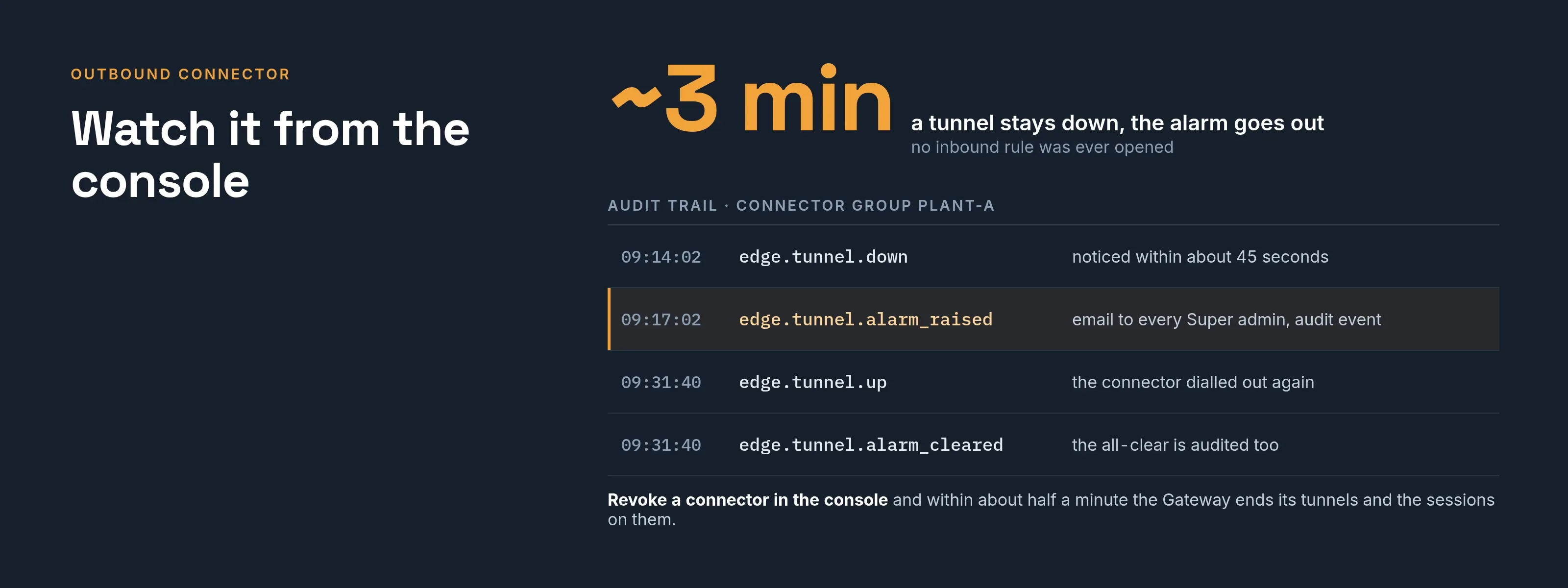
The console lists each connector with its version, whether it is online and how many tunnels are up.
If a tunnel an application depends on stays down for about three minutes, SSOGEN raises an alarm and writes an audit event. It also emails every Super admin, where email is set up and alarm emails are on. When the tunnel returns, the cleared alarm is audited too.
A dead tunnel is noticed within about 45 seconds, and a route whose connector group has no live tunnel shows a clear refusal page instead of hanging.
Connector groups
A connector group is a set of connectors serving one network. Routes pick a group. Several connectors in a group give you a spare. The connector dials the address you enter for the Gateway group, such as a load balancer in front of its instances, and keeps its tunnels open there.
Who runs it
Your operations team installs the SSOGEN Gateway and the connector from the Gateway download, each on its own server. The connector setup guide lists the steps. It is not an application-team task: application owners never receive a credential.
Where it fits
| You need | Use |
|---|---|
| Sign-in in front of an internal web app the Gateway can reach | App Proxy |
| Browser access to a server the Gateway can reach | Remote Access |
| Either one, in a network that accepts nothing inbound | Add an Outbound Connector |
Next step
Tell an engineer which network is sealed and which applications are inside. We will map the connector and the routes with you.