SSOGEN / Oracle EBS ADFS SSO with Microsoft AD FS
Integration
Oracle EBS ADFS SSO with Microsoft AD FS
SSOGEN is one relying party in AD FS, on your servers or in Azure, and people land in EBS as themselves after signing in.
How a sign-in goes
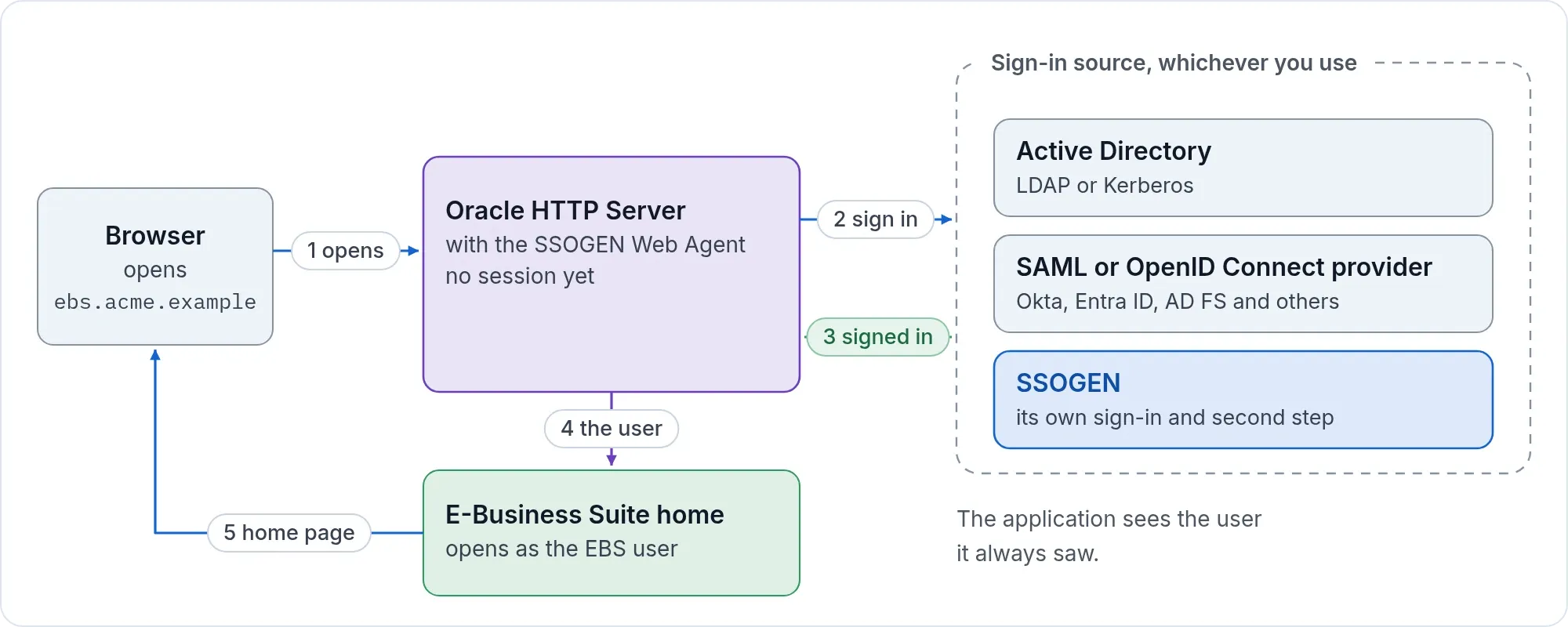
- A person opens
https://ebs.acme.example/OA_HTML/AppsLogin. - The SSOGEN Web Agent in the Oracle HTTP Server of the EBS web tier sends the browser to the sign-in page of SSOGEN (or, in the direct path below, straight to AD FS).
- SSOGEN sends the browser to AD FS. AD FS signs the person in with Windows integrated authentication or its own form, depending on how your farm is set up.
- The browser comes back, the agent hands EBS the signed-in user name, and EBS opens the home page with that user’s responsibilities.
The experience matches any other application behind AD FS. SSOGEN is one more relying party trust; the person does not see it.
No Oracle Access Manager, Oracle Internet Directory or Oracle Unified Directory is involved. The SSOGEN tool sets the EBS single sign-on profile options itself and leaves APPS_SSO_LDAP_SYNC at No.
What you need
- A working AD FS farm and an administrator on it.
- Oracle E-Business Suite 12.2, or 12.1, and the SSOGEN integration tool for it.
- An SSOGEN tenant, here
https://acme.ssogen.ai(or the direct path below, which needs only a license key).
Path A: through SSOGEN
On the AD FS side
Add SSOGEN as a relying party trust, with the values SSOGEN shows you:
| AD FS asks for | Value |
|---|---|
| Relying party SAML 2.0 SSO service URL | https://acme.ssogen.ai/saml/sp/adfs/acs |
| Relying party identifier | https://acme.ssogen.ai/saml/sp/adfs |
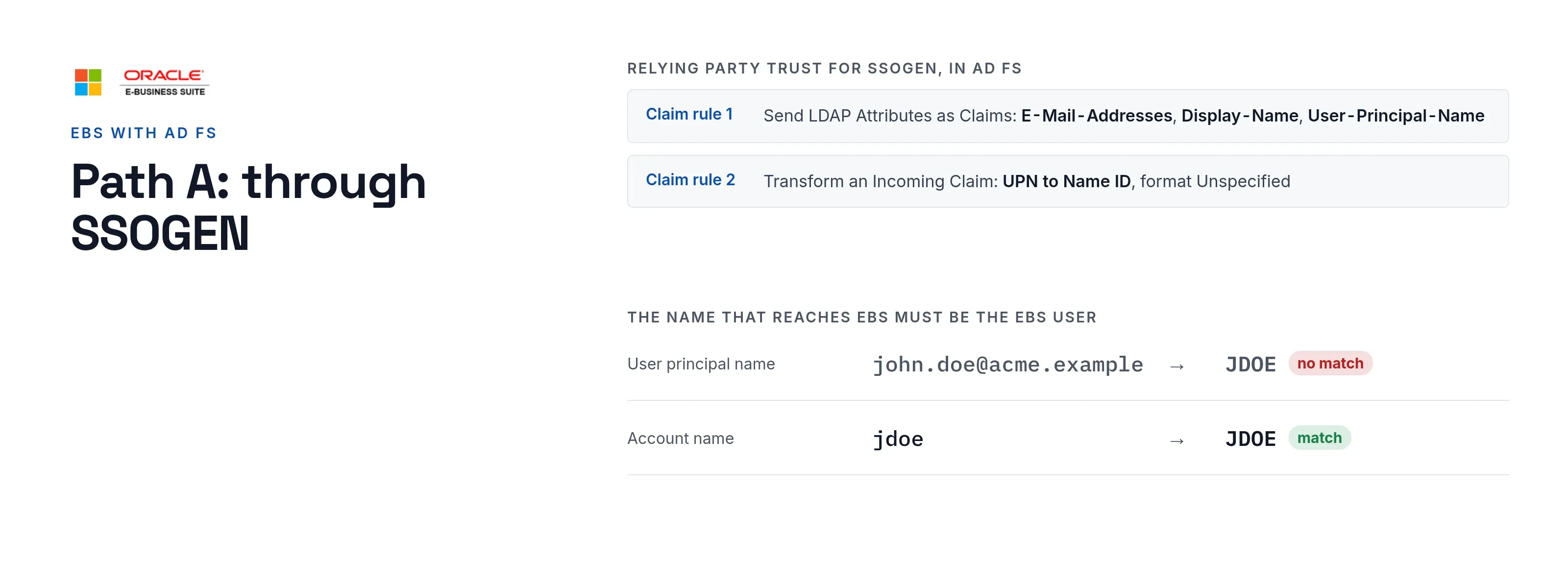
| Claim rule 1, Send LDAP Attributes as Claims | E-Mail-Addresses to E-Mail Address, Display-Name to Name, User-Principal-Name to UPN |
| Claim rule 2, Transform an Incoming Claim | UPN to Name ID, format Unspecified, pass through all claim values |
| Access control policy | Permit the group that may use EBS |
Every click, the metadata address (https://fs.acme.example/FederationMetadata/2007-06/FederationMetadata.xml) and the AD FS event log errors are on AD FS as the sign-in source.
On the SSOGEN side
Create the AD FS identity provider, validate, test and activate it, and allow it in the policy that covers EBS (Add a SAML identity provider in SSOGEN). Choose Anyone this provider vouches for so each person gets an SSOGEN account at the first sign-in.
On the EBS side
- In the SSOGEN console, register EBS as a Web Agent application with the Client URL
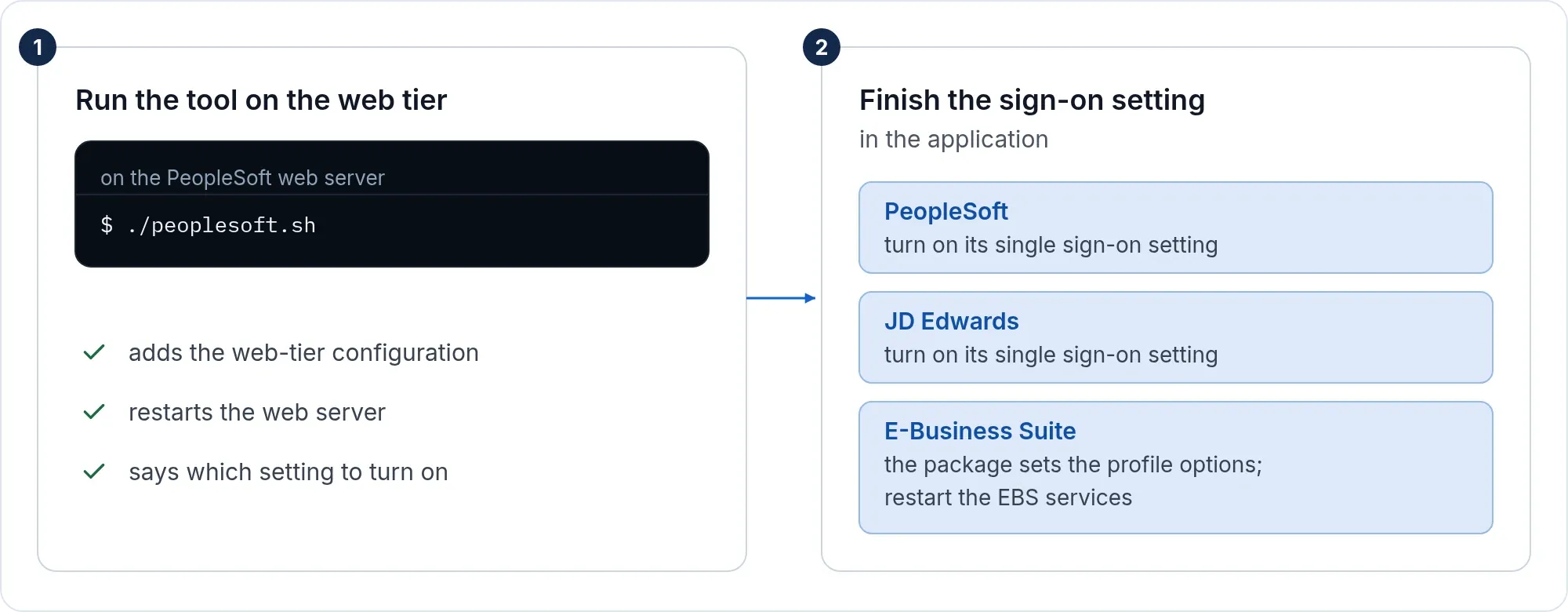
https://ebs.acme.example. Set Identify the person by to the value that equals the person’s EBS user name. John Doe’s EBS userJDOEneeds a value that readsjdoeorJDOE: the agent sends it in capitals and never cuts off a domain part, so a UPN ofjohn.doe@acme.examplewould not match. - Run the tool on each web node and finish the setting in EBS exactly as on the Oracle EBS single sign-on page. Those steps are not repeated here.
- Create the EBS users. EBS links the SSO account to the EBS user at the first sign-in.
Keep the local login for SYSADMIN: https://ebs.acme.example/OA_HTML/AppsLocalLogin.jsp keeps working with the EBS password.
Path B: straight to AD FS, no SSOGEN in between
The same tool connects the EBS web tier to AD FS directly (-mode=saml, with a license key from SSOGEN). Save the federation metadata as ebs-internal-idp.xml in the ssogen folder of the web tier, or put its address in the configuration as SSOGENSamlIdpMetadataURL, then run the tool as described on the EBS page.
Create the relying party trust in AD FS with the two values the tool prints:
| AD FS asks for | Value |
|---|---|
| Relying party identifier | https://ebs.acme.example |
| Relying party SAML 2.0 SSO service URL | https://ebs.acme.example/ssogen/acs |
| Name ID | The EBS user name. A rule that sends the account name (SAM-Account-Name) as Name ID gives jdoe, which EBS reads as JDOE. |
The assertion must be signed, which AD FS does by default. If AD FS publishes a logout address for the trust, set it to https://ebs.acme.example/ssogen/saml/slo.
If it does not work
| Symptom | What to do |
|---|---|
| AD FS error page, event MSIS7007 in the AD FS Admin log | The identifier on the trust differs from the one the service provider sends. Correct it on the trust. |
| Event 321 (MSIS7070), name ID policy not satisfied | Add claim rule 2 above, or make SSOGEN ask for the format the rule issues. |
| Sign-in works, EBS does not know the user | The name sent is not an EBS user name. Change Identify the person by in SSOGEN, or the Name ID rule in AD FS. |
| Sign-ins stop weeks later | AD FS rolled its token-signing certificate. Fetch the metadata again while AD FS publishes both certificates. |
Related
Microsoft Azure AD and Entra ID, Okta, PingFederate and PingOne, any SAML provider, Kerberos, Active Directory and LDAP, multi-factor. PeopleSoft and JD Edwards use the same AD FS setup: PeopleSoft, JD Edwards.