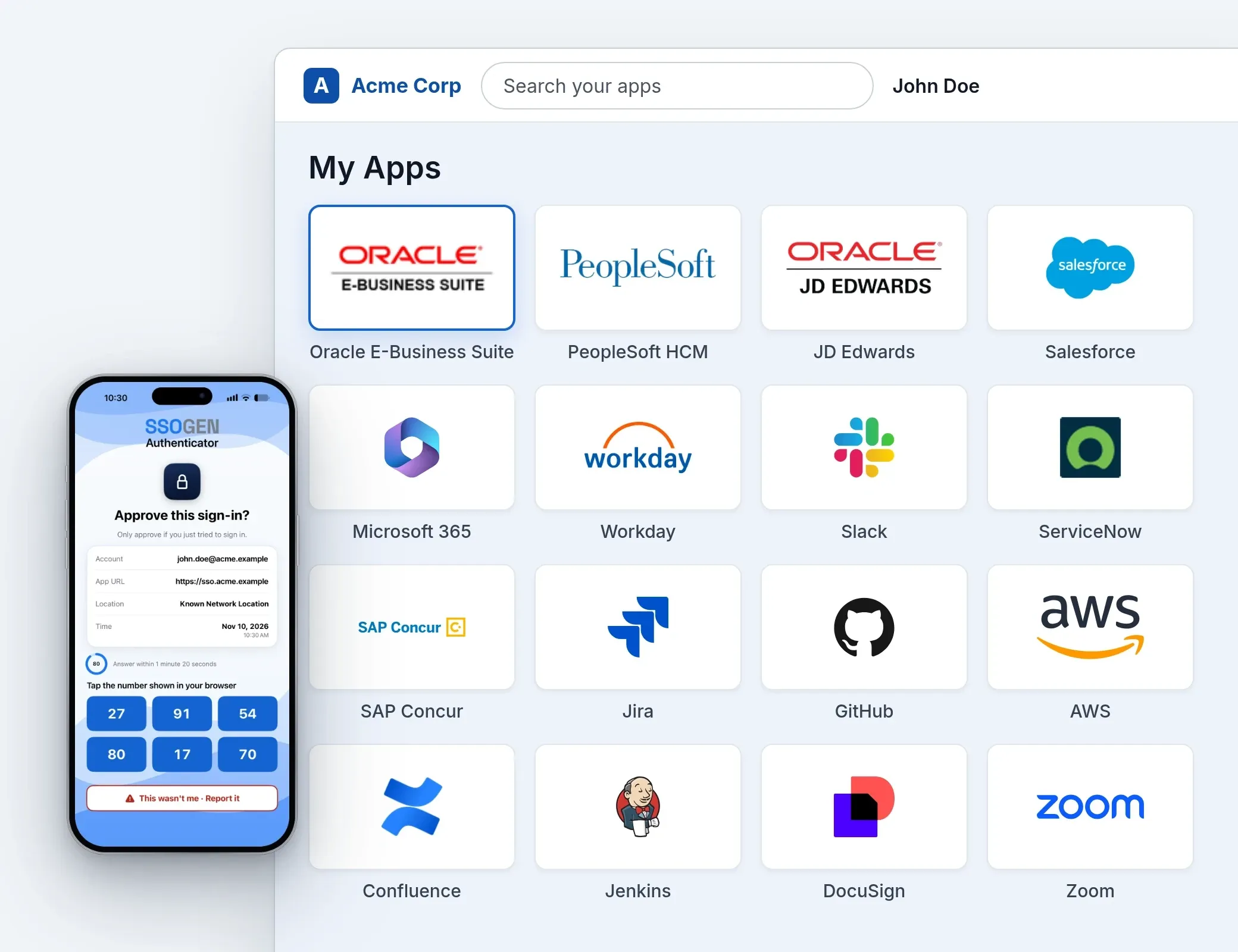
Single Sign-On for AI agents, ERP systems, and Cloud applications Every AI agent gets an identity, a named owner and a record of what it did. Your ERP and internal applications share the same sign-in.
AI agents and MCP Gateway
An AI agent's request to the ERP: refused, approved by its owner, permitted, recorded.
The request carries no agent identity, so the SSOGEN Gateway refuses it. The agent's named owner, m.kim, approves. SSOGEN gives the agent a credential that lasts under five minutes. The same call is permitted and reaches Oracle EBS. The decision is written as record 1284, linked to record 1283 on the audit hash chain. An AI agent's request to the ERP: refused, approved by its owner, permitted with a short credential, recorded ap-assistant, an AI agent acting for m.kim, sends a request through the SSOGEN Gateway to Oracle EBS. The request carries no agent identity and is refused (1). Its named owner, m.kim, approves (2). The assistant receives a credential from SSOGEN that lasts under five minutes (3). The same call is now permitted and reaches Oracle EBS (4). The decision is written as record 1284, linked to record 1283 on the audit hash chain (5). ap-assistant AI agent SSOGEN Gateway checks every call Oracle EBS request permitted Refused no agent identity m.kim approves named owner credential from SSOGEN under five minutes #1283 this 2e6c… #1284 · permit prev 2e6c… · this 5bd2… 1 2 3 4 5 ap-assistant AI agent, acting for m.kim sends a request SSOGEN Gateway checks every call Refused no agent identity m.kim approves named owner credential from SSOGEN under five minutes Oracle EBS request permitted #1283 · this 2e6c… #1284 · permit prev 2e6c… · this 5bd2… 1 2 3 4 5 Pause motion Oracle EBS, PeopleSoft and JD Edwards
ERP users sign in once with SSOGEN, and the ERP code stays as it is.
The SSOGEN Web Agent in your web server sees each request first. SSOGEN signs her in: local database, LDAP, SAML or OpenID Connect, with MFA. The Web Agent passes her identity to the ERP as configured. The ERP's code does not change. No SSOGEN server needed: the Web Agent also works alone with your SAML or OpenID Connect identity provider. See the Web Agent's three modes
Oracle EBS, PeopleSoft and JD Edwards: the SSOGEN Web Agent in your web server, SSOGEN in the middle A finance user opens Oracle EBS. The SSOGEN Web Agent, a module in your Apache or Oracle HTTP Server, sees the request first (1). With no session yet, it sends her to SSOGEN, the identity provider in the middle, which signs her in with your local database, LDAP, SAML or OpenID Connect, with MFA and your policies (2). The Web Agent passes her identity to the application as configured (3). The application code does not change (4). Finance user opens Oracle EBS YOUR WEB SERVER SSOGEN Web Agent Apache or Oracle HTTP Server SSOGEN identity provider MFA · policies SIGN-IN METHODS Local database LDAP SAML 2.0 OpenID Connect identity, as configured Oracle EBS, PeopleSoft, JD Edwards application code: no change 1 2 3 4 Finance user opens Oracle EBS SSOGEN Web Agent in Apache or Oracle HTTP Server 1 no session yet SSOGEN database, LDAP, SAML, OIDC + MFA 2 signed session Web Agent passes identity as configured 3 Oracle EBS, PeopleSoft, JDE application code: no change 4 Replay SaaS with SAML 2.0 and OpenID Connect
One sign-in for every SaaS application, with SSOGEN as the identity provider.
An employee opens Salesforce, which sends her to SSOGEN. SSOGEN checks her against your directory and asks for a second factor. SSOGEN signs an assertion for Salesforce only. ServiceNow opens with no second prompt. SaaS with SAML 2.0 and OpenID Connect: SSOGEN is the identity provider at the hub An employee opens Salesforce, which sends her to SSOGEN (1). SSOGEN checks her against your directory and asks for a second factor (2). SSOGEN returns a signed assertion for Salesforce only (3). ServiceNow then opens with no second prompt (4). An upstream identity provider such as Entra ID or Okta is optional. Employee browser Upstream IdP optional: Entra ID, Okta SSOGEN identity provider SAML 2.0 · OIDC Your directory SSOGEN Directory or LDAP Salesforce SAML assertion ServiceNow no second prompt In-house app OpenID Connect sign-in 1 2 3 4 Employee opens Salesforce Salesforce sends her to SSOGEN 1 SSOGEN identity provider directory + second factor 2 assertion for Salesforce only Salesforce opens signed in 3 next app ServiceNow no second prompt 4 OPTIONAL Upstream IdP Entra ID or Okta, if you want Replay Servers: SSH, RDP and VNC in the browser
Administrators reach a server for a set time, with no VPN and no standing access.
a.novak asks for prod-db-02 for two hours, with a reason. An approver approves at 14:34. SSOGEN Remote Access opens SSH in the browser, to that server only. At 16:34 access closes on its own. Servers: a two-hour grant to prod-db-02, as a timeline At 14:32 a.novak asks for prod-db-02 for two hours with reason INC-2291 (1). At 14:34 an approver approves (2). SSOGEN Remote Access opens SSH in the browser, to that server only (3). At 16:34 the window ends and access closes on its own (4). File transfers are audited. Grant window: 2 hours SSH in the browser, 14:34 to 16:34 SSOGEN Remote Access to prod-db-02 only Request 14:32 prod-db-02 · 2 h · INC-2291 Approved 14:34 by the approver Ends 16:34 access closes on its own 14:32 14:34 16:34 The session runs 14:34 to 16:34. File transfers are audited; every grant is on record. 1 2 3 4 Request 14:32 a.novak · prod-db-02 · 2 h 1 Approved 14:34 by the approver 2 grant window: 2 hours SSH in the browser SSOGEN Remote Access, one server 3 Ends 16:34 access closes on its own 4 Replay Fewer VPNs for internal apps
Staff open internal web applications by name, with SSO and no network-wide VPN.
Before: a VPN client puts the laptop on the whole network, where every system is reachable. With SSOGEN, j.alvarez opens payroll by name. The Gateway sends her to SSOGEN to sign in, then routes her to payroll. The wiki is a Kerberos back end: the Gateway signs her in with no second prompt. Systems without a route stay out of reach. Fewer VPNs: before and after SSOGEN Gateway routes Before: a VPN client puts the laptop on the whole network, where every system is reachable (1). With SSOGEN: j.alvarez opens payroll by name; the SSOGEN Gateway sends her to SSOGEN to sign in, then routes her to payroll (2). The wiki is a Kerberos back end: the Gateway signs her in with no second prompt (3). Systems without a route stay out of reach (4). BEFORE Laptop anywhere VPN client network-wide WHOLE NETWORK payroll wiki finance-db build servers and the rest WITH SSOGEN Employee j.alvarez, at home SSOGEN Gateway web routes sign-in at SSOGEN payroll payroll.corp.example wiki Kerberos, no prompt Other systems not reachable 1 2 3 4 BEFORE Laptop + VPN client network-wide Whole network every system reachable 1 WITH SSOGEN Employee j.alvarez, at home sign-in at SSOGEN SSOGEN Gateway one web route per app 2 payroll wiki Kerberos, no second prompt 3 no route: not reachable Other systems stay out of reach 4 Replay Trusted by enterprises and governments
One sign-in for the apps that run your business SSOGEN signs people in once, asks for a second step where policy says so, and opens SaaS, Oracle, internal apps and servers.
What SSOGEN covers Sign-in without passwords What each part of SSOGEN does One product for sign-in, the second step, access without a VPN, AI agents and your directory.
One sign-in opens every SAML and OpenID Connect application from My Apps. People stop keeping a password for each one.
A ready-made integration package for each product, installed by one tool. The application itself does not change.
Modules for Apache, Oracle HTTP Server, Tomcat and Spring Boot put the same sign-in in front of the applications you built.
WordPress, Drupal and Jenkins Plug-ins add a Sign in with SSOGEN button. Roles and permissions follow the groups people hold in SSOGEN.
A second step where your policy asks for one: push approval with number matching, passkeys or a one-time code.
The phone app for iOS and Android. People approve a sign-in with a tap, or read a one-time code.
A one-time link and code by email for people who sign in rarely, such as customers and contractors. No password to reset.
App Proxy opens internal web applications in the browser; Remote Access opens SSH, RDP and VNC sessions. No VPN client.
Each AI agent gets its own identity, a named human owner and a credential that lasts under five minutes.
Checks sign-in and policy on every tool call an AI agent makes, inside your network, and records each decision.
Active Directory and LDAP, SCIM and CSV keep accounts current. The Directory Connector tests a directory from inside your network.
Invite suppliers and partners, or let customers sign up with approval. Their own identity provider works too.
AI agents get an identity, not a shared password. Single sign-on for AI agents gives each agent its own identity, named human owners and a credential that lasts under five minutes.
Every agent has a named human owner. A sensitive scope is held until a person approves it. A credential lasts under five minutes. One kill switch stops an agent type: new tokens at once, issued tokens within 5 minutes. Every call is checked and recorded. How the SSOGEN MCP Gateway checks each call
What AI agent identity means
Single sign-on for Oracle EBS, PeopleSoft and JD Edwards The SSOGEN Web Agent is a module for Apache and Oracle HTTP Server. Application code does not change.
SSOGEN mode SAML mode OIDC mode
Person opens the application in a browser
Your web server SSOGEN Web Agent Apache 2.4, Apache 2.2 or Oracle HTTP Server
Application Your ERP or web application
redirect, sign-in, session
SSOGEN Signs people in with any method it supports, with MFA and your policies
Needs: an SSOGEN server, on your own servers or hosted by SSOGEN.
Select a mode to see who signs the person in; the configuration below matches it. Each example is one server. In each, LoadModule is a server-level directive, above the virtual host.
Server 1 · ebs.acme.example
SSOGEN mode The Web Agent sends people to SSOGEN, which signs them in with any method it supports and applies MFA and your policies. Each protected path is one <Location> block.
LoadModule ssogen_module modules/mod_ssogen.so

<VirtualHost *:443>
    ServerName ebs.acme.example

    SSOGENServerURL https://acme.ssogen.ai
    SSOGENClientURL https://ebs.acme.example
    SSOGENClientId <client-id>
    SSOGENAgentKey <agent-key>
    SSOGENSessionSecret <session-secret>

    <Location />
        SSOGENProtection on
    </Location>
</VirtualHost>
The SSOGEN console generates this block, agent key and session secret included; your web team pastes it on every web server of the application.
Server 2 · hr.acme.example
SAML mode The Web Agent is a SAML 2.0 service provider for your identity provider, such as Entra ID, Okta, Ping Identity or Keycloak. It needs a license key and nothing in between.
LoadModule ssogen_module modules/mod_ssogen.so

<VirtualHost *:443>
    ServerName hr.acme.example

    SSOGENMode saml
    SSOGENLicenseKey <license-key>
    SSOGENSamlIdpMetadataURL https://login.acme.example/saml/metadata
    SSOGENSamlSpEntityId https://hr.acme.example/ssogen/saml
    SSOGENSamlAcsUrl https://hr.acme.example/ssogen/acs
    SSOGENSessionSecret <session-secret>

    <Location /myapp>
        SSOGENProtection on
    </Location>
</VirtualHost>
SSOGENSessionSecret is needed only when several web servers sit behind a load balancer; set the same value on each. Values in angle brackets are placeholders.
Server 3 · app.acme.example
OIDC mode The Web Agent is an OpenID Connect client of your identity provider. It needs a license key and nothing in between.
LoadModule ssogen_module modules/mod_ssogen.so

<VirtualHost *:443>
    ServerName app.acme.example

    SSOGENMode oidc
    SSOGENLicenseKey <license-key>
    SSOGENOidcProviderMetadataURL https://login.acme.example/.well-known/openid-configuration
    SSOGENOidcClientId <client-id>
    SSOGENOidcClientSecret <client-secret>
    SSOGENOidcRedirectUri https://app.acme.example/ssogen/oidc/callback
    SSOGENSessionSecret <session-secret>

    <Location /myapp>
        SSOGENProtection on
    </Location>
</VirtualHost>
SSOGENSessionSecret is needed only when several web servers sit behind a load balancer; set the same value on each. Values in angle brackets are placeholders.
SSOGEN mode adds MFA, policies and AI agent identity. SAML mode and OIDC mode work with your own identity provider.
The SSOGEN Web Agent
How SSOGEN differs from other identity vendors Typical identity vendors SSOGEN Oracle and other older web applications sent to a separate gateway product, or left out A module that runs inside Apache and Oracle HTTP Server, with ready-made packages for E-Business Suite 12.1 and 12.2, PeopleSoft and JD Edwards A separate product each for sign-in, internal web apps and server access One product: sign-in, App Proxy and Remote Access share one console, one policy and one audit trail Cloud-only deployment Your own Enterprise Linux servers, or hosted by SSOGEN, from the same release An enrolment step on every application server A generated configuration block the application team pastes AI agents on a shared service account or an API key Each agent has its own identity, a named owner, a credential under five minutes and a record of every call
Vendor by vendor: SSOGEN as an Okta alternative , SSOGEN compared with Microsoft Entra ID , SSOGEN as an Oracle Access Manager alternative . What only SSOGEN does: what sets SSOGEN apart .
Every permit, hold and refusal is recorded. Each entry carries a fingerprint that depends on the one before it, so any change to an old entry is detected.
Audit events join one hash chain, sealed every night Sign-ins, console changes, AI agent decisions and Remote Access sessions are recorded as events. Each event carries the hash of the one before it: event 1283 names 1282's hash, 1284 names 1283's. At 00:05 UTC each night the checkpoint is sealed. Changing one event breaks every later link, so the change is detected. Sign-ins Agent decisions Console changes Remote Access #1282 prev 81b0… this d97a… #1283 prev d97a… this 2e6c… #1284 prev 2e6c… this 5bd2… … Daily seal 00:05 UTC signed Change one record and every later link stops matching: detected. Audit events join one hash chain, sealed every night Sign-ins Agent decisions Console changes Remote Access #1282 prev 81b0… · this d97a… #1283 prev d97a… · this 2e6c… #1284 prev 2e6c… · this 5bd2… … Daily seal signed · 00:05 UTC Change one record and every later link stops matching: detected. The checkpoint is sealed every night at 00:05 UTC. decision d_4f1c2a · #1284 SSOGEN + SSOGEN Gateway time 2026-10-06T14:35:18Z sub m.kim (the person) act {"sub":"agt_AP71"} (ap-assistant) owners r.miller, s.taylor aud finance-mcp (one application) request tools/call vendors.update_bank_details scope vendors.update_bank_details (sensitive) approval m.kim, 14:35:11 result permit prev / this 2e6c…b1 / 5bd2…90 The SSOGEN audit log
Questions architects ask first What is single sign-on for AI agents? Single sign-on for AI agents gives each agent its own registered identity and named human owners instead of a shared password. When an agent acts for a person, it receives a credential that lasts under five minutes. Each MCP tool call passes through the SSOGEN MCP Gateway, which checks it and records the decision.
Does SSOGEN need a third-party identity provider? No. SSOGEN is a complete identity provider for SAML 2.0 and OpenID Connect applications, using your directory, your database or SSOGEN Directory. If your organization already runs Entra ID, Okta, Ping Identity, Keycloak or another SAML provider, SSOGEN connects to it upstream.
How do Oracle E-Business Suite, PeopleSoft and JD Edwards get single sign-on? Through the SSOGEN Web Agent, a module for Apache HTTP Server 2.4 and 2.2 and Oracle HTTP Server. It signs people in through SSOGEN, or directly with your SAML or OpenID Connect identity provider, and passes their identity to the application as configured, with no code change.