SSOGEN / SSO solutions: start from the problem you have
SSOGEN
SSO solutions: start from the problem you have
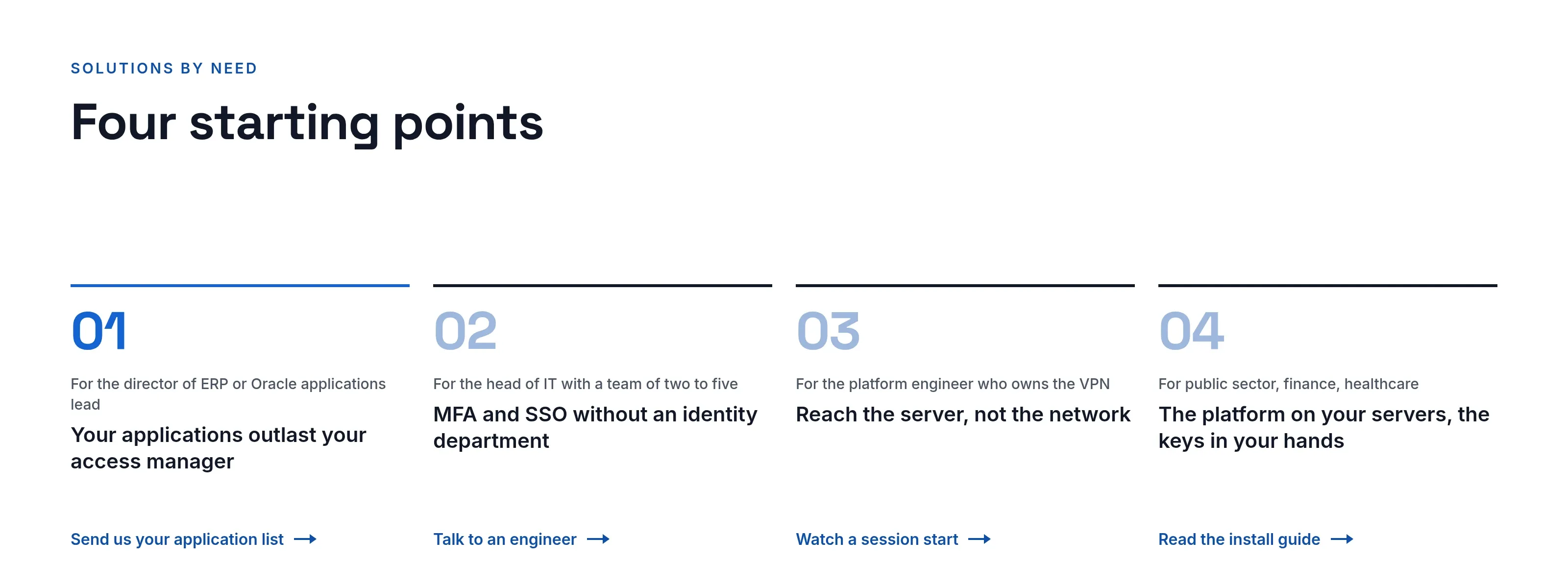
Four starting points: Oracle estates, small IT teams, infrastructure teams without a VPN, and sovereign environments on your own servers.
For Oracle estates: your applications outlast your access manager
For the director of ERP or Oracle applications lead.
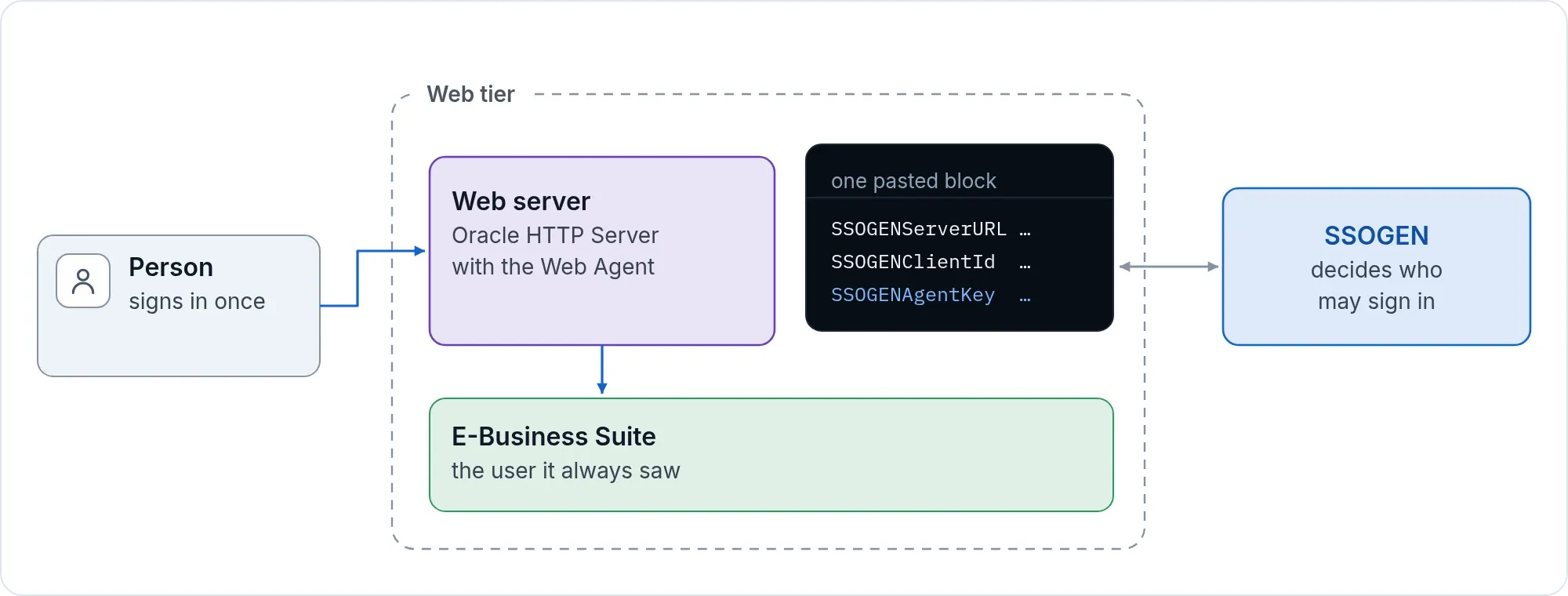
Your E-Business Suite, PeopleSoft and JD Edwards applications stay. The access layer in front of them needs a new home. Your application team pastes one generated block and restarts the web server. The application sees the user it always saw. There is nothing to enroll, no certificate authority and no change to application code. Some products need their own single sign-on setting switched on, and the package says which.
- Packages for E-Business Suite 12.1 and 12.2, PeopleSoft, JD Edwards, Apache and Oracle HTTP Server.
- Push approval with number matching and passkeys per application.
- One application at a time, with a free review of your list first.
Next step: Send us your application list.
For small IT teams: MFA and SSO without an identity department
For the head of IT with a team of two to five.
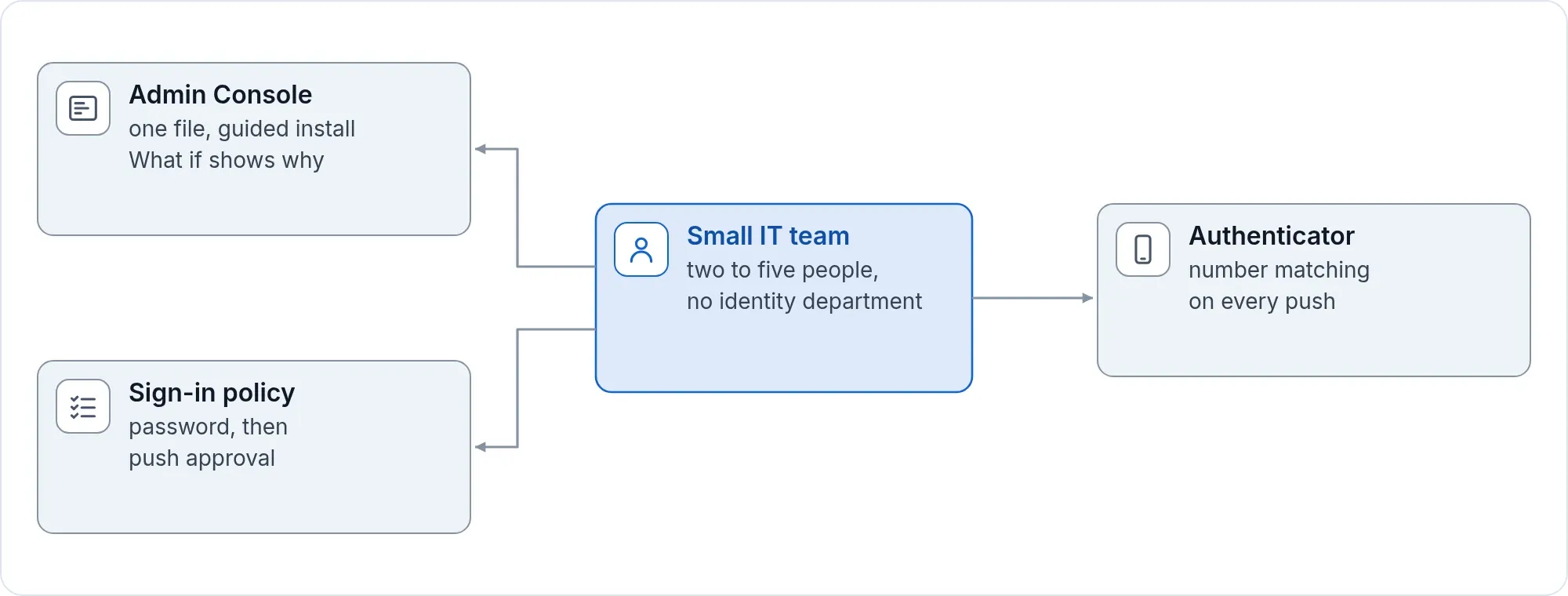
You need multi-factor authentication on the things that matter, and nobody to run a complex product. SSOGEN installs from one file with a guided installer. The first run walks you through the first administrator, a second factor and recovery codes. A provider goes live only after a test sign-in against the real provider succeeds, and the What if screen tells you which policy applies to a person and why.
- Standard SAML and OpenID Connect applications, plus legacy ones.
- Directory sync, SCIM and CSV so people arrive without typing.
- Policies you can read, templates to start from, and an audit trail you can prove.
Next step: Talk to an engineer.
For infrastructure teams: reach the server, not the network
For the infrastructure engineer who owns the VPN.
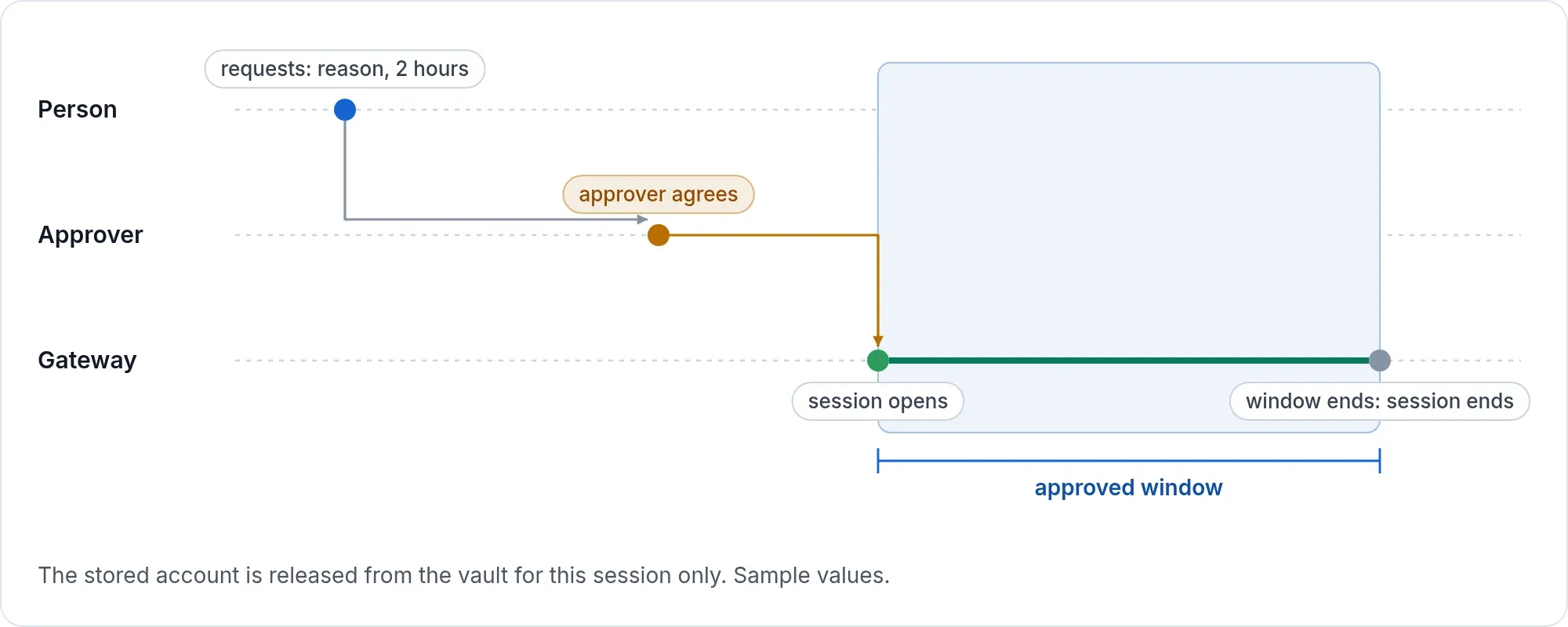
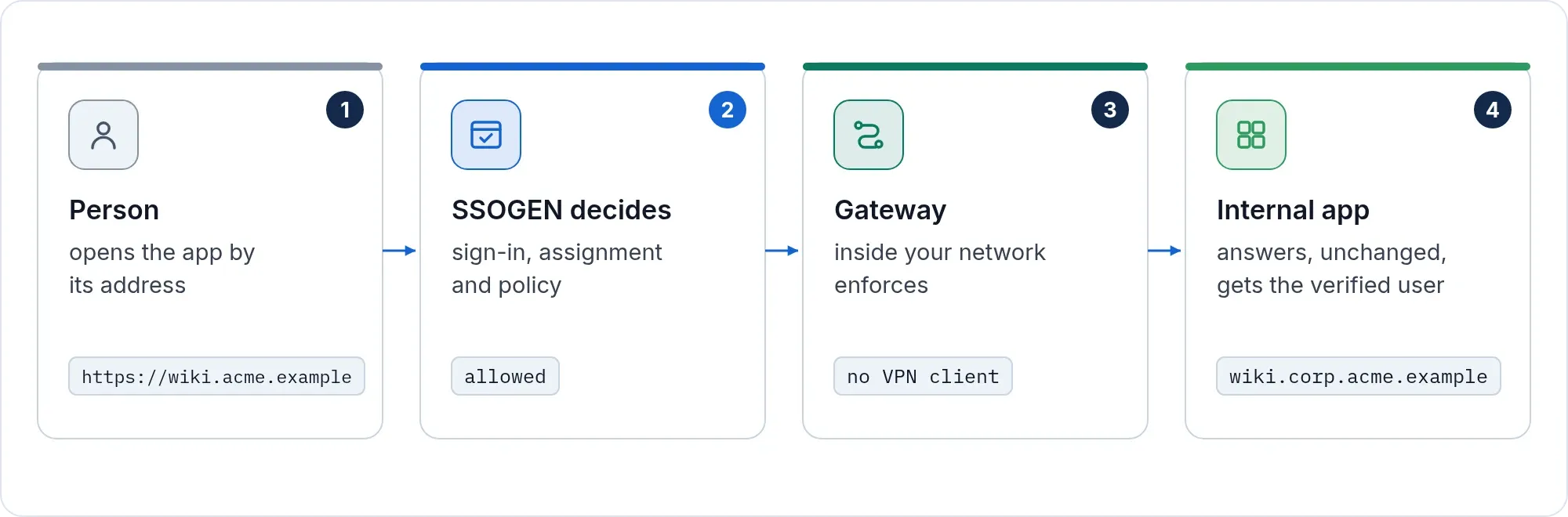
People open one approved server in the browser, over SSH, RDP or VNC. The password stays in the vault, and the person never sees it. Access can need an approver, a reason and a duration, and it ends when the grant ends. A Gateway inside your network makes the connection. Internal web applications get sign-in in front of them through the App Proxy, and an Outbound Connector reaches networks that accept nothing inbound.
- One resource at a time, with clipboard and file transfer off unless granted.
- Live sessions administrators can see, and a Super admin can end.
- No screen or keystroke capture, by design.
Next step: Watch a session start.
For sovereign and regulated environments: SSOGEN on your servers, the keys in your hands
For public sector, finance, healthcare and any team with data-residency rules.
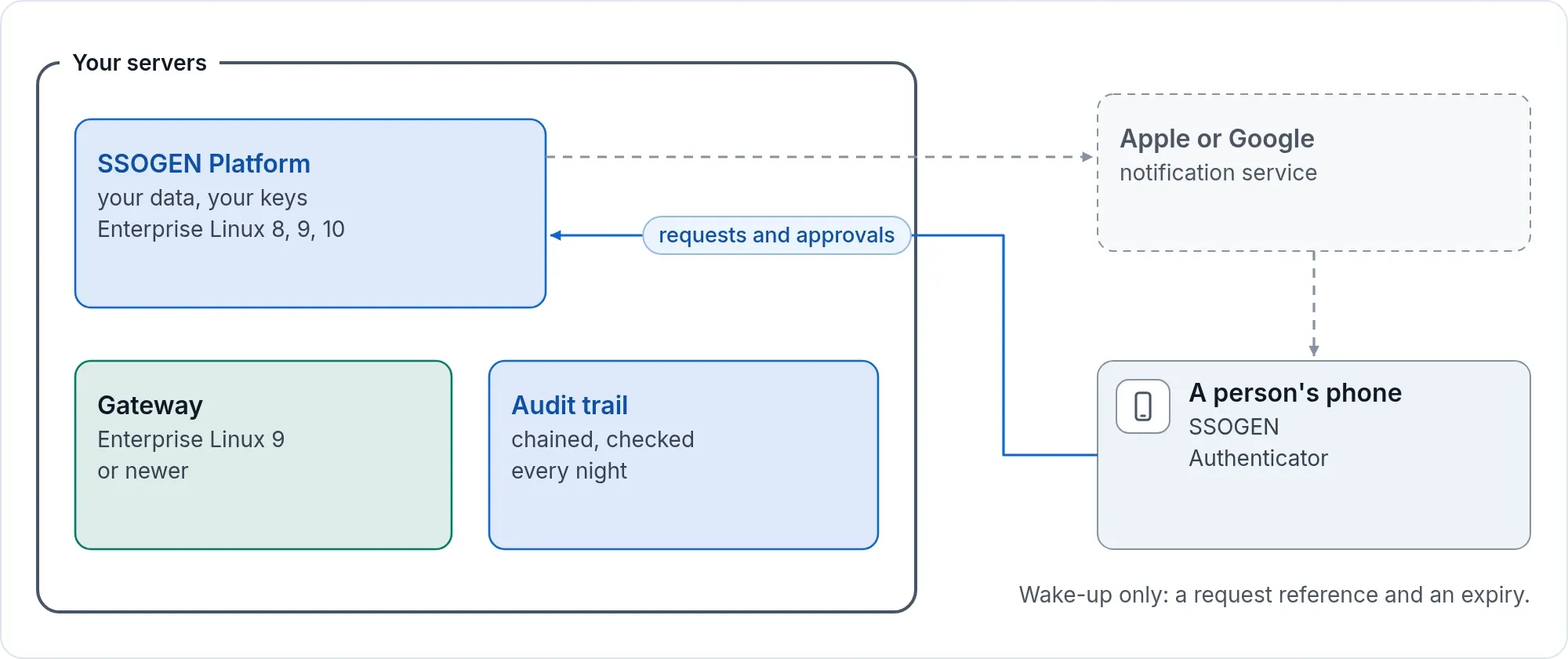
No hosted control plane. SSOGEN and the Gateway come from one release and run on your own Enterprise Linux servers: SSOGEN on versions 8, 9 and 10 of Red Hat Enterprise Linux, Oracle Linux, Rocky Linux, AlmaLinux or CentOS Stream, the Gateway on version 9 or newer of Red Hat Enterprise Linux, Oracle Linux, Rocky Linux, AlmaLinux or CentOS Stream, on 64-bit x86 (amd64) servers. Your data, your keys and your audit trail stay with you. Upgrades keep your keys, applications and audit.
People use the SSOGEN Authenticator on their own phones. Its sign-in requests and approvals go only to your servers. The notification that wakes the phone passes through Apple’s or Google’s notification service and carries a request reference and an expiry time, never who is signing in or to what. Where your servers may not reach those services, people open the app to answer the request, or type a code that needs no connection at all.
- Break-glass recovery on the server, audited and flagged in the console.
- Chained audit, checked every night, with hashed archive files you keep.
- The same product can run hosted if you ever prefer it.
Next step: Read the install guide, then talk to us.
Oracle, E-Business Suite, PeopleSoft and JD Edwards are trademarks of Oracle and its affiliates. SSOGEN is an Oracle partner, but Oracle has not reviewed or endorsed this page. Its products are named only to say what SSOGEN works with.