SSOGEN / An audit trail that proves it has not been changed
SSOGEN
An audit trail that proves it has not been changed
Every sign-in, admin change and server session is chained, sealed daily and checked every night, with 400 days kept online by default.
What is recorded
An audit trail is the time-ordered record of who did what, when, from where and with what result. SSOGEN records these events:
- Sign-ins and refusals, with the reason, such as a rejected passkey or an unusable account.
- Administrative changes: applications, policies, identity providers, roles and keys.
- Remote Access: requests, approvals, stored-account use, host trust and session events.
- Gateway and connector events, including tunnel alarms.
- Second-factor and passkey resets, and break-glass recovery.
Every event type is defined in a shared catalog and checked automatically, so no event reaches the trail without a defined name and meaning.
A record that shows tampering
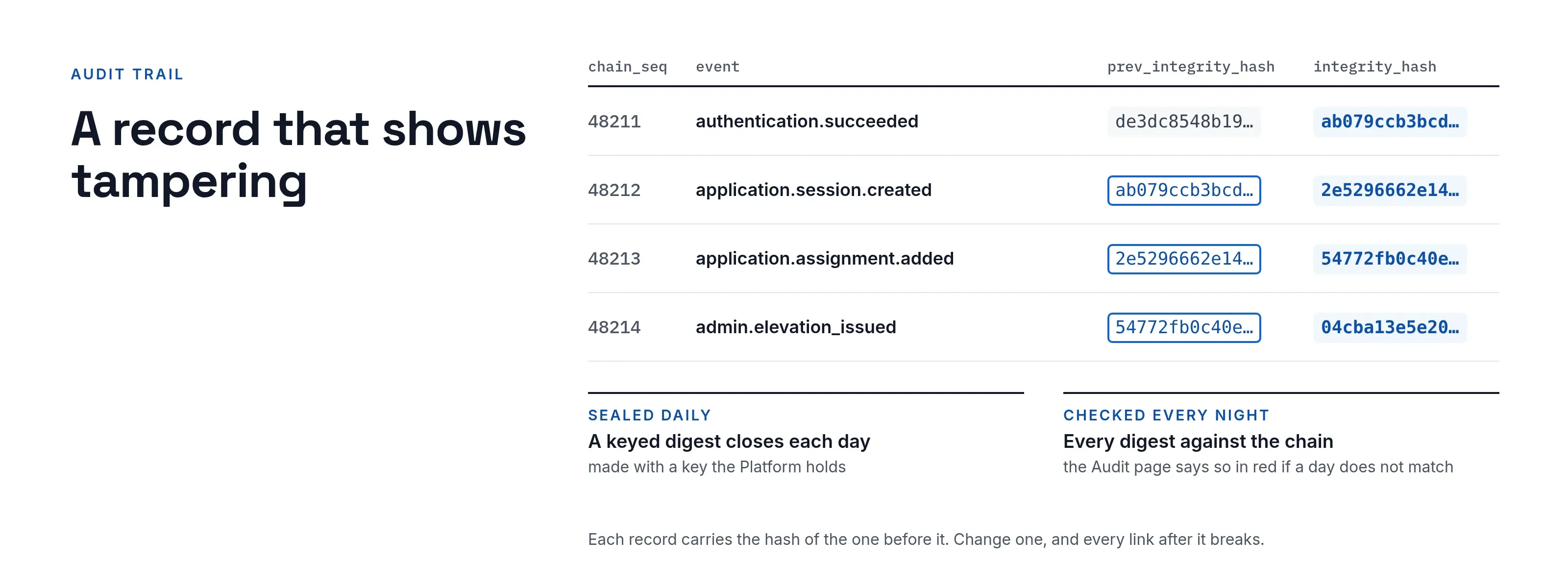
- Chained. Each event is linked to the one before it. Remove or change one and the chain breaks from that point.
- Sealed daily. A keyed digest, made with a key SSOGEN holds, closes each day.
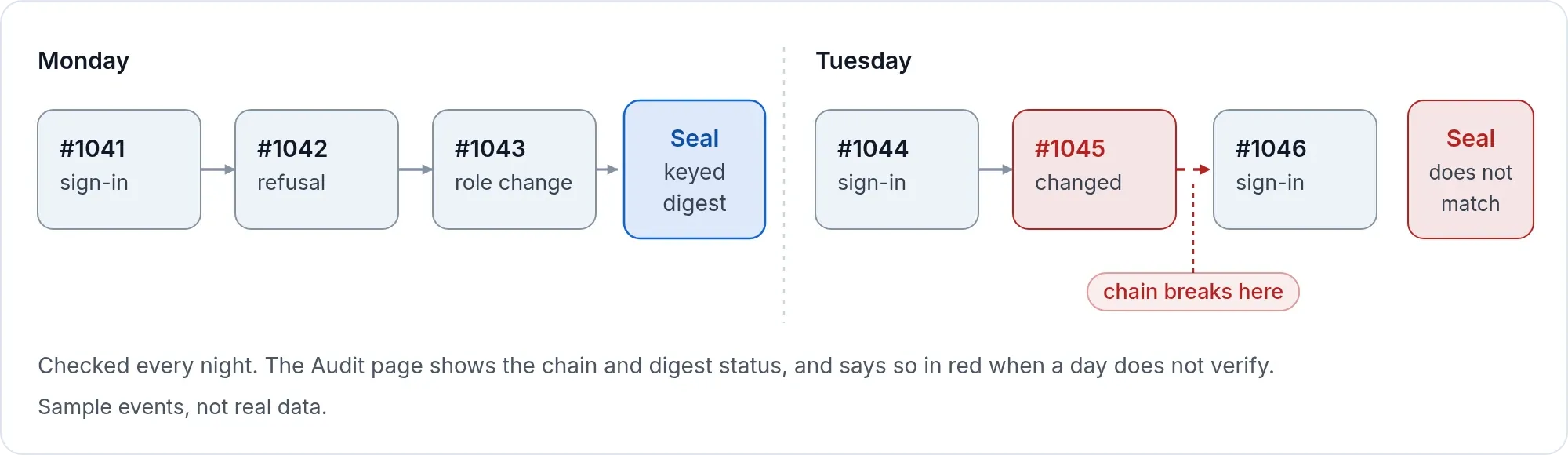
- Checked every night. A full check compares every digest with the chain.
- Visible. The Audit page shows the chain status and the digest status, and says so in red when a day does not match.
Keep what you need, prove what you removed
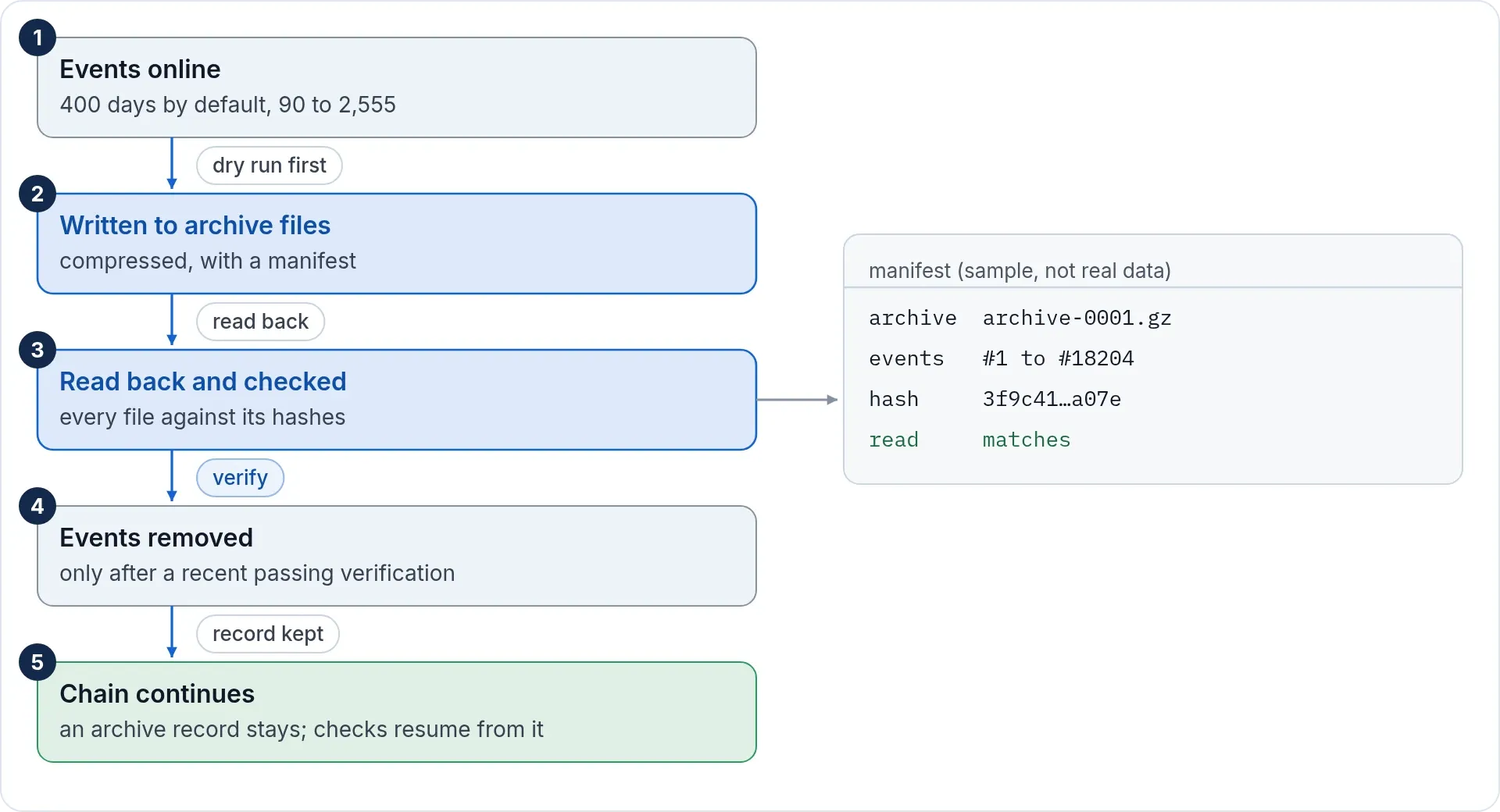
- Retention is yours. Set how long older events stay online: 400 days by default on a new installation, from 90 days to 2,555. Lowering the period takes effect after a seven-day wait, so a mistake can be caught.
- Archive before removal. Older events are written to compressed archive files with a manifest. Each file is read back and checked against its hashes. Only then are events removed, and only after a recent full check has passed.
- Dry run first. See what would be removed before anything is.
- The chain stays valid. A record that events were archived stays in the chain, and the check continues from the new anchor.
Webhooks: events in your tools
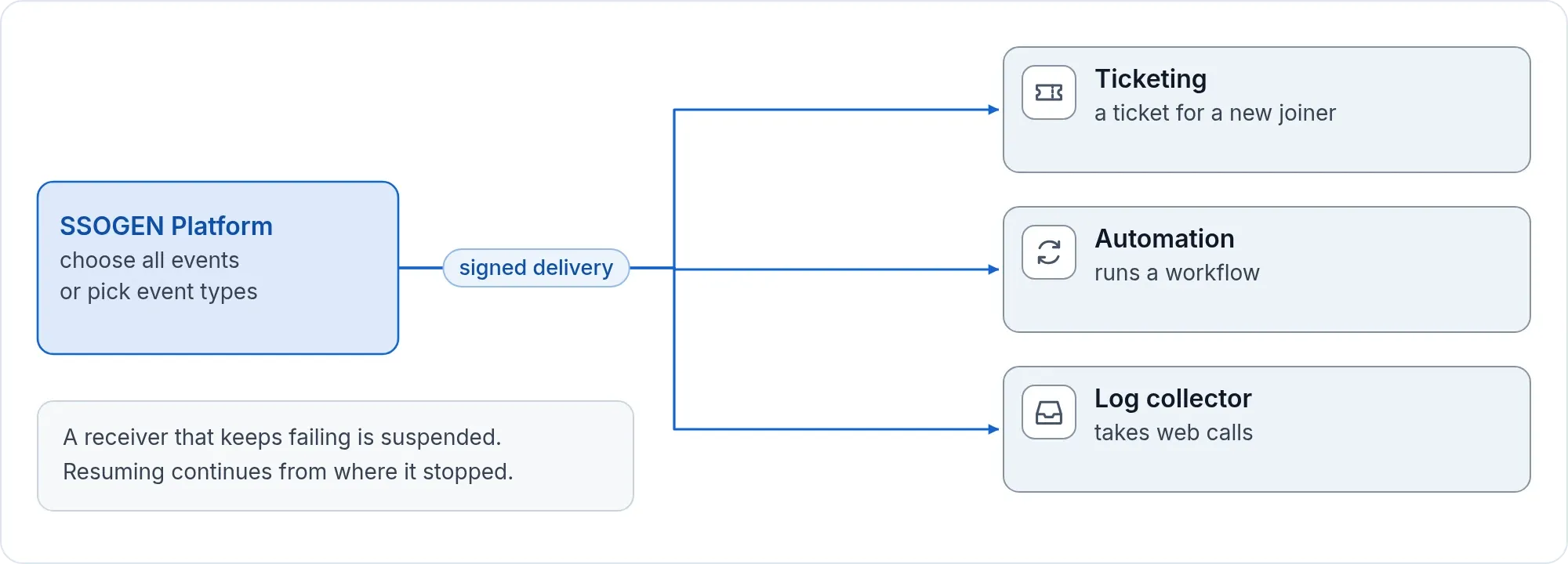
Webhooks send identity events to another system as they happen: a ticket for a new joiner, a log collector that takes web calls.
- Choose the events. Send everything or pick event types.
- Signed deliveries. Each delivery carries a signature your receiver checks. The secret is shown once, when you register the receiver.
- Nothing is dropped quietly. A receiver that fails repeatedly is suspended, and resuming continues from where it stopped. Retention holds back any event a webhook has still to receive.
- Visible. The list shows each receiver’s status, last error and last delivery.
What protects the record
- Passwords, authenticator seeds, recovery codes, tokens, cookies and private keys are kept out of logs by design, and the console’s log viewer masks such values even if one reached a log file.
- All six built-in administrator roles can read the audit trail. Archiving and removing events, and registering webhooks, belong to the Super admin.
- Administrator powers need a sign-in with a second factor no more than an hour old, by default, and end on a timer.
Records for your auditors
The audit log guide covers each setting.
Export a recent period as a file (from the last 24 hours up to the last year), or download an archive segment. Both are records of what happened, who did it, from where and with what result. They give your auditors the records they ask for. For AI agents acting for people, see what an AI agent delegation audit checks. SSOGEN does not itself certify your organization against any framework.