SSOGEN / Single sign-on for every app: SAML, OpenID Connect, Apache, Oracle HTTP Server and Java
SSOGEN
Single sign-on for every app: SAML, OpenID Connect, Apache, Oracle HTTP Server and Java
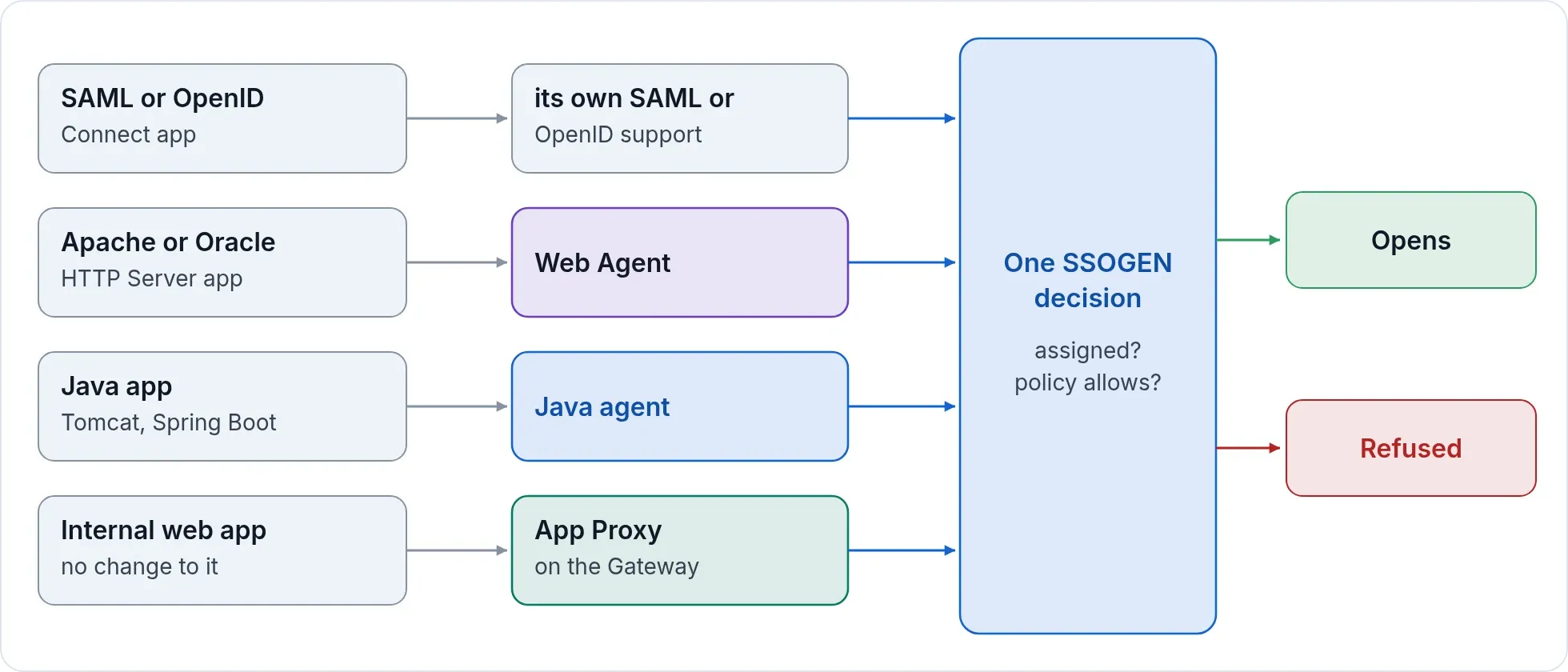
SAML, OpenID Connect, Apache, Oracle HTTP Server, Java and internal apps all pass the same two checks: assigned, and allowed by policy.
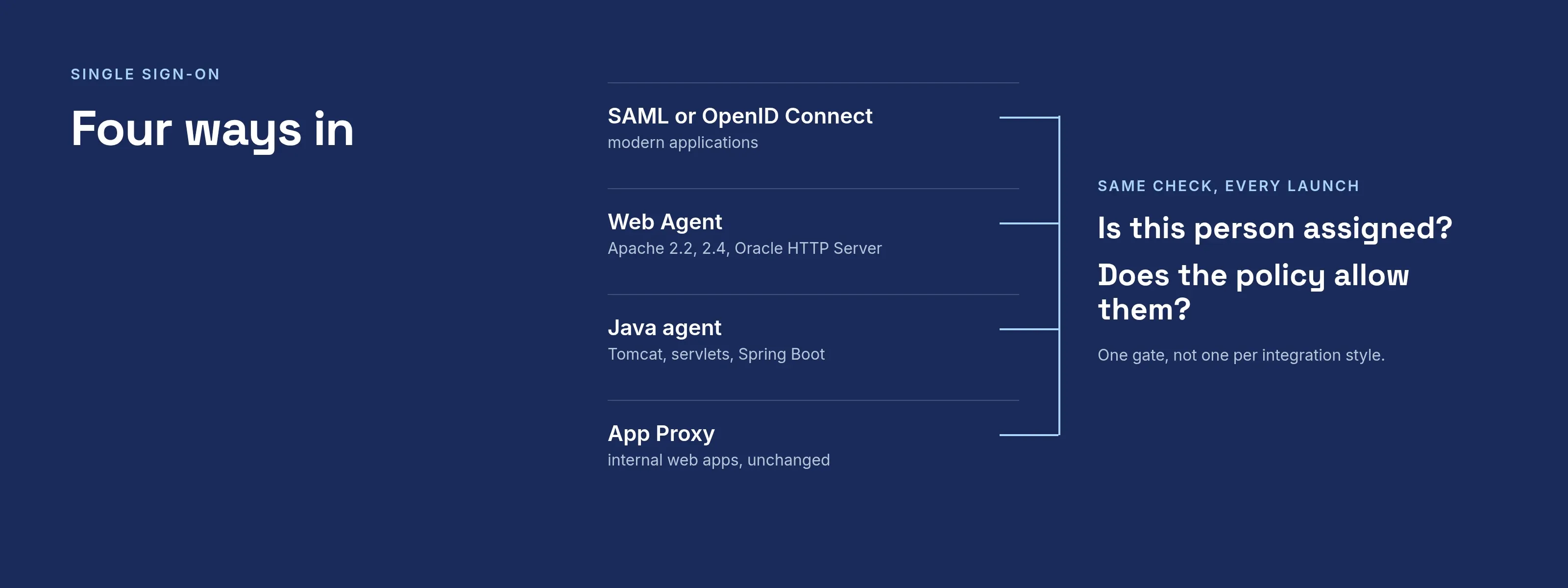
Four ways in
Modern apps: SAML and OpenID Connect
- SSOGEN is the identity provider for SAML service providers and the OpenID Connect provider for OpenID Connect clients.
- Register the application, upload its SAML metadata to fill in the details, assign it to groups.
- OpenID Connect uses the authorization code flow, and PKCE is required, not optional.
- Applications that are not in the gallery still connect: any SAML application, and any OpenID Connect application that supports PKCE.
Older web apps: the Web Agent
- One Apache module for Apache 2.4 and for Apache 2.2 and Oracle HTTP Server, built from one source.
- It makes sure the person has signed in, then gives the application the signed-in user in the form that application already expects: upper case, lower case or as sent, per site. Extra attributes come from your claims rules.
- An Oracle profile that serves E-Business Suite, PeopleSoft and JD Edwards, plus a generic profile.
- Generated packages for EBS 12.1 and 12.2, PeopleSoft, JD Edwards, Apache and Oracle HTTP Server. Service paths that other systems call stay open by default, and you choose what is protected.
- Protection per location: protected, optional or off. Deep links survive sign-in.
- Nothing to enroll on the application host. The administrator copies a short block; the app team pastes it and restarts. The key inside is shown once, stored only as a hash, scoped to one application (its web servers share it), and replaced by regenerating it.
- Replace a key without a cut-over. Keep the old key working for up to seven days while servers are updated, 24 hours by default.
- The module can also sign people in directly against any standard SAML or OpenID Connect provider. That standalone mode uses a license key.
Java apps: the Java agent
- Tomcat, servlet applications and Spring Boot, with the same policy, sign-out choices and key model as the Apache module.
Internal apps: the App Proxy
- Put sign-in in front of an internal web app without touching it. See App Proxy.
Bring the identity provider you already have
Connect Microsoft Entra ID, Okta, Keycloak or any SAML or OpenID Connect provider, and your employees keep their existing sign-in. Press Test. SSOGEN contacts the real provider and checks the result. Then press Activate. A provider stays a draft until it passes.
When SSOGEN signs people in through your OpenID Connect provider, state, nonce, issuer, audience and signature checks are always on.
People outside your directory, such as suppliers, partners and customers, get an account SSOGEN holds. Invite them by email, or let them sign up with approval. See customer identity.
One decision for every launch
SAML, OpenID Connect, Web Agent, Java agent or App Proxy, through SSOGEN: the same two questions run every time. Is this person assigned to the application? Does its sign-in policy allow them? There is one gate, not one per integration style. You can also open an application to every active account by turning off Assignment required.
| Entry path | Same check |
|---|---|
| SAML or OpenID Connect | Assignment and policy |
| Web Agent | Assignment and policy |
| Java agent | Assignment and policy |
| App Proxy | Assignment and policy |
Sign-out you control
Each application chooses whether signing out ends only its own session or the SSOGEN session too. Applications that use an SSOGEN connector plug-in are also told over a back channel when the SSOGEN session ends; other applications keep their own session until it ends there or times out.
When you revoke a person, their SSOGEN session ends at once and nothing new opens. The Gateway picks it up within seconds and the Java agent within minutes. An application behind the Apache Web Agent keeps its own session until the idle time or the maximum time you set for that site: by default 30 minutes idle and 12 hours in all, and each can be set up to 30 days. You set both per site: short for a sensitive application, longer where convenience matters.
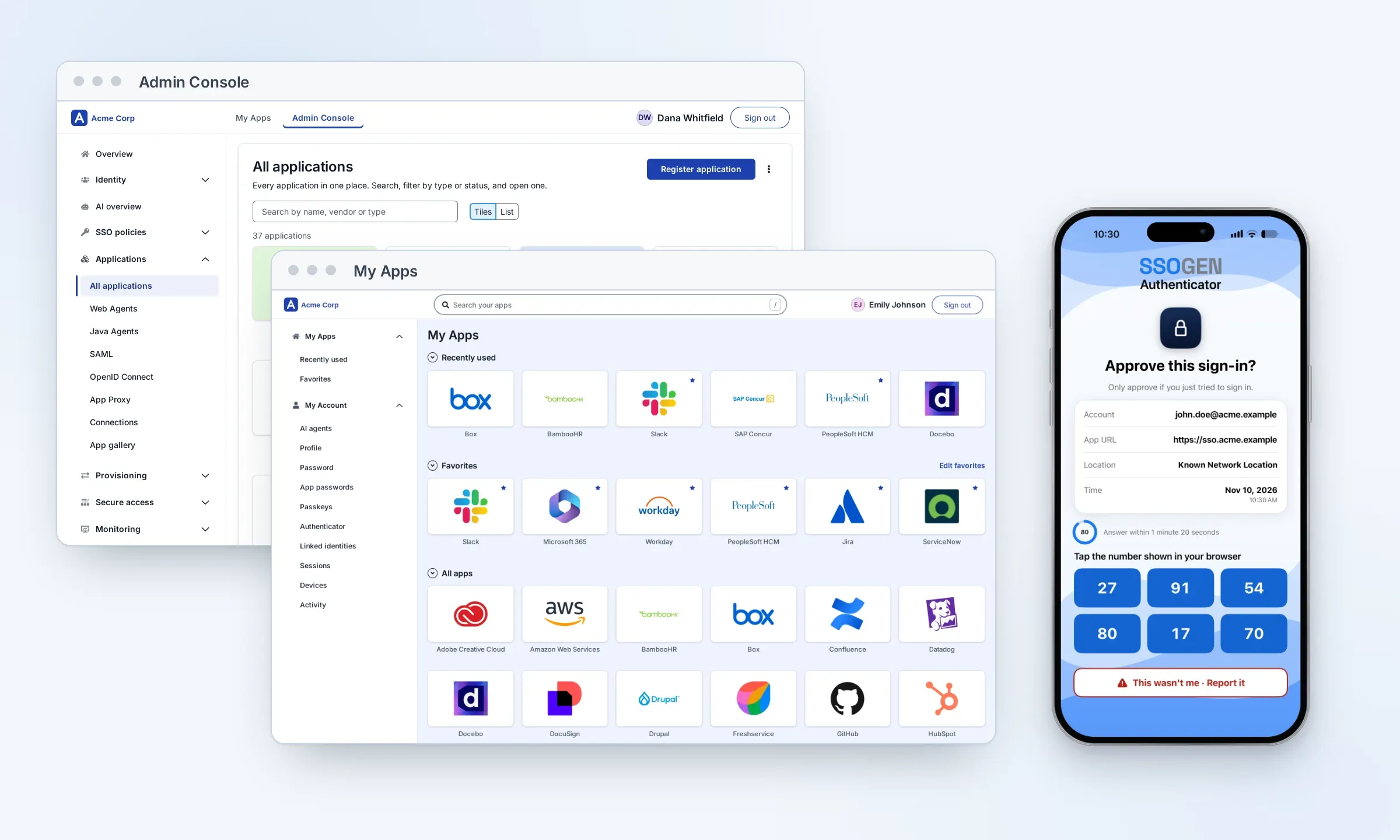
My Apps
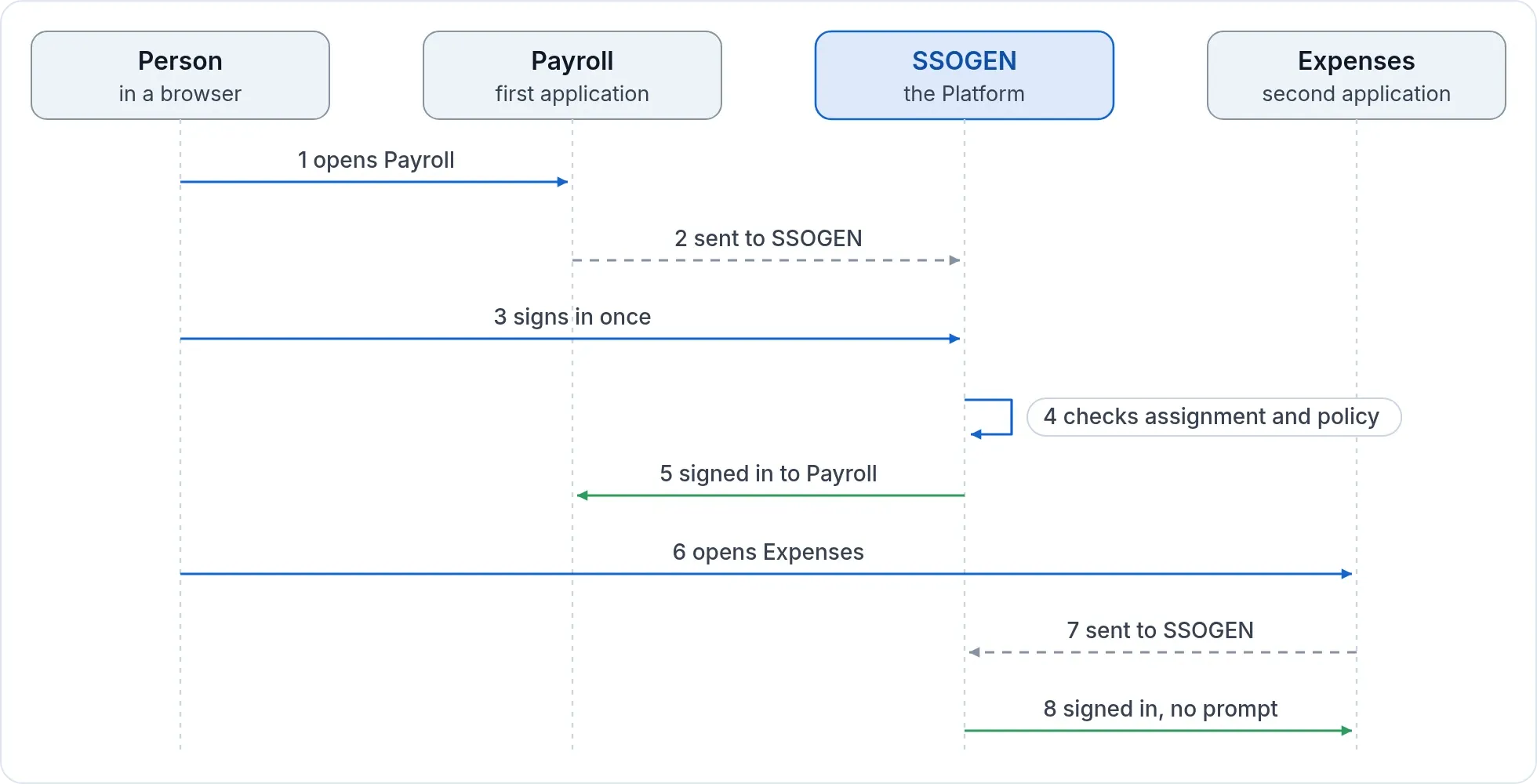
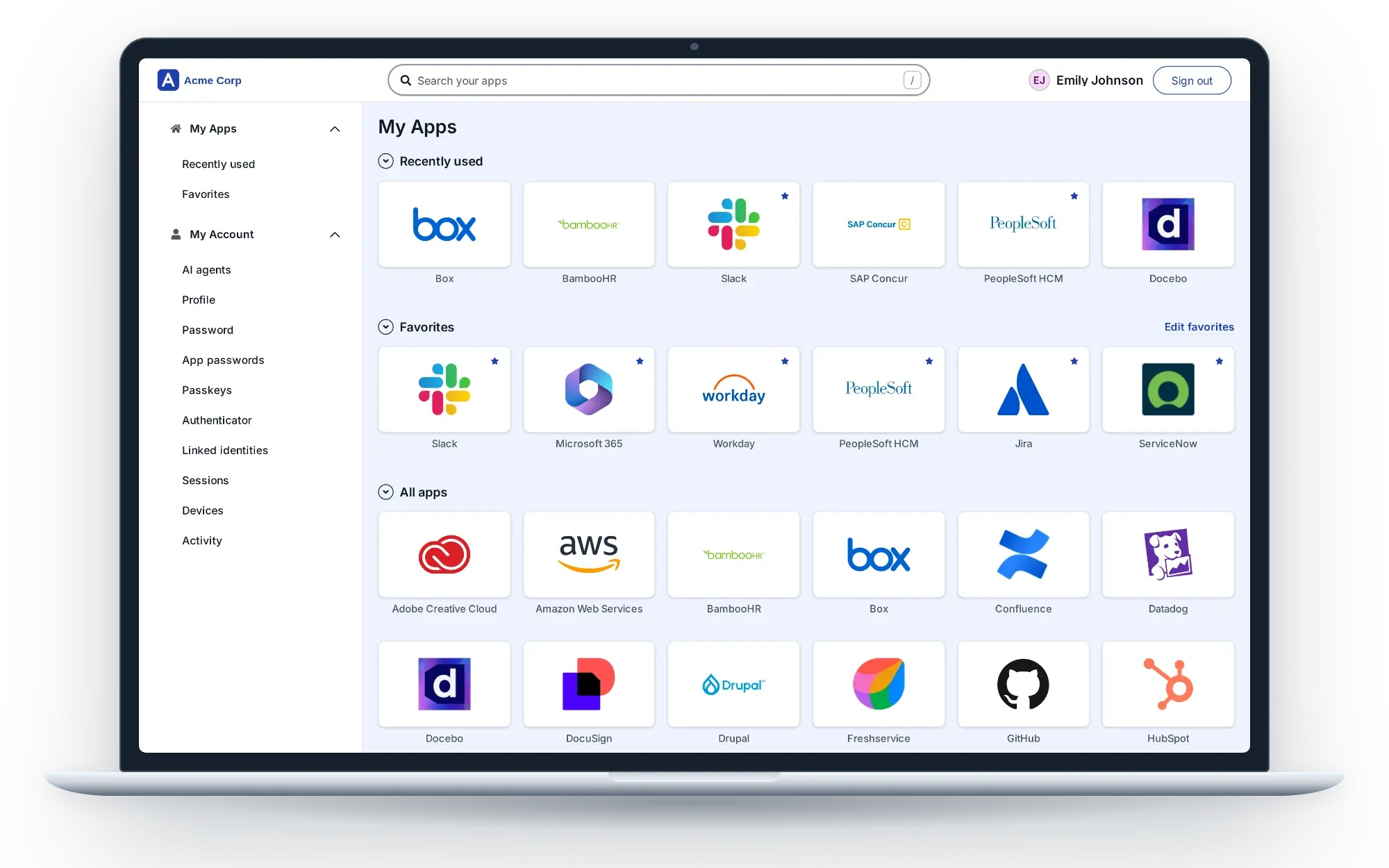
After sign-in people land on one home page: their applications with search, recents and favorites, plus their own account (profile, password, passkeys, authenticator, sessions, devices, activity). Opening another application costs no further sign-in while the session is valid. The My Apps portal page shows each group, the phone layout and the settings administrators control.
Next: See the application types or ask for the integration package for your Oracle product.
Product names belong to their owners. SSOGEN is an Oracle partner, but Oracle has not reviewed or endorsed this page. SSOGEN is not affiliated with the other owners.