SSOGEN / Single sign-on to your applications with SSOGEN
SSOGEN
Single sign-on to your applications with SSOGEN
Each page lists the values to enter in SSOGEN and in the application, how to try it without locking anyone out, and what goes wrong most.
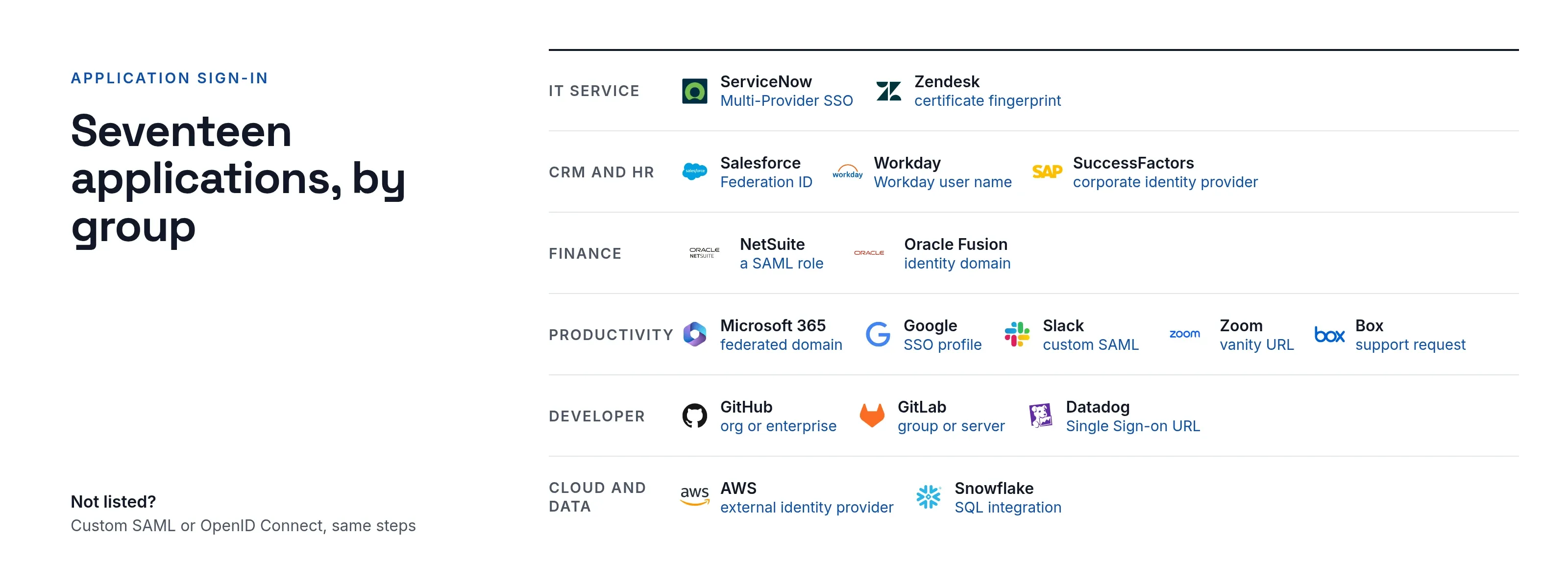
IT service
- ServiceNow: Multi-Provider SSO with SSOGEN’s metadata, matched on email.
- Zendesk: a SAML configuration with SSOGEN’s certificate fingerprint, assigned to team members.
CRM
- Salesforce: a SAML Single Sign-On Setting matched on each user’s Federation ID.
HR
- Workday: a SAML identity provider row in the tenant security setup, matched on the Workday user name.
- SAP SuccessFactors: SSOGEN as a corporate identity provider in SAP Cloud Identity Services.
Finance
- Oracle NetSuite: metadata in both directions and a SAML role.
- Oracle Fusion Cloud ERP: SSOGEN as a SAML identity provider of the environment’s identity domain.
Productivity and collaboration
- Microsoft 365: a federated domain in Microsoft Entra ID.
- Google Workspace: a SAML SSO profile assigned to groups or organizational units.
- Slack: custom SAML for a workspace or an Enterprise organization.
- Zoom: the Single Sign-On form on your vanity URL, with attribute mapping.
- Box: Box’s fixed values and its SSO setup request.
Developer tools
- GitHub Enterprise Cloud: SAML for an organization or a whole enterprise.
- GitLab: a GitLab.com group or a Self-Managed instance.
- Datadog: SSOGEN’s metadata file and the organization’s Single Sign-on URL.
Cloud and data
- AWS IAM Identity Center: SSOGEN as the external identity provider of the AWS access portal.
- Snowflake: a SAML2 security integration created in SQL.
How each application recognizes a person
Most failed first sign-ins come from a mismatch between the value SSOGEN sends and the field the application looks up. Check this column before you start.
Most guides start from the application’s card in the App Gallery, the catalog of 105 application and ERP entries inside the Admin Console.
| Application | Matches each person on |
|---|---|
| ServiceNow, Zendesk, Datadog | Email address |
| Salesforce | Federation ID of the Salesforce user |
| Workday | Workday account user name |
| SAP SuccessFactors | SuccessFactors user name, through Identity Authentication |
| Oracle NetSuite | Email address on the employee record |
| Oracle Fusion Cloud ERP | Email address in the OCI IAM identity domain |
| Microsoft 365 | ImmutableID stored on the Entra ID user |
| Google Workspace | Primary Google email address |
| Slack, GitLab | SSOGEN’s permanent user ID |
| Zoom, Box | Email address, as the Zoom or Box login |
| GitHub Enterprise Cloud | The member’s own GitHub account, linked at first sign-in |
| AWS IAM Identity Center | IAM Identity Center username, which is the email address |
| Snowflake | Snowflake login name |
What every guide includes
- Both sides of the setup. The values to enter in SSOGEN, and the screen in the application where each one goes.
- A safe first sign-in. One assigned test person first, and an administrator who keeps a password until single sign-on works.
- The errors seen most often. The message the application shows, and the setting to correct.
Your application is not on this page? Any application that signs people in with SAML 2.0 or OpenID Connect is added with the shared steps above, from the Custom SAML application or Custom OpenID Connect application tile.