SSOGEN / App Gallery: the SSO app catalog in the SSOGEN Admin Console
SSOGEN
App Gallery: the SSO app catalog in the SSOGEN Admin Console
Search 105 application and Oracle ERP entries, pick a card, and the registration wizard opens with the name, icon, category and protocol in place.
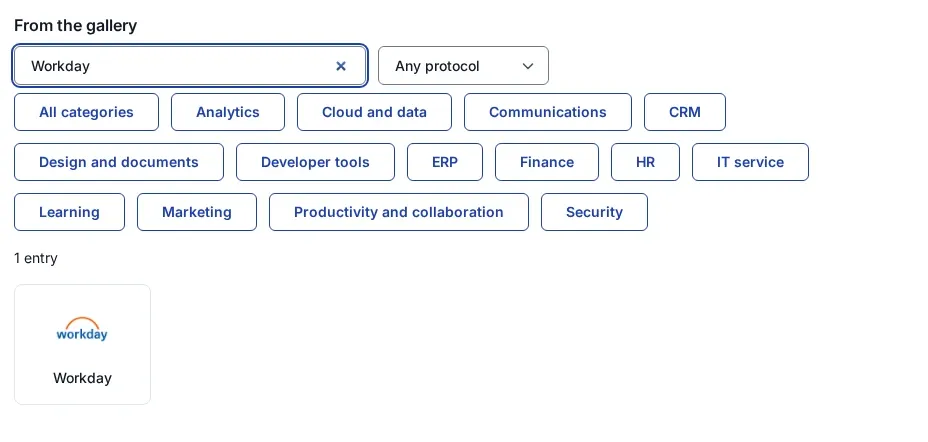
Applications > App Gallery: search by name, vendor or keyword, filter by protocol and category, then select the card.
The App Gallery is the SSO app catalog built into the SSOGEN Admin Console, under Applications > App Gallery. It holds 102 SaaS applications and 3 Oracle ERP products. The same catalog supplies 9 enterprise identity providers to Add identity provider. A card is a head start, never a requirement: any SAML 2.0 or OpenID Connect application connects without one.
105 entries in 14 categories
The counts below are the entries in the current gallery, one card per product. Adobe has three cards, one for each product family.
| Category | Entries | Examples |
|---|---|---|
| Productivity and collaboration | 14 | Microsoft 365, Google Workspace, Slack, Zoom, Box |
| Developer tools | 14 | GitHub, GitLab, Bitbucket, Postman, Sentry |
| Cloud and data | 9 | Amazon Web Services, Microsoft Azure, Google Cloud, Snowflake, Databricks |
| HR | 9 | Workday, ADP, BambooHR, Rippling, SAP SuccessFactors |
| Marketing | 9 | HubSpot, Adobe Marketo Engage, Mailchimp, Canva |
| CRM | 8 | Salesforce, Microsoft Dynamics 365, Zoho CRM, Pipedrive |
| Finance | 8 | Oracle NetSuite, Oracle Fusion Cloud ERP, SAP Concur, Coupa |
| Security | 8 | CrowdStrike Falcon, Zscaler, Cisco Duo, 1Password |
| Design and documents | 6 | DocuSign, Adobe Acrobat Sign, Figma, Miro |
| Learning | 6 | LinkedIn Learning, Coursera, Udemy Business, Docebo |
| Analytics | 4 | Tableau, Looker, Microsoft Power BI, Qlik Cloud |
| IT service | 4 | ServiceNow, Zendesk, Freshservice, Freshdesk |
| Communications | 3 | RingCentral, Twilio, Five9 |
| ERP | 3 | Oracle E-Business Suite, PeopleSoft, JD Edwards EnterpriseOne |
Of the 102 SaaS entries, 93 list SAML and 35 list OpenID Connect; many list both. The three ERP entries connect through the SSOGEN Web Agent.
What a card fills in
Every card starts the registration for you. The difference between cards appears in the wizard.
| What the card does | Every card | Sentry, Microsoft Entra ID, Keycloak |
|---|---|---|
| Name, category, logo and protocol | Filled in | Filled in |
| Link to the vendor’s own SSO guide | On the card | On the card |
| Vendor values (sign-in address, attribute that names the person) | Copied from the vendor’s guide | Filled in |
| What you type | The connection values from the vendor’s guide | Only your own details, such as a tenant ID or an organization slug |
The Sentry card, for example, asks for one field, the organization slug, and builds Sentry’s assertion consumer service address from it.
From card to working sign-in
- Open Applications > App Gallery and type a name, a vendor or a keyword.
- Select the card. The Register application wizard opens with the card’s details and its logo as the My Apps icon.
- Open the vendor’s guide from the card at the top of the wizard and enter its values on the Connection step.
- Choose a sign-in policy and the attribute that names the person.
- Run Try it to see what the application would receive. Nobody is signed in.
- Select Activate application. The tile appears in My Apps for everyone assigned.
No card for your application? The Custom SAML application and Custom OpenID Connect application tiles under Custom app open the same wizard empty. A Bookmark tile adds a link that opens after sign-in.
Oracle ERP cards bring the Oracle profile
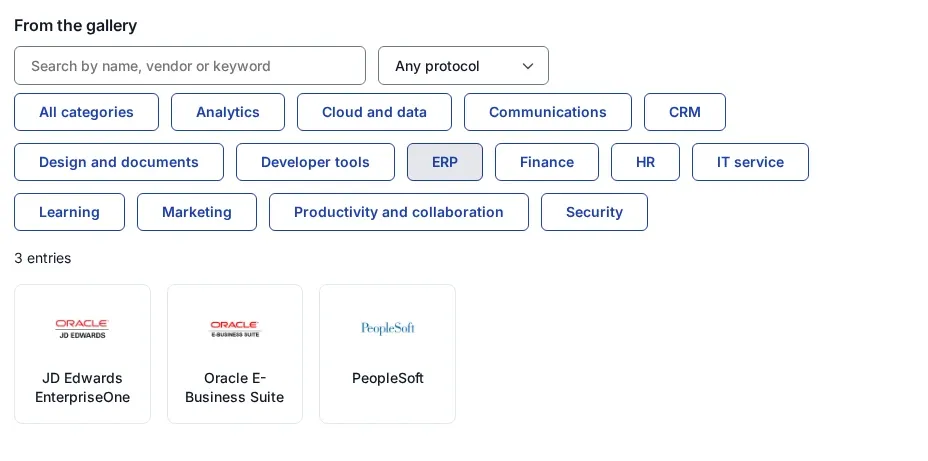
An application added from the Oracle E-Business Suite, PeopleSoft or JD Edwards card receives the Oracle identity profile through the Web Agent, with an upper-case user name. Any other Web Agent application receives the standard profile. Step-by-step setup lives on the Oracle ERP single sign-on pages.
Nine enterprise identity providers
SSO policies > Identity providers > Add identity provider lists these providers in this order. A provider that offers both protocols asks first how people should sign in, with SAML selected.
| Provider | Protocols on the card |
|---|---|
| Microsoft Entra ID | SAML or OpenID Connect; the OpenID Connect template asks for the Directory (tenant) ID and fills in the issuer and scopes |
| Okta | SAML or OpenID Connect |
| Ping Identity | SAML or OpenID Connect |
| OneLogin | SAML or OpenID Connect |
| Auth0 | SAML or OpenID Connect |
| Google Cloud Identity | SAML or OpenID Connect |
| Cisco Duo SSO | SAML or OpenID Connect |
| AWS IAM Identity Center | SAML |
| Keycloak | SAML or OpenID Connect; the OpenID Connect template asks for the Keycloak host and realm and fills in the rest |
SSOGEN is a complete identity provider on its own. These cards serve organizations that keep an existing provider as the sign-in source.
A signed catalog
- Each entry ships as a signed archive, and a signed index lists the entries SSOGEN may offer.
- An entry that fails its checks is held back: it never reaches the catalog.
- A withdrawn entry stays in the index as withdrawn and is never offered again.
- Logos are the vendors’ own marks, used only to identify the product. A card without a logo shows a lettermark.
App Gallery, application guides and integrations
Three parts of SSOGEN answer three different questions.
| Where | What it is | Use it to |
|---|---|---|
| App Gallery (this page) | The catalog inside the Admin Console | Start a registration with the name, icon and protocol in place |
| Application guides | Setup guides on this site, one per application | Copy the exact values for ServiceNow, Salesforce, Workday and others |
| SSO integration | The four ways in: SAML, OpenID Connect, Web Agent and App Proxy | Decide how an application connects |
Questions people ask
What is an SSO app?
What is an app catalog?
Can you SSO into a mobile app?
What are some examples of SSO?
Do I need a gallery card to connect an application?
Where to go next
- Choose a connection. Compare SAML, OpenID Connect, the Web Agent and the App Proxy in choose how to connect an application.
- Register a SAML application. Follow add a SAML application in SSOGEN, which starts in the App Gallery.
- Signed definitions. Read how SSOGEN checks signatures in App Packs.