SSOGEN / Legacy SSO migration: keep the applications
SSOGEN
Legacy SSO migration: keep the applications
Move one application at a time with a generated block, while SCIM keeps both systems current until the last application has crossed.
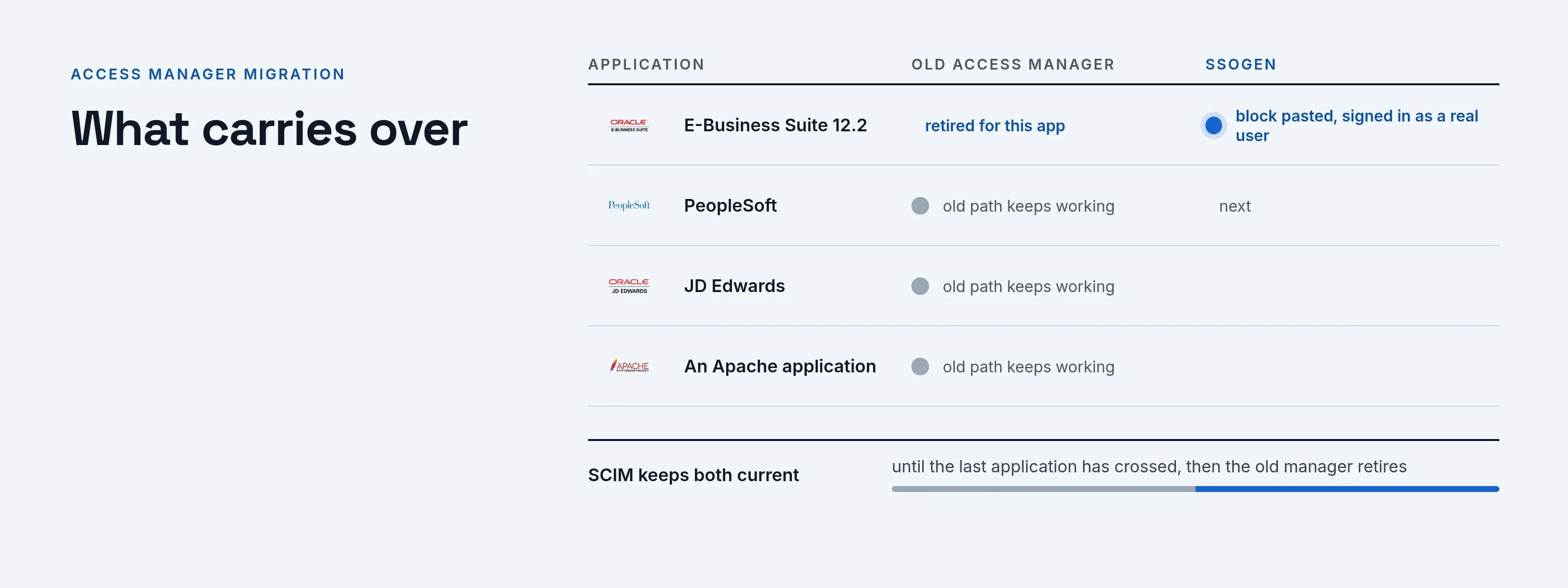
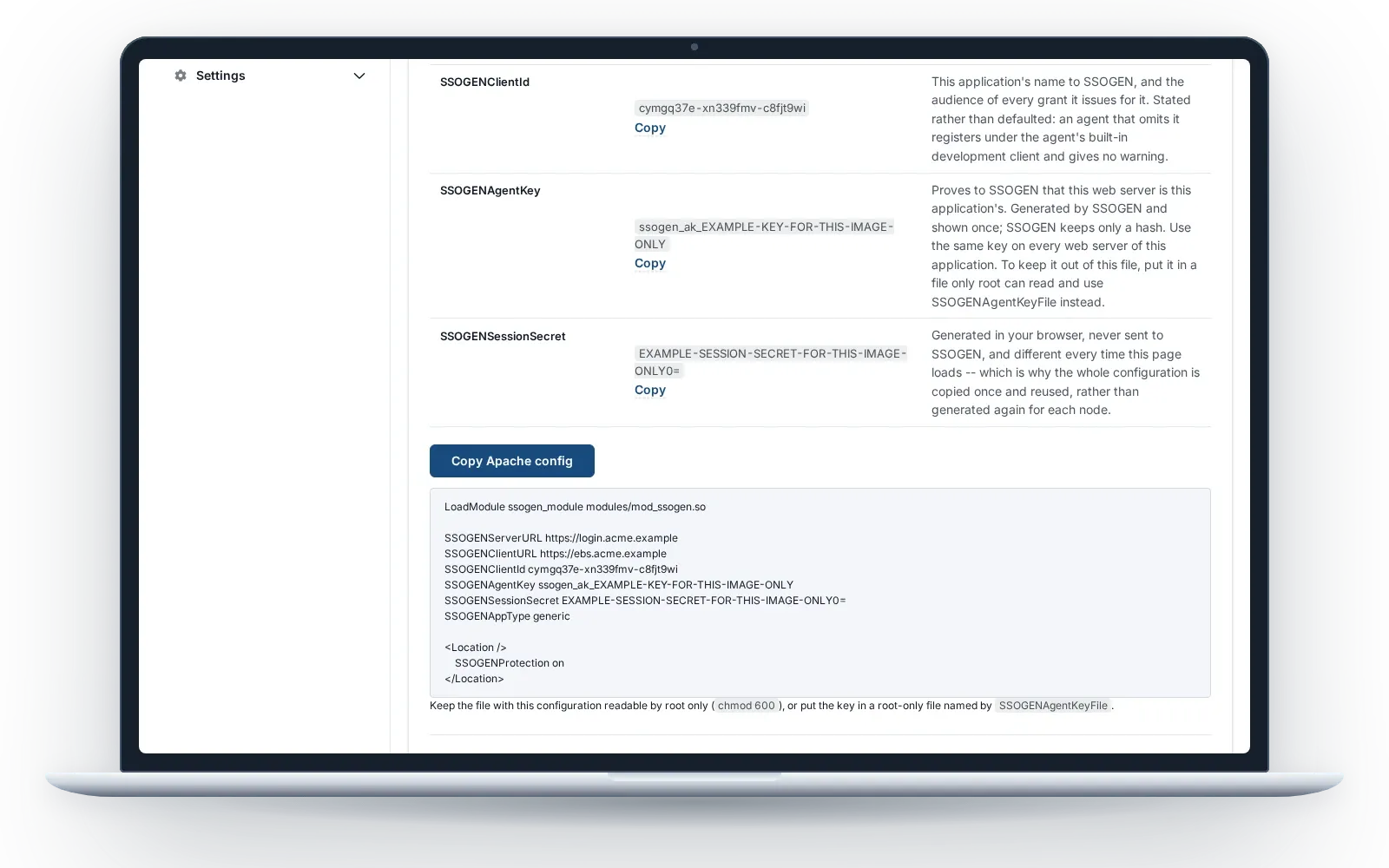
A legacy SSO migration with SSOGEN replaces the access layer and leaves the applications alone. Each application moves on its own, with no application code rewritten. The migration playbooks cover Oracle Access Manager, SiteMinder and a companion setup for Entra ID or Okta.
The shape stays the same
A module on the web server enforces sign-in and hands the application the identity it already expects. The SSOGEN Web Agent runs on Apache 2.4 and on Apache 2.2 or Oracle HTTP Server, built from one source. What changes is everything behind it: modern sign-in, modern second steps, one console.
What carries over
- The application’s code. Unchanged. It receives the signed-in user it always received. Some products need their own single sign-on setting switched on: your team sets it in PeopleSoft and JD Edwards, and the E-Business Suite package sets the EBS profile options for you.
- User name handling. Upper case, lower case or as sent, set per site.
- Attributes. Extra attributes reach the application under the names it expects, set by rules in the console.
- Sign-out. Local or single sign-out, per application.
- Your users. LDAP, Active Directory or the identity provider you already run stay the source.
- Oracle know-how. An Oracle profile, and generated packages for E-Business Suite 12.1 and 12.2, PeopleSoft, JD Edwards, Apache and Oracle HTTP Server. See Oracle EBS SSO.
What gets better
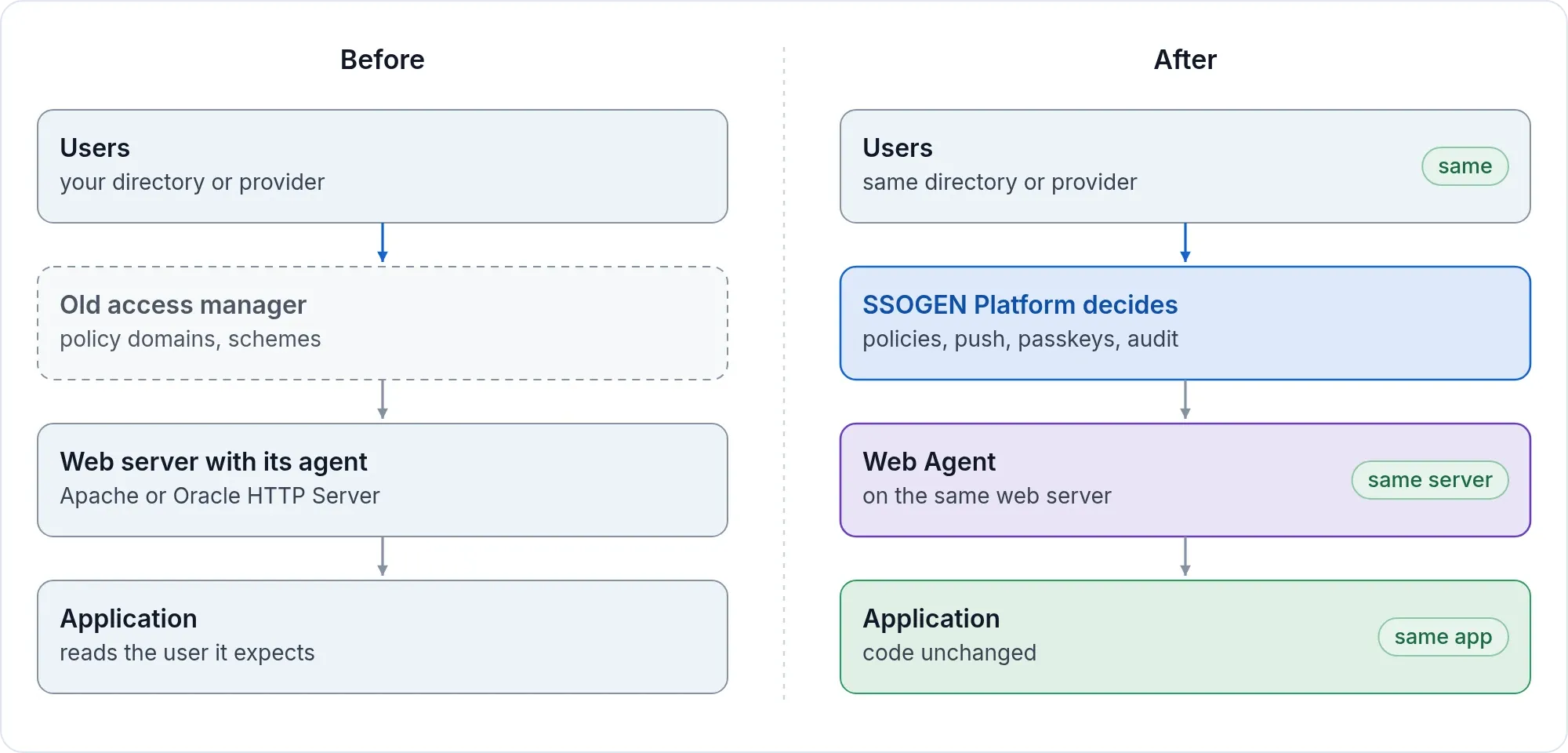
- Push approval with number matching, and passkeys, chosen per application.
- Nothing to enroll on the application server. The console generates a short block; your application team pastes it and restarts. They hold no account and run no certificate authority.
- Rules you can read. Assignment and sign-in policy per application, with a What if screen that names each reason. See the policy engine.
- One audit trail for sign-in, administration and Remote Access.
- A way to move gradually. SCIM keeps both systems current while applications cross.
The migration in six steps
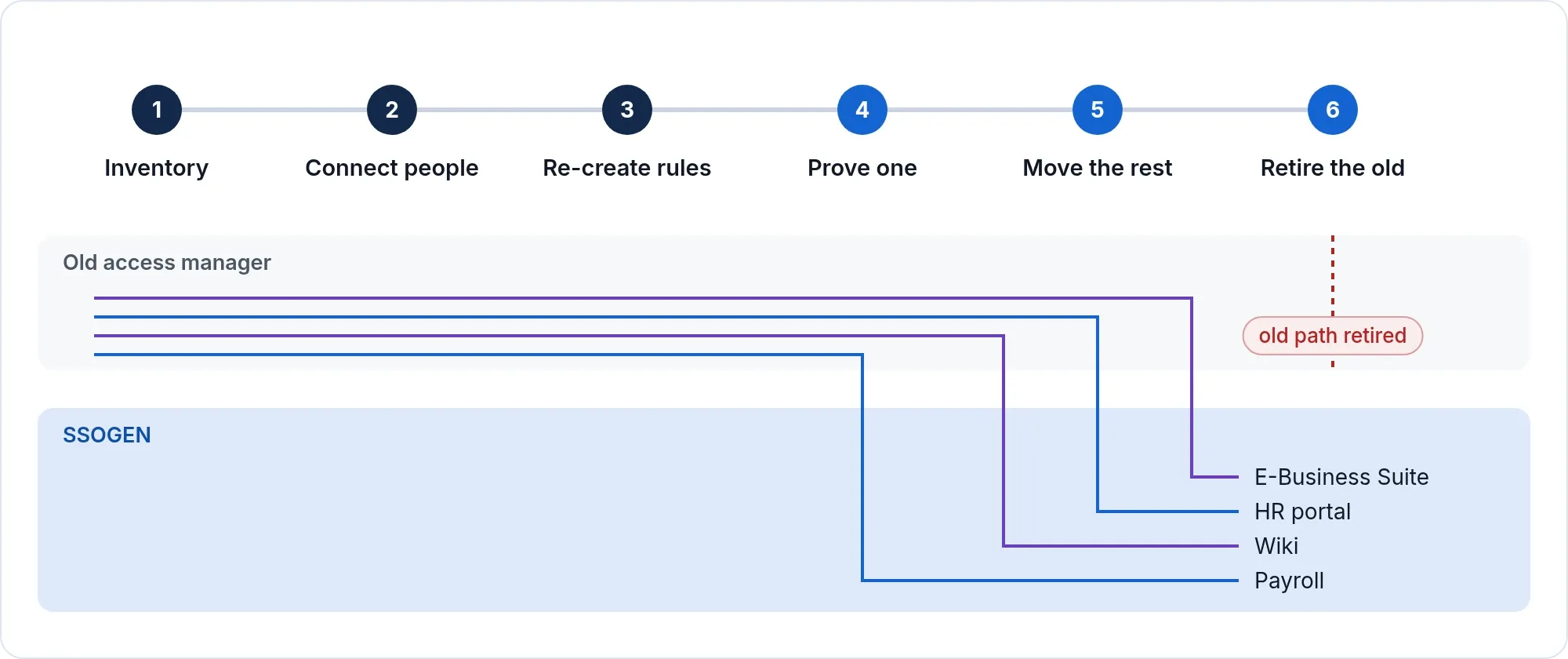
- Inventory. List the applications and what each one reads from the access manager.
- Connect people. Link your directory or identity provider and test it before it goes live.
- Re-create the rules. Turn access rules into sign-in policies and group assignments. This is a design step done with you, not an automatic conversion.
- Start with one. Register one application, paste the block and sign in as a real user.
- Move the rest, one at a time. Each application switches with its own configuration, and the old path keeps working until you retire it.
- Retire the old manager when the last application has moved.
For Oracle E-Business Suite, the EBS cut-over plan with a rollback step per stage covers the inventory, the rehearsal on a clone and the tests.
What we review with you before you commit
- Policies are re-created by design. Your team and ours turn each access rule into a sign-in policy and group assignments, so every rule is reviewed rather than copied.
- Full directory names. If an application reads a person’s full directory distinguished name from the old product, we review it together. The Web Agent does not pass the person’s real directory entry name; where an Oracle application expects that form, it receives a fixed form built from the user name, with a fixed directory suffix. Check it with us before that application moves.
- Entitlements inside the application. Rich entitlement data from the old product is mapped to groups or attributes.
- Approvals and certifications are separate from provisioning and are not part of it.
Free application review
Send us your application list. For each one we tell you whether it is straightforward or needs work, before you commit to anything.
Product names belong to their owners. SSOGEN is an Oracle partner, but Oracle has not reviewed or endorsed this page. SSOGEN is not affiliated with the other owners and names them only to say which kind of product this page is about.