SSOGEN / SSO migration playbook: three ways in, one application at a time
SSOGEN
SSO migration playbook: three ways in, one application at a time
Three playbooks cover Oracle Access Manager, SiteMinder, and adding Oracle applications beside Entra ID or Okta, each with inventory and mapping.
Oracle, E-Business Suite, PeopleSoft and JD Edwards are trademarks of Oracle and its affiliates; SiteMinder is a trademark of Broadcom; Entra ID is a trademark of Microsoft; Okta is a trademark of Okta. SSOGEN is an Oracle partner, but Oracle has not reviewed or endorsed this page. SSOGEN is not affiliated with Broadcom, Microsoft or Okta. They are named only to say where you are starting from.
Playbook 1: leaving Oracle Access Manager
Why now. Oracle’s published Fusion Middleware 12c lifecycle ends Premier Support in December 2026 and Extended Support in December 2027 (Oracle Fusion Middleware support dates). E-Business Suite 12.2 has Premier Support through at least 2037 (Oracle announcement). The applications outlast the 12c access layer. For the product view, see Oracle Access Manager compared with SSOGEN.
Inventory.
- Each protected application, its web server (Apache 2.4, Apache 2.2 or Oracle HTTP Server) and its version.
- The identity each application expects, and how it spells the user name.
- Extra attributes each application reads.
- Where people live: LDAP, Active Directory or an identity provider.
- Sign-out behavior each application depends on.
Mapping, in business terms.
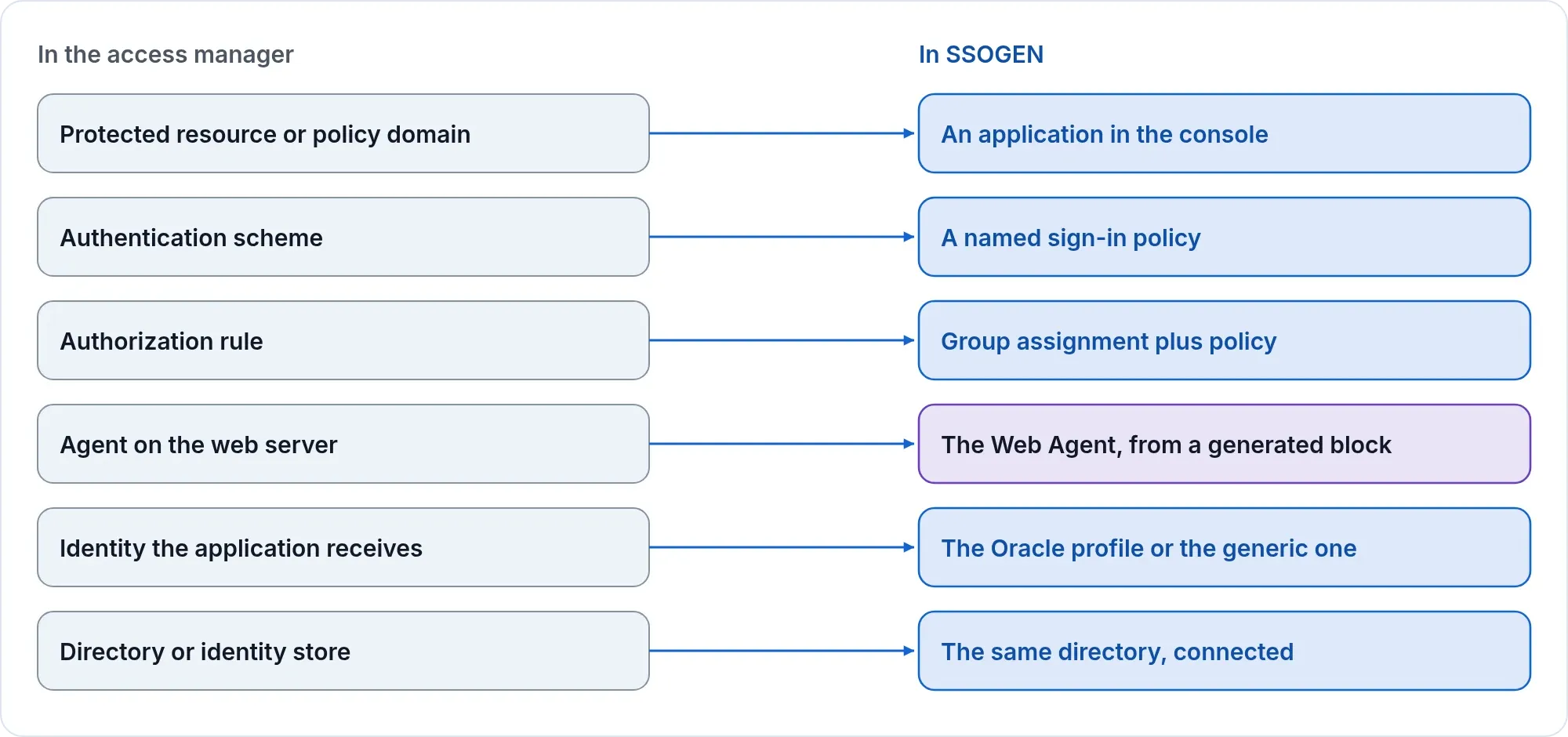
| In the access manager | In SSOGEN |
|---|---|
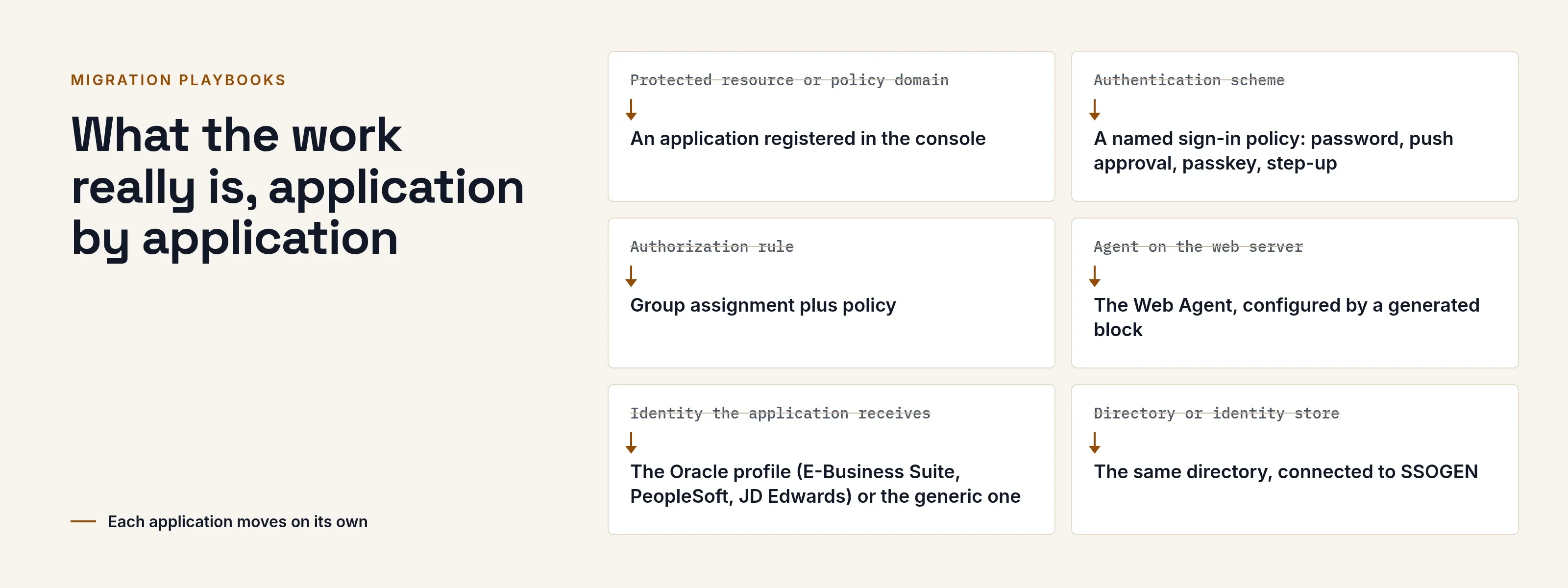
| Protected resource or policy domain | An application registered in the console |
| Authentication scheme | A named sign-in policy: password, push approval, passkey, step-up |
| Authorization rule | Group assignment plus policy |
| Agent on the web server | The Web Agent, configured by a generated block |
| Identity the application receives | The Oracle profile (E-Business Suite, PeopleSoft, JD Edwards) or the generic one |
| Directory or identity store | The same directory, connected to SSOGEN |
Steps. Connect and test your directory. Re-create the rules as policies and groups with us. Register one application. Paste the block and restart the web server. Sign in as a real user. Move the rest one at a time, then retire the old product.
Check. An application that reads a full directory distinguished name needs a joint review. Entitlement data inside the application is mapped to groups or attributes.
Playbook 2: leaving SiteMinder
SiteMinder follows the same pattern, a module in front of the web server that tells the application who the user is, so the SSOGEN Web Agent fits the same place. The SiteMinder alternative page compares the two products.
Inventory. Applications, realms and the web servers that front them. The user attribute each application reads. The login scheme each uses. Federation partners that depend on the old product.
Mapping. Realms and rules become applications, groups and sign-in policies. Agents become the Web Agent. Where no web-server module can be installed, the App Proxy can take their place for an application that can read a new identity header; an application that reads only the old product’s own user variable needs a change first.
Steps. The same six. Start with a low-risk application to prove the paste moment, and keep your directory as the source of people throughout. If an HR system can push people by SCIM, point it at SSOGEN while applications cross.
Check. Policies are re-created with you, rule by rule, so each one is reviewed. We tell you, application by application, what is straightforward.
Playbook 3: Oracle applications in Entra ID or Okta, with SSOGEN beside it
You keep your cloud identity provider. SSOGEN is the companion that gets your Oracle and other web-tier applications onto it.
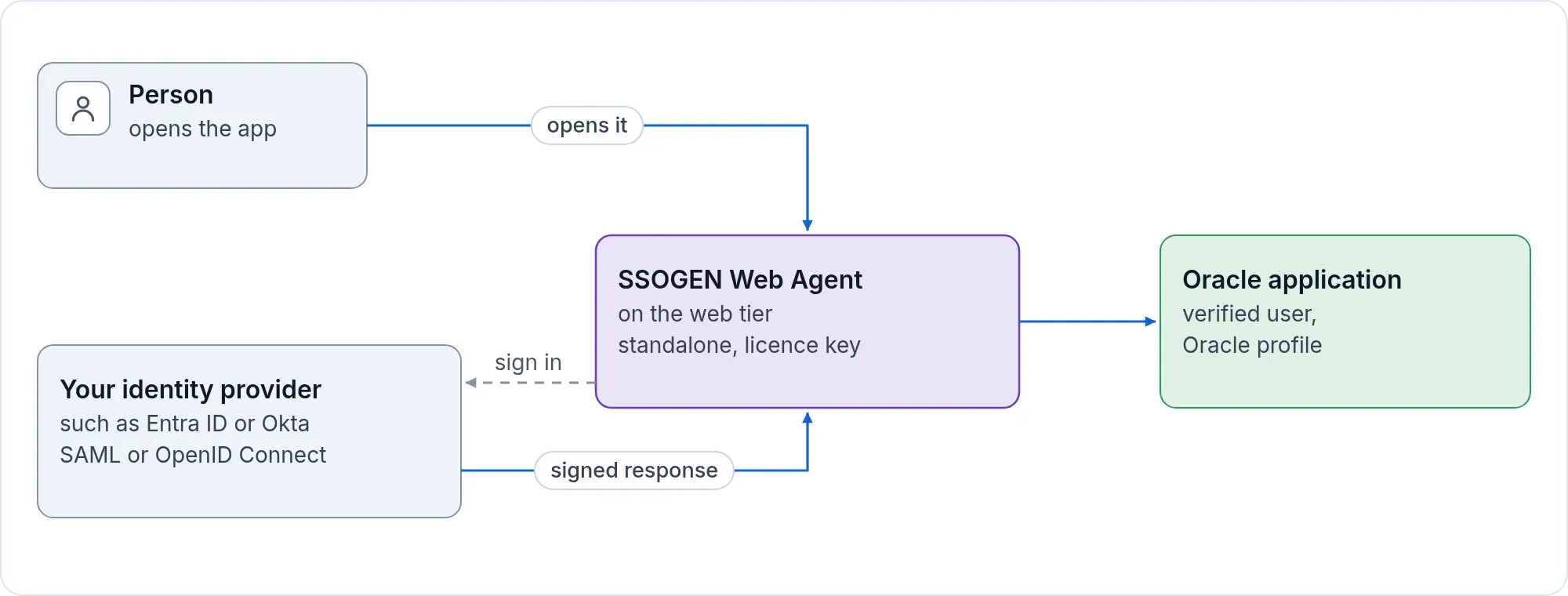
- Your provider stays the place people sign in. The Web Agent can sign people in directly against any standard SAML or OpenID Connect provider in its standalone mode, which needs a license key.
- SSOGEN adds the Oracle-specific pieces: the Oracle profile, the web-tier configuration and per-application sign-out.
- Or put SSOGEN in the middle, connect your provider to it, and get policy, audit and My Apps for every application, old and new.
Steps. Choose the standalone Web Agent or SSOGEN in the middle. Register the provider and test it before it goes live. Register one application and paste the block. Compare what the application sees with what it saw before. Move on.
What the work really is, application by application
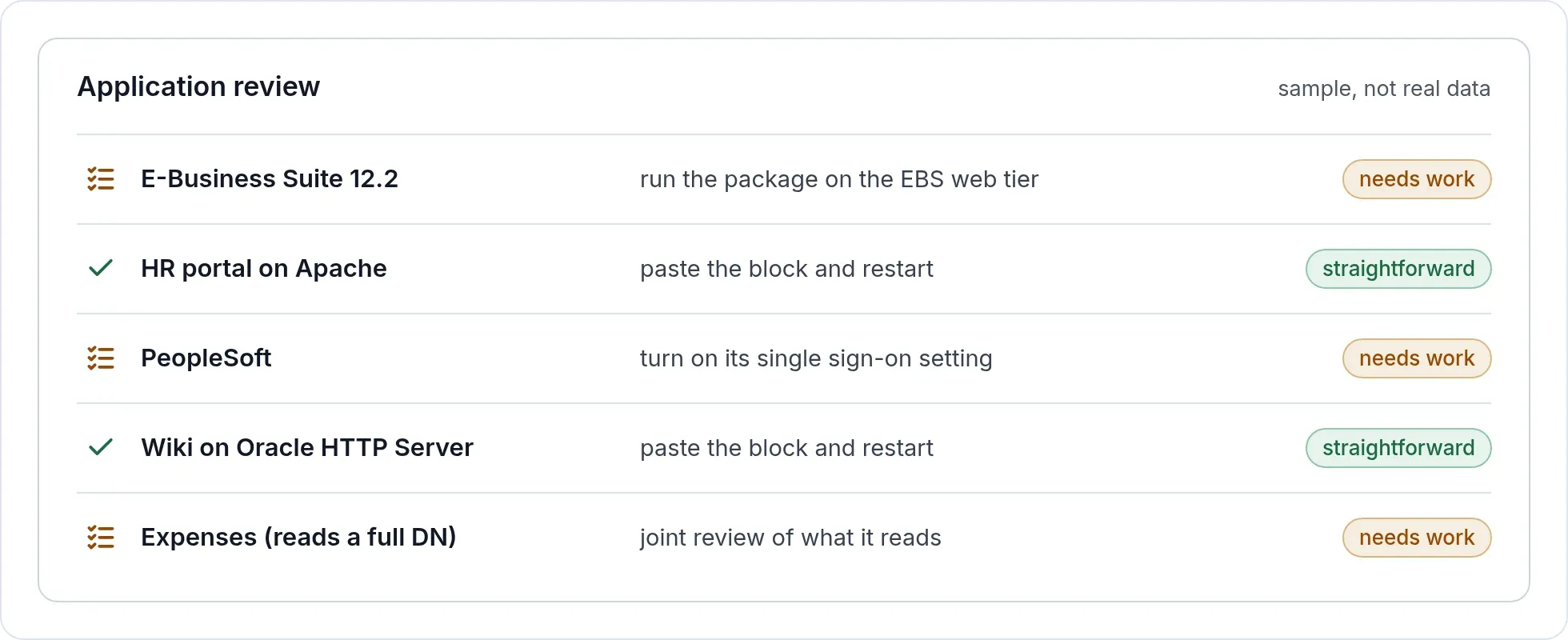
“Paste one block and restart” is true for the web server. For some Oracle products, your team does more, and it is better to plan for it now.
| Application | What your team does |
|---|---|
| E-Business Suite 12.2 | Run the package on the EBS web tier as the applications owner, with the APPS password and the EBS environment loaded. The package stops and starts the web server, adds the web-tier configuration and updates the EBS sign-in profile options. Then restart the EBS services and test the logins. Deploying the AccessGate application into WebLogic is a separate step of the same package. |
| E-Business Suite 12.1 | The same, plus a separate WebLogic server for an external AccessGate, which carries the Web Agent module. Plan that server and its set-up before the first application moves. |
| PeopleSoft and JD Edwards | Run the package on the web tier, and turn on the product’s own single sign-on setting. The package tells you which. |
| Other Apache or Oracle HTTP Server applications | Paste the generated block and restart the web server. |
We do not publish a standard duration. It depends on how many applications you have, which of them are straightforward, and how your change control works. The free application review sorts each application into straightforward or needs work, and that count is what a timeline is built from.
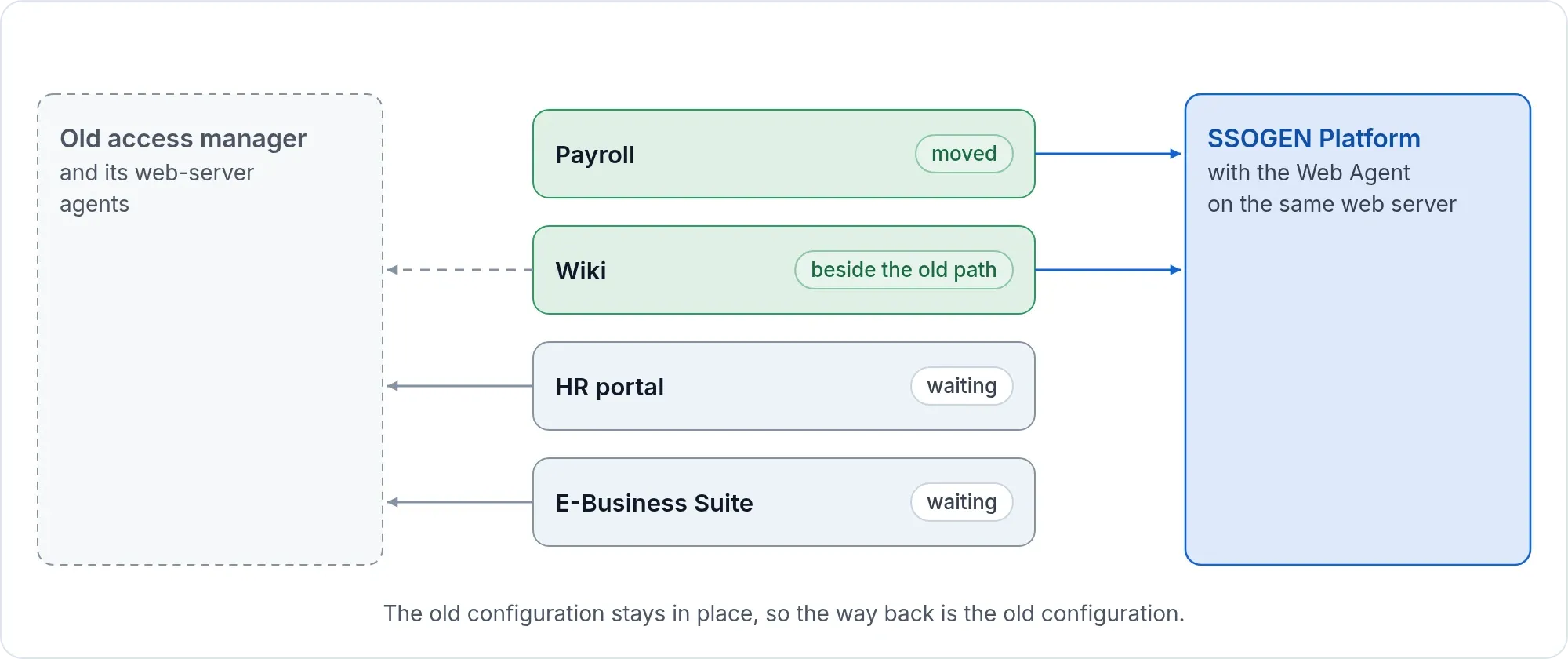
Do not move everything on the same night. Move one application, run it beside the old path, and retire the old path when you are satisfied. The old configuration stays in place, so the way back is the old configuration. For E-Business Suite, see the step-by-step EBS cut-over and rollback plan. Before the first cut-over, work through the Oracle audit checklist.
What every playbook includes
- A free review of your application list before you decide.
- A configuration block per application. With SSOGEN in the middle it is generated in the console and carries a key scoped to that application.
- A rollback that is simply the old configuration, still in place.
For the reasons to move and what carries over, see migrating from a legacy access manager.
Sources, all read 2026-11-12: Oracle Fusion Middleware support dates (docs.oracle.com); Oracle announcement, Premier Support for E-Business Suite 12.2 extended through at least 2037 (oracle.com PDF).