SSOGEN / AI Agent Identity and SSO for AI Agents
SSOGEN
AI Agent Identity and SSO for AI Agents
Register each agent with one to five owners, issue tokens that last minutes, ask the person before it acts for them, and stop it in one move.
Why long-lived keys and borrowed passwords fail for AI agents
Agents, copilots and automations usually reach your systems in one of two ways:
- Long-lived keys. Keys pasted into configuration.
- A person’s own credentials. The agent borrows a password.
Without a real AI agent identity, nobody can say which agent did what or for whom, and nobody can stop one quickly.
The agents that matter most also need your real systems: ERP, legacy and internal applications, not only cloud tools. SSOGEN gives each agent its own identity and checks every call it makes to them through the SSOGEN Gateway.
What SSOGEN gives every AI agent: identity, consent and a kill switch
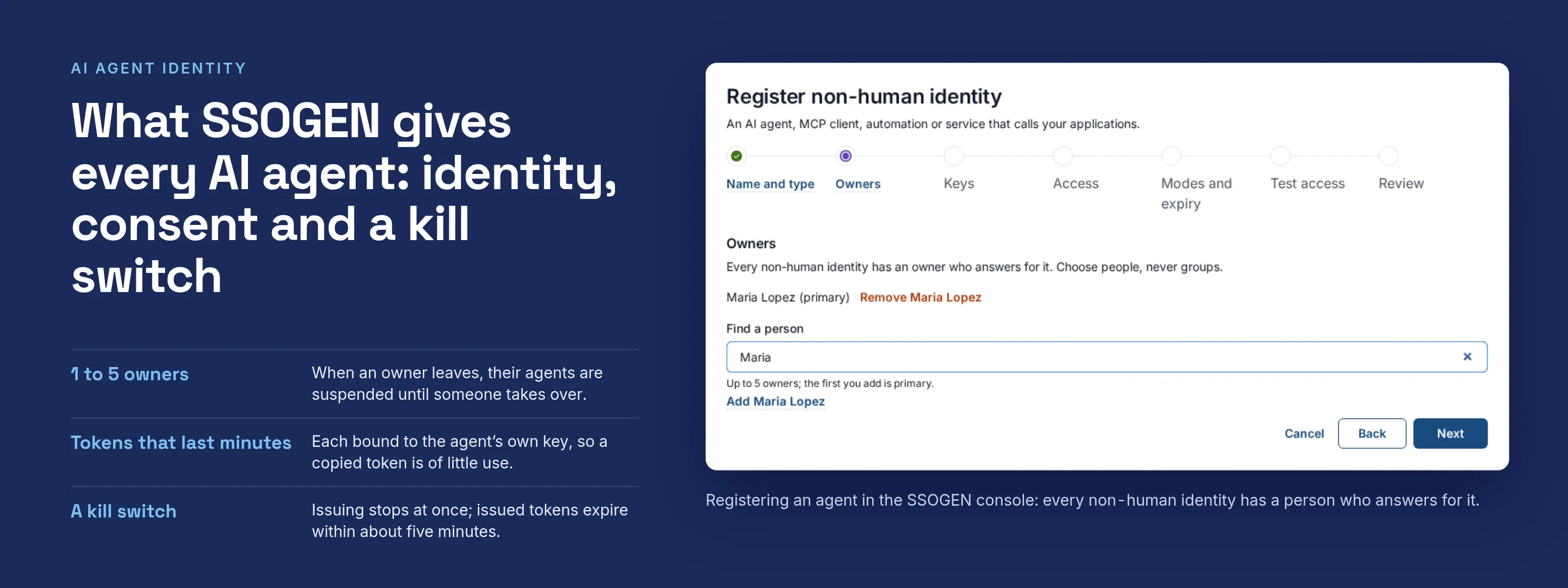
- An identity for every agent. Register AI agents, MCP clients, automations and services as non-human identities, each with one to five owners and a review date. When the last owner leaves the company, the agent is suspended until someone else takes ownership.
- Short credentials, not keys. Agents get tokens that last minutes. Each token is bound to the agent’s own key, so a stolen token is of little use elsewhere.
- Acting for a person, with consent. An agent can act on behalf of an employee only after that person agrees. People can see, and withdraw, what they have allowed in My Account.
- Approvals for sensitive scopes. When an agent asks to use a sensitive scope, the person gets an approval request in My Apps. The approval covers the requested scope only, not individual values such as an amount. Nothing proceeds until the person decides.
- MCP tool authorization. At SSOGEN Gateway, each tool call to an MCP server is checked against the scopes the agent was granted, per tool, before it reaches the server. Calls an agent was not granted are refused and recorded.
- A kill switch. Stop every identity of one type at once, or switch AI agents off for the whole realm. Issuing stops immediately and tokens already issued expire within about five minutes.
- Test before trust. The registration wizard includes a Test access step that shows what an agent can and cannot reach.
- Everything recorded. Registrations, grants, consent, approvals, decisions and suspensions are audited.
- People write the rules. SSOGEN’s access decisions are deterministic and follow rules you write. AI is never an input to whether an agent or a person gets in.
How agent credentials, scopes and approvals work
- Off by default. AI agent support is a realm setting that a super administrator turns on; until you do, every request from a non-human identity is refused.
- Two modes: autonomous (OAuth 2.0 client credentials) and delegated (a person consents; authorization code bound to the agent’s proof key; token exchange per RFC 8693). Approvals use OpenID Connect CIBA in poll mode.
- Proof of possession: DPoP (RFC 9449). Access tokens last only minutes.
- Policy: agents use the same decision core as people, with conditions for the type of caller and the acting identity. A handed-off request must pass for each identity in the chain. Missing facts fail closed.
- MCP profile: the gateway publishes protected-resource metadata (RFC 9728), issues a DPoP challenge, enforces per-tool scopes from the JSON-RPC request, refuses batch requests and does not pass the agent’s token to the server. Identity reaches the server in headers that only the gateway sets, including the principal type.
- Where it applies: enforced at SSOGEN Gateway, as its MCP Gateway capability.
- Also at the App Proxy: an ordinary HTTP application published through the App Proxy receives the agent’s identity in request headers after the proxy checks its token and key proof. Tell us about your agent clients and we will map each one to a mode.
Where teams use AI agent identity
- Coding assistant. It reads one repository for a developer, with a short credential and a visible record.
- Expense agent. It files a claim in your ERP only for the scope the employee has approved.
- Pipeline automation. It has an owner and a review date, is suspended if the review is missed, and stops when its last owner leaves.
- Incident response. Security shuts off every automation of one type in a single action.
What it looks like in the Admin Console
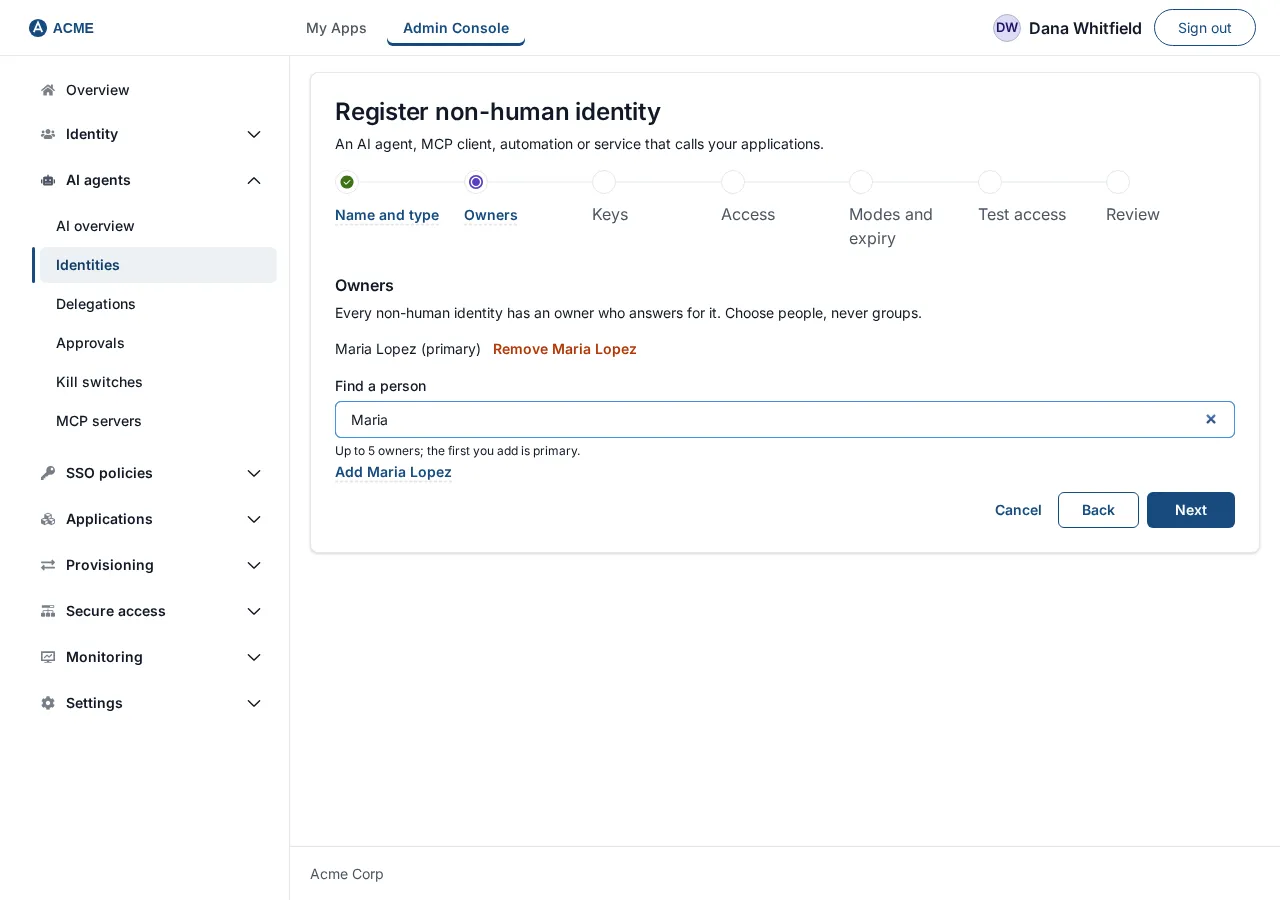
Step 2, Owners
Where to go next
SSOGEN has been in production since 2016, and agents use the same identity provider, policy engine and audit trail as your employees and your customer accounts.
- Register. Follow the steps to register an AI agent.
- Access control. Read how AI agent access control works.
- Tool calls. Put every tool call behind the MCP Gateway.
- Sensitive actions. They can also require adaptive authentication.
- Audit. Every agent decision is written to the SSO audit log.
- Delegation records. See what an auditor needs from an AI agent delegation audit.
- Oracle EBS. Plan AI agent access to Oracle EBS without a stored password.
- Leavers. Decide what happens when offboarding AI agents with their owner.
- RPA bots. Learn why RPA bots on human accounts in Oracle EBS are an audit finding.