SSOGEN / Adaptive Authentication Policies
SSOGEN
Adaptive Authentication Policies
Write a policy in plain terms, ask What if for a named person, watch the rule in monitor mode, then switch it on for everyone.
Why access rules scattered across systems cannot be trusted
Access rules often live in a dozen places: the directory, the VPN, each application and a spreadsheet.
- No clear answer. Nobody can say for certain who can open what.
- No tightening. Nobody tightens a rule for fear of locking out the wrong people.
SSOGEN adaptive authentication policies put every rule in one place and test it against named people before it applies.
Policies that decide who opens which app and how strongly
- Named policies you can reuse. A policy sets which providers can sign a person in to an application, how strong the sign-in must be, whether a provider choice is forced, and how recent the sign-in must be. Start from Corporate LDAP, LDAP plus authenticator, LDAP plus passkey, Corporate SSO or a blank policy, then adjust.
- Rules with conditions. A rule combines conditions: group, person, network, the provider used to sign in, the strength or methods used, time since sign-in, days and hours, and a date range. The outcome is allow, deny, require a stronger sign-in, allow with a shorter session, or allow and raise an alert.
- Network zones. Zones are named address ranges (office, VPN, data center) that your administrators configure. Rules refer to them by name, for example stricter off-network and relaxed on-network. The rule editor offers only configured names and rejects any other name.
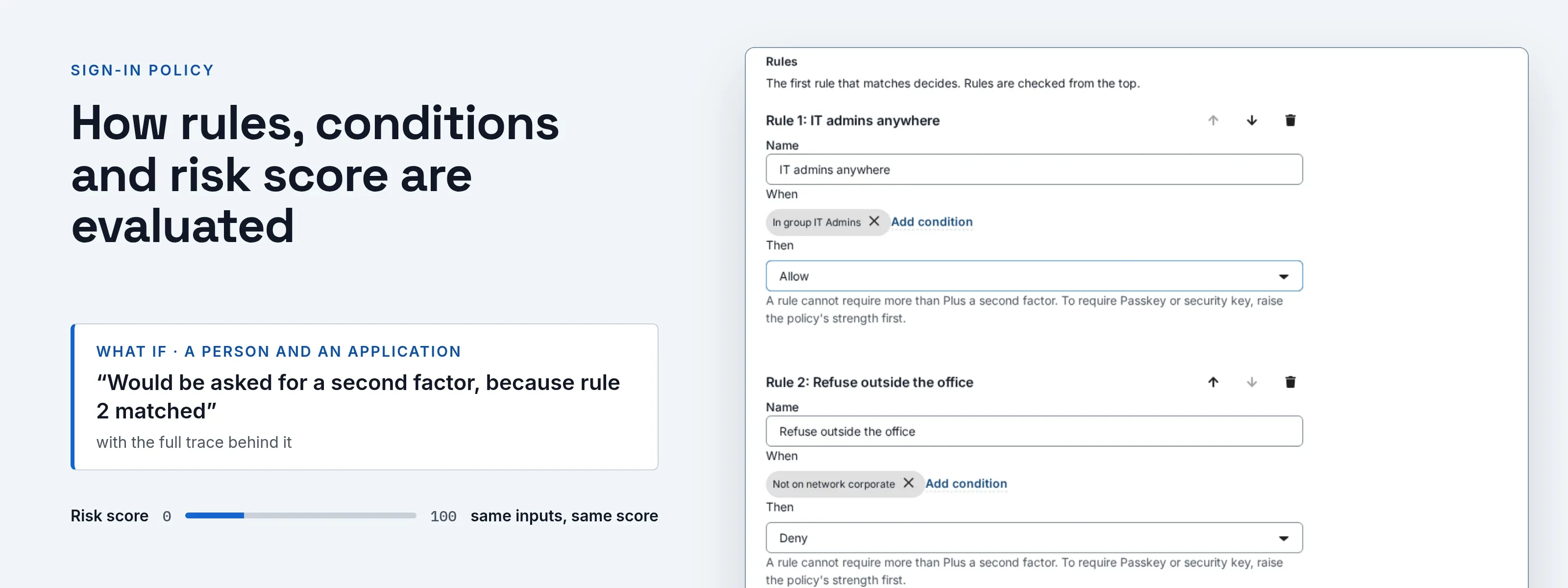
- What if. Pick a person and an application. SSOGEN answers in one sentence, such as “Would be asked for a second factor, because rule 2 matched”, and shows the full trace behind it.
- Monitor before you enforce. Run a new version of the rules next to the enforced one for a set number of days. SSOGEN records where the two would differ. You see the effect on real sign-ins before anyone is affected, then you promote the new version or stop.
- Provider failover. A policy can say what happens when a provider it names is down: nothing, a manual switch, or automatic fallback to the providers you choose.
- A separate policy for the admin console. Tightening it cannot lock employees out of applications, and the reverse is also true.
- Per application and per hostname. Each application has its own policy, and App Proxy hostnames can have one too.
How rules, conditions and risk score are evaluated
- Deterministic decisions. Decisions are deterministic: the same inputs give the same answer. Policy evaluation uses no AI input, and the sign-in risk score is also deterministic.
- Two layers. Two layers are evaluated and shown in the what-if trace: access rules and the authentication policy.
- Assignment. Required assignment is enforced on every launch path. Console launch, OpenID Connect authorize and SAML sign-on all call the same decision.
- Fail closed. Missing facts fail closed. If a person’s group membership cannot be established, a rule that depends on it does not grant access.
- AI agents. Rules for non-human identities (AI agents) use the same engine, with conditions for the type of caller and the acting identity.
- Adaptive authentication. Every sign-in gets a deterministic risk score from 0 to 100. A rule can compare the score, for example to ask for a second factor when it is at least a number you choose. The same inputs always give the same score. No AI or learned model is involved.
- Also worth knowing. Network zones are set in the configuration and are read-only in the console. A few advanced fields, such as required methods lists and time-window variants, are available through the API only.
Adaptive authentication policies in practice
- Off-network finance. Require a stronger sign-in for the finance application only when the person is off the corporate network.
- Contractors. Allow contractors during business hours only.
- Pilot rollout. Roll out a tighter rule to a pilot group, watch the monitor report for two weeks, then promote it.
- Audit question. Answer an auditor’s question, “could Maria Lopez open payroll?”, in one click, with the rule that decided it.
What it looks like in the Admin Console
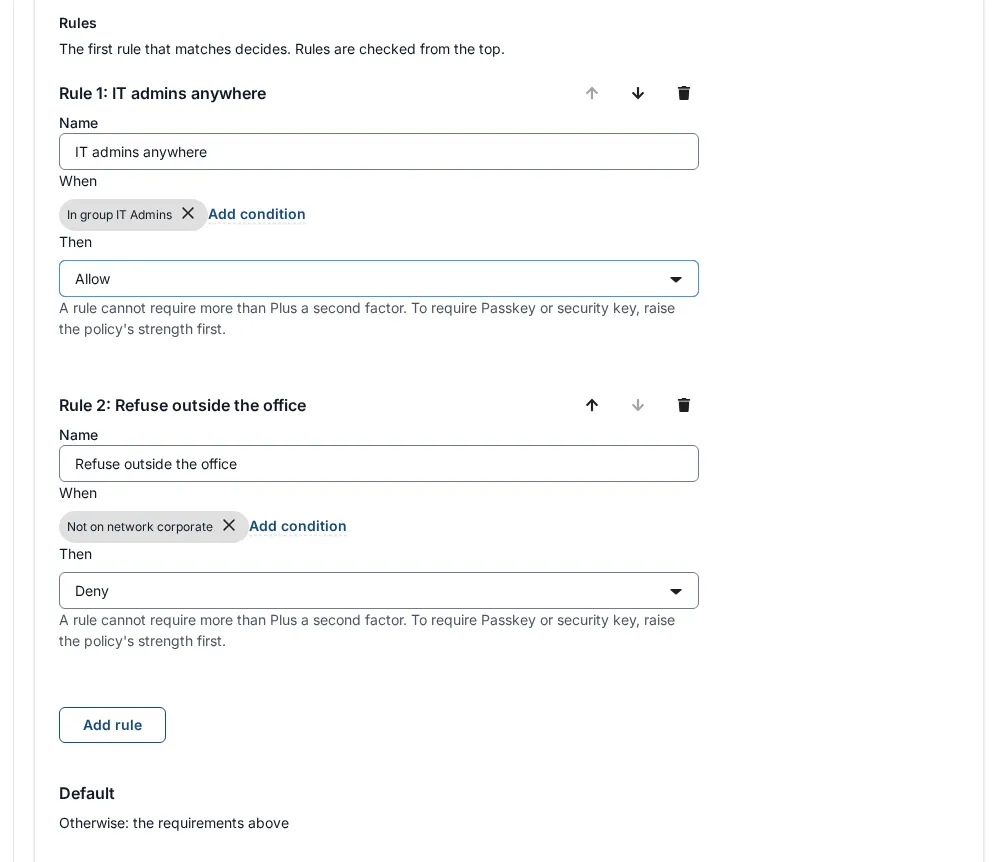
A rule list with two rules and the Default card.
Where to go next
SSOGEN has been in production since 2016, and one policy engine decides for SAML and OpenID Connect applications, App Proxy hostnames and AI agents.
- Decisions. See how sign-in decisions work.
- Simulator. Try a rule in the policy simulator before it goes live.
- MFA. Pair policies with MFA software.
- Audit. Every decision lands in the SSO audit log.