SSOGEN / Oracle EBS 12.1 SSO: E-Business Suite 12.1 single sign-on
Integration
Oracle EBS 12.1 SSO: E-Business Suite 12.1 single sign-on
The ebs121 tool runs on the AccessGate server and the EBS server, and people then land in EBS as their own user.
What you get
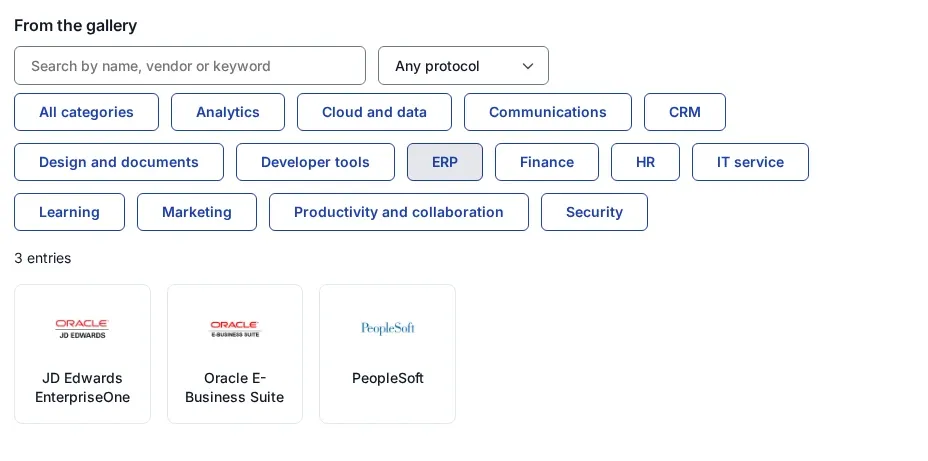
Single sign-on to E-Business Suite 12.1 with the same sign-in sources as EBS 12.2: Active Directory or LDAP, Kerberos, a SAML or OpenID Connect provider, or SSOGEN itself with its second step. The same family of tools covers PeopleSoft and JD Edwards.
What you need
- The AccessGate server: its WebLogic domain, the AccessGate home and patch zip,
antandunzip, and its Oracle HTTP Server. Nothing needs to be sourced there. - The EBS server: shell access as the EBS application owner (
applmgr) with the RUN environment sourced, and the APPS password (asked without echo). - The AccessGate address,
https://<AccessGate host>, and the EBS instance name, usually the database name. - The package
ssogen-ebs121-<version>-<date>.zipfrom SSOGEN, on both servers. - For
ssogenmode: the application registered in SSOGEN with the AccessGate address as the Client URL, and its client ID and agent key.
Step 1: run the SSOGEN tool
After checking the package, in this order:
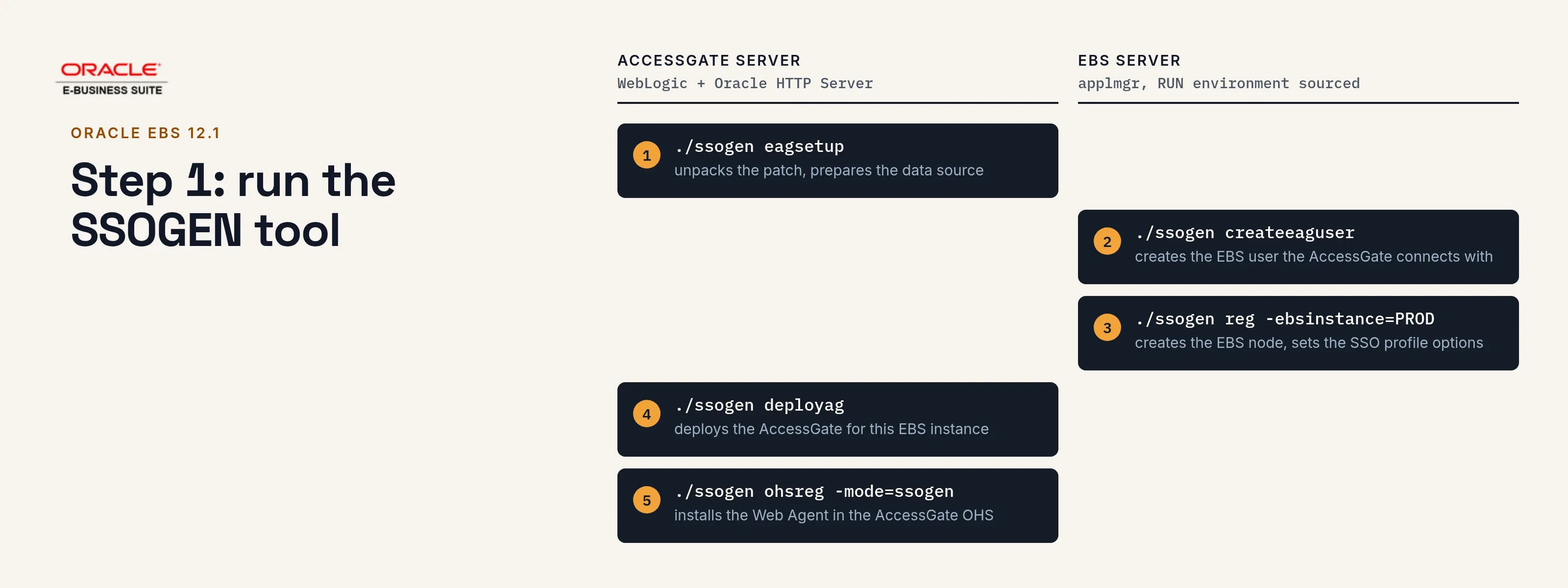
# AccessGate server./ssogen eagsetup#   then restart the AccessGate WebLogic domain
# EBS server./ssogen createeaguser./ssogen reg -ebsinstance=<instance> -eagurl=https://eag.acme.example#   then copy the DBC file that reg names to the AccessGate server
# AccessGate server./ssogen deployag./ssogen ohsreg -mode=ssogen -platform_url=https://acme.ssogen.ai -client_id=<client ID> -agent_key_file=$HOME/ebs-agent-key.txteagsetupunpacks the AccessGate patch and prepares the data source.createeagusercreates the EBS user the AccessGate connects with.regcreates the EBS node for the AccessGate and sets the EBS single sign-on profile options.deployagdeploys the AccessGate for this EBS instance. With several AccessGate nodes, target it to the cluster by hand, as the tool says.ohsreginstalls the Web Agent in the AccessGate’s Oracle HTTP Server, writes its configuration and restarts that server. It prints the Redirect URI to register in SSOGEN,https://<AccessGate address>/ssogen/callback.- Each function asks for what it needs (folders, WebLogic user, passwords) when you leave it off the command line.
./ssogen -h <function>lists the options that answer those questions. - Run
regagain after each clone, on one web tier only.
Step 2: finish the setting in EBS
reg sets the profile options at site level, the same set as on EBS 12.2 (see the EBS 12.2 page), with APPS_AUTH_AGENT pointing at https://<AccessGate address>/ebsauth_<instance>.
What is left for you:
- User names. Every person needs an EBS user whose user name equals the signed-in identity the agent passes on, in capitals.
- Local login. Login Types is Both at site level; keep a local way in for
SYSADMIN. - Restart all EBS services, as the tool’s last line says.
Step 3: sign in and check
- In a private browser window open
https://<AccessGate address>/ebsauth_<instance>/login. You are sent to sign in. - Sign in as a person who has an EBS user. You land in EBS as that user.
- Check that the EBS local login page still works for
SYSADMIN.
Sign-out
deployag sets the AccessGate’s logout to the Web Agent’s sign-out address on the AccessGate, https://<AccessGate address>/ssogen/logout. For shared computers, see sign-out.
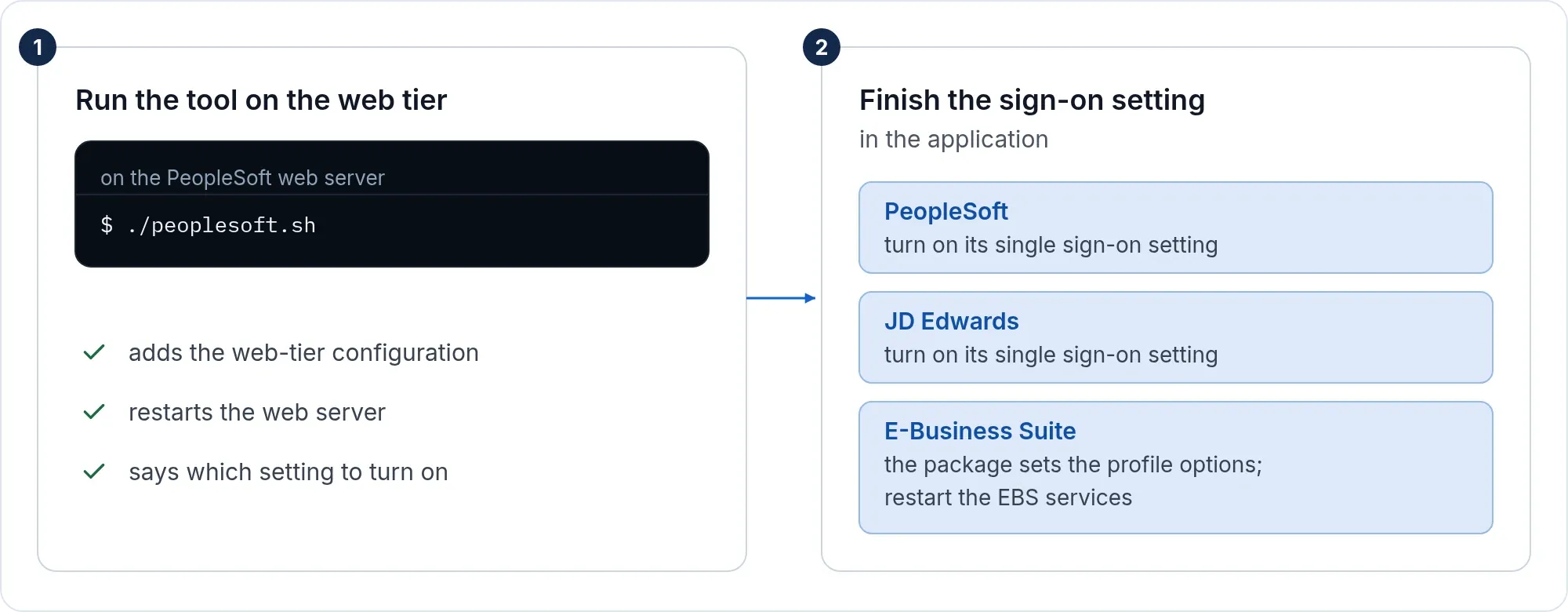
For SAML or OpenID Connect straight to your identity provider, run ohsreg with -mode=saml or -mode=oidc and a license key. The values work as on the EBS 12.2 page, with the AccessGate address in place of the EBS address and the metadata file saved as eag-idp.xml.
If it does not work
| Symptom | What to do |
|---|---|
EBS Environment is not sourced |
You ran an EBS-server function without the RUN environment. Source it and run again. |
reg stops with run createeaguser first |
Run createeaguser on the EBS server, then reg. |
ACTION REQUIRED after ohsreg |
A value is missing. Oracle HTTP Server was not stopped. Give the value and run ohsreg again. |
ohsreg cannot find the Apache line |
Give it with -apache=2.2 (Oracle HTTP Server 11g) or -apache=2.4. |
| Sign-in works, EBS does not know the user | The signed-in identity does not equal an EBS user name. Change Identify the person by in SSOGEN. |