SSOGEN / Directory sync and SCIM provisioning: users in once, accounts out everywhere
SSOGEN
Directory sync and SCIM provisioning: users in once, accounts out everywhere
LDAP, Active Directory, SCIM and CSV bring people in, and groups create accounts in your applications, with leaver handling you switch on.
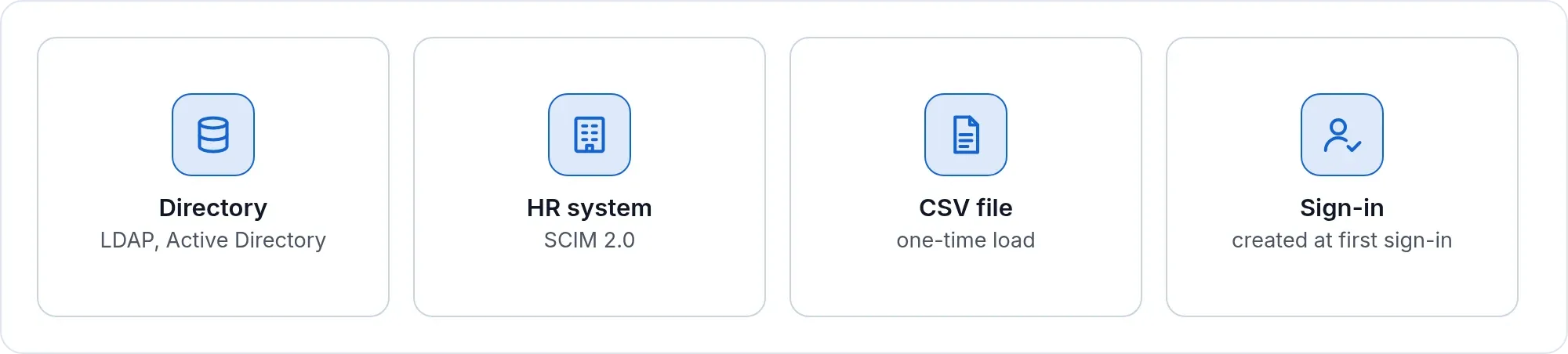
Four ways to bring people in
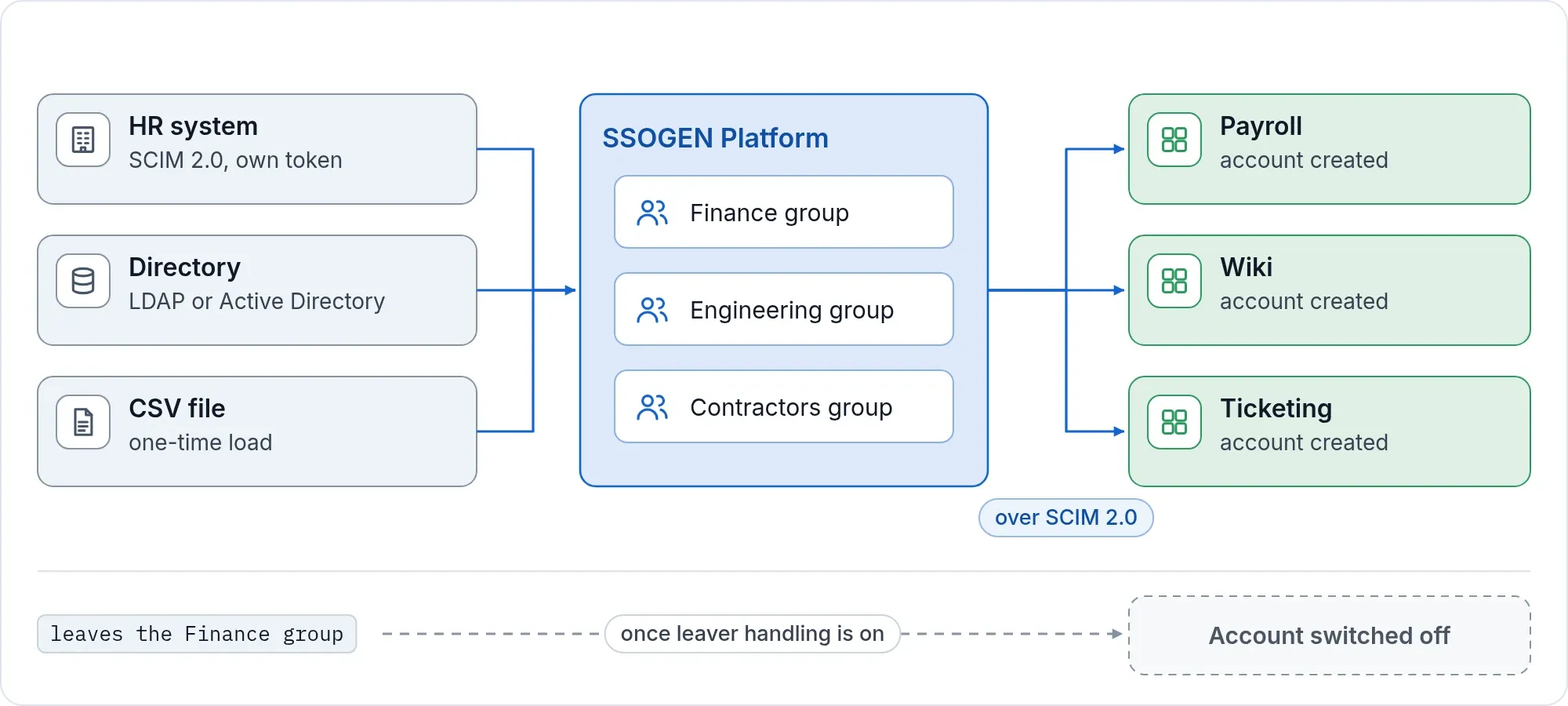
- LDAP and Active Directory. Add a connection, import users and groups, and bring the account list into line with the directory. Sign-in checks the person’s directory password live, every time. SSOGEN keeps no copy of it.
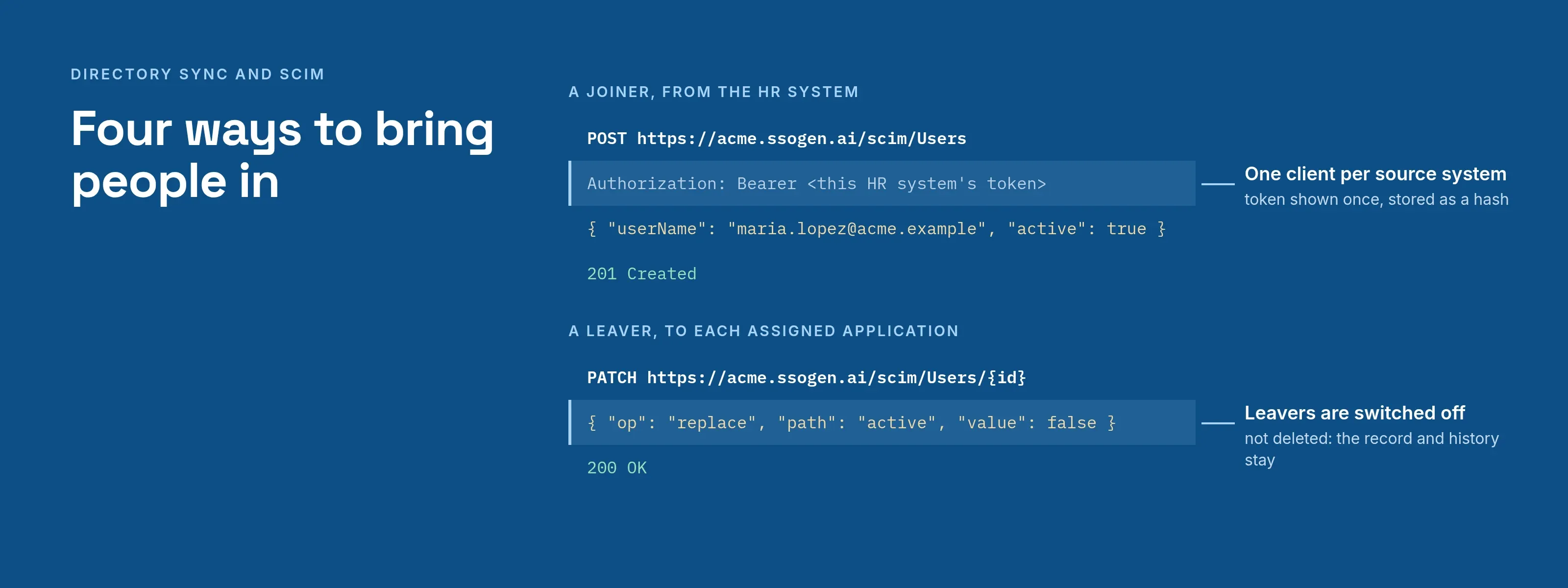
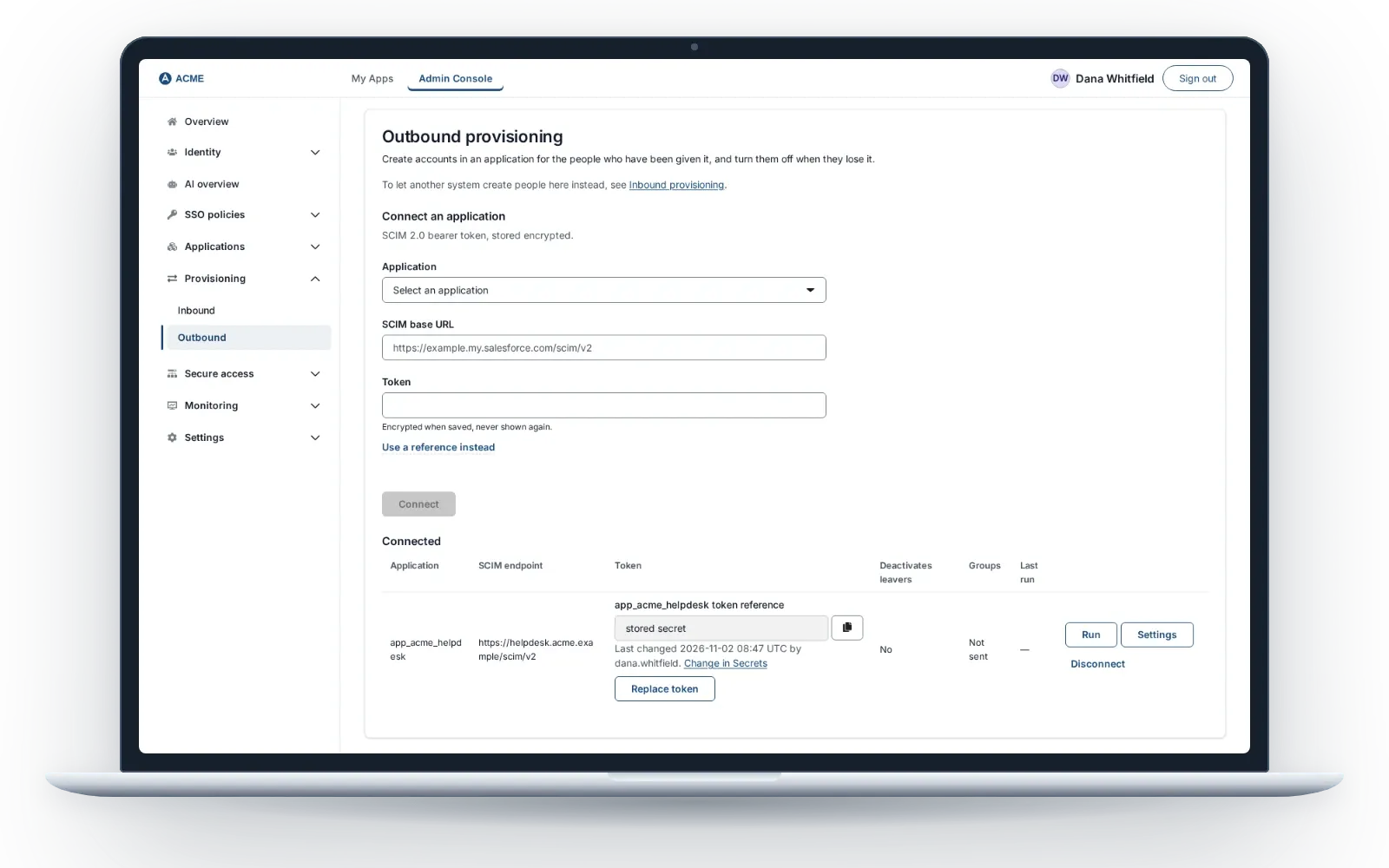
- SCIM 2.0 from your HR system. Each source system gets its own client and its own token. The token is shown once and stored only as a hash. One client per system means you can stop one without touching the others.
- CSV for a one-time load. Download the template, fill it in, and the file is checked before anyone is created. Passwords your old system stored as hashes carry over in common formats (bcrypt, PBKDF2, salted SHA-256 or SHA-512, and Argon2id), so people keep signing in with the password they know. SSOGEN replaces the hash with its own at their first sign-in.
- Created at first sign-in. When a person signs in through a provider you trust, such as Entra ID, Okta or Keycloak, the account is created for them, with the user type you chose.
Every person shows where they came from: provisioned over SCIM, imported from a directory, or created in SSOGEN (people loaded from CSV are shown as created here). Fields owned by the source are read-only in SSOGEN, so the source stays the one place to change them. What an administrator decides by hand, such as disabling a person, a sync does not undo.
Accounts out, to applications
Assign an application to a group. Members get accounts in it. Take someone out of the group and, once you have turned leaver handling on, their account in the application is switched off. This works with any application that speaks SCIM 2.0; the outbound provisioning guide covers each setting.
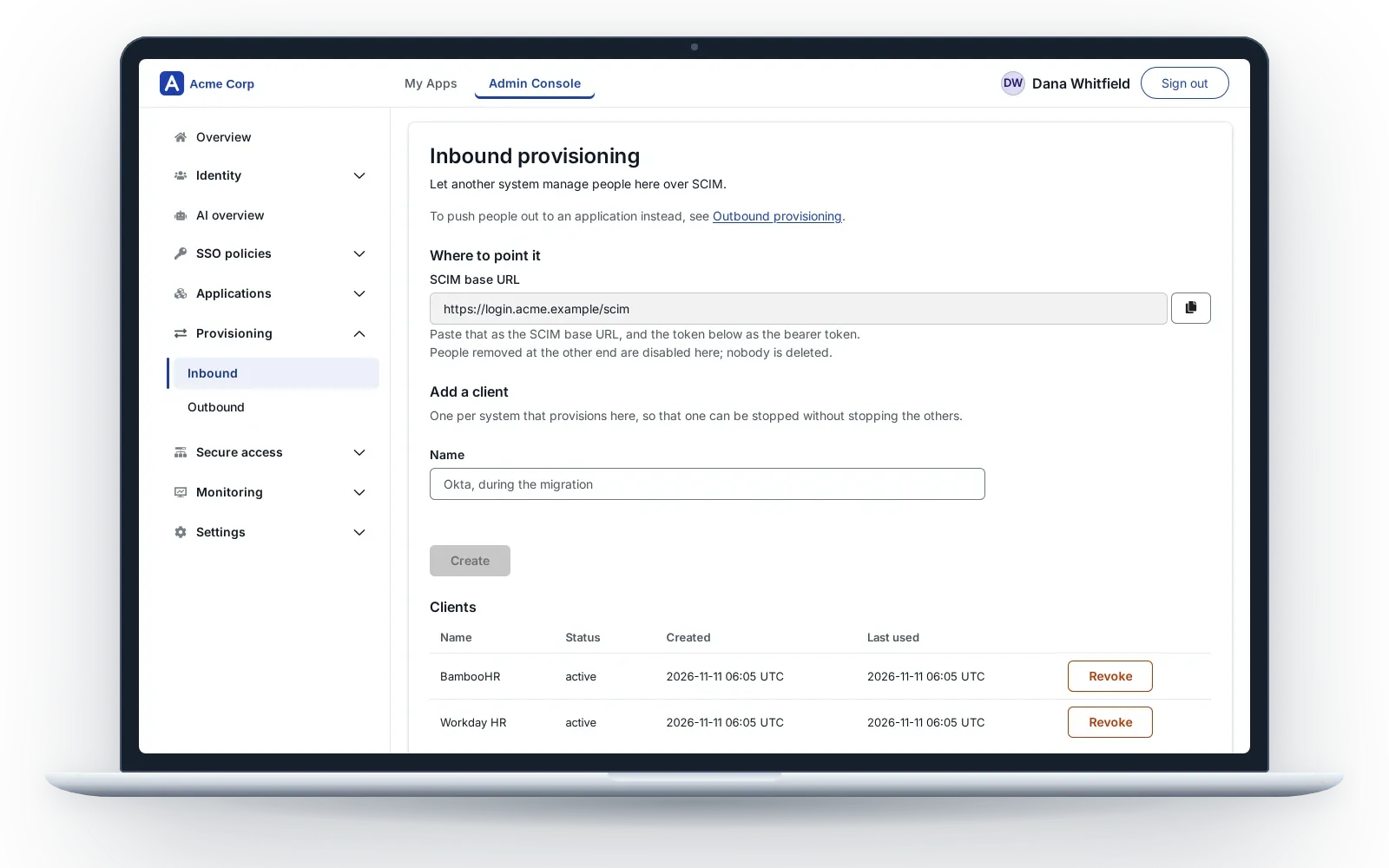
- Leaver handling is deliberate. Switching off accounts for leavers starts off. A dry reconcile first tells you how many people no longer have the application. You turn it on knowingly, after a confirmation.
- Groups travel too. Send the groups assigned to the application, plus fixed or mapped attributes such as a job title.
- Each connection stands alone. Run it, change its settings or disconnect it without affecting any other application.
- Silent failure is visible. Every connection shows when it last ran and what went wrong.
Safe by design
A sync is not allowed to hurt you.
- Big changes stop for review. A directory sync that would switch off or re-enable an unusually large share of accounts, or that sees an empty directory, halts and changes nothing. A halted run lists who would change (up to the first 1,000 people). You approve those people and no others.
- A silent directory changes nothing. If the directory does not answer, nobody is disabled.
- A sync cannot lock you out. A sync or a SCIM call that would remove the last administrator able to sign in is refused. Administrator changes made by hand are not undone by a run.
- Leavers are disabled, not deleted. The record and its history stay for your audit.
- Everything is audited. Creating and revoking a SCIM client, and every account change, land in the same tamper-evident trail as the rest of SSOGEN (audit trail).
Why it matters when you migrate
Provisioning is what makes a move practical. The system you are leaving keeps pushing people to SSOGEN while applications move over one at a time. When the last one has moved, you revoke its token and it is over.
What you do
- Add the directory or the SCIM client. Copy the address and the token to the other system.
- Check the people arrive, with their source shown.
- Assign applications to groups.
- Connect each application and run it.
- Turn on leaver handling when you have seen the result.
Next steps
Read the directory sync guide, or send us the list of systems that hold your users and we will tell you which route fits each.
Product names belong to their owners. SSOGEN is not affiliated with them.