SSOGEN / User Provisioning Software: SCIM and Directory Sync
SSOGEN
User Provisioning Software: SCIM and Directory Sync
SSOGEN takes people from your directory or any SCIM source and creates, updates and switches off their accounts in the applications they are assigned.
Why access outlives the job
Single sign-on controls how people get in. It does not create the accounts they need. Without user provisioning software, access depends on tickets and manual steps:
- New starters wait days for access.
- Movers keep access they no longer need.
- Leavers stay active in forgotten systems.
SSOGEN keeps application accounts in step with the source you already trust.
Identity lifecycle management for joiners and leavers
- Take people from where they live. Import and synchronize users from LDAP and Active Directory, with departures retired automatically. Or accept users and groups from another system over SCIM 2.0.
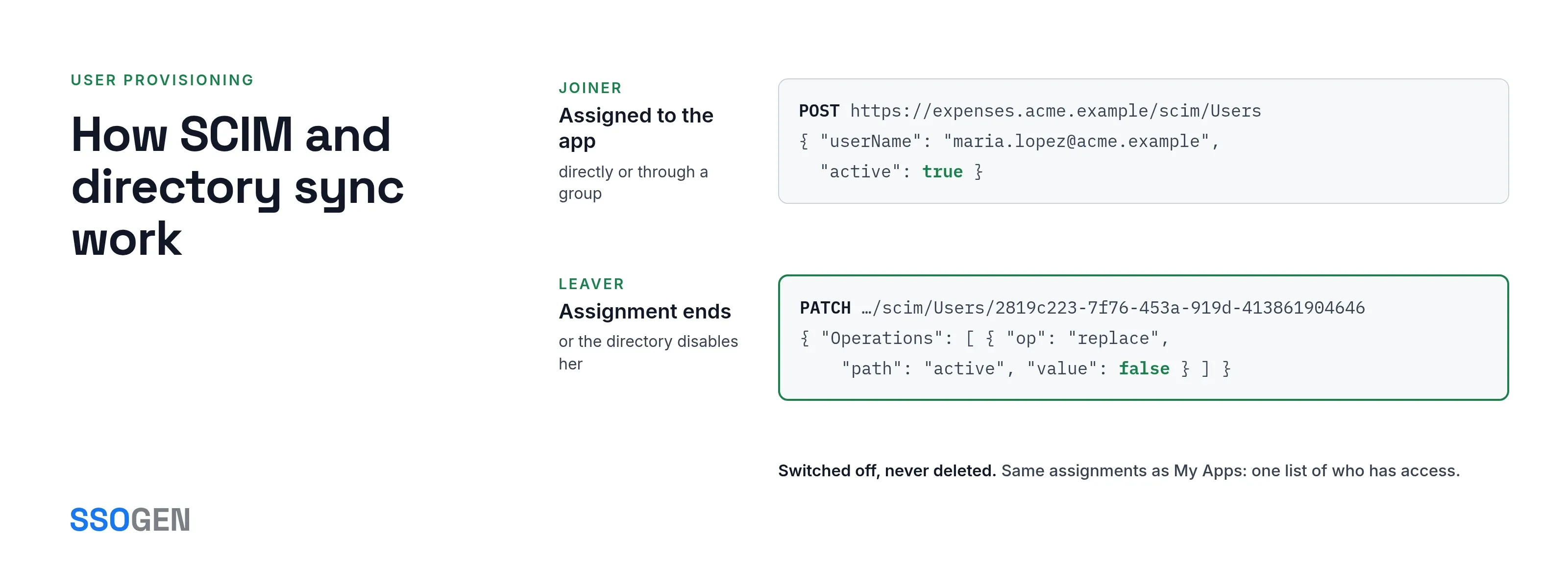
- Provision into your applications. For an application that speaks SCIM 2.0, SSOGEN creates accounts for the people assigned to it, directly or through a group. Where you turn deprovisioning on, SSOGEN deactivates the accounts when the assignment ends. The fleet view shows, for each application, when it last ran and what failed.
- One definition of “who should have access”. Provisioning follows the same assignments that decide who sees the application in My Apps. There is no second list that can drift out of date.
- Profile attributes and mapping. Choose which directory attributes become profile fields such as email and mobile. Also choose which attribute is used where, for example for sign-in codes.
- CSV import. Where a file is the only source, SSOGEN imports users from it.
- Tokens handled safely. SSOGEN shows the bearer token for an inbound or outbound connection once and stores it encrypted. You can replace or revoke it, and SSOGEN states the consequence of revoking first.
- An audit trail of changes. Users provisioned and deprovisioned, and SCIM clients issued and revoked, are recorded in the audit log.
How SCIM and directory sync work
- Inbound: a SCIM 2.0 service provider under
/scimwith Users and Groups, ServiceProviderConfig, ResourceTypes and Schemas discovery, PATCH (RFC 7644), and filtering byeqonuserName,externalId,emails.valueanddisplayName. Other filters returninvalidFilter. Authentication uses a bearer token per client, issued in the console. Clients are unlimited, and each is revocable. The SCIM URL carries no version segment. - Directory-owned data wins: profile fields owned by a directory are read-only over SCIM. A PUT ignores them, and a PATCH is refused with
mutability. - Outbound: a SCIM 2.0 client with a base URL and bearer token for each application. A reconciliation run reports how many accounts should exist, how many were created, how many were adopted from existing accounts, and the problems found. Deprovisioning is optional for each connection.
- LDAP sync: attribute and group mapping, and user import with retirement of leavers. Nested groups are handled.
- Per-resource requests: each user and group change is its own SCIM request, and a page of results holds up to 200 people. Outbound, leavers are switched off with a PATCH of
active, never deleted.
Provisioning in practice
- A new hire in the HR system appears in SSOGEN through SCIM and is assigned to the right applications by group.
- When a leaver is disabled in the directory, their sign-in stops and their application accounts are deactivated.
- The same change reaches the AI agents a leaver owned, as described in offboarding AI agents.
- A SaaS application that supports SCIM 2.0 gets accounts for exactly the people assigned to it.
What it looks like in the Admin Console

The Clients list.
Where to go next
Set up the SCIM endpoint for your HR system, turn on outbound provisioning for your applications, or run Active Directory sync. A directory behind your firewall connects through the Directory Connector.