SSOGEN / PeopleSoft ADFS SSO
Integration
PeopleSoft ADFS SSO
SSOGEN is a SAML 2.0 relying party trust in AD FS and PeopleSoft is registered in SSOGEN, so people move between applications without signing in again.
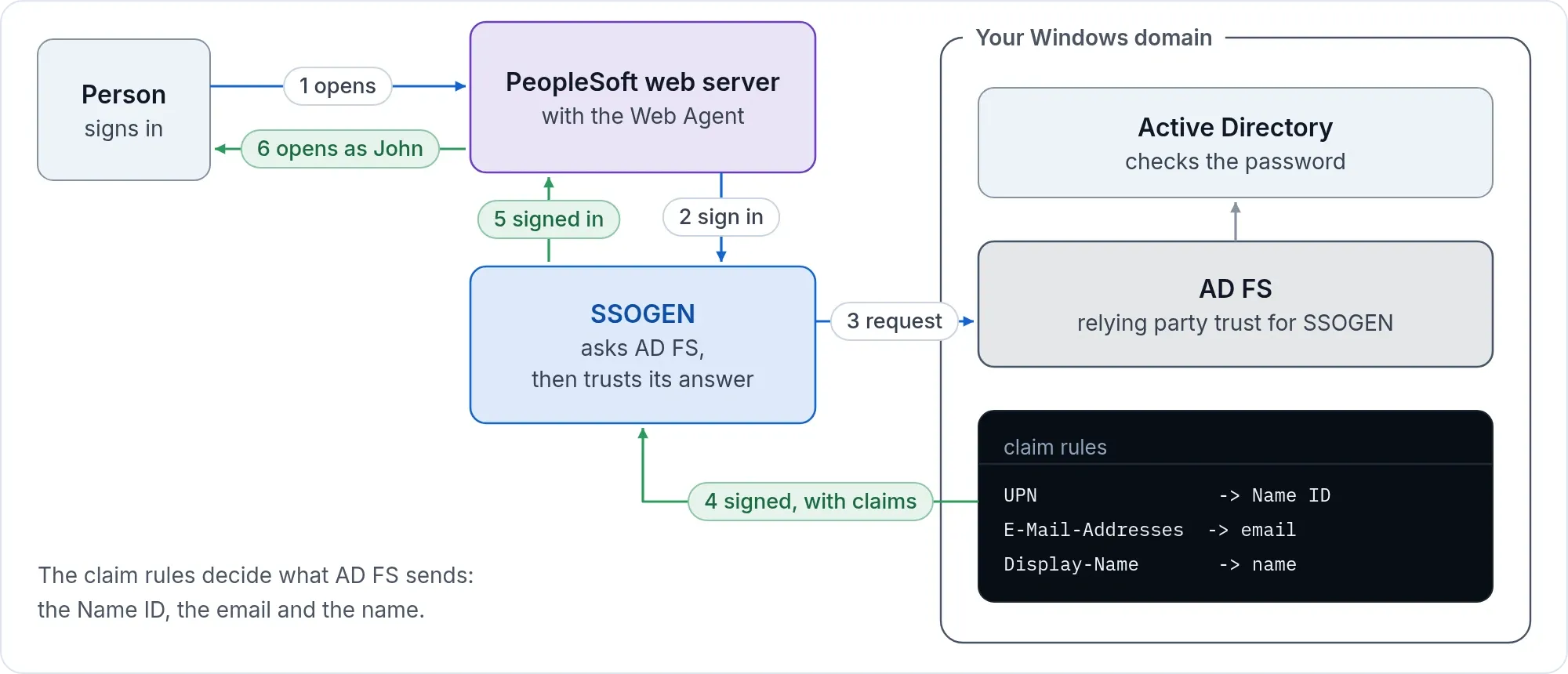
A person opens PeopleSoft and is sent to SSOGEN, and SSOGEN sends them to AD FS. AD FS authenticates them, silently with Windows integrated authentication on your network or with its sign-in page. They come back to PeopleSoft through SSOGEN. They move between PeopleSoft and your other AD FS applications without signing in again, and SSOGEN is invisible to them on sign-in and sign-out. The PS_TOKEN weakness described on the PeopleSoft page is gone.
In AD FS
Add the relying party trust as on the AD FS page. Microsoft describes the wizard in “Create a Relying Party Trust”. The values:
| AD FS field | Value |
|---|---|
| Display name | SSOGEN |
| Relying party SAML 2.0 SSO service URL | https://acme.ssogen.ai/saml/sp/adfs/acs |
| Relying party identifier | https://acme.ssogen.ai/saml/sp/adfs |
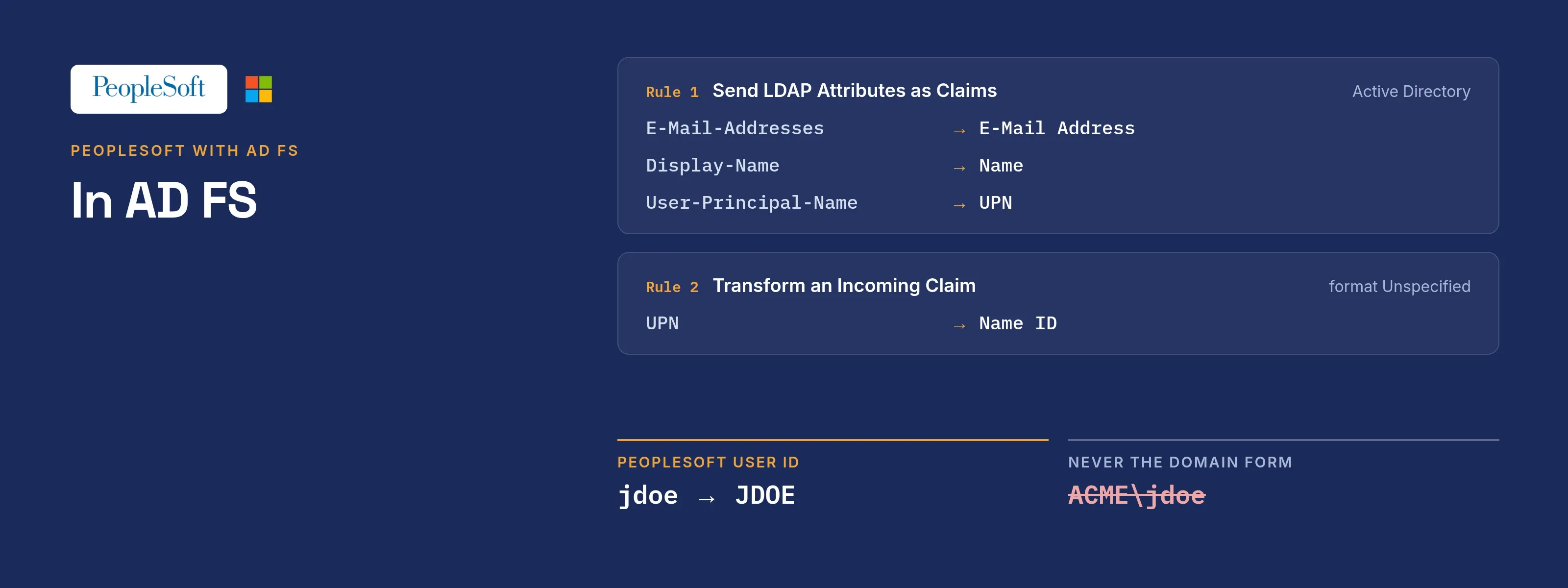
| Claim rule 1 | Send LDAP Attributes as Claims: E-Mail-Addresses to E-Mail Address, Display-Name to Name, User-Principal-Name to UPN |
| Claim rule 2 | Transform an Incoming Claim: UPN to Name ID, format Unspecified |
If your PeopleSoft user IDs are the Windows logon names (sAMAccountName, at most 20 characters, no domain), send that attribute from AD FS as well. Do not send the domain-prefixed Windows account name (ACME\jdoe). AD FS sends the value as stored and the agent sends it to PeopleSoft in capitals.
In SSOGEN
Add AD FS as a SAML identity provider with the connection ID adfs, import the federation metadata at https://fs.acme.example/FederationMetadata/2007-06/FederationMetadata.xml, and activate it (Add a SAML identity provider in SSOGEN). The IdP entity ID reads http://fs.acme.example/adfs/services/trust.
Then register PeopleSoft as an application. SSOGEN names people adfs_<NameID>, for example adfs_john.doe_acme.example, which is not a PeopleSoft user ID, so on the Mapping step keep the attribute that holds the PeopleSoft user ID as a custom attribute and set Identify the person by to it.
In PeopleSoft
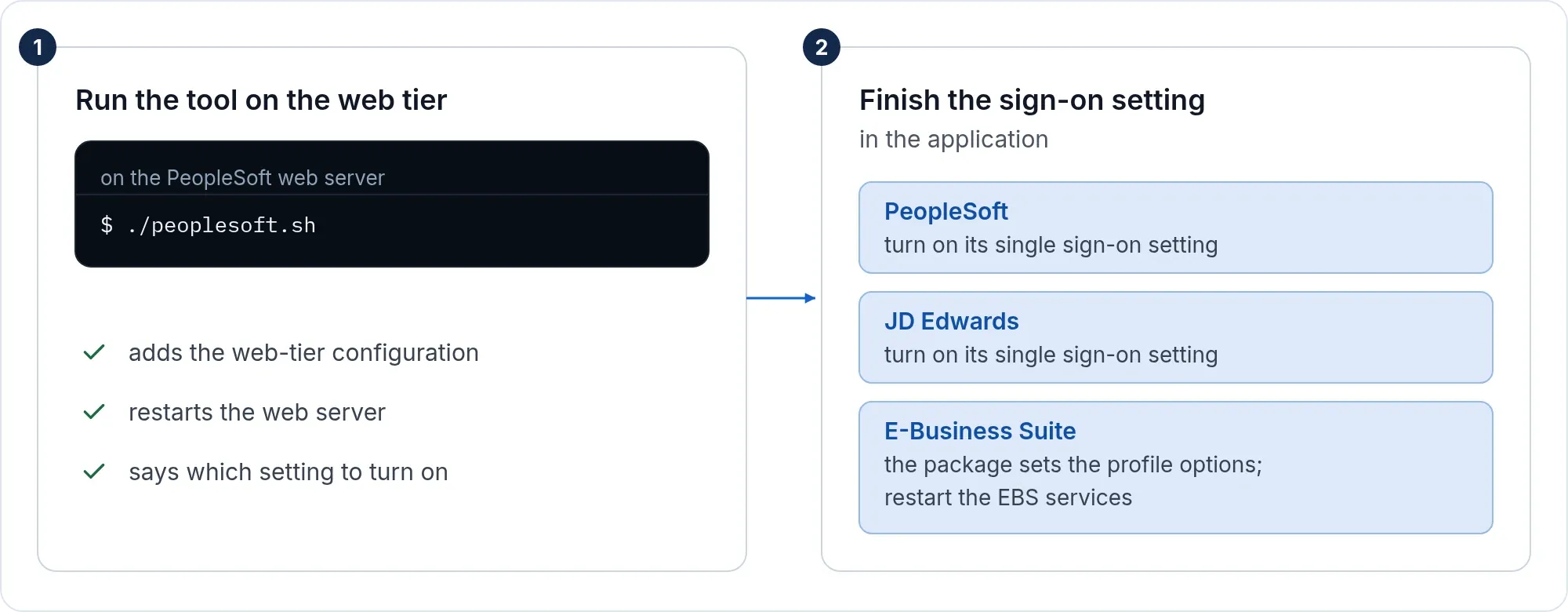
Run the tool and finish the PeopleSoft setting as on the PeopleSoft page. Each person needs a PeopleSoft user profile with the user ID AD FS sends.
What people see
Jane Doe opens https://hr.acme.example/psp/ps/?cmd=start, is signed in by AD FS at fs.acme.example, and lands on the PeopleSoft home page. The AD FS error codes you may see are on the AD FS page.
If it does not work
| Symptom | What to do |
|---|---|
| Everyone lands as the public access user | The user name PeopleSoft reads is not the one SSOGEN sends. Check Identify the person by in SSOGEN and the custom attribute that holds the PeopleSoft user ID from AD FS. |
| Sign-in works but PeopleSoft still shows its own sign-in page | The sign-on PeopleCode function is not enabled, or the public access user is not set in the web profile. |
| Integration Gateway calls stop | A service path was protected. Run reg again with -unprotect_path=/PSIGW. |
Sign-out
The PeopleSoft Sign out link ends the PeopleSoft session only. The Web Agent’s sign-out address, https://hr.acme.example/ssogen/logout, ends the web server session. For shared computers, see sign-out on every page.