SSOGEN / An SSO gateway for the applications that cannot sign in the modern way
Integration
An SSO gateway for the applications that cannot sign in the modern way
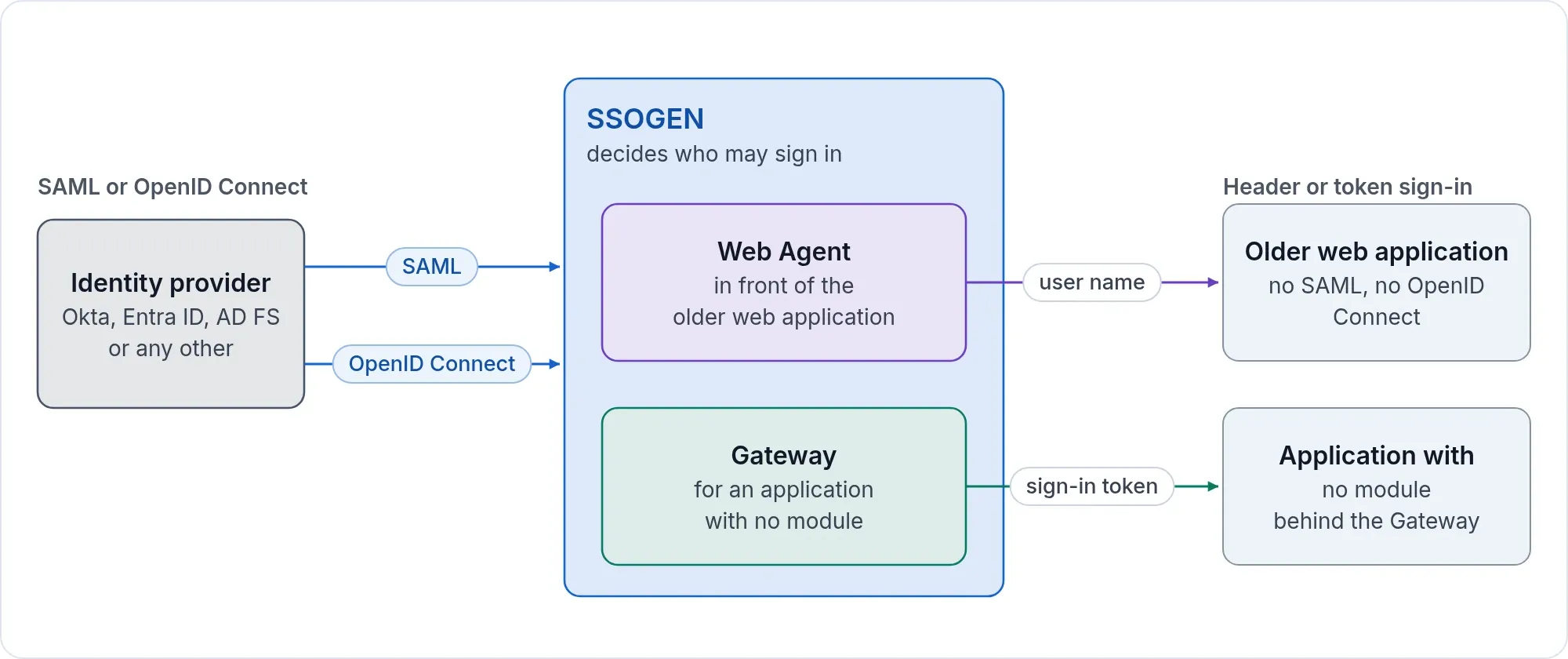
The Web Agent acts as a SAML or OpenID Connect gateway for apps in Apache, and the Gateway covers apps that cannot host a module.
SSOGEN gives you two gateways, for two kinds of application.
| The application… | The gateway | Where it runs |
|---|---|---|
| runs behind Apache or Oracle HTTP Server | the Web Agent, a module in the web server | on the web server you already have |
| cannot host a module | the SSOGEN Gateway with its App Proxy | on a server in your network |
SAML gateway
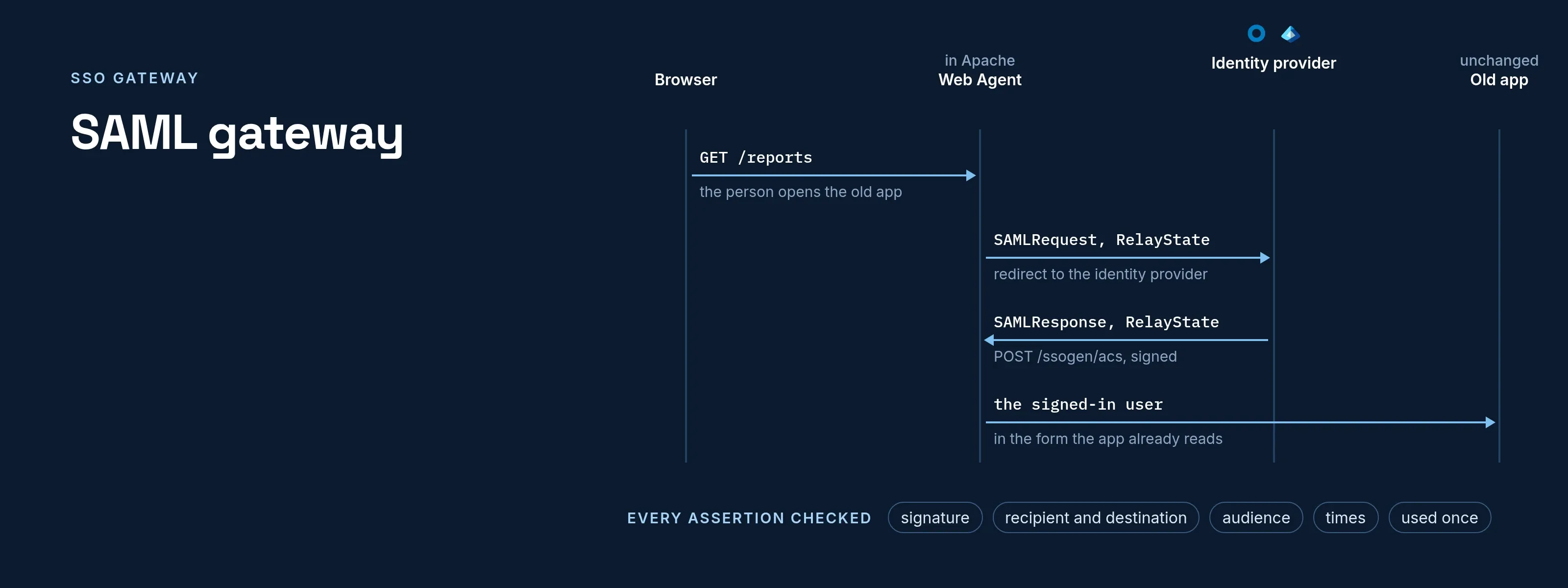
The Web Agent in SAML mode is a SAML 2.0 service provider. It sends the person to your identity provider, checks the signed assertion that comes back, and passes the user to the application. Microsoft Entra ID, Okta, Keycloak, AD FS, PingFederate, Shibboleth, OneLogin and any other SAML 2.0 provider work, because the agent speaks the standard.
Every assertion is checked for its signature, its recipient and destination, its audience, its times and that it is used once. Single logout from the identity provider ends the agent’s session.
OpenID Connect gateway
In OpenID Connect mode the Web Agent is an OpenID Connect client of any standards-based provider. It uses the authorization code flow with PKCE, a nonce and ID token validation, and takes the user from the preferred_username claim unless you name another.
Or let SSOGEN sit in the middle
You do not have to register every application at the identity provider. Add Okta, Entra ID or another provider once as a sign-in source for SSOGEN (Okta, Microsoft Entra ID, any SAML provider, any OpenID Connect provider).
Then the Web Agent talks to SSOGEN in its default mode, and SSOGEN applies the application’s policy and multi-factor step on top of the provider’s sign-in. This mode needs no license key.
The standalone SAML and OpenID Connect modes, where the agent talks to the identity provider directly, need a license key from SSOGEN.
SSOGEN is also a SAML identity provider and an OpenID Connect provider itself, so the same SSOGEN installation can serve applications that do speak the protocols.
For applications that cannot host a module
Some applications cannot take a module: vendor appliances, packaged software, internal tools. The SSOGEN Gateway publishes each of them on its own hostname, signs the person in through SSOGEN, applies the application’s policy and forwards only allowed requests.
It can fill in a login page with each person’s own saved password, or sign in with Kerberos. See access without a VPN. For the ports and directions of each component, see the SSO architecture reference.
Oracle ERP
For Oracle E-Business Suite, PeopleSoft and JD Edwards the same gateway comes as one tool per product, and no Oracle Internet Directory is needed. See Oracle ERP single sign-on.
Questions
What does SSO stand for?
SSO stands for single sign-on: a person signs in once and then opens every application they are allowed to use without another password prompt. An SSO gateway extends single sign-on to applications that cannot speak SAML or OpenID Connect themselves.
How do I log in with SSO through the gateway?
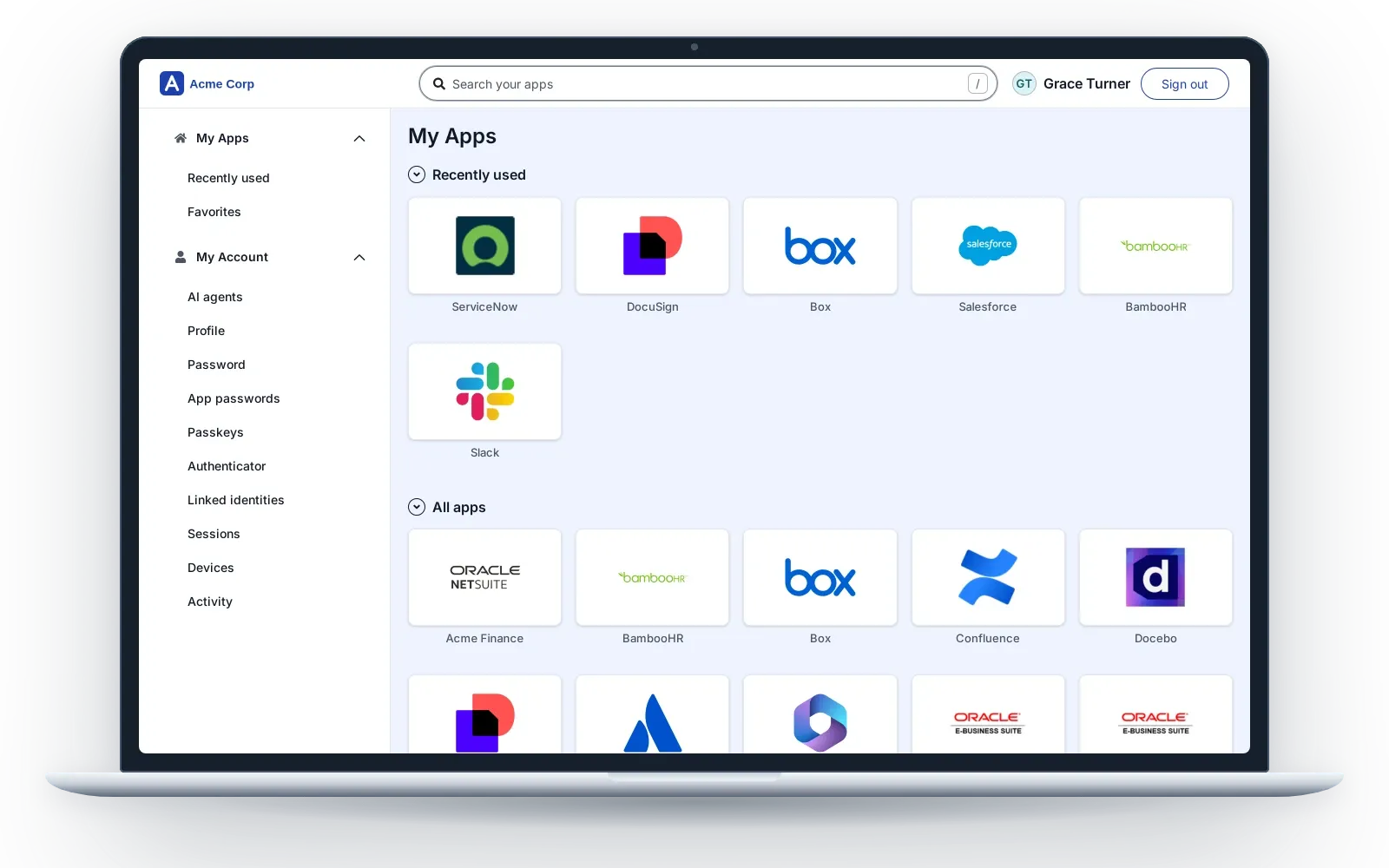
Open the application as usual, or pick it in My Apps. The gateway sends you to the sign-in page of SSOGEN or your identity provider. After the login, and any second step the policy asks for, the application opens with you already signed in.
What is SSO gateway installation?
For the Web Agent, installation is a module added to your Apache or Oracle HTTP Server and a short configuration block generated in the console. For the SSOGEN Gateway, it is the Gateway download installed on a Linux server in your network. The application itself is not changed.
What is an example of an SSO gateway?
An example: Oracle E-Business Suite runs behind Oracle HTTP Server. The Web Agent in that web server sends each person to Entra ID or SSOGEN, checks the result and passes the signed-in user to E-Business Suite, which keeps its own roles.
What are the risks of using SSO, and is it good or bad?
SSO is good for security when the one sign-in is strong. The main risk of using SSO is that a stolen sign-in opens every application. SSOGEN reduces that risk with MFA, phone approval with number matching, passkeys and per-application policy, and revoking a person ends their SSOGEN session at once.
Do we need to change the application?
No. The Web Agent is added to the web server by configuration, and the Gateway is a proxy in front. The application keeps its own users and roles and receives the signed-in user the way it already expects.
Can I add MFA after the identity provider has signed the person in?
Yes. In the default mode the application’s policy in SSOGEN can ask for phone approval with number matching, a passkey or a code after the provider’s sign-in.
Where does the user name come from?
From the assertion’s NameID or an attribute you name for SAML, and from a claim you name for OpenID Connect. A directory ID such as a short network name can be delivered when the provider releases it.
What if SSOGEN cannot be reached?
After one start that reached SSOGEN, the Web Agent keeps a sealed copy of SSOGEN’s public signing keys on the web server, so Apache restarts and reboots go ahead. People already signed in keep working, and new sign-ins resume as soon as SSOGEN answers.
We run CA Siteminder or IBM Tivoli today. Is this the way off it?
Yes, one application at a time. See migrating from a legacy access manager.