SSOGEN / Free tools / SSLHandshakeException
SSOGEN
javax.net.ssl.SSLHandshakeException: 5 causes and fixes
javax.net.ssl.SSLHandshakeException means the TLS handshake failed before any data was sent. Five causes cover most cases, and one javax.net.debug line shows which one you have.
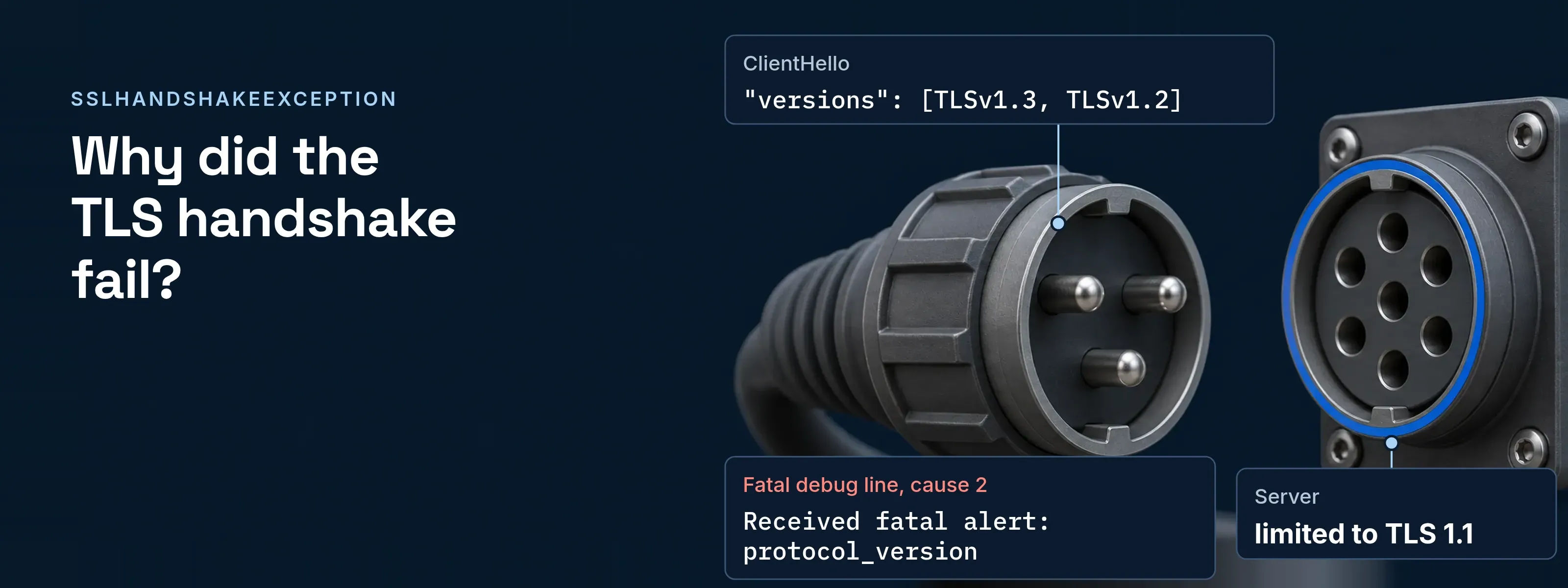
Oracle’s Javadoc defines it as the client and server failing to negotiate the desired level of security; the connection is unusable afterwards. The text after the colon names the reason.
javax.net.ssl.SSLHandshakeException: (protocol_version) Received fatal alert: protocol_versionEvery log line below was captured on 2026-11-17 with OpenJDK 21.0.12.1+1-LTS (a Red Hat build) against openssl s_server 3.5.8 on localhost, using a lab CA.
Five causes cover most failures
Match the message you see to its cause.
| Cause | Message on JDK 21.0.12.1 | Detail |
|---|---|---|
| The server’s CA is not trusted | (certificate_unknown) PKIX path building failed: ... unable to find valid certification path to requested target |
Cause 1 |
| No shared TLS version | (protocol_version) Received fatal alert: protocol_version or No appropriate protocol (protocol is disabled or cipher suites are inappropriate) |
Cause 2 |
| No shared cipher suite | (handshake_failure) Received fatal alert: handshake_failure |
Cause 3 |
| The server did not get a host name | (unrecognized_name) Received fatal alert: unrecognized_name |
Cause 4 |
| The certificate does not name the host | (certificate_unknown) No subject alternative DNS name matching localhost found. |
Cause 5 |
Print the failing handshake step
The javax.net.debug property prints each handshake message to standard error. The output is long, so filter it.
java -Djavax.net.debug=ssl:handshake -jar app.jar 2>&1 \ | grep -E 'Fatal|"description"|type=host_name'The Fatal (...) line is the proof. The type=host_name line appears only when Java sent the host name.
Cause 1: the server’s CA is not trusted
The server’s chain does not end at a CA in the JVM’s truststore. With the lab CA missing, the debug line read:
javax.net.ssl|ERROR|02|HttpClient-1-Worker-0|2026-11-17 08:08:50.158 EST|TransportContext.java:375|Fatal (CERTIFICATE_UNKNOWN): PKIX path building failed: sun.security.provider.certpath.SunCertPathBuilderException: unable to find valid certification path to requested targetAdd the issuing CA to the truststore. The PKIX path building failed guide has the full fix, and the Java truststore explainer shows which file your JVM reads.
Cause 2: no shared TLS version
The two sides share no enabled TLS version. A server limited to TLS 1.1 gave this line and unsupported protocol in its own log:
javax.net.ssl|ERROR|12|HttpClient-1-Worker-1|2026-11-17 08:09:04.584 EST|TransportContext.java:375|Fatal (PROTOCOL_VERSION): Received fatal alert: protocol_versionWhen the client itself has no usable version (here -Djdk.tls.client.protocols=TLSv1.1), no alert arrives and the message is No appropriate protocol (protocol is disabled or cipher suites are inappropriate). Oracle disabled TLS 1.0 and 1.1 by default in 8u291, 11.0.11 and JDK 16 through jdk.tls.disabledAlgorithms.
Before: both versions are off. By default the ClientHello listed "versions": [TLSv1.3, TLSv1.2].
After: the entries are removed. Oracle documents deleting TLSv1 and TLSv1.1 from jdk.tls.disabledAlgorithms as an option at your own risk. The ClientHello then listed [TLSv1.3, TLSv1.2, TLSv1.1, TLSv1].
Upgrade the server to TLS 1.2 or 1.3 first; re-enabling old versions is the last resort.
Cause 3: no shared cipher suite
The server offers only suites the client does not. RFC 8446 defines handshake_failure broadly, as no acceptable set of security parameters, so read the server log for the reason.
- Client message.
(handshake_failure) Received fatal alert: handshake_failure - Server log.
SSL routines:tls_post_process_client_hello:no shared cipher - Debug proof. The alert block reads
"level" : "fatal"and"description": "handshake_failure". The ClientHello’s"cipher suites"entry lists what Java offered, such asTLS_ECDHE_RSA_WITH_AES_256_GCM_SHA384(0xC030). - Fix. Enable a modern suite on the server, such as an ECDHE suite with AES-GCM, before you touch the client.
Cause 4: the server did not get a host name
Servers with several certificates choose one by the host name in the server_name extension (SNI). Java sends it by default (jsse.enableSNIExtension is true), but RFC 6066 does not allow a literal IP address in it, so a connection by IP sends none.
| You connect to | ClientHello | Result |
|---|---|---|
A host name, localhost |
type=host_name (0), value=localhost |
The server wanted another name and sent a fatal alert: (unrecognized_name) Received fatal alert: unrecognized_name. With the right name, the handshake finished. |
An IP address, 127.0.0.1 |
No server_name extension |
The server returned its default certificate, which led to cause 5: No subject alternative names matching IP address 127.0.0.1 found |
Connect by the DNS name the certificate carries. RFC 6066 lets a server answer an unrecognized name with a fatal alert or a default certificate, so either result is possible.
Cause 5: the certificate does not name the host
Java checks the host name you called against the certificate’s subject alternative names (SAN). The message depends on how you connect and what the certificate holds. Rows were captured with java.net.http.HttpClient; HttpsURLConnection printed the same first message.
| Connect by | Certificate | Message after (certificate_unknown) |
|---|---|---|
Name, localhost |
SAN lists only app.acme.example |
No subject alternative DNS name matching localhost found. |
| IP address | SAN lists DNS names only | No subject alternative names matching IP address 127.0.0.1 found |
| IP address | No SAN extension | No subject alternative names present |
Name, app.acme.example |
No SAN, common name differs | No name matching app.acme.example found |
Read the SAN list with the certificate decoder, then reissue the certificate with the host name in its SAN, or call the name it carries. A plain SSLSocket accepted the same certificate in our run because it checks no host name unless endpoint identification is set. Never install a trust manager that trusts everything.
Questions people ask
How to fix SSL handshake error?
Read the last message, match it to one of the five causes, and fix that one. Read the Fatal line from -Djavax.net.debug=ssl:handshake. An untrusted CA needs a truststore entry, a protocol or cipher alert needs a server change, and a host name message needs the name in the certificate’s SAN.
What does the “javax net SSL SSLHandshakeException” error mean?
It means the TLS handshake between your Java code and the server failed, so no connection exists. Oracle’s Javadoc says the client and server could not negotiate the desired level of security. The class extends SSLException, and its message names the reason, such as a certificate, protocol, cipher suite or host name problem.
How do I fix SSL certificate verification failed?
Find out whether the chain or the host name failed. A PKIX path building failed message is cause 1: the CA is missing from the truststore. A No subject alternative names message is cause 5: reissue the certificate with the host name in its SAN, or connect by the name it carries. Never switch verification off.
What is a handshake exception error?
It is the error Java raises when the TLS handshake fails before any application data is sent. The handshake agrees the protocol version and cipher suite, and the client checks the server certificate. A failure at any of those steps throws SSLHandshakeException, and the message states the failed step.
Adding sign-in to a Java application
If the application runs on Tomcat or Spring Boot and needs single sign-on, the SSOGEN Java agent provides it from one pasted settings file.
Sources, all read 2026-11-17:
- Javadoc, SSLHandshakeException
- JSSE Reference Guide, JDK 21
- Oracle release notes 8u291, 11.0.11 and JDK 16
- RFC 6066 section 3
- RFC 8446 section 6.2