SSOGEN / Learn / JSESSIONID explained
Learn
JSESSIONID explained
JSESSIONID is the name the Servlet specification gives the session cookie in Java web applications. Its value is a random identifier that the container maps to a session held on the server. The cookie never carries the user's data.
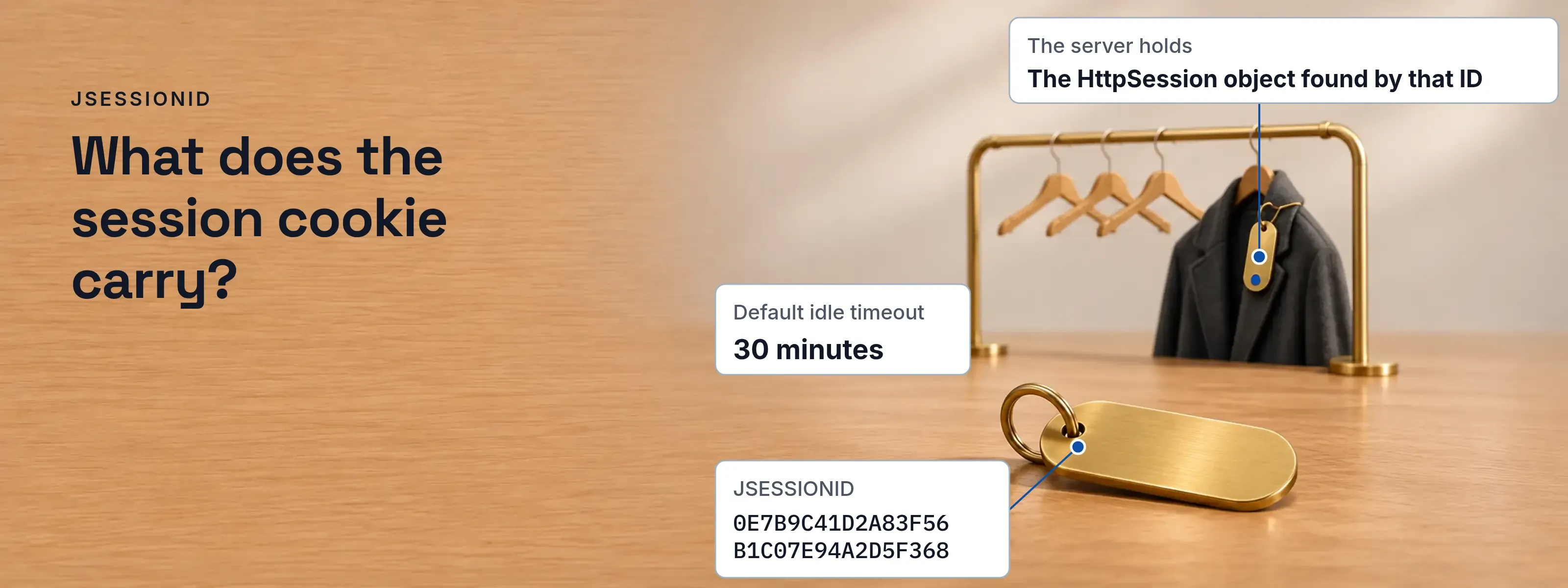
Browser storage shows JSESSIONID as a name, a 32-character hexadecimal value and a few flags. The browser returns that value on every request, and the server uses it to find the session. Below, the cookie is read field by field, then secured.
- Cookie name
- JSESSIONID, the standard name
- Value
- Random, 32 hex characters in Tomcat 11
- Held on the server
- Session attributes, such as the user
- Default idle timeout
- 30 minutes
Tested on Tomcat 11.0.29 (Servlet 6.1) and Spring Boot 4.1.2 with Spring Security 7.1.2 on JDK 21, read and run on 2026-11-17. Spring Boot 3.5 uses the same property names. Tomcat 9 implements Servlet 4.0 and uses javax.servlet where this page uses jakarta.servlet.
The cookie carries only an ID; session data stays on the server
The container generates the ID with java.security.SecureRandom. Nothing in it names the user, so a stolen ID is a stolen key, never a readable record. The specification sets the standard name; the value, path and flags below are an example.
Set-Cookie: JSESSIONID=0E7B9C41D2A83F56B1C07E94A2D5F368; Path=/shop; Secure; HttpOnly; SameSite=Lax- JSESSIONID The standard name (Servlet 6.1, section 7.1.1). A container may allow renaming it.
- 0E7B…F368 An opaque value. It maps to a session object on the server.
- Path=/shop The browser returns the cookie only for URLs under the context path.
- Secure The browser sends the cookie only over HTTPS.
- HttpOnly Scripts cannot read it through
document.cookie, which limits what cross-site scripting can steal. - SameSite=Lax Withheld from cross-site requests, except top-level GET navigations.
| The browser holds | The server holds |
|---|---|
| The name and the ID | The HttpSession object found by that ID |
| The path and the flags | Attributes set with setAttribute(), such as the signed-in user |
| Nothing else | Creation time, last accessed time and the idle timeout |
Created on first use, rotated at login, ended by timeout
Tomcat creates the session when code first calls request.getSession(). A request that only reads state should call getSession(false), which returns null instead of creating one.
One JSESSIONID from creation to expiry
- Browsershop.acme.example
- Tomcatcontext /shop
- Browser to Tomcat1First request, no cookiegetSession() creates the session. Tomcat answers with Set-Cookie: JSESSIONID=A1.
- Browser to Tomcat2Login request carrying A1changeSessionId() issues B2 and keeps the attributes. A1 no longer works.
- Tomcat330 idle minutes end the sessionThe default. Change it with session-timeout or server.servlet.session.timeout.
HttpServletRequest.changeSessionId(), available since Servlet 3.1, changes the ID without losing the attributes. In a Tomcat 11.0.29 test, the attribute user=alice carried over to the new ID, and a request with the old ID found no session.
Spring Security calls it for you. On Servlet 3.1 and later containers, changeSessionId is its default session fixation protection. In a Spring Boot 4.1.2 form login, GET /login set one JSESSIONID and the successful POST /login replaced it.
Set the cookie flags in web.xml or in application properties
Both files set Secure, HttpOnly, SameSite, cookie-only tracking and a 20-minute idle timeout. Each was tested on the versions above, and the response carried Secure, HttpOnly and SameSite=Lax.
<session-config> <session-timeout>20</session-timeout> <cookie-config> <http-only>true</http-only> <secure>true</secure> <attribute> <attribute-name>SameSite</attribute-name> <attribute-value>Lax</attribute-value> </attribute> </cookie-config> <tracking-mode>COOKIE</tracking-mode></session-config>server.servlet.session.cookie.secure=trueserver.servlet.session.cookie.http-only=trueserver.servlet.session.cookie.same-site=laxserver.servlet.session.tracking-modes=cookieserver.servlet.session.timeout=20m| Setting | What it controls | Tomcat 11 default, as tested |
|---|---|---|
HttpOnly |
Hides the cookie from document.cookie |
On |
Secure |
Sends the cookie only over HTTPS | Added only when the request itself arrived over HTTPS |
SameSite |
Which cross-site requests carry the cookie | Not set |
| Tracking mode | Whether the ID may travel in the URL | Cookie and URL |
| Idle timeout | Minutes without a request before expiry | 30 |
Set Secure explicitly. Over plain HTTP, Tomcat sends the cookie without Secure unless the setting is explicit, and a container behind a proxy that ends TLS receives plain HTTP unless it is configured otherwise. OWASP asks for SameSite=Strict (preferred) or Lax. Lax keeps sign-in working when a user follows a link from another site.
The attribute element needs Servlet 6.0, so Tomcat 10.1 or later. In context.xml, <CookieProcessor sameSiteCookies="lax"/> sets SameSite alone, and sessionCookieName on <Context> renames the cookie. OWASP recommends a generic name, because JSESSIONID reveals a Java stack.
An ID in the URL leaks through logs and Referer headers
When the browser has not yet returned a cookie, Tomcat rewrites links with the ID as a path parameter: ;jsessionid=. The specification states that this exposes the ID in logs, bookmarks, Referer headers, cached HTML and the URL bar.
Before: default tracking. The first response rewrites every link passed through encodeURL() to /shop/who;jsessionid=4A96…. Anyone who sees the link, in a proxy log or a pasted address, holds the session: Tomcat accepted that ID from the URL on a request with no cookie.
After: cookie-only tracking. With COOKIE as the only tracking mode, the same links stayed /shop/who, and a request carrying ;jsessionid= and no cookie found no session.
Session fixation fails when the ID changes at login
Fixation plants an ID the attacker already knows before the victim signs in. Theft of an already signed-in session is a different attack, covered in session hijacking.
The attacker obtains a real ID
Tomcat did not adopt an invented ID (
DEADBEEFproduced a new session), so the attacker first opens the application and receives one the server issued.The victim opens a link that carries it
For example
https://shop.acme.example/shop/login;jsessionid=A1. This works only while URL tracking is enabled, which is the Tomcat default.The victim signs in
Without rotation, the ID stays
A1and now belongs to an authenticated session. In the test, the old and new IDs were identical anduser=alicewas set.The attacker uses the same ID
The attacker is signed in as the victim. With
changeSessionId()after authentication, the same request found no session.
OWASP asks for both fixes: renew the ID after any privilege change, and accept IDs only from cookies.
// after the credentials check succeedsrequest.changeSessionId();Where to see the cookie, and how SSO adds its own
| Where | How |
|---|---|
| Chrome | DevTools, Application, Storage, Cookies, then select the origin |
| Firefox | Storage Inspector, Cookies |
| Java code | request.getSession().getId() |
A sign-in layer in front of the application adds a cookie of its own. The SSOGEN Java agent keeps a signed session cookie, named __Host-SSOGEN-APP for an application at the root context. sessionMaxDuration defaults to 12 hours and sessionIdleTimeout to 30 minutes, both listed in the Java agent configuration reference.
Questions people ask
What is JSESSIONID?
It is the standard name of the session cookie in Java servlet containers such as Tomcat. Its value is a random identifier that maps to a session object on the server, and the cookie holds nothing else. The browser returns it with every request, which is how the server recognizes a returning user.
What are sessions and cookies?
A session is the server-side record that ties a series of requests to one user. A cookie is a small value the browser stores and returns with each request. HTTP itself is stateless, so in Java HttpSession is the record and JSESSIONID is the cookie that points to it.
How to get session ID?
In Java, call request.getSession().getId(), or getSession(false) to avoid creating a session when none exists. In a browser, open the developer tools and read the cookie named JSESSIONID, or read the Set-Cookie header of any response that created the session.
How do I get my session cookie?
In Chrome, open DevTools, then Application, Storage, Cookies and select the site. In Firefox, open the Storage Inspector and choose Cookies. A cookie marked HttpOnly does not appear in document.cookie, so use these panels or the Network tab instead.
Is JSESSIONID secure?
The ID is safe to issue, because it is random and carries no data. The risks sit around it: missing flags, an ID in the URL, and no new ID at login. OWASP asks for at least 64 bits of entropy from a cryptographically secure generator, and Tomcat uses SecureRandom.
Where to go next
Read Spring Boot SAML to see how a Spring application signs people in through an external identity provider, and the Learn hub for the other Java developer pages.
Sources, all read 2026-11-17:
- Jakarta Servlet 6.1 specification, sections 7.1.1, 7.1.3, 7.2 and 7.5.
- Apache Tomcat 11.0.29, downloaded from dlcdn.apache.org with its SHA-512 checked: Context, CookieProcessor, SessionCookieConfig,
conf/web.xml, and which version. - Spring Boot 4.1.2 application properties and 3.5; Spring Security 7.1.2 session management.
- OWASP Session Management Cheat Sheet and Session fixation.
- Chrome DevTools, cookies (updated 2023-12-05), Firefox Storage Inspector, MDN, HTTP cookies.
Updated