SSOGEN / Learn / Spring Security default login page
Learn
Spring Security default login page
Spring Boot's security starter puts every path behind a form login and one in-memory user named user. Its password is printed in the console on each start. This page shows one real start, line by line.
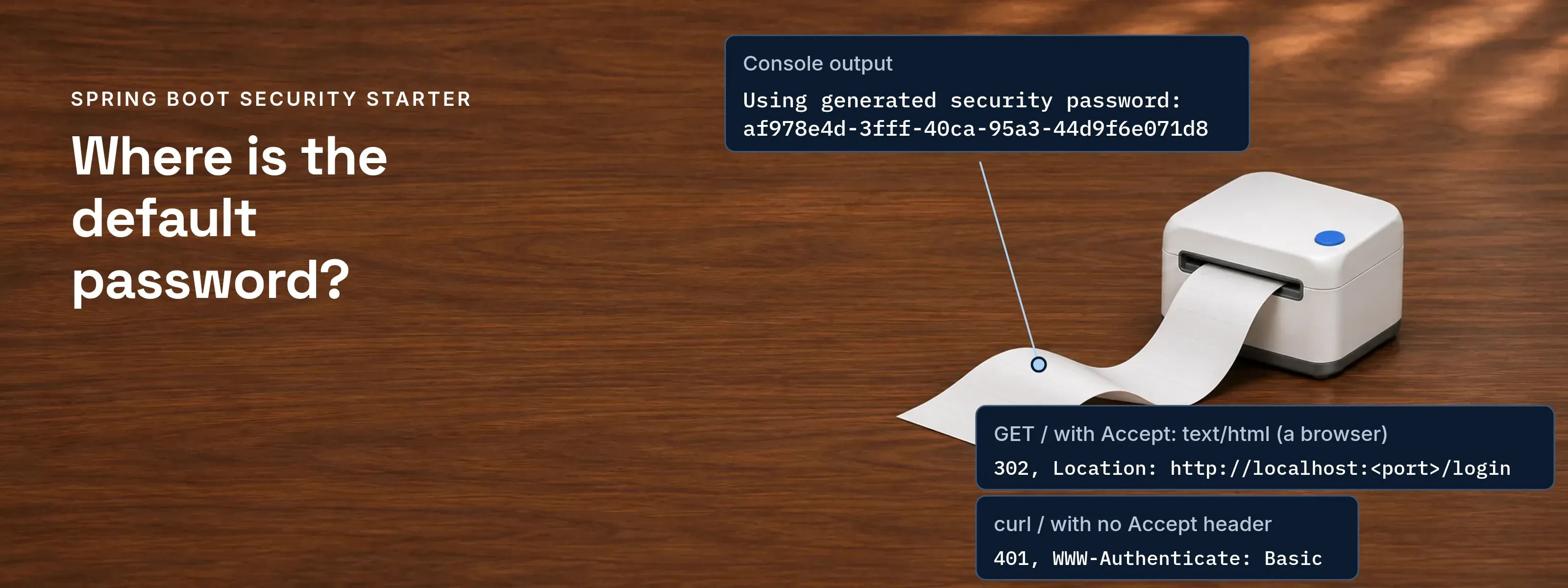
The Spring Security default login page is the “Please sign in” form that Spring Boot adds when spring-boot-starter-security is on the class path. The only user is user, and the password is a random UUID printed in the console at WARN level each time the application starts.
Everything below was observed on 2026-11-17 on a minimal Spring Boot 4.1.2 application (Spring Security 7.1.2, Java 21) and again on Spring Boot 3.5.16 (Spring Security 6.5.11). The log wording was identical on both.
One start of a real application, line by line
The application has one controller method that answers GET /. Nothing else was configured. This is the block the console printed:
WARN ... .s.a.UserDetailsServiceAutoConfiguration :
Using generated security password: af978e4d-3fff-40ca-95a3-44d9f6e071d8
This generated password is for development use only. Your security configuration must be updated before running your application in production.
Then six requests against the running application:
| Request | Result observed |
|---|---|
GET / with Accept: text/html (a browser) |
302, Location: http://localhost:<port>/login |
GET /login |
200, page title “Please sign in”, fields username, password and a hidden _csrf |
curl / with no Accept header |
401, WWW-Authenticate: Basic realm="Realm", charset="UTF-8", and a JSESSIONID cookie |
curl -u user:<generated password> / |
200 |
curl -u user:wrong / |
401 |
Started with --spring.security.user.name=admin --spring.security.user.password=s3cret |
No “Using generated security password” line; admin:s3cret gives 200 and user:s3cret gives 401 |
The 302 against the 401 is the answer to “why does curl not show a login page”. The Spring Boot reference says the default setup uses form-based login or HTTP Basic, depending on the Accept header of the request. A browser asks for HTML and is redirected to the form. curl sends no HTML preference and receives the Basic challenge.

Three pieces of auto-configuration produce it
- A filter chain.
ServletWebSecurityAutoConfigurationrequires authentication for every request, including Actuator endpoints when Actuator is present. - An in-memory user.
UserDetailsServiceAutoConfigurationcreates theUserDetailsServicewith one user,user, and the generated password. Its properties arespring.security.user.*. - A generated page. With form login enabled and no
loginPageset, Spring Security renders the default login page, as the Spring Security form login reference states.
The in-memory user is not created when spring-security-oauth2-client, spring-security-oauth2-resource-server or spring-security-saml2-service-provider is on the class path, according to the Spring Boot reference.
Set your own user, build your own page, or turn it off
Four routes, each short. Imports are omitted.
1. Choose the user. Two properties replace the generated user and remove the log line (observed above):
spring.security.user.name=adminspring.security.user.password=s3cretA fixed password in a file is still a development setting.
2. Build your own page. Define a SecurityFilterChain and name the page. permitAll() lets the page itself load without a session:
@Configurationpublic class SecurityConfig { @Bean SecurityFilterChain chain(HttpSecurity http) throws Exception { http.authorizeHttpRequests(a -> a.anyRequest().authenticated()) .formLogin(f -> f.loginPage("/login").permitAll()); return http.build(); }}You then serve /login yourself. In the test run, a controller that returned a short HTML heading at /login answered the redirected browser request with 200. Spring Security matches the loginPage value literally, so include any servlet base path.
3. Turn the checks off. A chain that permits every request removes the form, and every path answers 200:
@BeanSecurityFilterChain chain(HttpSecurity http) throws Exception { http.authorizeHttpRequests(a -> a.anyRequest().permitAll()); return http.build();}This leaves the application open to anyone who can reach it. Use it only behind another control, or in a test.
4. Know what stays. Defining a SecurityFilterChain does not switch off the user. In both custom runs the “Using generated security password” line was still printed, which matches the Boot reference. To remove the user, set the properties above, or define a UserDetailsService, AuthenticationProvider or AuthenticationManager bean.
Replace the form for real users
Before: a form and one in-memory user. The password lives in a log or a file, every application keeps its own list of people, and nobody can enforce a second factor in one place.
After: people sign in at an identity provider. SSOGEN is an OpenID Connect provider and a SAML identity provider, so the application receives who signed in instead of checking a password itself.
- OpenID Connect. Add the OAuth2 client starter and the provider’s issuer address. Spring Boot with OAuth2 and OIDC maps each property to its source.
- SAML 2.0. Add the SAML 2.0 service provider dependency and the IdP metadata address. Spring Boot SAML lists what is copied from the IdP and what goes back.
- No code change. The SSOGEN Java agent adds single sign-on and multi-factor authentication to Tomcat 9, 10.1 and 11 applications and to Spring Boot 3.5 applications, without changing the application’s code. The Spring Boot starter needs Java 17 or later. The Java agent guide has the steps.
Questions people ask
What is the default login username in Spring Security?
The username is user. The password is a random UUID that Spring Boot prints in the console at WARN level on every start, in the line “Using generated security password”. Set spring.security.user.name and spring.security.user.password to choose your own. These default credentials belong to an in-memory user meant for development.
How to disable Spring Security default login page?
Define your own SecurityFilterChain bean. It switches off Boot’s default web security, so the form disappears unless your chain calls formLogin. Permitting every request leaves the application open to anyone, so keep it for tests. The generated user remains until you also define a UserDetailsService.
Why does the generated password change every time, and where is it?
Spring creates a new password at each start, so yesterday’s value fails today. Find “Using generated security password” in the console; it is logged at WARN level. On Spring Boot 4, if you tuned logging, keep the org.springframework.boot.security.autoconfigure category at WARN or the line is not printed. Setting the property fixes the value.
Why does Spring Security keep taking me to the login page?
Every path requires authentication, so a request without a session gets a 302 to /login when the browser asks for HTML. If the browser does not send the JSESSIONID cookie back, the next request is unauthenticated again and redirects again. In the test run, a login POST without the _csrf field was rejected with 401.
Before you ship
- The log. If “Using generated security password” still appears in the production console, the in-memory user still exists.
- The chain. Search for
permitAll()onanyRequest()left over from a test. - The people. Real users come from single sign-on or a directory, not from
spring.security.user.*.
More Java sign-in topics are in the Learn hub.
Sources, all read 2026-11-17: Spring Boot reference, Spring Security; Spring Security reference, Form Login; own run on Spring Boot 4.1.2 and 3.5.16, Java 21.
Updated