SSOGEN / Learn / Spring Security LDAP authentication in Java
Learn
Spring Security LDAP authentication in Java
Java checks an LDAP password by finding the user's entry and then binding as that user. Spring Security LDAP wraps the same two steps; when the bind fails, the code after data says why.
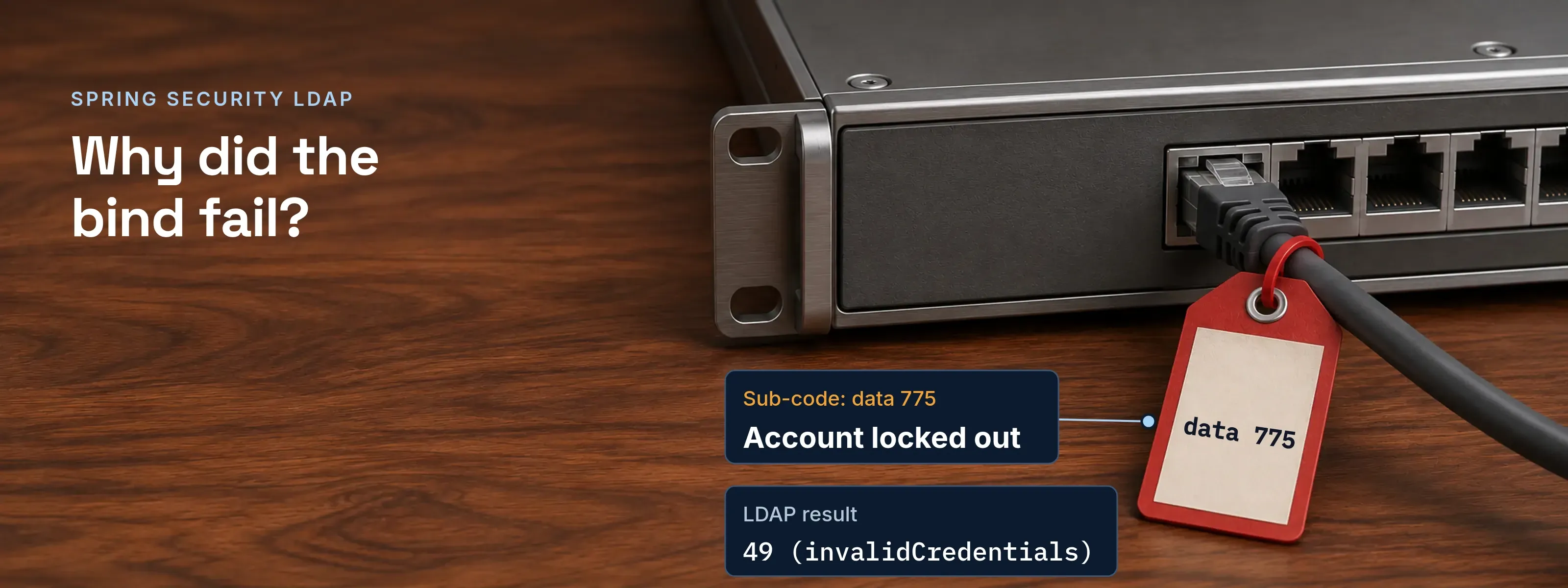
With Spring Security LDAP, the application never reads the password from the directory. It finds the user’s entry, or builds its distinguished name (DN), and sends the typed password in an LDAP bind as that DN. If the directory accepts the bind, the login succeeds. If it refuses, the result code says why.
This page covers which Java class fits which directory, the truststore that LDAPS needs, and how to read an Active Directory bind failure. Versions read: Spring Security 7.1.2, Spring Boot 4.1.2 and JDK 21.
Java finds the user, then binds as that user
Bind authentication takes three operations. Spring Security describes it as submitting the user’s credentials to the LDAP server, which authenticates them.
Connect as a service account
The application opens a connection and binds as a read-only account. In Spring Boot these are
spring.ldap.usernameandspring.ldap.password. Result: success, or the login stops here.Search for the user's DN
It searches under the base DN with a filter such as
(uid={0}), where{0}is the login name. Result: one entry, or no match and a failed login.Bind as the user
It sends that DN and the typed password in a second bind. Result: success (0) or invalidCredentials (49), as RFC 4511 defines them.
In bind authentication, the directory never returns the password or a hash of it. Bind authentication never reads the password, so it needs no password lookup. With a DN pattern such as uid={0},ou=people, steps 1 and 2 are skipped because the DN is built from the login name. The settings behind each step are in LDAP vs Active Directory.
Reject an empty password before you bind. A bind with a DN and a zero-length password is an unauthenticated bind, and RFC 4513 section 5.1.2 warns that careless clients request one by accident.
Pick the class that matches your directory
| Approach | What you write | How the password is checked |
|---|---|---|
| Plain JNDI | InitialDirContext with java.naming.security.authentication set to simple, plus java.naming.security.principal and java.naming.security.credentials |
The LDAP provider sends a bind |
| Spring bind | LdapBindAuthenticationManagerFactory with a DN pattern or a search filter |
Bind as the user |
| Spring password compare | LdapPasswordComparisonAuthenticationManagerFactory |
Reads the password attribute, or sends an LDAP compare; a compare cannot work when the password is hashed with a random salt |
| Active Directory | ActiveDirectoryLdapAuthenticationProvider |
Bind as user@domain |
Without Spring, a bind check with JNDI is this short:
import java.util.Hashtable;import javax.naming.AuthenticationException;import javax.naming.Context;import javax.naming.NamingException;import javax.naming.directory.InitialDirContext;
static boolean bindSucceeds(String principal, String password) throws NamingException {    if (password.isEmpty()) {        return false;    }    Hashtable<String, Object> env = new Hashtable<>();    env.put(Context.INITIAL_CONTEXT_FACTORY, "com.sun.jndi.ldap.LdapCtxFactory");    env.put(Context.PROVIDER_URL, "ldaps://dc01.acme.example:636");    env.put(Context.SECURITY_AUTHENTICATION, "simple");    env.put(Context.SECURITY_PRINCIPAL, principal);    env.put(Context.SECURITY_CREDENTIALS, password);    try {        new InitialDirContext(env).close();        return true;    } catch (AuthenticationException e) {        return false;    }}
In Spring Boot, spring.ldap.urls, spring.ldap.username, spring.ldap.password and spring.ldap.base configure an LdapContextSource for you. The factory then needs only the user search:
spring.ldap.urls=ldaps://dc01.acme.example:636spring.ldap.username=cn=svc-app,ou=service,dc=acme,dc=examplespring.ldap.password=${LDAP_SERVICE_PASSWORD}spring.ldap.base=dc=acme,dc=exampleimport org.springframework.context.annotation.Bean;import org.springframework.context.annotation.Configuration;import org.springframework.ldap.core.support.BaseLdapPathContextSource;import org.springframework.security.authentication.AuthenticationManager;import org.springframework.security.config.Customizer;import org.springframework.security.config.annotation.web.builders.HttpSecurity;import org.springframework.security.config.ldap.LdapBindAuthenticationManagerFactory;import org.springframework.security.web.SecurityFilterChain;
@Configurationclass LdapSecurityConfig {
@Bean SecurityFilterChain filterChain(HttpSecurity http) throws Exception { http.authorizeHttpRequests(requests -> requests.anyRequest().authenticated()) .formLogin(Customizer.withDefaults()); return http.build(); }
@Bean AuthenticationManager authenticationManager(BaseLdapPathContextSource contextSource) { LdapBindAuthenticationManagerFactory factory = new LdapBindAuthenticationManagerFactory(contextSource); factory.setUserSearchBase("ou=people"); factory.setUserSearchFilter("(uid={0})"); return factory.createAuthenticationManager(); }}Add spring-boot-starter-data-ldap and spring-security-ldap to the build. An LdapAuthoritiesPopulator supplies authorities.
Active Directory takes user@domain, not a DN
The Spring Security reference notes that Active Directory authentication normally uses the domain username in the form user@domain instead of an LDAP DN. ActiveDirectoryLdapAuthenticationProvider is built for that. It appends the domain when the login name does not already end with it, and it reads authorities from the memberOf attribute.
import org.springframework.context.annotation.Bean;import org.springframework.security.ldap.authentication.ad.ActiveDirectoryLdapAuthenticationProvider;
@BeanActiveDirectoryLdapAuthenticationProvider adProvider() {    ActiveDirectoryLdapAuthenticationProvider provider =        new ActiveDirectoryLdapAuthenticationProvider(            "acme.example", "ldaps://dc01.acme.example:636");    provider.setConvertSubErrorCodesToExceptions(true);    return provider;}
Maria Lopez types mlopez and the application binds as mlopez@acme.example. The setConvertSubErrorCodesToExceptions call matters for the decoder below.
LDAPS fails until the directory’s CA is in the truststore
The JNDI provider uses JSSE for TLS, so trust is a property of the JVM, not of Spring. Oracle’s JNDI tutorial states that the client must have the server’s certificate, or its CA’s certificate, in the JRE’s trusted certificates. An internal CA that is missing produces the usual failure.
Before: the CA is not in the truststore. The connection fails in the TLS handshake, before any credentials are checked: javax.naming.CommunicationException: simple bind failed: dc01.acme.example:636 [Root exception is javax.net.ssl.SSLHandshakeException: PKIX path building failed: ... unable to find valid certification path to requested target].
After: the CA is in a truststore the JVM uses. Copy cacerts, import the CA, and start the application with -Djavax.net.ssl.trustStore=/opt/acme/conf/truststore.jks. That property replaces cacerts instead of adding to it, so the copy must keep the public CAs.
Java cacerts and truststore has the file locations, the copy and import commands, and the lookup order. If the message differs, the PKIX path building failed page checks a pasted chain. StartTLS from JNDI uses javax.naming.ldap.StartTlsRequest and the same JSSE trust.
Read the data code, not error code 49
When an Active Directory bind fails, the LDAP result is always 49 (invalidCredentials). The reason is a hexadecimal code after data in the message. Spring’s Active Directory provider reads it with the pattern data\s([0-9a-f]{3,4}).
- Bind as
- mlopez@acme.example
- Exception
- javax.naming.AuthenticationException
- LDAP result
- 49 (invalidCredentials)
- Diagnostic
- AcceptSecurityContext error
- Sub-code
- data 775
- Meaning
- Account locked out
The full message reads [LDAP: error code 49 - 80090308: LdapErr: DSID-0C09044E, comment: AcceptSecurityContext error, data 775, v4563]. The numbers around the sub-code vary by server. Only the three characters after data matter.
- The password may be correct. A locked account refuses the bind either way.
- Result 49 alone cannot tell a lockout from a typing mistake.
- Spring logs the decoded reason at INFO level.
The names and meanings below come from Microsoft’s Win32 error list. The last column shows what Spring throws when setConvertSubErrorCodesToExceptions(true) is set.
| Code | Win32 name | Meaning | Spring exception |
|---|---|---|---|
52e |
ERROR_LOGON_FAILURE | The user name or password is incorrect | BadCredentialsException |
775 |
ERROR_ACCOUNT_LOCKED_OUT | The account is locked out | LockedException |
773 |
ERROR_PASSWORD_MUST_CHANGE | The password must be changed before sign-in | BadCredentialsException |
532 |
ERROR_PASSWORD_EXPIRED | The password has expired | CredentialsExpiredException |
701 |
ERROR_ACCOUNT_EXPIRED | The account has expired | AccountExpiredException |
Two neighbours cause the same confusion. Code 525 means the account does not exist, and Spring maps it to BadCredentialsException. Code 533 means the account is disabled, and Spring maps it to DisabledException. Only 532, 533, 701 and 775 get their own exception type.
Code 773 stays a BadCredentialsException even though the log message reads “user must reset password”, so read the data code in the cause or the log to tell a forced reset from a wrong password. Show the user one generic failure message and keep the exact type in your log.
Port and TLS failures are not bind codes. They happen before the bind; see LDAP and LDAPS ports.
One sign-in instead of a bind in every app
An application that binds to LDAP on its own asks for the same password again, and every such application needs its own LDAP code, truststore and error handling. LDAP SSO explains the difference between LDAP authentication and single sign-on.
SSOGEN connects the directory once, in the Admin Console, and applications receive the signed-in user.
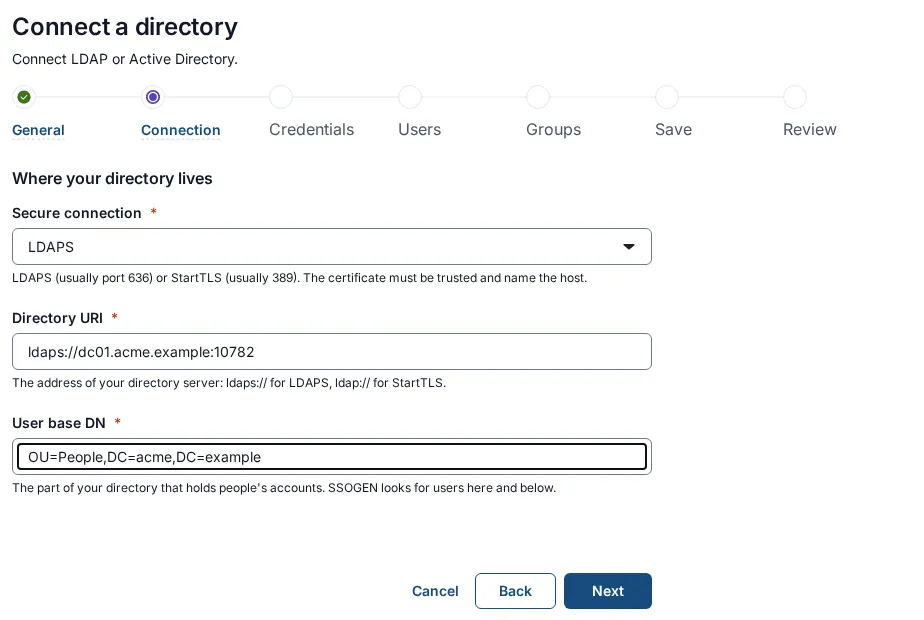
- SSOGEN checks the password against the directory at each sign-in and does not copy passwords.
- It binds twice: as a service account to find the person, then as the person to check the password.
- The connection is always LDAPS or StartTLS, and the directory’s certificate must name the host. A company CA is added once under Settings, then Certificates.
Questions people ask
How does secure LDAP work?
Secure LDAP wraps the bind in TLS, so the password does not cross the network in clear text. LDAPS starts TLS first, usually on port 636; StartTLS upgrades a plain connection, usually on port 389. In Java the TLS layer is JSSE, so the JVM truststore must hold the directory’s CA.
Can you provide an example of Spring Boot security?
Yes. Add spring-boot-starter-data-ldap and spring-security-ldap, set spring.ldap.urls, spring.ldap.username, spring.ldap.password and spring.ldap.base, and declare a LdapBindAuthenticationManagerFactory bean. Spring Boot auto-configures the LdapContextSource the factory uses. The full configuration is above.
What is replacing LDAP?
LDAP is not being replaced as the directory protocol; Active Directory and OpenLDAP still speak it. What changes is how applications sign people in. Many use OpenID Connect or SAML against an identity provider that reads the directory, so an application no longer binds to LDAP itself.
What is LDAP vs OAuth?
LDAP checks a password against a directory entry. OAuth issues tokens that give an application limited access, and the sign-in itself happens at the authorization server. They answer different questions: “is this password right for this entry?” and “may this application act for this user?”
Next step and sources
For a Tomcat or Spring Boot application that should receive the signed-in user without any LDAP code, read about the SSOGEN Java agent. More identity explainers are on the Learn hub.
Sources, all read 2026-11-17:
- Spring Security 7.1.2 reference, LDAP Authentication; API ActiveDirectoryLdapAuthenticationProvider and its source at tag 7.1.2.
- Spring Boot 4.1.2 reference, Working with NoSQL Technologies.
- Oracle JNDI Tutorial, LDAP authentication and SSL and custom sockets; JDK 21 API, StartTlsRequest.
- OpenJDK, VersionHelper.java at jdk-21-ga.
- Microsoft Learn, system error codes 1300-1699 and 1700-3999.
- RFC 4511 and RFC 4513.
Updated