SSOGEN / Oracle EBS Shibboleth SSO
Integration
Oracle EBS Shibboleth SSO
SSOGEN registers as a service provider with the Shibboleth identity provider, and EBS needs neither Oracle Access Manager nor Oracle Internet Directory.
How a sign-in goes
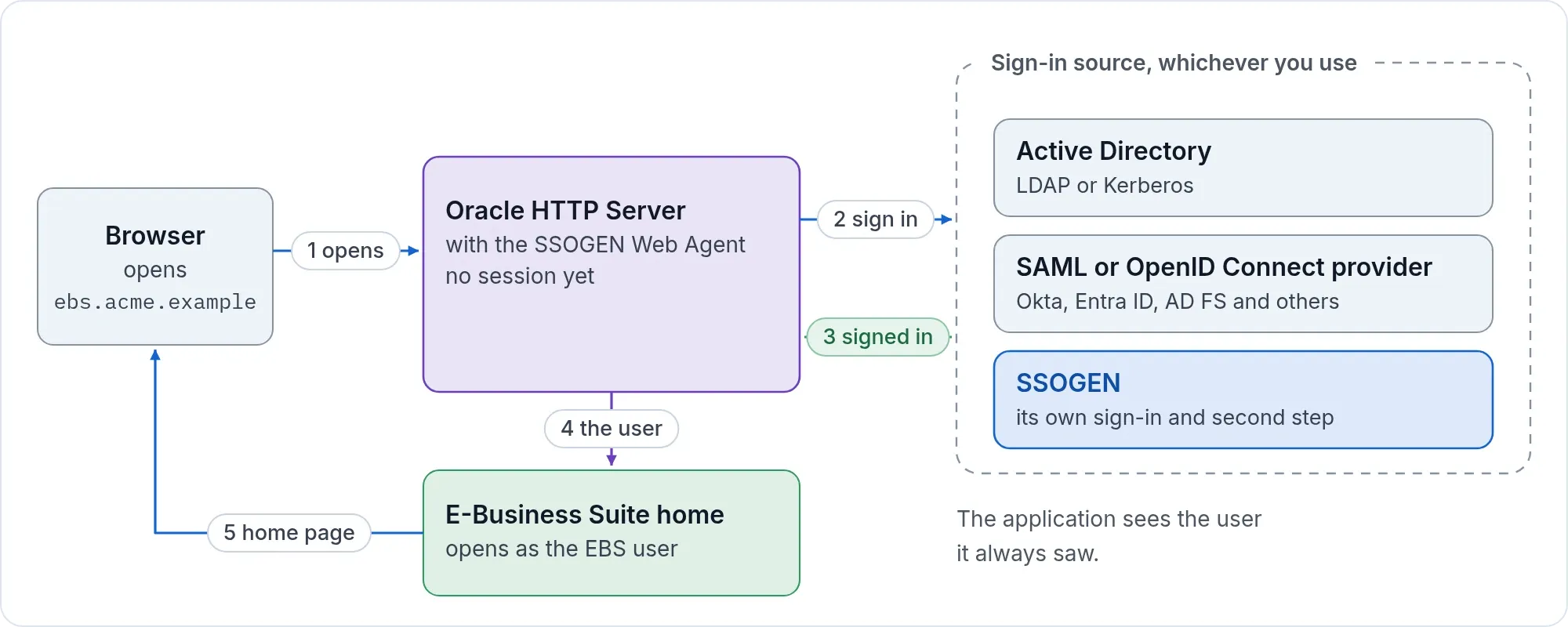
- A person opens
https://ebs.acme.example/OA_HTML/AppsLogin. - The SSOGEN Web Agent on the EBS web tier sends the browser to SSOGEN, and SSOGEN sends it to the Shibboleth IdP.
- After a successful sign-in at Shibboleth, the browser returns to the EBS home page through SSOGEN.
It feels like any other Shibboleth-protected application. PeopleSoft and JD Edwards use the same Shibboleth setup.
What you need
- A Shibboleth IdP administrator.
- Oracle E-Business Suite 12.2 or 12.1, and the SSOGEN integration tool for it.
- An SSOGEN tenant,
https://acme.ssogen.ai, or a license key for the direct path below.
Path A: through SSOGEN
At the Shibboleth IdP
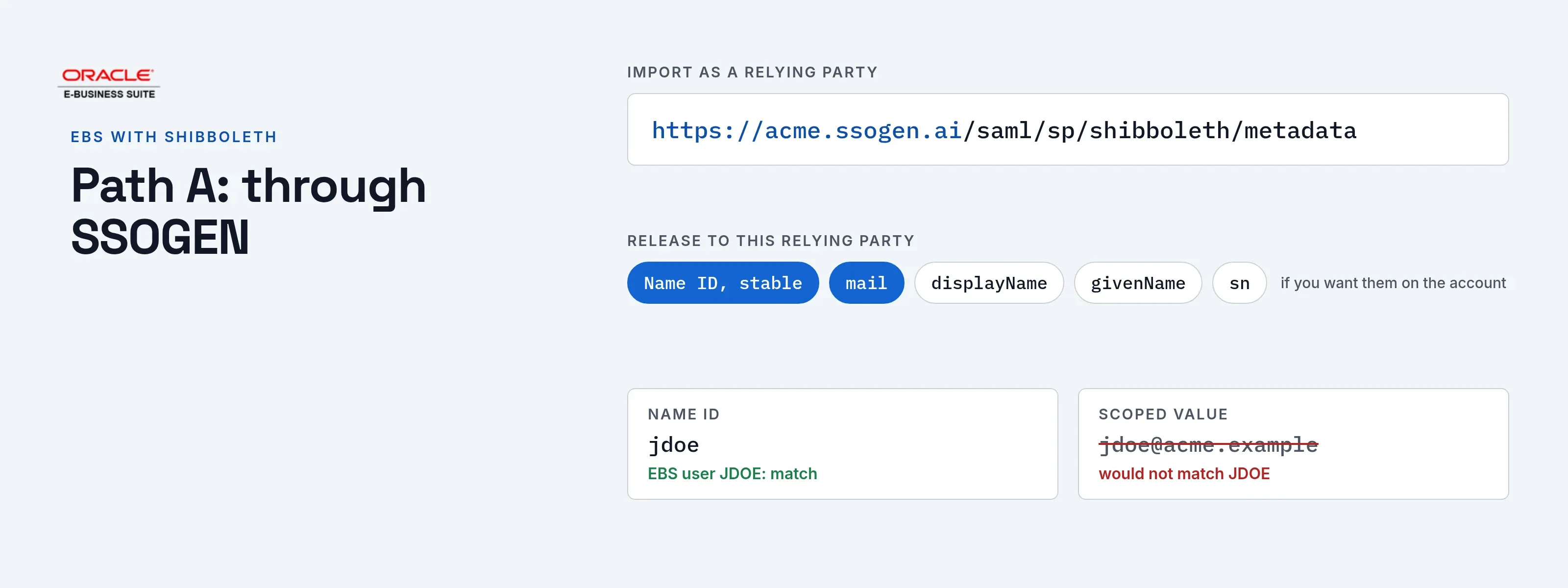
Add SSOGEN as a relying party. Either import the service provider metadata once SSOGEN has saved the provider, https://acme.ssogen.ai/saml/sp/shibboleth/metadata, or enter the values by hand:
| The IdP needs | Value |
|---|---|
| Entity ID | https://acme.ssogen.ai/saml/sp/shibboleth |
| ACS URL, binding HTTP-POST | https://acme.ssogen.ai/saml/sp/shibboleth/acs |
Release a stable Name ID and the mail attribute (plus displayName, givenName and sn if you want them on the account) to this relying party. The assertion must be signed. Encrypting it is optional; SSOGEN’s metadata offers a certificate for that, and the usual Shibboleth encryption (AES-GCM or AES-CBC with RSA-OAEP) is understood. What the provider must send is listed on Any SAML identity provider.
In SSOGEN
Import the Shibboleth IdP metadata (one IdP; a federation file listing many entities is refused), map the attributes, then create, validate, test, try and activate it, and allow the provider in the policy that covers EBS. See Add a SAML identity provider in SSOGEN. For a federation member, a required claim such as an affiliation attribute keeps the accounts to the people you expect.
On the EBS side
- Register EBS in SSOGEN as a Web Agent application with the Client URL
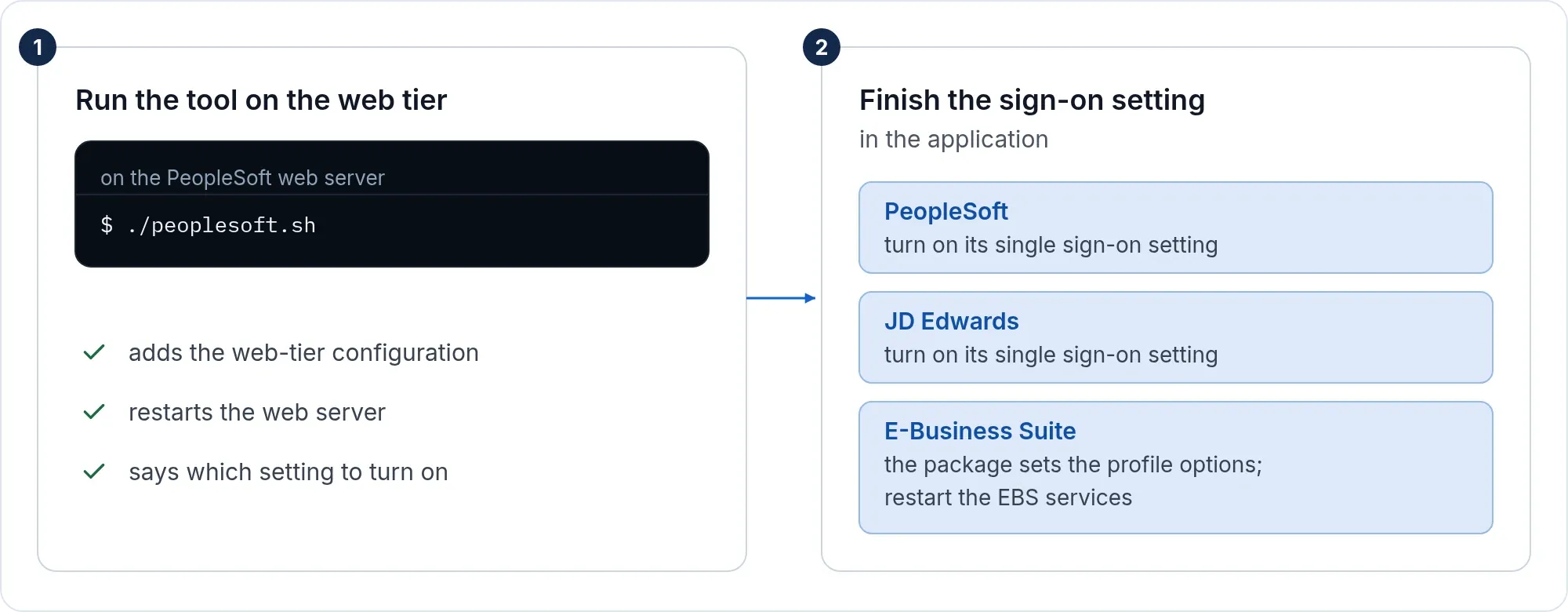
https://ebs.acme.example, and set Identify the person by to the value that equals the EBS user name:jdoeorJDOEfor the EBS userJDOE. The agent sends it in capitals and never cuts off a domain part, so a scoped value likejdoe@acme.examplewould not match. - Run the tool and finish the setting in EBS as on the Oracle EBS single sign-on page.
- Create the EBS users; EBS links the account at the first sign-in. Keep
https://ebs.acme.example/OA_HTML/AppsLocalLogin.jspforSYSADMIN.
Path B: straight to Shibboleth, no SSOGEN in between
With a license key from SSOGEN the tool connects the EBS web tier to the Shibboleth IdP directly (-mode=saml). Shibboleth typically wants the service provider’s metadata and a signed request, so run the tool with -generate_saml_sp: it writes a key, a certificate and <name>-sp.xml in the ssogen folder and prints where the XML is. Give that file to the IdP administrator.
| The IdP needs | Value |
|---|---|
| Entity ID | https://ebs.acme.example |
| ACS URL | https://ebs.acme.example/ssogen/acs |
| Name ID | The EBS user name, or name another attribute with SSOGENSamlUserAttribute |
| Single logout | https://ebs.acme.example/ssogen/saml/slo |
Save the IdP’s metadata as ebs-internal-idp.xml in the ssogen folder, or set SSOGENSamlIdpMetadataURL, then run the tool as on the EBS page.
If it does not work
| Symptom | What to do |
|---|---|
| “That document describes more than one entity” | The metadata is a federation aggregate. Use the IdP’s own metadata. |
| “The assertion carried no subject (NameID)” | Release a Name ID to this relying party. |
| Accounts get unreadable names | The IdP sends a transient or opaque Name ID. Send a stable, readable one. |
| Oracle HTTP Server does not start after a direct setup | The configuration names a metadata file that is not there. Save it, or put the # back on that line. |
| Sign-in works, EBS does not know the user | The name sent is not an EBS user name. Change Identify the person by or the released attribute. |