SSOGEN / IBM Tivoli SSO integration for Oracle EBS: single sign-on for Tivoli Access Manager users
Integration
IBM Tivoli SSO integration for Oracle EBS: single sign-on for Tivoli Access Manager users
OSSO 10g is retired, which left Tivoli users without a direct sign-in to EBS, and SSOGEN fills that gap without Oracle Access Manager or Oracle Internet Directory.
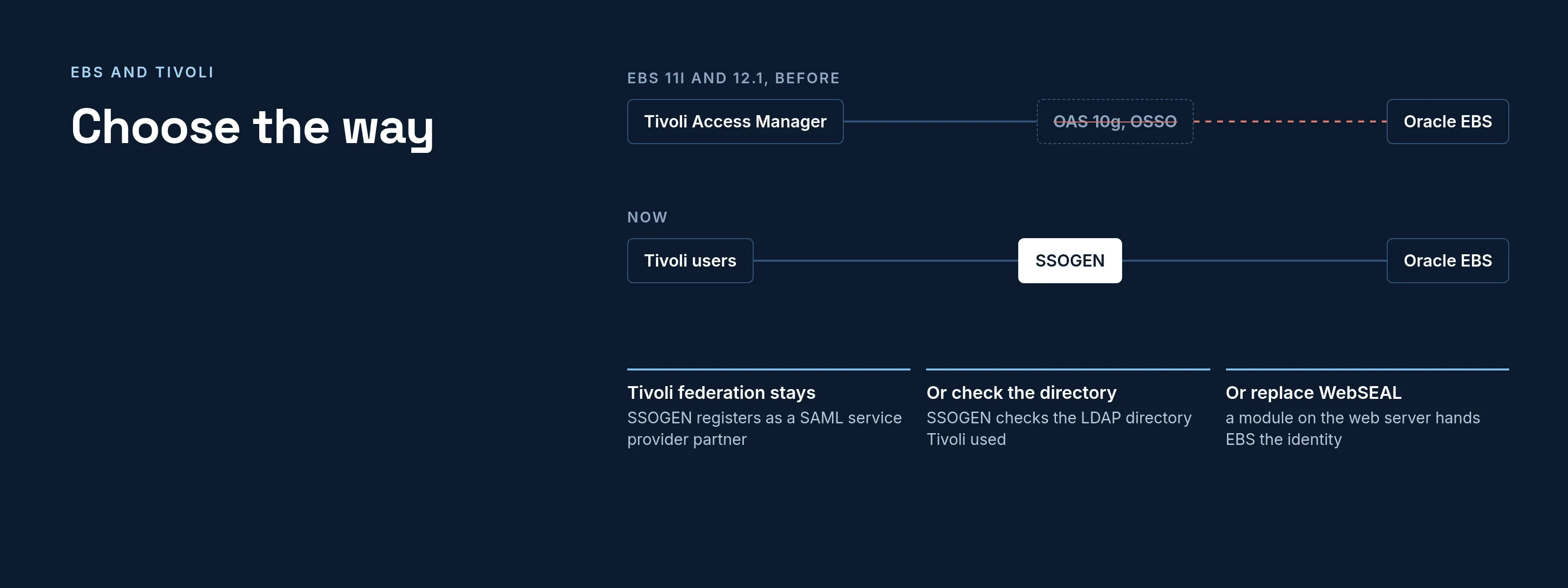
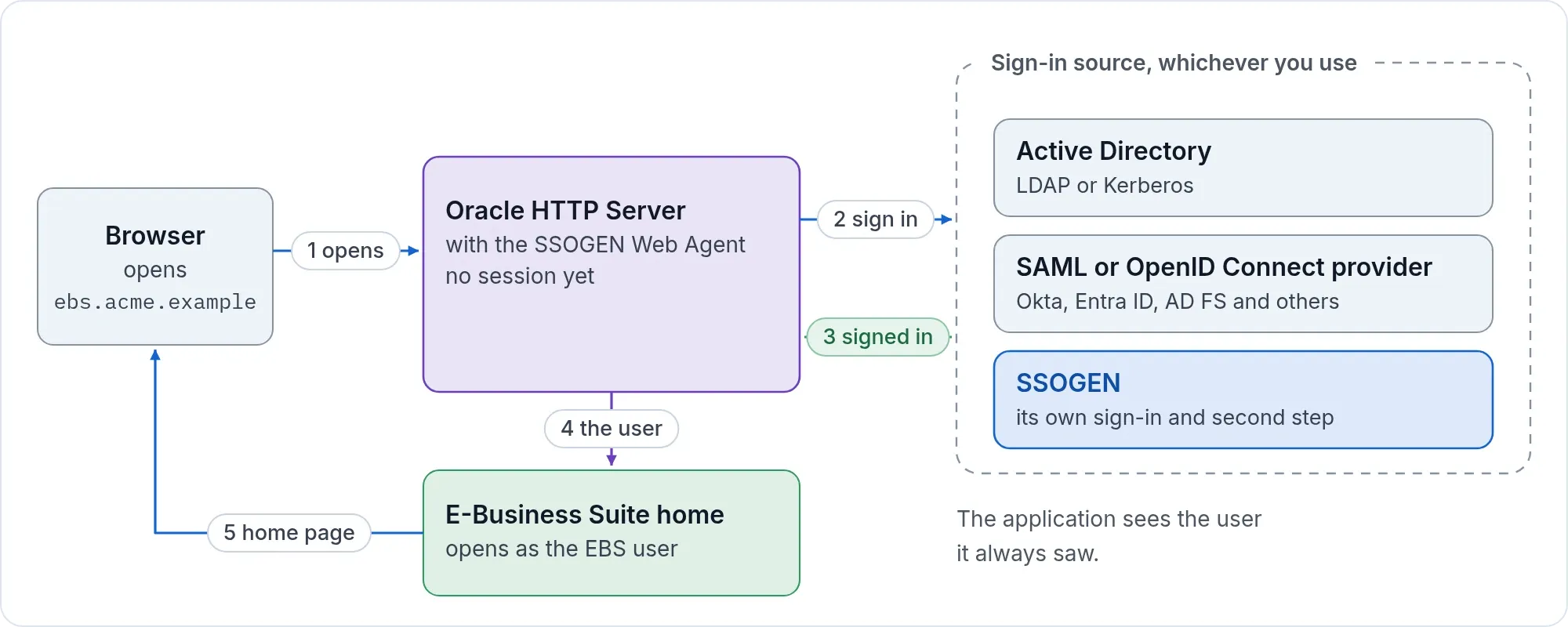
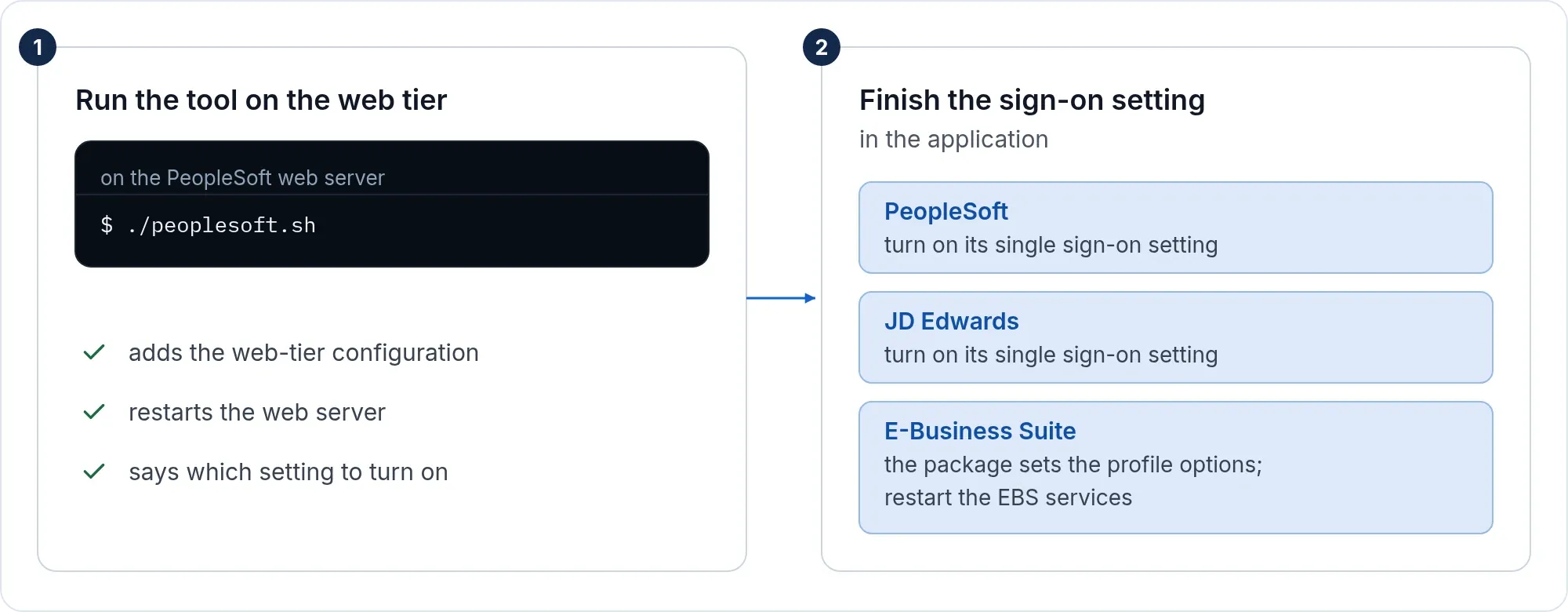
Choose the way
| If | Then |
|---|---|
| Tivoli publishes a SAML 2.0 identity provider through its federation service | Tivoli stays the sign-in source and SSOGEN is registered with it as a service provider: the section below. |
| Tivoli checks passwords in an LDAP directory | SSOGEN checks the same directory itself: Active Directory and LDAP. |
| You are replacing Tivoli | See migrating from legacy access managers: a module on the web server enforces sign-in and hands EBS the identity it expects, and the application does not change. |
Tivoli as the SAML sign-in source
In Tivoli
Register SSOGEN as a service provider partner of the Tivoli SAML 2.0 identity provider:
| Tivoli asks for | Value |
|---|---|
| Service provider entity ID | https://acme.ssogen.ai/saml/sp/tivoli |
| Assertion consumer service URL, HTTP-POST | https://acme.ssogen.ai/saml/sp/tivoli/acs |
| Assertion | Signed; a stable Name ID; the email address as mail |
What the provider must send is on Any SAML identity provider.
In SSOGEN
Import the Tivoli IdP metadata, map the attributes, then create, validate, test, try and activate the provider and allow it in the policy that covers EBS (Add a SAML identity provider in SSOGEN).
On the EBS side
- Register EBS in SSOGEN as a Web Agent application with the Client URL
https://ebs.acme.example, and set Identify the person by to the value that equals the EBS user name:jdoeorJDOEfor the EBS userJDOE. The agent sends it in capitals and never cuts off a domain part. - Run the tool and finish the setting in EBS as on the Oracle EBS single sign-on page: Applications SSO Type
SSWA w/SSO,APPS_AUTH_AGENThttps://ebs.acme.example/accessgate, Login TypesBoth. - Create the EBS users; EBS links the account at the first sign-in. Keep
https://ebs.acme.example/OA_HTML/AppsLocalLogin.jspforSYSADMIN.
With a license key the tool can also connect EBS to the Tivoli SAML IdP without SSOGEN in between (-mode=saml): entity ID https://ebs.acme.example, ACS URL https://ebs.acme.example/ssogen/acs, Name ID equal to the EBS user name. See the EBS page.
If it does not work
| Symptom | What to do |
|---|---|
| “The assertion carried no subject (NameID)” | The partner sends no Name ID. Configure one. |
| “That metadata publishes no signing certificate” | Export the IdP metadata with its signing certificate. |
| Sign-in works, EBS does not know the user | The name sent is not an EBS user name. Change Identify the person by or the Name ID. |