SSOGEN / Learn / AI Agent Governance: A Practical Checklist
Learn
AI Agent Governance: A Practical Checklist
AI agent governance gives every agent an owner, limited permissions, human approval where it matters, a record of its actions and an off switch.
Updated
AI agent governance is the set of rules and records that answer four questions about any agent: who owns it, what it may do, who approved that, and how to stop it. A policy document helps, but it becomes governance only when your systems enforce the answers and you can show them on demand.
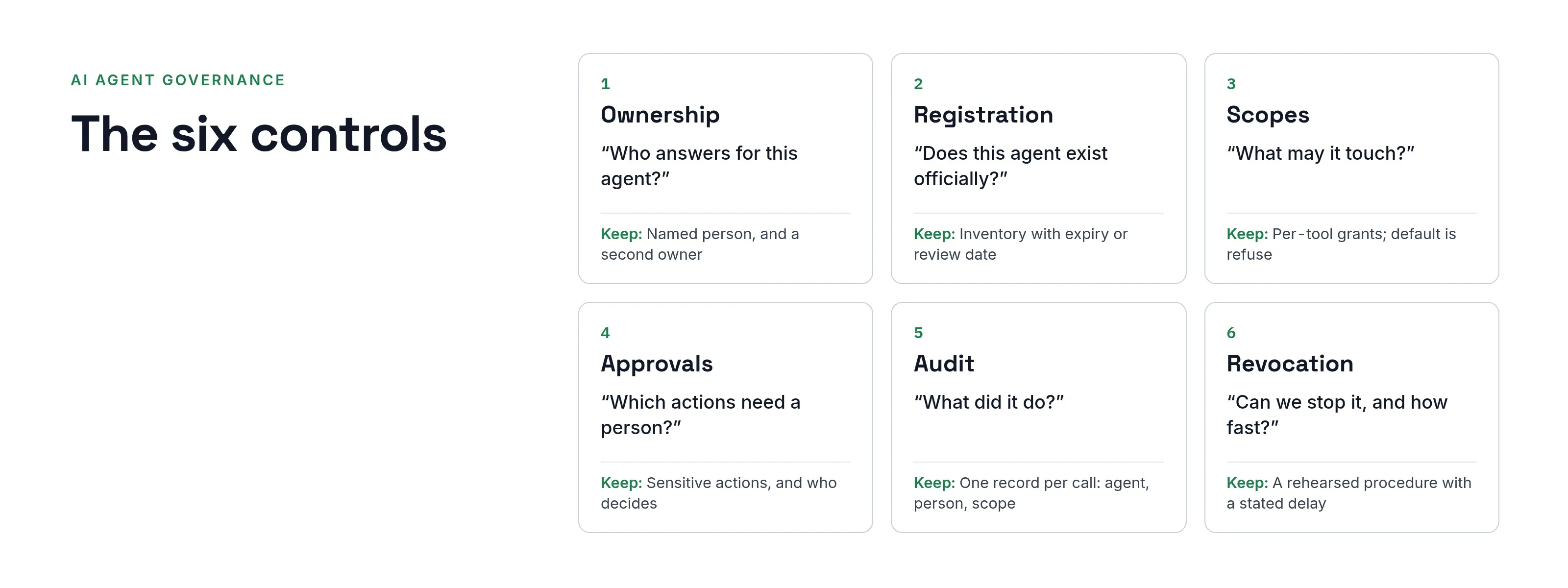
This checklist reduces it to six controls you can verify.
It is written for the person who will be asked, by an auditor or after an incident, “which agent did this, and who allowed it?”
The six controls
| # | Control | The question it answers | Evidence to keep |
|---|---|---|---|
| 1 | Ownership | Who answers for this agent? | Named person per agent, a second owner, what happens when they leave |
| 2 | Registration | Does this agent exist officially? | An inventory with name, type, purpose, keys, expiry or review date |
| 3 | Scopes | What may it touch? | Per-application, per-tool grants; default is refuse |
| 4 | Approvals | Which actions need a person? | List of sensitive actions and who decides each |
| 5 | Audit | What did it do? | One record per call or token: agent, person, scope, decision |
| 6 | Revocation | Can we stop it, and how fast? | Tested procedure with a stated delay |
Ownership: one named person, and a plan for when they leave
An agent without an owner outlives the project that created it.
- Individuals, not groups. A group can mean everyone and therefore no one.
- Two owners. Assign a primary owner and at least one other.
- Plan for departure. When the last owner leaves, the agent must not keep running on its old grant: suspend it automatically, or place it in a queue that someone has to clear. The steps for offboarding AI agents cover that day in detail.
Registration: if it is not in the inventory, it has no access
Start with an inventory. For each agent, record:
- Name. Its name.
- Kind. An AI agent, an MCP client, a scheduled automation, a service.
- Purpose. What its owner says it does.
- Credentials. The keys or credentials it uses.
- Review date. A date by which someone must look at it again.
Make the inventory the gate, not a spreadsheet kept on the side: no credential is issued until the agent is registered and activated.
A registration that is saved but not yet approved grants nothing.
Put an expiry or review date on every agent, with a maximum such as one year. If a review lapses, suspend the agent until someone confirms it is still needed.
Scopes: grant by tool, default to refuse
For each agent and each application, record the exact permissions it holds. “Read invoices” is a useful scope; “Full access to finance” is an audit finding.
Check three things:
- Least scope. The agent holds no scope its task does not need.
- Smaller of two. When the agent acts for a user, its effective access is the smaller of its own grant and that user’s access.
- Default refuse. A request that matches no scope is refused, not allowed.
Approvals: decide which actions need a human, in advance
Not every action needs a person.
Moving money, changing bank details, deleting records and sending external messages usually do. Decide that list when you grant access, not during an incident.
Approval must happen at the time of the action:
- Strong, recent authentication. The approver has authenticated strongly and recently.
- Clear prompt. The prompt shows what the agent wants and who owns it.
Be precise about what an approval covers.
Approving a scope gives the agent a window in which to use it; it does not approve one specific payment unless your tool checks that value itself.
Audit: one record per decision, including refusals
An audit trail that lists only successes cannot show that controls worked. Record:
- Credentials. Credentials issued and refused.
- Grants. Grants and withdrawals.
- Approvals. Approvals requested and decided.
- Tool calls. Tool-call decisions.
Each entry names the agent, the person it acted for, the scope and the outcome.
Keep secrets out of the log: no tokens, keys or free-text messages from the agent.
Revocation: measure the delay
“We can switch it off” is not an answer until you know how long it takes. Define three levels:
- Suspend one agent (reversible).
- Revoke one agent permanently, with its keys and delegations.
- Stop every agent of one kind, for an incident.
The critical figure is how long an already-issued token keeps working after revocation.
With short-lived tokens, it is minutes; with long-lived keys, it is “until someone finds and deletes the key.” Record the figure and test it.
A review you can run this week
- Export every agent, automation and service account that can reach a production system.
- For each, find an owner. Anything with no owner is the first suspension.
- Compare its permissions with what the task needs. Remove the difference.
- List actions that move money or change identity data, and check that each requires approval.
- Pick one agent and trace one action end to end in the logs. If you cannot, fix the logging first.
- Revoke one test agent and time how long until it is refused everywhere.
How SSOGEN enforces the six controls
SSOGEN implements these six controls for AI agents.
You register every agent in the Admin Console under AI Agents. Each agent has a name, a permanent identifier, a type (AI agent, MCP client, Automation or Service), up to five owners who are people, and one primary owner.
-
Pending first. A new agent starts as Pending and can do nothing until an administrator activates it.
-
Owner departure. If the last owner leaves, SSOGEN suspends the agent.
-
Expiry and review. Each agent carries an Expires on date, a Review by date or both, no more than 365 days ahead. An agent not reviewed by then is suspended.
-
Scopes. Scopes are defined per application. A scope marked Sensitive requires the user’s approval each time.
-
Test access. It shows what an agent would be allowed or denied before you activate it.
-
Revocation. You can suspend one agent, revoke it permanently or engage a kill switch for one type. New tokens stop immediately, and a token already issued stops within five minutes at most.
-
Audit. Monitoring, then Audit, shows each decision.
Read the details in AI agent access control in SSOGEN and the registration guide.
Questions people ask
How do you govern AI agents?
Give each one an owner, register it before it gets access, limit what it can use, require approval for sensitive actions, log every decision, and keep a tested way to stop it.
Who should own an AI agent?
A named person who can explain why it exists and who reviews it on a schedule. Avoid group ownership, and plan for the owner’s departure.
Is a policy document enough?
No. A policy states intent. Governance means your systems enforce it, for example by refusing credentials to an unregistered agent, and you can show the records.
How often should agents be reviewed?
Set a review date at registration, no more than a year out, and suspend the agent if it lapses. Higher-risk agents need a shorter interval.
Where to go next
- Risks addressed. The OWASP Top 10 for LLM applications shows which risks identity and governance controls address.
- Risks behind the controls. The agentic AI security explainer covers them.
- Machine credentials. Non-human identity covers the wider set.
- How SSOGEN stops agents. See AI agent identity for how SSOGEN issues and stops agent access.
- Vendor comparison. For a sourced comparison with a vendor product, see Okta for AI agents compared with SSOGEN.