SSOGEN / Learn / SCIM Provisioning Explained: How SCIM 2.0 Creates, Updates and Removes Accounts
Learn
SCIM Provisioning Explained: How SCIM 2.0 Creates, Updates and Removes Accounts
SCIM provisioning is a standard web interface that lets one system create, update and switch off user accounts in another, so nobody types them by hand.
Updated
SCIM provisioning uses the System for Cross-domain Identity Management (SCIM) standard to keep user accounts in sync between two systems. The SCIM client is usually an HR system or an identity provider. The SCIM service provider is an application or a directory.
The client calls a small REST interface to create users, update them, add them to groups and deactivate them when they leave.
SCIM 2.0 is defined in two documents: RFC 7643 for the data model and RFC 7644 for the protocol.
What problem does SCIM solve?
Single sign-on tells an application who is signing in. It does not create the account beforehand or remove it when the user leaves.
Without provisioning, there are two outcomes:
- Manual accounts. An administrator creates each account by hand.
- Accounts that never expire. The application creates the account on first sign-in and keeps it indefinitely.
Both approaches leave orphaned accounts, and an orphaned account is access that no one reviews.
- One set of operations. SCIM gives every vendor the same operations and the same JSON schemas.
- One client, many applications. An identity system writes one provisioning client and connects it to many applications.
- Sign-in is separate. It is covered in SCIM vs SAML.
What are the SCIM 2.0 resources?
The core schema defines a small set of resource types. These are the ones you will work with:
| Resource | What it holds | Where it is defined |
|---|---|---|
| User | One person: userName (required and unique), name, emails, active and more |
RFC 7643, section 4.1 |
| Group | A named list of members | RFC 7643, section 4.2 |
| Enterprise User extension | Employee-style attributes added to a User | RFC 7643, section 4.3 |
| ServiceProviderConfig, ResourceType, Schema | Discovery: what the server supports and how its resources look | RFC 7643, sections 5 to 7 |
Every resource has common attributes:
id. Assigned by the server.externalId. Optional and assigned by the client, usually the HR employee number.meta. Holds the resource type, creation time, last-modified time, location and version.
Schemas are identified by URN, for example urn:ietf:params:scim:schemas:core:2.0:User.
Which operations does SCIM define?
SCIM uses standard HTTP methods on /Users and /Groups under a base URL. Responses use the media type application/scim+json.
| Operation | HTTP | Section of RFC 7644 | Typical use |
|---|---|---|---|
| Create | POST /Users |
3.3 | New hire. Success is 201 Created. |
| Read and search | GET /Users, GET /Users?filter=... |
3.4 | Check whether the person exists before creating. |
| Replace | PUT /Users/{id} |
3.5.1 | Send the whole record again. |
| Modify | PATCH /Users/{id} |
3.5.2 | Change a few attributes, for example active. |
| Delete | DELETE /Users/{id} |
3.6 | Remove the account. Success is 204 No Content. |
| Bulk | POST /Bulk |
3.7 | Many operations in one request. Optional. |
A duplicate userName or externalId returns 409 Conflict with scimType set to uniqueness.
The protocol relies on TLS and standard HTTP authentication schemes. Most deployments use an OAuth 2.0 bearer token (RFC 7644, section 2).
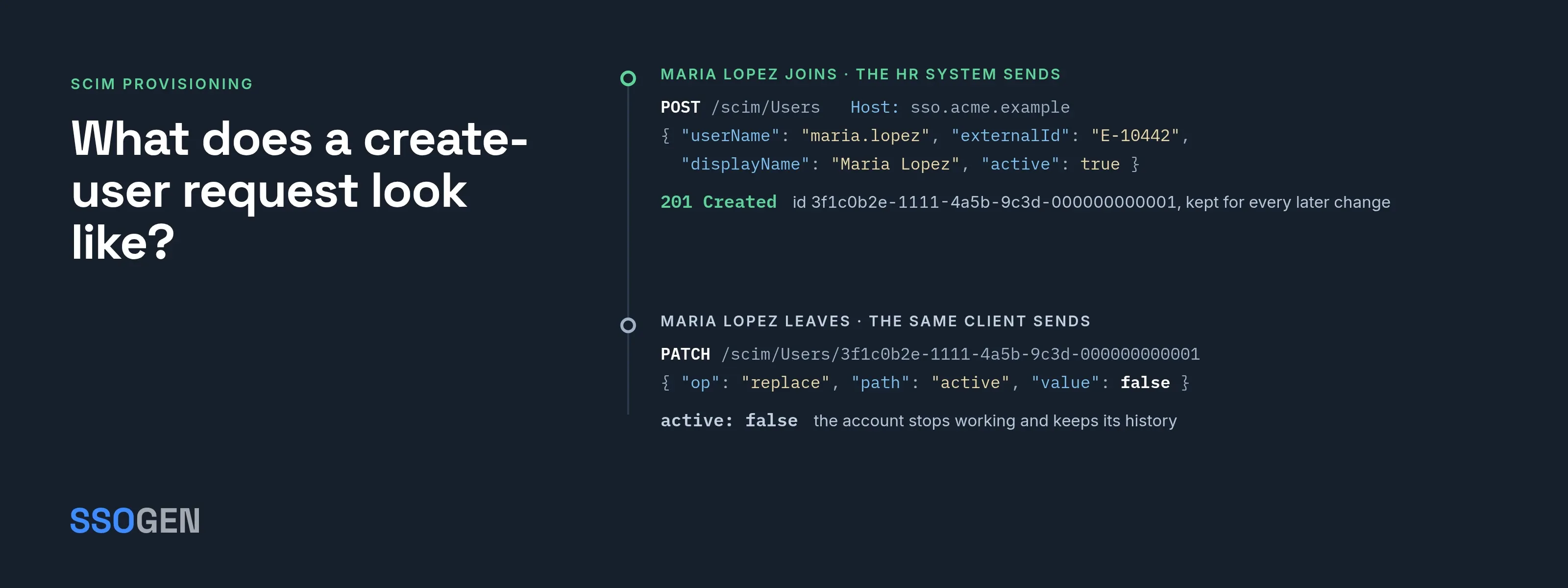
What does a create-user request look like?
The following exchange uses the fictional company Acme Corp. The client is Acme’s HR system, and the service provider is at https://sso.acme.example/scim.
POST /scim/Users HTTP/1.1Host: sso.acme.exampleAuthorization: Bearer <token>Content-Type: application/scim+json
{  "schemas": ["urn:ietf:params:scim:schemas:core:2.0:User"],  "userName": "maria.lopez",  "externalId": "E-10442",  "name": { "givenName": "Maria", "familyName": "Lopez" },  "displayName": "Maria Lopez",  "emails": [ { "value": "maria.lopez@acme.example", "type": "work", "primary": true } ],  "active": true}
The server responds with 201 Created and the stored record:
{ "schemas": ["urn:ietf:params:scim:schemas:core:2.0:User"], "id": "3f1c0b2e-1111-4a5b-9c3d-000000000001", "externalId": "E-10442", "userName": "maria.lopez", "displayName": "Maria Lopez", "active": true, "meta": { "resourceType": "User", "location": "/scim/Users/3f1c0b2e-1111-4a5b-9c3d-000000000001" }}Points to note:
schemas. Required in every body; the server uses it to interpret the rest.userName. The matching key, and it must be unique.externalIdbelongs to the client, and the server never generates one.id. Theidin the response belongs to the server. Store it: every laterPATCH,PUTand group membership uses it, not the employee number.emails. A multi-valued attribute, andprimarymarks the main address.
To deactivate Maria when she leaves, the client sends a PATCH with a PatchOp message that sets active to false:
{ "schemas": ["urn:ietf:params:scim:api:messages:2.0:PatchOp"], "Operations": [ { "op": "replace", "path": "active", "value": false } ]}Most identity providers deprovision this way rather than with DELETE. A deactivated account keeps its history and can be reactivated.
What goes wrong with SCIM in practice?
The protocol is small, but implementations differ. Check these points on the server before you investigate the client.
- Lookup before create. Many clients send
GET /Users?filter=userName eq "maria.lopez"before creating. If the server rejects that filter, creates fail with 409 on the second run. - Attributes the server drops. A server can accept an attribute and silently ignore it. Compare the response with the request, and read
/Schemasto see what the server supports. - Group members are ids. A group member’s
valueis the server’sid, not theuserName. Sending the wrong value is a common cause of empty groups. - No password. Some servers refuse a password over SCIM. In SSOGEN, a provisioned person signs in with a password an administrator sets or through an external identity provider. Plan how a provisioned person first signs in.
- Leavers. A client that only creates and updates never removes anyone. Confirm that the leaver action sends
active: falseor a delete. - Token handling. The bearer token can create accounts. Store it like an administrator password, and rotate it.
What does SSOGEN do with SCIM?
SSOGEN works on both sides of SCIM 2.0.
As a service provider. SSOGEN exposes a SCIM endpoint at /scim on your installation, which an HR system or identity provider calls to create, update and disable people and groups.
- You create one client per source system under Provisioning > Inbound.
- Each client gets its own token, shown once and stored only as a fingerprint.
- A person created this way is listed with the source Provisioned from the client’s name.
As a client. SSOGEN calls an application’s SCIM interface to create accounts for the people assigned to it. It can also send groups and deactivate leavers.
Deactivating leavers. This is off by default. SSOGEN refuses to deactivate anyone if nobody is assigned the application, so a mistaken unassignment cannot lock everyone out.
Details are in the guides to inbound provisioning and outbound provisioning, and the product overview is user provisioning software.
Questions people ask
Does SCIM replace SAML?
No. SCIM manages accounts and SAML signs users in; most deployments use both.
Is Okta a SCIM?
No. SCIM is an open standard. Okta, Microsoft Entra ID and many other products implement SCIM clients or servers.
What is the difference between SCIM and JIT provisioning?
Just-in-time provisioning creates an account the first time a user signs in. SCIM creates it in advance, and it can update and remove accounts without a sign-in.
Where to go next
- How the two fit together. Read SCIM vs SAML.
- Build and check requests. Use the free SCIM tester.
- Back to the hub. Go to the Learn hub.
- Account management against sign-in. For a side-by-side comparison, see SCIM vs SAML.