SSOGEN / Learn / How Does SSO Work? The Sign-In Flow Step by Step
Learn
How Does SSO Work? The Sign-In Flow Step by Step
The application sends your browser to an identity provider, which signs you in once and returns a signed message; the application trusts it and starts its own session.
Updated
How does SSO work? The browser carries the proof between systems:
- An application with no session for the user redirects the browser to an identity provider (IdP).
- The IdP authenticates the user and redirects the browser back with a signed message that states who the user is.
- The application verifies the signature and starts its own session.
The next application performs the same redirect. The IdP already holds a session for the user, so it responds immediately, without a password prompt.
The applications share no state; each one trusts the same signer.
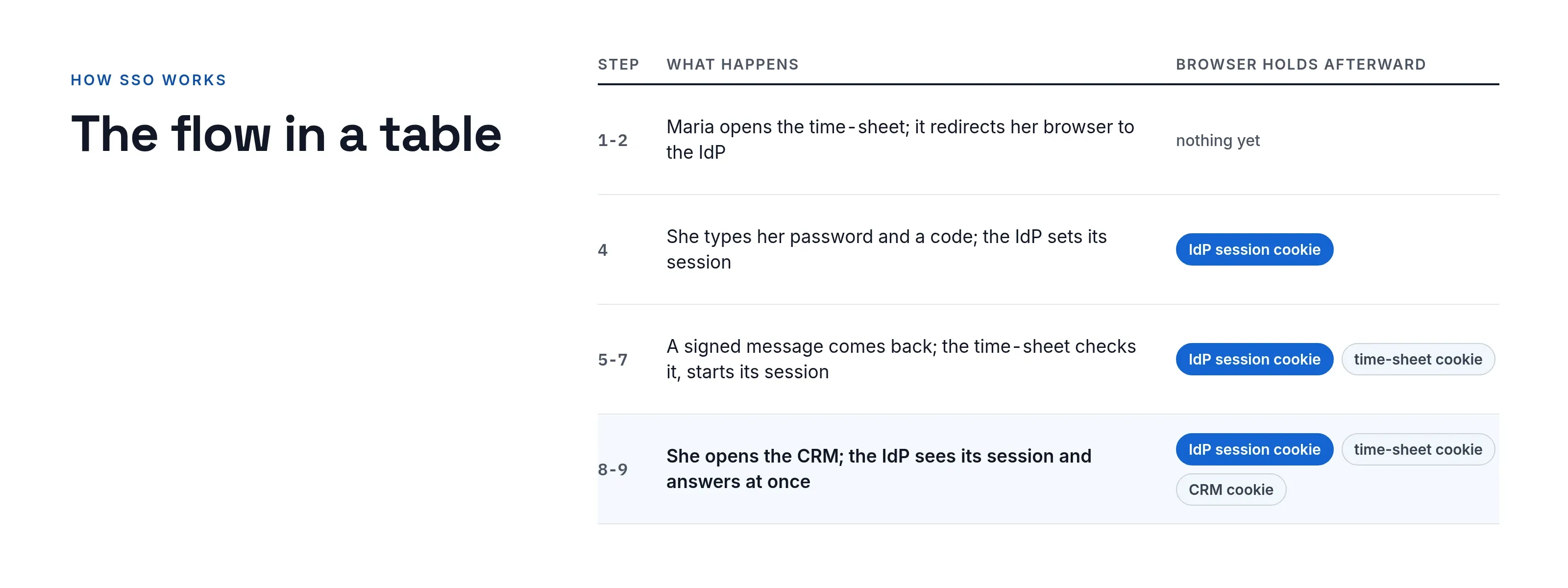
The flow in a table
This sequence uses the fictional Acme Corp. Maria opens the time-sheet application timesheet.acme.example, and the identity provider is sso.acme.example. The protocol can be SAML or OpenID Connect; the sequence is the same.
| Step | Who | What happens | What the browser holds afterward |
|---|---|---|---|
| 1 | Maria to time-sheet | Requests /reports. No session cookie for the application. |
Nothing |
| 2 | Time-sheet to browser | Redirects to the IdP with a request that names the application and the address to return to. It remembers /reports. |
Nothing yet |
| 3 | Browser to IdP | Follows the redirect. The IdP finds no session. | Nothing yet |
| 4 | Maria and IdP | Maria types her password and a code. The IdP sets its own session cookie. | IdP session cookie |
| 5 | IdP to browser | Sends back a signed assertion or ID token, addressed to the time-sheet application only. | IdP session cookie |
| 6 | Browser to time-sheet | Delivers the message to the return address. | IdP session cookie |
| 7 | Time-sheet | Verifies the signature, issuer, audience and expiry, then sets its own session cookie and shows /reports. |
IdP cookie and time-sheet cookie |
| 8 | Maria to CRM | Opens crm.acme.example. Redirected to the IdP as in step 2. |
Both cookies |
| 9 | IdP | Sees its session cookie, skips authentication and returns a message for the CRM at once. | Three cookies |
Steps 2 to 7 are the core of the protocol. Step 9 is what users experience as “single.” Only the IdP session is shared; each application session is separate.
Sessions, cookies and tokens: three different things
These three are often confused, and many SSO bugs come from that confusion.
- The IdP session is a cookie on the IdP’s own domain and is what makes step 9 silent. A cookie is sent only to the hosts its attributes allow (RFC 6265, section 4.1.2.3), so the applications never see it.
- The message (SAML assertion or OpenID Connect ID token) is a one-time proof for one application. It states who the user is and which application it was issued for. An OpenID Connect ID token must carry the issuer (
iss), subject (sub), audience (aud), expiry (exp) and issue time (iat) (OpenID Connect Core 1.0, section 2). - The application session is a cookie the application sets after it accepts the message. The message is discarded and the cookie remains. NIST states the same: the relying party “manages its sessions separately from any sessions at the IdP” (NIST SP 800-63C, section 5.3).
Two consequences follow:
- Signing out of one application does not end the IdP session, so the next visit signs the user straight back in.
- An application session can outlive a user who was disabled at the IdP a minute ago; it lasts until it expires.
What the signature protects
In SAML, the IdP signs the assertion and the application validates it before creating a session (SAML 2.0 Technical Overview, section 5.1.2).
- One key. The application has to trust only one key, the IdP’s.
- One exchange. For that reason, connecting an application means exchanging metadata or a certificate once.
- Rotation. An expired or rotated certificate breaks every sign-in at the same moment.
- The audience check. It is the one most often skipped.
- Replay. If an application accepts a token issued for a different application, a valid sign-in to a low-value system can be replayed against a high-value one.
What to check when it does not work
| Symptom | Usual cause |
|---|---|
| Loop between the application and the IdP | The application cannot set its session cookie, often a domain, Secure or HTTPS mismatch |
| “Invalid audience” or “issuer mismatch” | The application’s identifier differs from what the IdP was told, down to a trailing slash |
| Works for you, fails for a colleague | Missing attribute, such as email, that the application needs to match a local account |
| Fails after exactly the same time each day | Clock drift between the servers; tokens carry validity times |
| Redirect URI error | The return address must match the registered one character for character |
How SSOGEN runs the flow
When SSOGEN is the identity provider, the same steps apply. The sign-in page determines what the user sees at step 3:
-
One password provider: a sign-in form.
-
One SAML or OpenID Connect provider: a direct redirect to that provider.
-
Several providers with email domains assigned: a prompt for the email address, then a redirect to the provider that owns the domain after the
@. -
Layouts. The five layouts are in Home realm discovery and the sign-in page.
-
Step 4. It asks for more than a password when the policy for that application requires it.
-
Decisions. How sign-in decisions work explains how SSOGEN weighs the session, its strength and its age.
-
Other applications. For applications that speak neither SAML nor OpenID Connect, an agent on the web server performs steps 1 and 7. See Choose how to connect an application.
Questions people ask
Does the application ever see my password?
Not with SAML or OpenID Connect. The password goes only to the identity provider.
What is a token in SSO?
A signed message that states who the user is, who issued it, which application it is for and when it expires. The application verifies the signature, then discards the token.
Why am I asked to sign in again after a while?
Either the IdP session expired, or a policy requires a fresh sign-in for that application.
Can the same SSO work for desktop software?
Kerberos provides SSO without a browser; SAML and OpenID Connect require one.
Where to go next
- Starting a sign-in. SP-initiated vs IdP-initiated sign-in compares the two ways a sign-in starts.
- Logout. SAML single logout covers it.
- Definitions. Start with what is SSO.
- Across companies. Read federated identity for flows that cross company boundaries.
- Second factor. Read SSO vs MFA to see where the second factor sits in step 4.
- Windows. Windows domains often use Kerberos, in which a trusted server issues tickets so that users sign in once.
Sources, all read 2026-10-09: OASIS SAML 2.0 technical overview, OpenID Connect Core 1.0, NIST SP 800-63C.