SSOGEN / Learn / Incident Response Plan
Learn
Incident Response Plan
Agreed before anything goes wrong, an incident response plan is a short document that names who decides, how severity is set, what happens in the first hour, who is told and what evidence is kept.
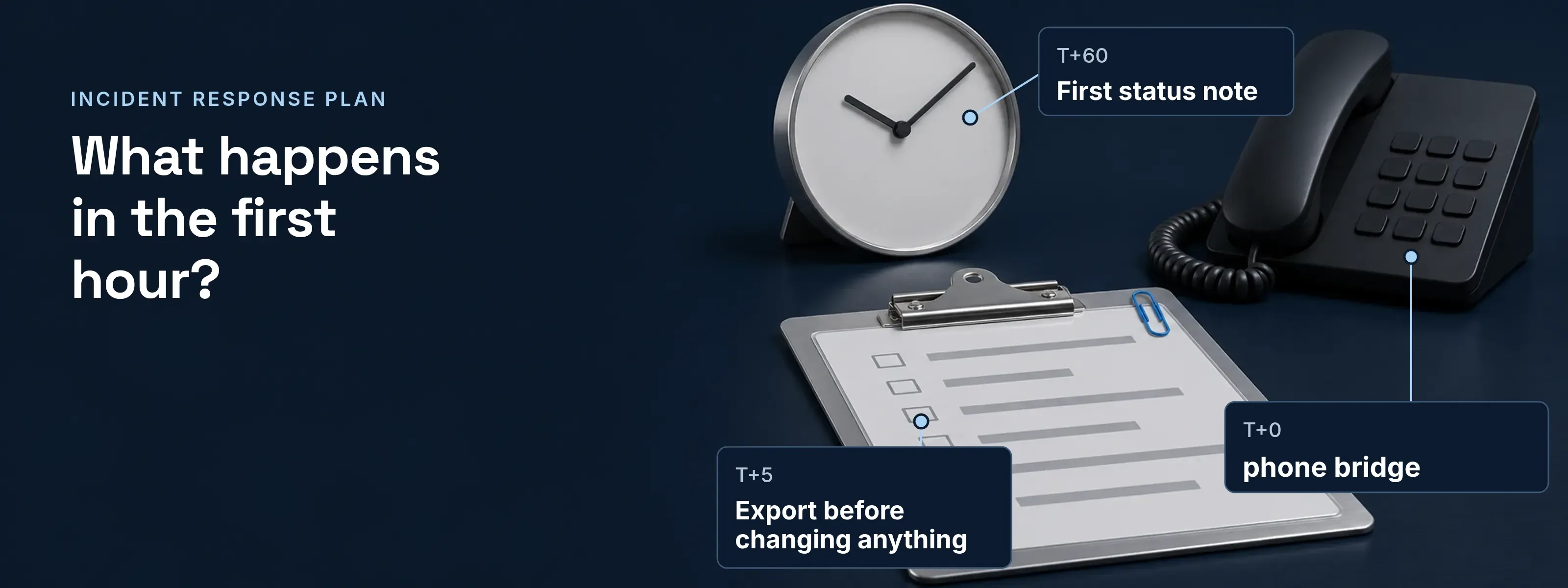
The plan has to work at 02:00 for someone who has never opened it: one page, named owners, decisions already made. Below is that page, then the plan run for one incident: a stolen administrator account.
The plan on one page
Five blocks of decisions, with example values for Acme.
- Roles and contacts
- Incident lead: on-call security engineer. Identity owner: on-call SSOGEN administrator. Communications: head of IT. Legal: outside counsel. Each with a mobile number kept outside the corporate directory.
- The attacker may be reading mail and chat, so contacts must work out of band.
- Severity
- SEV1 to SEV3, defined by identity impact. The incident lead sets the level.
- The level decides who is woken and how fast.
- First hour
- One checklist per incident type: compromised administrator, compromised user, stolen session, leaked secret.
- Nobody invents containment under pressure.
- Communications
- First status note within 60 minutes, then at a fixed interval. One owner for each reporting clock.
- Reporting clocks run from awareness, not from the end of the incident.
- Evidence
- Export logs before changing anything. Store exports read-only with a hash. Keep one shared timeline.
- Containment changes state. Evidence taken afterwards shows the fix, not the attack.
The first hour: a compromised admin account
Each containment step writes a named audit event, so the checklist doubles as the evidence index.
At 09:12 UTC the identity owner sees jordan.reyes@acme.example, a Super admin who is on a flight, create an API client. The incident lead declares SEV1.
- T+0The incident lead opens a phone bridge; chat and mail stay out until the account is contained.
- T+5Export before changing anything. Under Monitoring, Audit, Export a period, choose 7 days. The file
ssogen-audit-7d.jsonholds up to 50,000 events. Record the Audit integrity badge: Chain broken is a finding in itself. - T+10Reset MFA and Disable are refused for the last administrator who can still sign in, so confirm the second Super admin first. Then Lock the account (a user-locked event).
- T+15On the Sessions tab, Revoke each session; that browser signs out immediately. Revoke each Application sign-in too. Event:
platform.session.revoked. - T+20Call Jordan back on the number in the plan, then Reset MFA. Paired phones, authenticator apps, passkeys and recovery codes stop working immediately. Event:
mfa.reset_by_admin. - T+25Set a password with Require a new password at next sign-in ticked, and give it to Jordan by phone. Event:
local_password.admin_set_force_change. - T+30Scope it. Search the audit trail with Who did it set to the account and From (UTC) set to the first suspect event. Look for new administrators, roles, API and AI agent clients, provisioning tokens and identity provider connections.
- T+40Replace what the account could reach. Secrets replaced on the Secrets page take effect immediately, without a restart (
secret.replaced). Regenerate each Web Agent key with Regenerate and revoke the old key now, so the old key stops at once (agent.key.regenerated). Revoke SCIM tokens (scim_client.revoked). - T+50Stop the AI agents the account touched. Revoke the delegations it granted (
nhi.delegation_revoked) and Suspend any agent it registered or changed (nhi.suspended). - T+60First status note: what is known, what is contained, when the next note goes out.
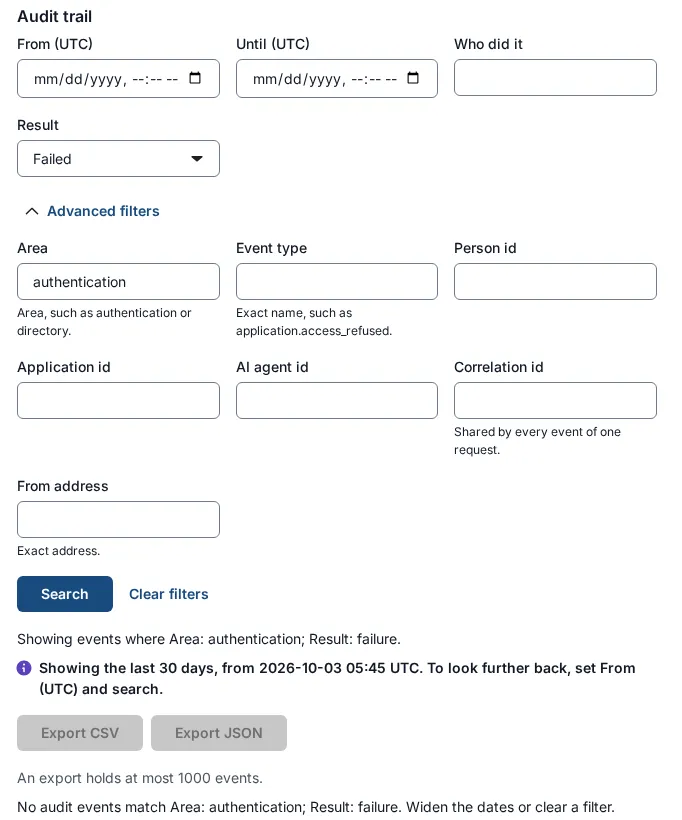
The user record guide covers every action above; the audit log guide covers exports and the hash chain.
Sessions outlive the sign-in
Revoking the SSO session ends what SSOGEN holds. An application’s own session lasts until you end it where it lives.
| Where the session lives | How long it can last | How to end it now |
|---|---|---|
| SSOGEN sign-in | Up to 720 minutes by default (30 minutes idle) | Sessions tab, Revoke |
| Access tokens already issued to applications | 60 seconds; at most 270 seconds for an AI agent’s token | Let them expire; revoke the application sign-in to stop renewal |
| Applications behind the SSOGEN Web Agent | 12 hours maximum, 30 minutes idle, by default | Stop and start Apache on each Web Agent server (systemctl restart httpd); a graceful restart is not enough |
| Applications published through the SSOGEN Gateway | 12 hours absolute, 30 minutes idle, by default | Use Rotate session keys now on the group: everyone signs in again on their next request |
| SAML and OIDC applications | The application’s own timeout | End the session in the application’s administration |
The Web Agent and Gateway steps sign out everyone on that server or group, so the plan names who may approve them. If the attacker arrived with a stolen cookie, session hijacking shows how it left the device.
Severity decides who gets woken
Three levels suit most teams.
- An administrator or AI agent credential in use by someone else: SEV1. Page the incident lead and the identity owner at any hour.
- One user account taken over, with no privileged access: SEV2. The identity owner responds the same business day and informs the incident lead.
- A failed password spraying run with no successful sign-in: SEV3. A ticket for the identity owner, reviewed at the weekly security meeting.
Frameworks, with dates
NIST SP 800-61 Rev. 3 (April 2025) replaces Rev. 2 and organizes incident response by the six CSF 2.0 functions. The mapping follows NIST’s Table 1; the SANS column is ours.
| NIST SP 800-61 Rev. 2 (2012) | SANS Incident Handler’s Handbook (2012) | NIST SP 800-61 Rev. 3 (2025) |
|---|---|---|
| Preparation | Preparation | Govern, Identify, Protect |
| Detection and Analysis | Identification | Detect |
| Containment, Eradication and Recovery | Containment, Eradication, Recovery | Respond, Recover |
| Post-Incident Activity | Lessons Learned | Identify (Improvement category), fed from every function |
- What changed. Lessons go to Improvement as soon as they are found, not after recovery.
- What stays valid. NIST says to use the life cycle model that suits you, so a four-phase plan still works.
- A SANS detail worth copying. The handbook schedules the lessons learned meeting within two weeks of the incident.
Clocks that start when you know
Two common deadlines run from awareness or a materiality decision, not from containment.
- GDPR Article 33: 72 hours. The controller notifies the supervisory authority without undue delay and, where feasible, within 72 hours of becoming aware of a personal data breach.
- SEC Form 8-K Item 1.05: four business days. A US registrant files within four business days after it determines that a cybersecurity incident is material.
Add the other clocks that apply, such as contracts and cyber insurance, each with an owner.
Building and running the plan
What are the stages of the incident response lifecycle in cyber security?
NIST SP 800-61 Rev. 2 named four phases: Preparation; Detection and Analysis; Containment, Eradication and Recovery; and Post-Incident Activity. SANS splits the same work into six steps. Rev. 3, published April 2025, maps incident response to the CSF 2.0 functions: Govern, Identify, Protect, Detect, Respond and Recover.
What does an incident response plan allow for?
It allows decisions to be made once, calmly, before an incident rather than during one. The plan settles who leads, how severity is set, what is contained first, who is told and by when, and which evidence is kept. The team then follows the page.
How do I create an incident response plan?
Start with people and decisions, then write them down on one page.
- Name the roles and their out-of-band contacts.
- Define three severity levels, each with an example.
- Write a first-hour checklist for each likely incident type.
- Give each communication and reporting clock an owner.
- Decide how evidence is exported and stored.
- Run a tabletop exercise, then fix what failed.
Identity-log signals that open the first hour are in identity threat detection and response.
Sources, all read 2026-11-18:
- NIST SP 800-61 Rev. 3, April 2025, section 2.1 and Table 1; supersedes Rev. 2 of August 6, 2012
- SANS, Incident Handler’s Handbook, Patrick Kral, February 21, 2012
- Regulation (EU) 2016/679, Article 33(1), text read at gdpr-info.eu
- SEC Form 8-K, General Instruction B.1 and Item 1.05, and the final rule in the Federal Register, published August 4, 2023
- SSOGEN documentation: the user record, the audit log and its event reference, break-glass recovery, secrets and AI agents
Updated