SSOGEN / Learn / Nmap Commands, With the Output Explained
Learn
Nmap Commands, With the Output Explained
One program, nmap, and about fifteen flags cover the Nmap commands in daily use. Reading what comes back is the harder part, so the page starts with a published scan and explains every line.
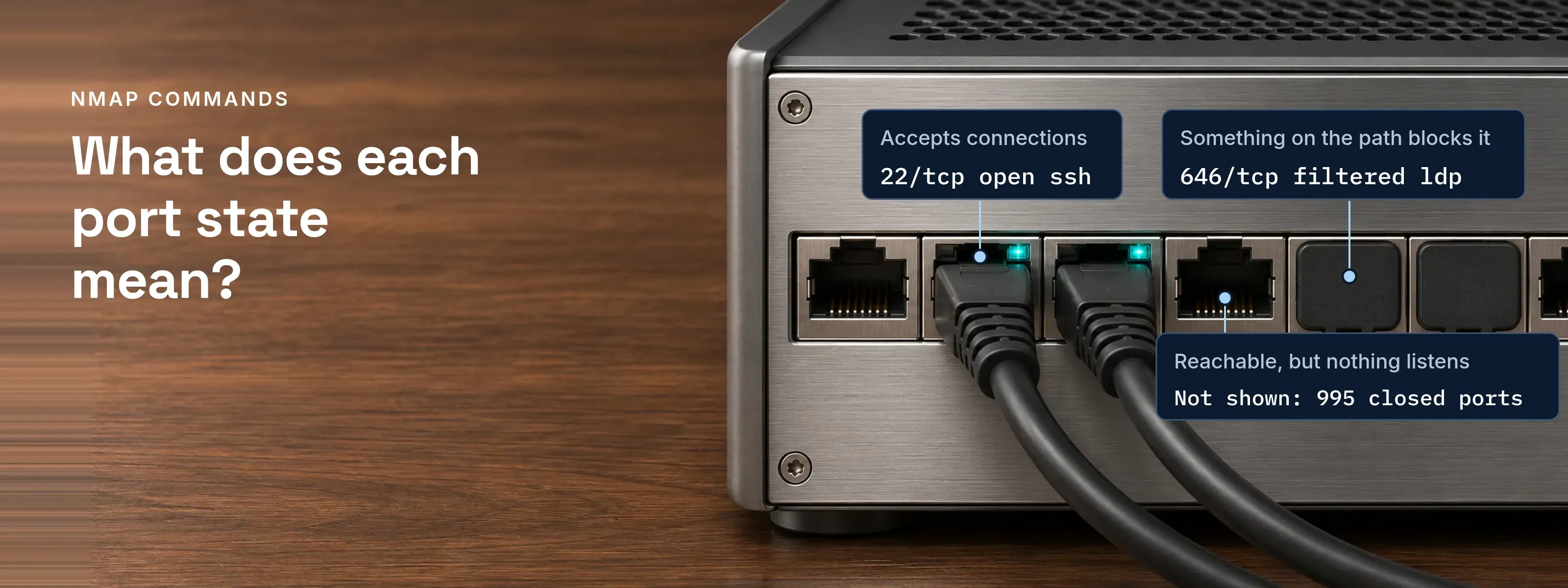
Every Nmap command takes one shape: nmap, flags, targets. Each flag adds a line to the result that shows it worked.
One scan of scanme.nmap.org, read line by line
Example 15.1 of the Nmap Reference Guide, quoted under its Creative Commons Attribution license; software versions are from its capture date.
# nmap -A -T4 scanme.nmap.org
Nmap scan report for scanme.nmap.org (74.207.244.221)Host is up (0.029s latency).rDNS record for 74.207.244.221: li86-221.members.linode.comNot shown: 995 closed portsPORT     STATE    SERVICE     VERSION22/tcp   open     ssh         OpenSSH 5.3p1 Debian 3ubuntu7 (protocol 2.0)| ssh-hostkey: 1024 8d:60:f1:7c:ca:b7:3d:0a:d6:67:54:9d:69:d9:b9:dd (DSA)|_2048 79:f8:09:ac:d4:e2:32:42:10:49:d3:bd:20:82:85:ec (RSA)80/tcp   open     http        Apache httpd 2.2.14 ((Ubuntu))|_http-title: Go ahead and ScanMe!646/tcp  filtered ldp1720/tcp filtered H.323/Q.9319929/tcp open     nping-echo  Nping echoDevice type: general purposeRunning: Linux 2.6.XOS CPE: cpe:/o:linux:linux_kernel:2.6.39OS details: Linux 2.6.39Network Distance: 11 hopsService Info: OS: Linux; CPE: cpe:/o:linux:kernel
TRACEROUTE (using port 53/tcp)HOP RTT      ADDRESS[Cut first 10 hops for brevity]11  17.65 ms li86-221.members.linode.com (74.207.244.221)
Nmap done: 1 IP address (1 host up) scanned in 14.40 seconds| Line | What it shows |
|---|---|
| 1 | # is a root prompt. -A adds -O, -sV, -sC and traceroute; without root, Nmap skips OS detection and traceroute. |
| 3 | Nmap scan report for: the name you typed and the address it resolved to. |
| 4, 5 | Host is up (0.029s latency): host discovery got a reply in 29 ms. The rDNS record is the address’s PTR name. |
| 6 | Not shown: 995 closed ports: of the default 1,000 TCP ports, five are listed; 995 answered with a reset. |
| 7 | SERVICE is the port number looked up in nmap-services. VERSION comes from -sV, which talks to the service. |
| 9, 10, 12 | Lines that start with | are script output from -sC; |_ closes each block. http-title read the page title on port 80. |
| 13 | 646/tcp filtered ldp got no usable answer: something on the path blocks it. ldp is only the port-number guess. |
| 16 to 20 | Device type to Network Distance come from OS detection, which compares the TCP/IP responses with more than 2,600 fingerprints in nmap-os-db. |
| 21 | Service Info comes from version detection: a second hint about the OS. |
| 28 | Nmap done gives targets, hosts up and time. |
Open, closed, filtered: the six port states
A state records how the port answered Nmap’s probes, not which program runs behind it. Definitions from the Reference Guide:
| State | What Nmap saw | Where it appears | Next step |
|---|---|---|---|
open |
An application accepts connections or datagrams |
Any scan type |
Run -sV to name the service |
closed |
Reachable, but nothing listens |
Any scan type |
Nothing to do; the host is up |
filtered |
No reply after retries, or an ICMP unreachable such as type 3 code 13 |
Any scan type |
Check the firewall rules on the path |
unfiltered |
Reachable, but open or closed is unclear |
Only the ACK scan, -sA |
Rescan with -sS |
open|filtered |
No response, which an open port also gives in these scans |
UDP, IP protocol, FIN, NULL, Xmas |
Add -sV to separate open UDP ports |
closed|filtered |
Closed or filtered is unclear |
Only the IP ID idle scan |
Rescan with another scan type |
Filtered ports slow a scan, because Nmap retries each silent probe.
The 15 Nmap commands, grouped by job
Example lines are quoted from nmap.org; lines marked illustrative use documentation addresses.
| Command | What it does | Line to look for | Root |
|---|---|---|---|
nmap scanme.nmap.org |
Host discovery, then the 1,000 most common TCP ports |
Not shown: 994 filtered ports (Example 4.2) |
No; connect scan without it |
nmap -sn 192.0.2.0/24 |
Host discovery only, no port scan |
Nmap done: 256 IP addresses (3 hosts up) (illustrative) |
No; then probes TCP 80 and 443 only |
nmap -p 22,80,443 <host> |
Only the listed ports |
22/tcp open ssh (Example 4.2) |
No |
nmap -p- <host> |
Every TCP port, 1 through 65535 |
Not shown: 65530 filtered ports (Example 4.3) |
No |
nmap --top-ports 100 <host> |
The 100 most common ports; -F does the same |
Not shown: 97 closed ports (illustrative) |
No |
nmap -sS <host> |
SYN scan; never completes the handshake |
Completed SYN Stealth Scan (Example 4.3, -v) |
Yes |
nmap -sT <host> |
Full TCP connect; targets log it more often |
Completed Connect Scan (illustrative, -v) |
No |
nmap -sU -p 53,123,161 <host> |
UDP scan of DNS, NTP and SNMP |
123/udp open|filtered ntp (illustrative) |
Yes |
nmap -sV <host> |
Names the software on each open port |
80/tcp open http Apache httpd 2.2.14 ((Ubuntu)) (Example 15.1) |
No |
nmap -O <host> |
OS detection by TCP/IP fingerprint |
OS details: Linux 2.6.39 (Example 15.1) |
Yes |
nmap -sC <host> |
The default script set, same as --script=default |
|_http-title: Go ahead and ScanMe! (Example 15.1) |
No |
nmap -A <host> |
-O, -sV, -sC and --traceroute together |
TRACEROUTE (using port 53/tcp) (Example 15.1) |
For -O and traceroute |
nmap -T4 <host> |
Aggressive timing; TCP scan delay capped at 10 ms |
No new line; a shorter scanned in time |
No |
nmap -Pn <host> |
Skips host discovery; treats every target as up |
A report even for a host that ignores pings (illustrative) |
No |
nmap -oA scan <host> |
Saves normal, XML and grepable output |
Host: 192.0.2.10 () Ports: 22/open/tcp//ssh/// in scan.gnmap (illustrative) |
No |
-T3 is the default timing, so it changes nothing.
Default scan or all ports: 5 seconds against 8 minutes
nmap.org scanned the same host both ways in its Port Scanning Tutorial: 1,000 ports in 4.99 seconds, then all 65,536 (-p0- adds port 0, and -A was on) in 477.23 seconds.
# nmap scanme.nmap.org
Nmap scan report for scanme.nmap.org (64.13.134.52)Not shown: 994 filtered portsPORT    STATE  SERVICE22/tcp  open   ssh25/tcp  closed smtp53/tcp  open   domain70/tcp  closed gopher80/tcp  open   http113/tcp closed auth
Nmap done: 1 IP address (1 host up) scanned in 4.99 seconds# nmap -p0- -v -A -T4 scanme.nmap.org
Scanning scanme.nmap.org (64.13.134.52) [65536 ports]Completed SYN Stealth Scan at 00:10, 463.55s elapsed (65536 total ports)Nmap scan report for scanme.nmap.org (64.13.134.52)Not shown: 65530 filtered portsPORT STATE SERVICE VERSION22/tcp open ssh OpenSSH 4.3 (protocol 2.0)25/tcp closed smtp53/tcp open domain ISC BIND 9.3.470/tcp closed gopher80/tcp open http Apache httpd 2.2.2 ((Fedora))113/tcp closed auth
Nmap done: 1 IP address (1 host up) scanned in 477.23 secondsThe default scan skips 64,535 TCP ports. Here the full run found the same six ports. A service on a port outside the default list shows up only with -p-.
-oA scan writes scan.nmap (as on screen), scan.xml and scan.gnmap; the Reference Guide calls the grepable format deprecated.
NSE scripts that read identity services
Four scripts show what TLS, LDAP and Kerberos give away. Tags are NSEDoc categories; check for intrusive first.
ssl-certon TCP 443: default, safe, discovery. Prints the certificate subject, alternative names and validity dates;-vadds issuer, key type and fingerprints.-sCincludes it. Each field is explained in how an X.509 certificate is built.ssl-enum-cipherson TCP 443: discovery, intrusive. Opens one connection per cipher suite and lists every TLS version and suite the server accepts, each graded A to F. SSOGEN accepts TLS 1.3, and TLS 1.2 only with ECDHE key exchange and AES-GCM or ChaCha20-Poly1305 suites, as listed in SSOGEN’s TLS requirements.ldap-rootdseon TCP 389: discovery, safe. Reads the directory’s root DSE and takes no credentials: naming contexts, LDAP versions, SASL mechanisms and, on Active Directory, the host name. To see which directory ports answer first, use the LDAP port reference.krb5-enum-userson TCP 88: auth, intrusive. Guesses usernames against a Kerberos KDC for a realm you supply.KRB5KDC_ERR_C_PRINCIPAL_UNKNOWNmeans the name does not exist; a TGT orKRB5KDC_ERR_PREAUTH_REQUIREDmeans it does. Confirmed account names feed password attacks, so run it only in an authorized test.
$ nmap -p 389 --script ldap-rootdse <host>
PORT    STATE SERVICE389/tcp open  ldap| ldap-rootdse:|     currentTime: 20100112092616.0Z|     subschemaSubentry: CN=Aggregate,CN=Schema,CN=Configuration,DC=cqure,DC=net|     dsServiceName: CN=NTDS Settings,CN=LDAPTEST001,CN=Servers,CN=Default-First-Site,CN=Sites,CN=Configuration,DC=cqure,DC=net[...]|     defaultNamingContext: DC=cqure,DC=net[...]|     supportedLDAPVersion: 3|     supportedLDAPVersion: 2[...]|_    domainControllerFunctionality: 2
Without credentials, it names the domain and the domain controller.
Short answers on Nmap usage
What are the Nmap commands?
Nmap has one command, nmap, followed by flags and one or more targets. The flags do four jobs: choose hosts and ports (-sn, -p, -p-), pick the scan type (-sS, -sT, -sU), identify what answers (-sV, -O, -sC), and set speed and output (-T4, -Pn, -oA).
How to use Nmap to scan?
Install Nmap, then run nmap against a host you may scan, such as nmap scanme.nmap.org. On Debian and Ubuntu, run apt-get install nmap; on Red Hat and Fedora, yum install nmap. Kali Linux includes Nmap by default. On Windows, the nmap.org self-installer includes Npcap. SYN, UDP and OS scans need root or Administrator.
Which scans are the best to start with?
For a first look at a host you know, nmap -sV -sC -T4 <host> answers most questions. It names the services on the 1,000 default ports and runs the default scripts. Add -p- when you need every TCP port, -sU -p 53,123,161 for the main UDP services, and -oA <name> on every run to keep the result.
How to tell Nmap to scan all ports?
Use -p-, which scans TCP ports 1 through 65535. Add -T4 on a fast, reliable network; nmap.org’s own all-port scan of scanme.nmap.org took 477 seconds. UDP needs its own run, -sU -p-, and takes far longer: with a Linux-style limit of one ICMP port unreachable per second, 65,536 UDP ports take more than 18 hours.
From open port to finding
Matching each version against known CVEs is the job of a vulnerability scan. Nmap checks hosts you already know about; finding the ones you do not is attack surface management.
Sources, all read 2026-11-18:
- Nmap Reference Guide (Creative Commons Attribution 3.0, Nmap Software LLC): description and Example 15.1, host discovery, port scanning basics, port scanning techniques, port specification, version detection, OS detection, NSE, timing and performance, output, miscellaneous options, examples, legal notices, firewall and IDS evasion
- Nmap Network Scanning: Port Scanning Tutorial, Examples 4.2 and 4.3; OS detection usage, Example 8.1; install guides for Windows and Linux
- NSEDoc: ssl-cert, ssl-enum-ciphers, ldap-rootdse, krb5-enum-users
- scanme.nmap.org, the Nmap Project’s permitted test host; Kali Linux tools: nmap
Updated