SSOGEN / Learn / What Is a Botnet? How Infected Devices Take Orders
Learn
What Is a Botnet? How Infected Devices Take Orders
Infected computers, routers and cameras that take orders from servers one operator controls form a botnet. Each device runs whatever task arrives: a ransomware payload, proxied traffic, sign-in attempts or a flood of packets.
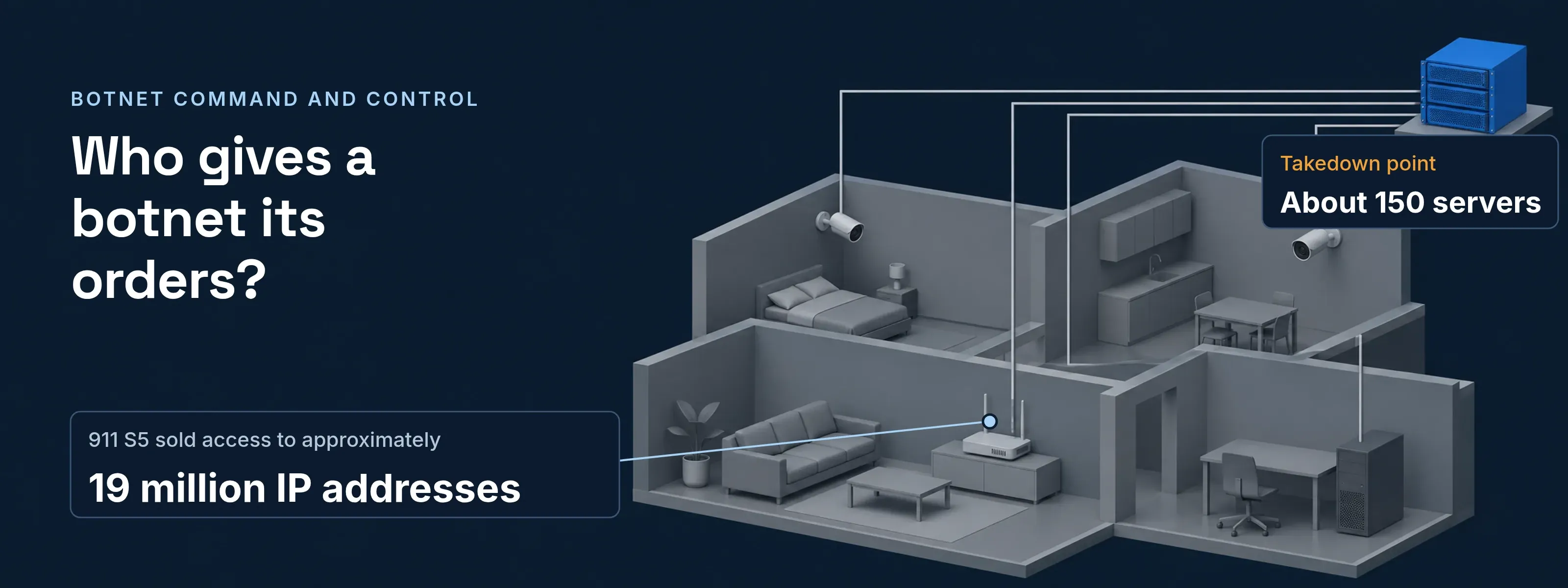
The owners rarely notice. When the Justice Department announced the Qakbot takedown on August 29, 2023, it said owners of infected computers were typically unaware. The FBI had found more than 700,000 of them, over 200,000 in the United States.
Whoever holds the servers holds the fleet. That is also where a takedown strikes.
How a botnet works: four steps, one weak point
Step 1 is ordinary malware delivery, covered in what is a Trojan horse. Steps 2 to 4 turn one infection into a fleet. Each step below carries a fact from the Qakbot case.
Botnet life cycle, with the 2023 Qakbot takedown at command and control
- Operatorruns the botnet
- Infected computerQakbot: 700,000+ worldwide
- Command serveroperator-controlled
- Targeta network or a sign-in page
- Operator to Infected computer1Infection: spam email with a malicious attachment or linkQakbot spread mainly this way.
- Infected computer to Command server2Enrollment: the bot checks in and waits for ordersThe owner typically sees nothing.
- Command server to Infected computer3Command and control: tasks and payloads arriveTakedown point: the FBI redirected this traffic to its own servers, which told bots to download an uninstaller.
- Infected computer to Target4Tasking: the bot runs the job it was sentQakbot delivered ransomware for groups including Conti, REvil and Black Basta.
Qakbot ran from central servers, and so did 911 S5, which used about 150 dedicated servers to command its devices. Peer-to-peer designs pass orders from bot to bot instead, which leaves no single server to seize.
What a botnet is used for, with a dated case each
One fleet sells many jobs. The target only sees the last hop.
| Task | What the bots send | What the target sees | Public case |
|---|---|---|---|
| Malware loading | A second payload, downloaded on order | Ransomware inside the network | Qakbot: Conti, REvil, Black Basta (DOJ, Aug 29, 2023) |
| Residential proxy resale | A paying customer’s traffic, relayed through the home computer | Requests from ordinary home addresses | 911 S5: approximately 19 million IP addresses; an estimated 560,000 fraudulent unemployment claims (DOJ, May 29, 2024) |
| Password spraying | One common password tried on many accounts | Failed sign-ins from residential addresses | CISA AA24-057A, Feb 26, 2024 |
| Distributed denial of service | Traffic from every bot at once | A connection flooded until it fails | Mirai, 2016: hundreds of thousands of cameras, routers and video recorders (DOJ, Dec 13, 2017) |
Why blocking addresses misses a botnet
CISA advisory AA24-057A notes that residential proxies make address-based indicators less effective. The same attempts read differently depending on what you count:
Counted per address, the attack hides. Thousands of home addresses each send an attempt or two, far below a limit of 20 attempts per address per minute. Blocking one address changes nothing.
Counted per account, the attack adds up. Every wrong password for one person lands on one counter, whatever the address. With a lockout after 5 wrong passwords, the fifth locks the account for 15 minutes.
Spraying keeps each account’s count low as well, so the person’s own sign-in history matters as much as the count. The log patterns are on credential stuffing and password spraying.
What SSOGEN counts per person, not per address
Three SSOGEN controls follow the person, whichever address an attempt comes from.
- Password lockout. The default preset follows NIST SP 800-63B: 5 wrong passwords in a row lock the account for 15 minutes. The range is 3 to 100 attempts and 1 to 1,440 minutes.
- Second-step lock. 10 consecutive failed codes, across every method, lock that person’s second step for 15 minutes. The lock ends on its own. See security settings.
- Sign-in risk score. A score from 0 to 100 reads the person’s own browser and network history, your network zones and recent failed attempts on the account. A rule such as “Risk score is at least 50” can ask for a second factor or deny. See rules and conditions.
Questions people ask
How do I know if I am in a botnet?
Usually you do not see it: DOJ says owners of Qakbot-infected computers were typically unaware. Look for a known bot by name instead. For 911 S5, the FBI tells Windows users to check Task Manager for processes such as mask_svc.exe (MaskVPN) and dew_svc.exe (DewVPN), then search installed programs for those names.
What is a botnet example?
911 S5, dismantled in an operation the Justice Department announced on May 29, 2024. Its administrator allegedly spread malware through free VPN programs such as MaskVPN and DewVPN, commanded the devices from about 150 servers and sold access to approximately 19 million IP addresses. The United States estimates 560,000 fraudulent unemployment claims came from them.
Are botnets illegal?
Building or running one is prosecuted as a federal crime in the United States. The three creators of Mirai pleaded guilty in December 2017 to conspiracy to violate the Computer Fraud and Abuse Act. The 911 S5 administrator was charged in 2024 with computer fraud and conspiracy to commit wire fraud and money laundering. DOJ calls infected machines victim computers.
How do I remove a botnet?
Remove the bot program from each infected device, then secure the accounts it could reach. The FBI’s 911 S5 steps: end the process in Task Manager, uninstall the program under Add or remove programs and delete its leftover folder. Then change your passwords from a clean device and sign out every other session.
Sources
Updated