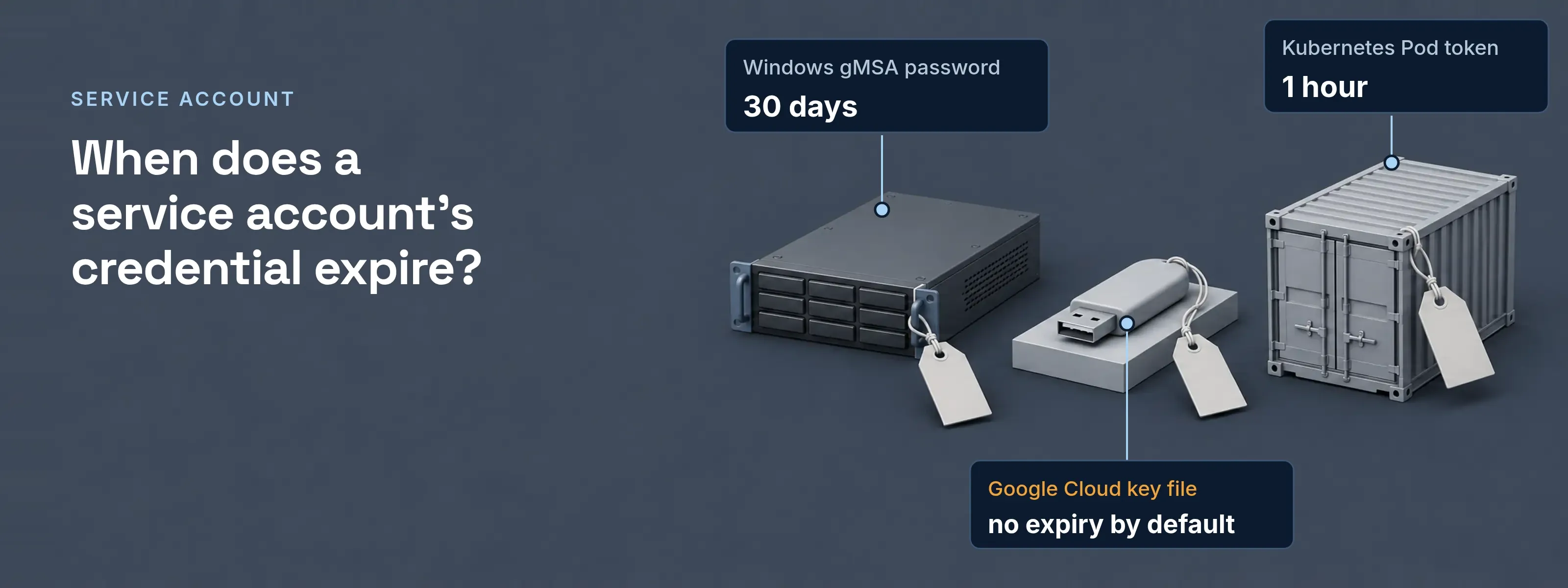
Windows, Google Cloud and Kubernetes all use the term, and each hands the program a different proof: a password the domain controller manages, a key file or attached credentials, or a short-lived token.
What the service holds to sign in
The account name rarely causes trouble. The credential behind it does. Here are the three artifacts as they look on a server at Acme Corp, with the secret part removed.
New-ADServiceAccount -Name svc-reports ` -DNSHostName svc-reports.acme.example ` -PrincipalsAllowedToRetrieveManagedPassword "Report Servers" ` -ManagedPasswordIntervalInDays 30spec: serviceAccountName: reports volumes: - name: kube-api-access-7xk2p projected: sources: - serviceAccountToken: expirationSeconds: 3607 path: token{ "type": "service_account", "project_id": "my-project", "private_key_id": "3f9c0d...e21a", "private_key": "[PEM private key removed]", "client_email": "reports@my-project.iam.gserviceaccount.com", "client_id": "1048...7731", "token_uri": "https://accounts.google.com/o/oauth2/token"}- Windows gMSA password: 30 days. The domain controller computes it from a Key Distribution Service key. Hosts in
Report Serversfetch the current and previous value. Nobody types it, and the interval is fixed when the account is created. - Google Cloud key file: no expiry by default. A downloaded key stays valid until someone deletes it, unless an organization policy sets an expiry for new keys. Google lets you download it only once. Attaching the service account to the VM instead leaves nothing on disk: the application gets short-lived credentials at run time.
- Kubernetes Pod token: 1 hour. The kubelet requests it through the TokenRequest API, binds it to the Pod and refreshes it before it expires. The Kubernetes docs show 3607 seconds in their example. The older Secret-type token never expires and never rotates.
Service account, user account, workload identity
Three identities share a directory and differ in who signs in and what proves it. A service account is one type of non-human identity; API keys, certificates and AI agents are others.
| User account | Service account | Workload identity | |
|---|---|---|---|
| Who signs in | A person | A program, a scheduled job or a Windows service | A workload such as a VM, a Pod or a CI job |
| What proves it | Password, then MFA | Managed password, key file or token | A token its cloud or cluster issues at run time |
| MFA prompt | Yes | No person to answer it | No person to answer it |
| Credential lifetime | Password until changed | 30 days (gMSA) to no expiry by default (Google key) | Short, such as the 1-hour Kubernetes token |
| Who owns it | The person | Nobody, until you record an owner | The team that runs the workload |
What are Microsoft managed service accounts?
Microsoft managed service accounts are Windows accounts whose password Windows manages, so no administrator types or rotates it. Microsoft Learn lists four kinds for Windows Server. The group managed service account (gMSA) is the usual choice for a service that runs on several servers or behind a load balancer. The other three cover one server or one replacement.
- sMSA. A standalone managed service account for one server. It isolates the domain account of a single application, such as IIS.
- gMSA. A group managed service account that several servers share. Its password rotates every 30 days by default.
- dMSA. A delegated managed service account, introduced in Windows Server 2025. Its secret is fully randomized and tied to the machine identity. It can replace an old service account and disable that account’s password.
- Virtual account. A managed local account on one server. On the network it acts as the computer account, such as
ACME\SRV01$.
What is a service principal account?
A service principal is the identity an application has inside one Microsoft Entra tenant, and it does the job a service account does elsewhere. Entra checks sign-in and resource access against it. Microsoft names three types. A managed identity is the one with no credential for a developer to handle.
| Type | What it represents |
|---|---|
Application |
The local instance of an app registration, created in each tenant where the app is used |
Managed identity |
An Azure managed identity; Microsoft states it removes the need to manage credentials |
Legacy |
An app created before app registrations existed; it has no app registration |
A workload outside Azure can still avoid a stored secret. Workload identity federation trades a token from its own environment for an Entra or Google Cloud token.
How to check if a service account is being used
Check the sign-in records first, then the credential’s own usage data. An account in use leaves logon events on Windows, key authentication events in Google Cloud and a last-used date on legacy Kubernetes tokens. If a full review period shows nothing, disable the account, watch for errors, then delete it.
Windows: event 4624, logon type 5
Filter the Security log on the account name. Logon type 5 means the Service Control Manager started a service under it.
Google Cloud: insights and metrics
Service account insights list accounts not used in the past 90 days. The Key Authentication Events metric shows when one key was last used and how often. Both work per project.
Kubernetes: the last-used label
Read the
kubernetes.io/legacy-token-last-usedlabel on the token Secret. From v1.29, auto-generated legacy tokens unused for one year are marked invalid, then purged after another year.
When a service signs in to SSOGEN
In SSOGEN, a program that calls an API registers as a service application: an ordinary OAuth client that signs in as itself, such as a nightly job or a build server.
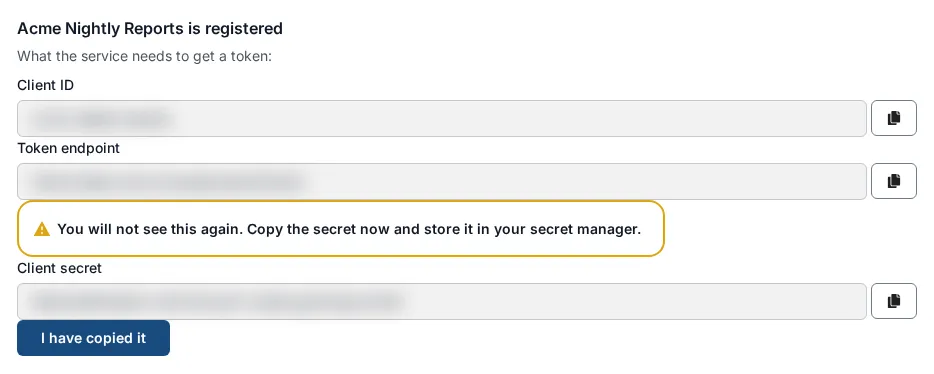
| Setting | For a service application |
|---|---|
Grant |
Client credentials. The client ID becomes the subject of every token it gets. |
Proof |
Private key JWT, the recommended method, with up to 5 public keys. A client secret is the alternative, shown once. |
Lifetime |
Access tokens last 5, 15 (the default) or 30 minutes, or 1 hour. |
Policy |
A program that needs owners, expiry and a kill switch registers as a non-human identity of type Service; a policy rule with the Asked by condition can then match it. |
Every field, from audiences to the one-time secret, is in Register a service application.
Replace stored credentials with managed ones
A stored credential lasts until someone removes it. Windows, Google Cloud and Kubernetes each offer a managed option with no stored copy.
- Windows services: gMSA. Move services that run as a domain user with a fixed password to a gMSA, or to a dMSA on Windows Server 2025.
- Google Cloud workloads: attach. Attach the service account to the VM or service. Organizations created on or after May 3, 2024 block key creation by default.
- Kubernetes Pods: projected token. Delete Secret-type tokens you no longer need and let the kubelet mount short-lived ones.
Sources, all read 2026-11-18: Microsoft Learn, Service accounts in Windows Server (updated 2026-09-14), Group Managed Service Accounts overview and Application and service principal objects in Microsoft Entra ID; Google Cloud, Service accounts overview, Best practices for managing service account keys and Create and delete service account keys (all updated 2026-11-17); Kubernetes, Service accounts (modified 2026-03-16) and Managing service accounts (modified 2026-08-05).
Updated