SSOGEN / Learn / PAM vs IAM, Shown on One Root Account
Learn
PAM vs IAM, Shown on One Root Account
One host log line shows the PAM vs IAM boundary: sshd names root, never the person. IAM proves who a person is and which applications they may open; PAM controls shared admin accounts such as root and records who used one, when and why.
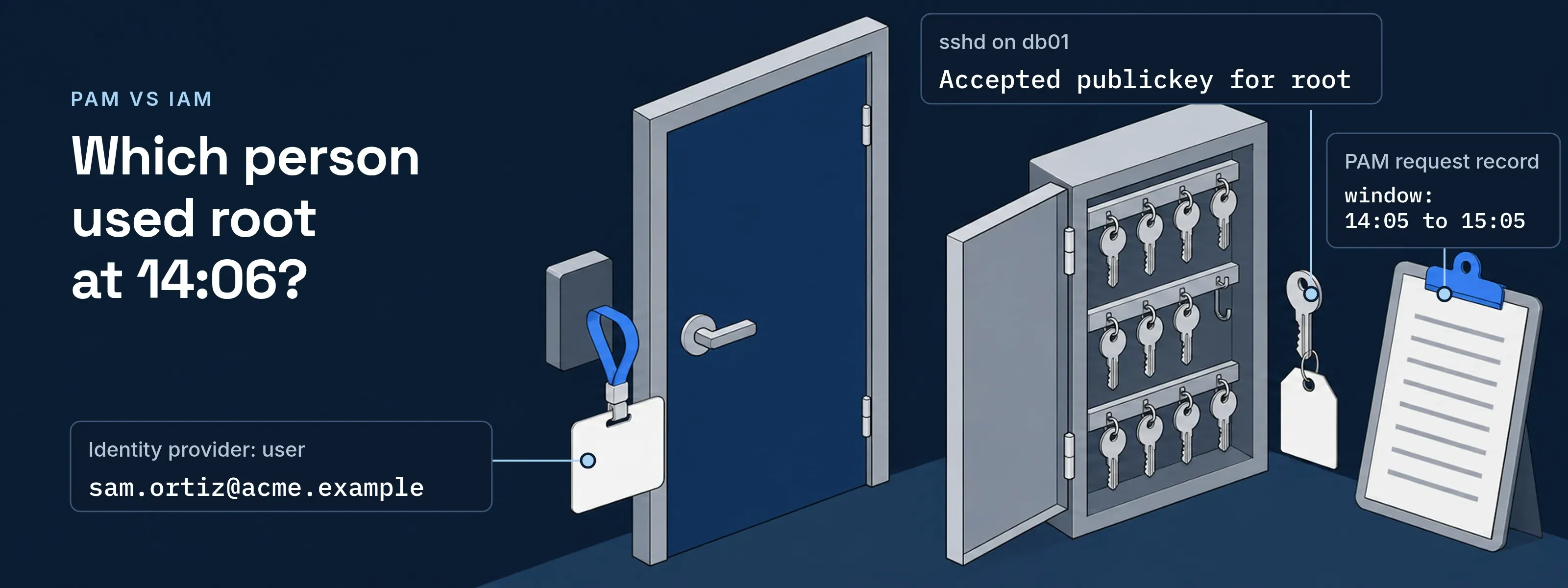
One shared account carries the whole comparison: root on Acme Corp’s orders database host, opened by four administrators with one copied key.
The account: root on db01
The orders database runs on db01.acme.example.
- Account
- root, UID 0
- Host
- db01.acme.example
- Can do
- Read every table file, stop the database, change any account
- Used by
- Four database administrators
- Credential
- One ED25519 key, copied to four laptops
- Access today
- Standing, any hour
The key exists because OpenSSH refuses passwords for root by default (PermitRootLogin prohibit-password). Every administrator signs in to Acme’s identity provider, then opens root with the same key.
Accounts that need both
An account that can change other accounts, or the system beneath them, needs PAM’s controls on top of IAM.
- root and Administrator. The local superusers on Linux and Windows hosts. They are often shared and often standing.
- Database owner accounts.
postgres,saand the schema owners an application was installed with. - Domain administrators. One such account can reset the password of every other account in the domain.
- Service accounts with admin rights. Software signs in with them, so each needs a named owner and a fixed review date.
- AI agents with elevated scopes. An agent that can change records or accounts needs the same approval and time limit as a person.
Six questions about root, answered by IAM and by PAM
Sam Ortiz is one of the four administrators. Laura Bennett leads the database team and approves changes on db01.
| Question about root | IAM answers | PAM answers |
|---|---|---|
| Who may reach db01? | Everyone assigned to the db01 application, directly or through the DBA group. | Of those, only a person with an approved request, right now. |
| How do they prove who they are? | The sign-in policy: a passkey, or a password plus a second factor. | It reuses that sign-in. The approver proves identity again before deciding. |
| Which credential opens root? | None. IAM stops at Sam’s own account, and the root key sits on four laptops. | One key that PAM holds and releases to one session. Nobody sees it. |
| When may they use it? | Whenever Sam has a valid session. There is no window. | Inside the approved window, 14:05 to 15:05. |
| What does the record show? | Sam signed in to Acme VPN at 14:02. | Sam asked, Laura approved, the reason, and the session that received the key. |
| What happens the day a DBA leaves? | The account is disabled and the person cannot sign in. The copied key still opens root from any network path to db01. | Nothing to rotate: they never held the key, and they can no longer request it. |
The sign-in event and the sshd line share no field
At 14:06 on November 12, Sam opens root on db01 the old way. Two systems write a line:
{ "time": "2026-11-12T14:02:11Z", "user": "sam.ortiz@acme.example", "app": "Acme VPN", "method": "passkey", "client_ip": "203.0.113.24", "result": "success"}Nov 12 14:06:40 db01 sshd[48211]: Accepted publickey for root from 198.51.100.17 port 52114 ssh2: ED25519 SHA256:NzjaFqYcws1/FXRP54I89J0/fTcOTi/MIVvnctB6Q5wNo field appears in both. The identity provider knows Sam. The host knows root, a VPN pool address and a fingerprint that four laptops share. Asked who used root at 14:06, the logs narrow it only to the four key holders.
With PAM in place, sshd still writes Accepted publickey for root. The fingerprint now belongs to a key only PAM holds, and PAM’s own record names the person:
request: PR-2291person: sam.ortiz@acme.exampleaccount: root on db01.acme.examplereason: Rebuild index on orders, ticket DB-4471approver: laura.bennett@acme.example, 14:05:02window: 14:05 to 15:05released: ED25519 SHA256:cyuWO3rJwyLEDCDL7jjdqLtypc/e/xFcCNPkQ0+65cY to session 7f3c, 14:06:39The controls that produce this record, and the NIST controls they map to, are on the privileged access management explainer.
Both sides in SSOGEN
SSOGEN does both jobs for SSH, RDP and VNC hosts. The sign-in policy decides the person; SSOGEN Remote Access releases the account.
- IAM side. People reach a host through its application’s assignments, directly or through a group. The policy engine sets, per application, how strongly they prove who they are. What if shows that decision rule by rule without signing anyone in.
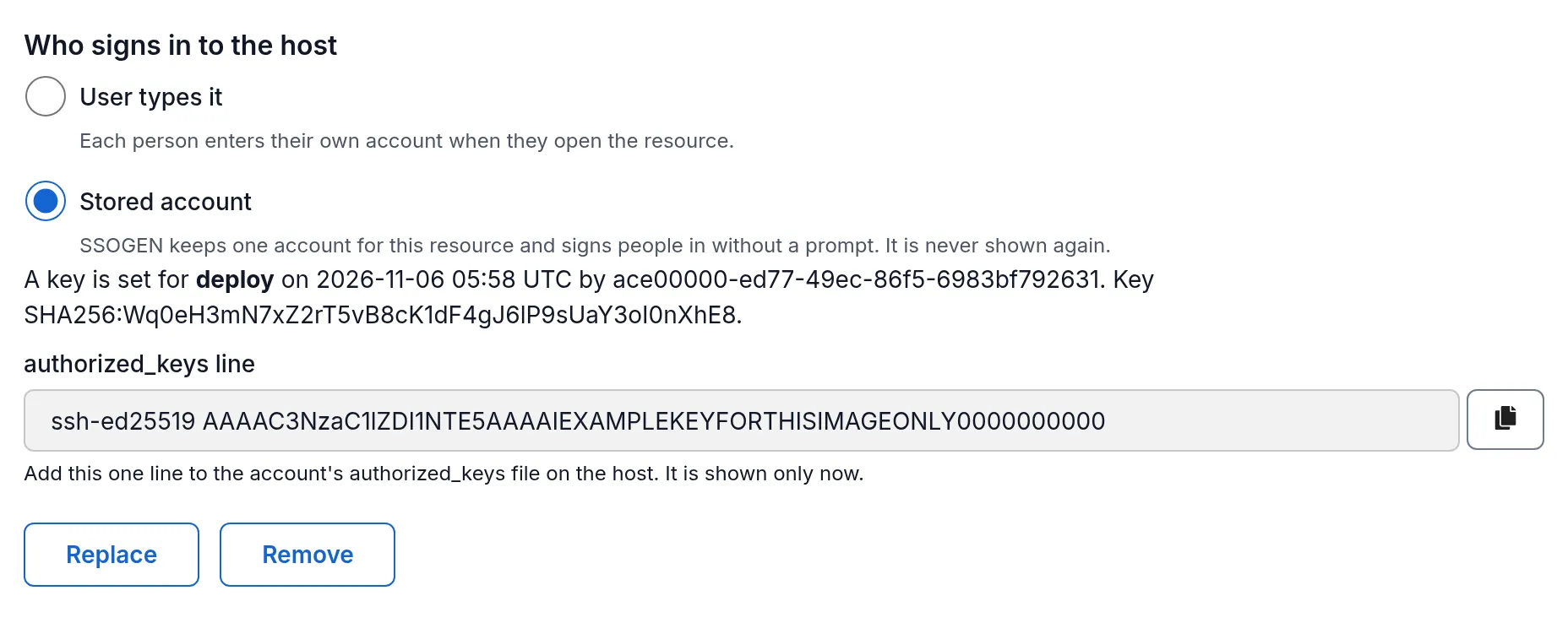
- Request and approval. Just-in-time access takes a reason of 10 to 500 characters and one approver, never the requester. The approver completes a second sign-in step within the last 10 minutes.
- Window. Access lasts 15 to 1,440 minutes. The window’s end, or a revoke, ends any live session.
- The key. The stored account is write-only: nobody in any role can read it back. SSOGEN releases it to the SSOGEN Gateway for one session, and only to a host that has proved its identity.
- The record. The timeline row “Stored account released to the Gateway for one session” names the session; “Key generated” keeps only the public key’s fingerprint. Audit cannot be turned off, and an export holds up to 1,000 events as CSV or JSON.
Root, PIM and the other acronyms
What’s the difference between PIM and PAM?
PIM is Microsoft’s name for time-bound role activation in Microsoft Entra ID and Azure; PAM is the wider practice. Entra PIM makes a user eligible for a role and activates it for a set time, with approval, multifactor authentication and a justification. PAM covers any privileged account, including a local root on a Linux host or a database owner.
Is PAM part of IAM?
Yes, PAM is the part of IAM for accounts that can change systems. It reuses IAM’s one identity per person and adds approval, a time limit, a hidden credential and a record of each use. On db01, IAM supplies “Sam Ortiz, signed in with a passkey”; PAM adds “used root from 14:06, approved by Laura Bennett”.
Is IAM like RBAC?
No, RBAC is one authorization model that IAM uses. The NIST model, standardized as ANSI/INCITS 359 in 2004 and revised in 2012, gives permissions to roles and roles to users. In IAM, a group assigned to an application is its everyday form. RBAC vs ABAC compares it with attribute-based rules.
What’s the difference between IAM and IGA?
IAM grants access at sign-in; IGA checks that the access is still right. IAM authenticates the person and applies the assignment and sign-in policy each time an application opens. IGA works on a schedule: owners review each grant, and access they reject is removed. IGA vs IAM sets both decisions side by side on one grant.
Is PAM the same as Linux PAM?
No. Linux PAM means Pluggable Authentication Modules, a library that lets programs such as sshd hand authentication to configurable modules. OpenSSH enables it with UsePAM yes. Privileged access management is a security practice built around approvals, time limits and records, and it shares only the acronym.
Sources, all read 2026-11-18: sshd_config(5), PermitRootLogin (OpenBSD-current, October 30, 2026); OpenSSH portable auth.c for the Accepted publickey log format and sshd_config.5 for UsePAM; Microsoft Learn: What is Privileged Identity Management? (updated November 17, 2026); NIST role-based access control project; Linux-PAM project.
Updated