SSOGEN / Learn / What Is Privileged Access Management?
Learn
What Is Privileged Access Management?
Privileged access management (PAM) is the set of controls that decide who may use accounts that can change systems, for how long, and that keep a record of what they did.
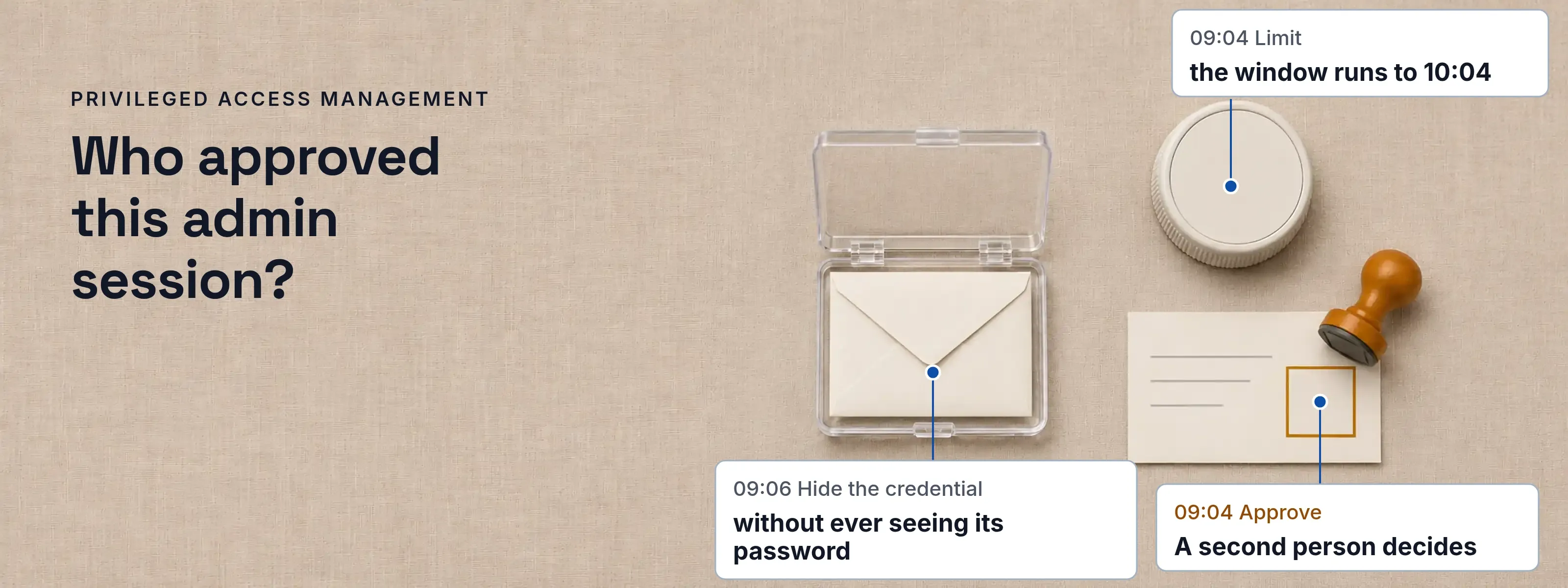
Four controls make an admin account safe to use: someone approves the use, the use has a time limit, the credential stays out of sight, and the session leaves a record. That is privileged access management. The accounts it covers can change the systems that a normal account can only use: root on a server, a domain administrator, the owner of a database.
One admin session, from request to record
At Acme Corp, Maria Lopez needs to fix a failing build on build01.acme.example. Pat Chen owns the server. Each row names the control and what happens. How SSOGEN Remote Access applies each one is under Where SSOGEN fits.
| Time | Control and what happens |
|---|---|
| 09:02 | Ask. Maria does not hold standing rights. She asks, and says why. |
| 09:04 | Approve. A second person decides, never the requester. |
| 09:04 | Limit. The access has an end the moment it begins. |
| 09:06 | Hide the credential. Maria reaches the server without ever seeing its password. |
| 09:31 | Work. Everything that crosses the session boundary is noted. |
| 10:04 | Record. The window closes and the evidence stays. |
What does privileged mean?
Privileged means able to do more than an ordinary user. A privileged account can change configuration, read all data in a system or manage other accounts. NIST’s glossary describes a privileged user as one authorized to perform security-relevant functions that ordinary users are not authorized to perform. Root, Administrator and domain admin are the usual examples.
What are the two types of privileged accounts?
The two types are human accounts and non-human accounts. A person signs in to the first; software signs in to the second. NIST’s glossary draws the same line with two terms, privileged user and privileged process.
- Human accounts. Administrators and engineers use them. Examples: root on a Linux server, a domain administrator, a local administrator on a laptop, an engineer’s SSH key. The usual weakness is a shared password that nobody changes.
- Non-human accounts. Software uses them. Examples: a service account, an application account, a pipeline’s deployment key. The usual weakness is an account created once, owned by nobody and never reviewed. See non-human identity. An AI agent with elevated scopes belongs here too.
What each control takes away
Each control removes one specific way a privileged account gets abused. NIST SP 800-53 Rev. 5 has a matching control for most rows: AC-6 Least Privilege, AC-6.5 Privileged Accounts, AC-6.7 Review of User Privileges and AC-6.9 Log Use of Privileged Functions.
| Weakness | Control | What the record shows |
|---|---|---|
| Standing access, on all week | Time limit | Window start and end |
| One shared root password | Credential kept out of sight | Which session the stored account was released to |
| A person approving their own use | Approval by a second person | Who decided, when, with what note |
| Activity nobody sees | Session record | Who, which resource, when, why, how it ended |
| Access nobody remembers granting | Expiry and revoke | “Access expired” or “Access revoked”, with who and why |
Where PAM sits beside sign-in and roles
IAM decides who someone is and which applications they may open; PAM adds tighter control over the few accounts that can change systems. IAM covers every user, every day, through sign-in, single sign-on and roles. PAM covers fewer accounts with higher risk, and adds approval, time limits, hidden credentials and a record of each session.
- IAM. It asks who you are and whether you may open this application. It controls a person and an application, usually for a whole working day. It keeps the sign-in log. See authentication and authorization.
- PAM. It asks why you need this account and who agreed. It controls one powerful account on one resource, for minutes or hours. It keeps the request, the decision and the session record.
The PAM vs IAM comparison takes one shared root account through both, with the two log lines that show where IAM stops.
Where SSOGEN fits
SSOGEN Remote Access applies these controls to SSH, RDP and VNC hosts opened in the browser.
| Control | In SSOGEN |
|---|---|
| Ask, 09:02 | A reason of 10 to 500 characters, such as “Fix failing nightly build 4412”, and a duration from 15 minutes up to the longest window an administrator set (at most 1,440 minutes). |
| Approve, 09:04 | A requester gives a reason, and a listed approver decides on the Approvals page. Pat Chen approves after a second sign-in step in the last 10 minutes. One approval decides, and the request moves from Pending to Approved. An undecided request expires after 1 to 72 hours. Approvals and access windows has every setting. |
| Limit, 09:04 | Access lasts from 15 to 1,440 minutes. Maria asked for 60 minutes, so the window runs to 10:04 and a live session ends with it. This is just-in-time access. |
| Hide the credential, 09:06 | The password or key is written once, never shown again, and released for one session at a time. The stored account goes to the SSOGEN Gateway for that session, and only to a host that has proved its identity. Maria works in her browser through secure remote access. |
| Work, 09:31 | A file Maria copies out appears on the timeline as “Direction: Out of the host”, “Size: 2.1 MB”, “Outcome: Completed”. Requests, decisions, clipboard use and file transfers are on the resource timeline and in Monitoring, Audit. |
| Record, 10:04 | The session timeline shows who, which resource, when, why, who decided, the capabilities allowed and how the session ended. Audit cannot be turned off, and an export holds up to 1,000 events as CSV or JSON. |
Start with the accounts nobody reviews
Inventory comes before tooling. Three steps close most findings:
List every privileged account
Include human accounts, service accounts, application accounts and keys. Write an owner next to each.Remove standing access
Pick the accounts used rarely and move them to request and approve, with a time limit. Servers are a good first target.Review and log
Log each use of a privileged function (AC-6.9) and review the privileges on a fixed date (AC-6.7).
Sources, all read 2026-11-17: NIST glossary: privileged user, privileged process and privileged account; NIST SP 800-53 Rev. 5, controls AC-6 and its enhancements (release 5.2.0, OSCAL catalog modified 2026-10-22).
Updated