SSOGEN / Learn / Secret Scanning: How a Scanner Finds a Leaked Key and What to Do Next
Learn
Secret Scanning: How a Scanner Finds a Leaked Key and What to Do Next
Secret scanning searches code and git history for credentials by pattern, entropy and provider check. When it finds one, revoke the credential first, then rotate it, then clean history.
A secret scanner reads text and flags anything shaped like a credential: a known prefix, a random-looking string, or a value that its issuer confirms is live. The five values below are fake. They keep the real prefix and length, and every provider check rejects them. To make real random keys for your own tests, use the API key generator.
| Fake value | What the scanner matches | Rule or check |
|---|---|---|
AKIA and wJalrXUtnFEMI/K7MDENG/bPxRfiCYEXAMPLEKEY |
The prefix AKIA plus 16 characters; the 40-character secret half scores 4.66 bits per character |
Gitleaks aws-access-token. GitHub lists the AWS key ID and secret access key as provider patterns. The Gitleaks default rule allowlists values ending in EXAMPLE, so this pair, which AWS documents as its example, passes. |
ghp_ |
ghp_ plus 36 letters and digits; the body scores 1.2 bits per character |
Gitleaks github-pat requires entropy of 3 or more. This fake falls below it; a random 36-character body would not. |
| A JWT, shown in full below the table | Three base64url parts joined by dots; the first two start eyJ |
Gitleaks jwt, which expects a signature of 10 or more characters (or none). The four-character FAKE signature slips under it. |
—–BEGIN RSA PRIVATE then MII...(elided) |
The header line, then a base64 body that starts MII |
Gitleaks private-key. GitHub lists rsa_private_key as a generic pattern. |
db_password = "s3cr3t-Acme-Pa55w0rd-x7Qk" |
The keyword password, an assignment, then a 25-character value at 4.13 bits per character |
Gitleaks generic-api-key, entropy floor 3.5, which this clears. GitHub lists password as an AI-detected pattern. |
eyJhbGciOiJub25lIiwidHlwIjoiSldUIn0.eyJzdWIiOiJkZW1vLXVzZXIiLCJpc3MiOiJodHRwczovL2xvZ2luLmFjbWUuZXhhbXBsZSIsImV4cCI6MTcwMDAwMDAwMH0.FAKEIt decodes to {"alg":"none","typ":"JWT"} and {"sub":"demo-user","iss":"https://login.acme.example","exp":1700000000}. The expiry is 2023-11-14, long past. Nothing signs it, so no service accepts it.
What a scanner decides, and where each detector fails
Scanners combine detectors. Each one leaves a different false alarm.
| Pattern | Entropy | Provider check |
|---|---|---|
A regular expression for a known shape, such as AKIA followed by 16 characters. Distinctive prefixes give few false alarms. A secret with no fixed shape gets through. |
A measure of how random a string looks, in bits per character. Gitleaks prints it with every finding; its README shows Entropy: 2.609850 for cafebabe:deadbeef. It catches formats no rule describes, and it also trips on hashes and build IDs that are not secrets. |
After a match, the tool asks the issuer whether the credential works. TruffleHog can log in to confirm a secret is live, and GitHub’s validity checks may contact the issuing service. Findings come with a live or dead verdict, but only for providers the tool supports. |
A JWT found in a log is a token, not a key. Paste it into the JWT decoder to read its expiry and audience before you rate the finding.
Where GitHub and pre-commit hooks catch a key
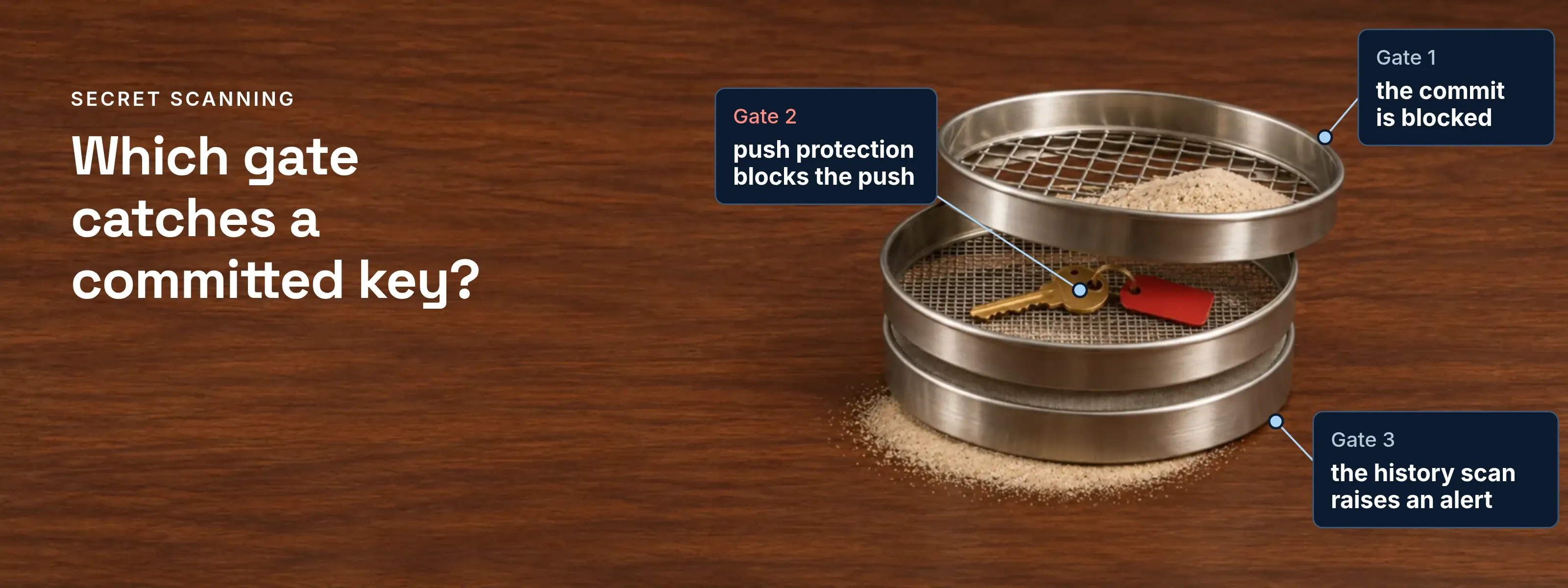
A secret scanning app is usually one of these gates packaged for one place to run: a GitHub feature, a CI step or a local hook. Follow one commit through all three.
One commit that contains a key
- Megandeveloper, laptop
- Pre-commit hookGitleaks, local
- GitHubpush protection and scan
- Megan to Pre-commit hook1Megan runs git commit with a key in the diffThe hook scans the staged changes.
- Pre-commit hook to Megan2Gate 1: the commit is blockedThe key never enters history.
- Megan to Pre-commit hook3Megan skips the hook with SKIP=gitleaksA local hook can be switched off by the person it checks.
- Megan to GitHub4Megan runs git pushThe commit carries the key.
- GitHub to Megan5Gate 2: push protection blocks the pushGitHub explains the block. Remove the secret, then push again.
- GitHub6Gate 3: the history scan raises an alertIt covers all branches and runs again when new secret types are added.
Push protection for repositories is off by default and is switched on by a repository administrator, organization owner, security manager or enterprise owner. Anyone with write access can bypass a block by giving a reason, and the bypass raises an alert. Who may bypass is an ownership decision; in DevSecOps, every pipeline gate has one owner and a waiver path.
Shift-left placement puts secret scanning at the earliest stage that catches a key. A key written into a Terraform provider block also fails the IaC check CKV_AWS_41, as infrastructure as code scanning shows.
A key leaked: revoke, rotate, clean up
Deleting the file or the commit does not make the key safe. GitHub’s guidance is to revoke or rotate the secret first, because a revoked secret can no longer be used for access.
| Order | Action | Why it sits here |
|---|---|---|
First |
Revoke the credential at the provider. Do this before anything else. Until the provider invalidates the key, everyone who copied it can use it. |
It stops the damage. The other two steps only tidy up. |
Second |
Rotate: issue a new one and deploy it. Create a replacement, place it in a secrets store and update what used the old one. Check the provider’s access log for use of the old key between the leak and the revoke. |
A key you cannot replace is a key you hesitate to revoke. |
Last |
Clean history only if you must. Rewriting history with git-filter-repo changes commit hashes, breaks diff views of closed pull requests and brings the secret back if someone pushes an old clone. GitHub notes the work is often unnecessary once the credential is revoked. |
It is the costliest step and protects nothing the first step did not. |
Passwords you store for users follow a different rule. They are hashed, not revoked, as Java password hashing shows.
Keep secrets out of the repository
The OWASP Secrets Management Cheat Sheet advises centralizing the storage, provisioning, auditing and rotation of secrets instead of leaving them in source and configuration files. Secrets management shows how to handle a secret through its life, from creation to revocation. The SSOGEN Secrets page holds the passwords and tokens that SSOGEN uses to reach your directory, mail server and applications.
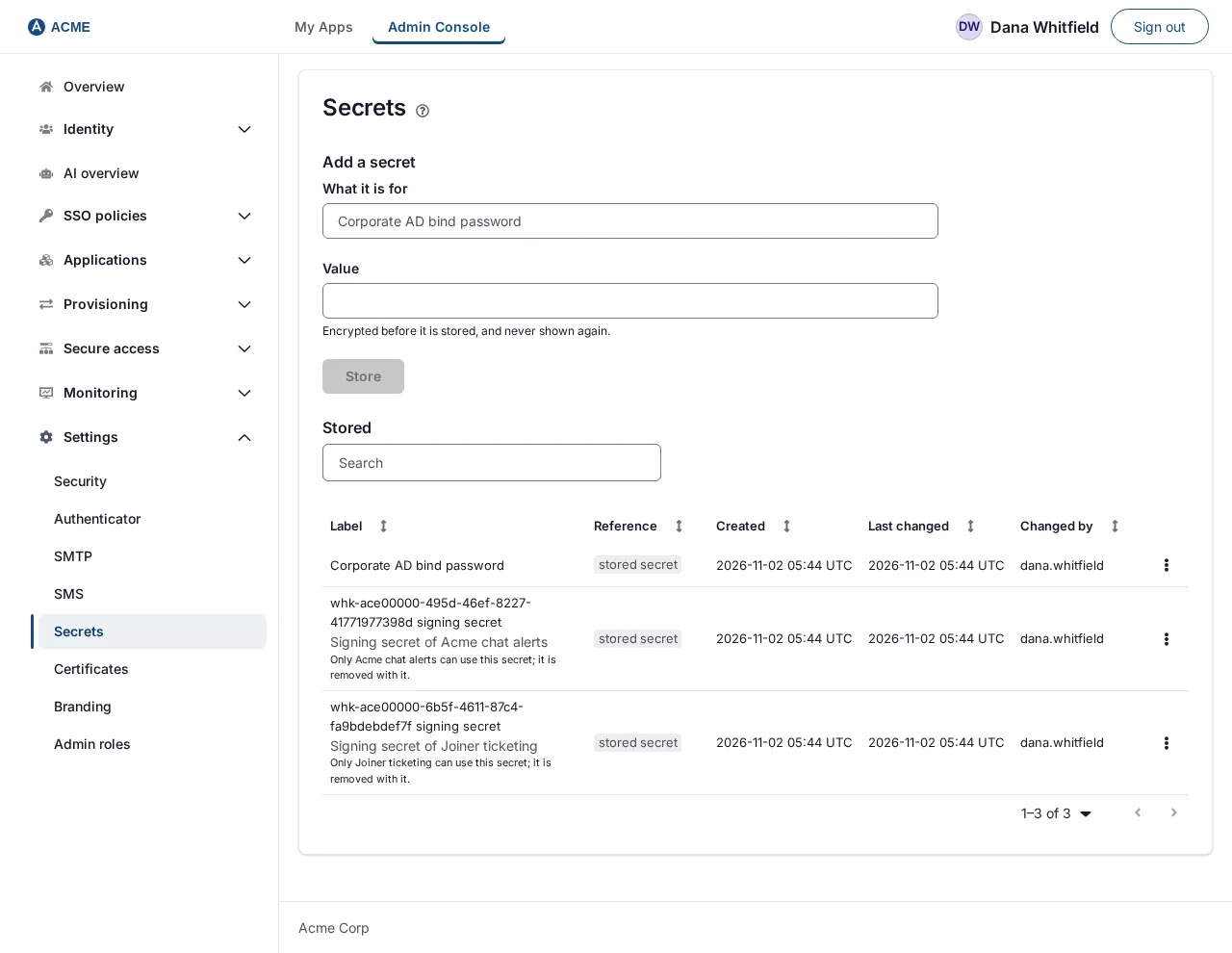
- Store a secret once. SSOGEN returns a reference that looks like
secret://stored/…, and the value never travels with it. - After you save a secret, it is never shown again.
- Replace the value later and everything that uses the reference keeps working without edits.
- Only a Super admin or an Authentication admin can open the page. The Secrets guide has the steps.
Questions people ask
What are some alternatives to Gitleaks for secret scanning?
Common alternatives are TruffleHog and GitHub secret scanning with push protection. TruffleHog classifies over 800 secret types and can log in to confirm a finding is live. GitHub scans a repository’s full history and blocks pushes. The three run in different places, so choose by where the check has to happen.
Can I read a GitHub secret?
Yes, but only through a workflow that names it. A stored Actions secret reaches a job only if that workflow refers to it. For a leaked credential, a secret scanning alert gives details of the exposure, but secrets matched by a partner pattern go to the provider and are not displayed in your repository alerts.
What are the different types of security scanning?
The main types are SAST, DAST, SCA, secret scanning, container scanning and IaC scanning. SAST reads source code without running it. DAST probes a running application; SAST vs DAST compares the two on one bug. SCA lists known-vulnerable dependencies. Secret scanning looks for credentials. Container scanning inspects image contents, and IaC scanning checks infrastructure templates for risky settings.
What is gitleaks secret scanning?
Gitleaks is an open-source command-line tool that detects passwords, API keys and tokens in git repositories, files and standard input. It runs as a pre-commit hook or a GitHub Action. Each finding reports a rule ID, the entropy, the file, the line and the commit. The git mode reads history through git log -p.
Try it on one old project
Run your scanner against a clone of one old project this week. The history it reports shows how large the cleanup would be. More explainers on credentials and web security are on the Learn hub.
Sources, all read 2026-11-17:
Updated