SSOGEN / Learn / OWASP Dependency-Check for Java
Learn
OWASP Dependency-Check for Java
OWASP Dependency-Check is an open source tool that matches the libraries in your build to published CVEs, then reports them or fails the build above a CVSS score you choose.
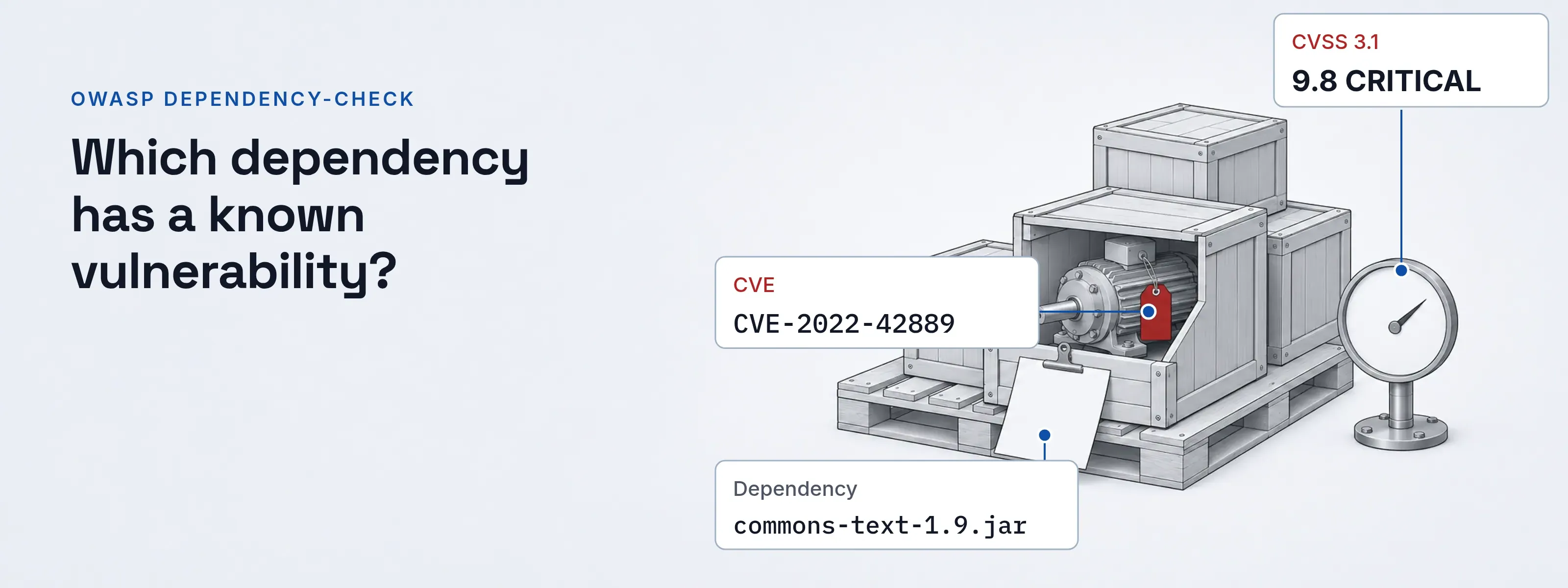
Which of my dependencies have a known vulnerability? Dependency-Check answers that during the build. It is a Software Composition Analysis (SCA) tool: it looks for a CPE identifier, the NVD’s naming scheme for products and versions, for each dependency and, when it finds one, links the report to the matching CVE entries in the National Vulnerability Database (NVD).
- Current version
- 13.0.0, released 2026-08-03
- License
- Apache 2.0
- Runs on
- Java 11 or later
- Maven plugin needs
- Maven 3.8.1 or higher
- Vulnerability data
- NVD API
How a jar becomes a finding
The tool never asks what a library is. It collects evidence and looks for a name that fits.
Collect evidence
Analyzers read the manifest, the
pom.xmland the package names inside each JAR and sort what they find into vendor, product and version evidence. Each item carries a confidence of low, medium, high or highest.Find a CPE
The evidence is matched against an index of the CPE entries listed in the NVD data. The CPE gets the lowest confidence of the evidence that produced it.
Attach the CVEs
Every CVE entry that lists that CPE as vulnerable is added to the report for the dependency.
Read the score
The report shows the highest severity of those CVEs. The same CVSS score feeds the build gate described below.
Identification does not use file hashes. A JAR you built from source would not match a published hash, so the project chose evidence matching instead. Network scanners match versions too, from banners and packages; vulnerability scanning of a server shows where that matching goes wrong.
Maven dependency check: add the plugin
Add the plugin to the build section of pom.xml. The check goal is tied to the verify phase.
<plugin> <groupId>org.owasp</groupId> <artifactId>dependency-check-maven</artifactId> <version>13.0.0</version> <configuration> <nvdApiServerId>nvd</nvdApiServerId> </configuration> <executions> <execution> <goals><goal>check</goal></goals> </execution> </executions></plugin>Run mvn verify. The plugin writes dependency-check-report.html to the target directory. The first run downloads and processes the NVD data and, according to the Maven documentation, may take 20 minutes or more. After that, a run at least every seven days updates in seconds.
Gradle setup
The Gradle plugin adds the same scan as the dependencyCheckAnalyze task.
buildscript { repositories { mavenCentral() } dependencies { classpath 'org.owasp:dependency-check-gradle:13.0.0' }}apply plugin: 'org.owasp.dependencycheck'Run ./gradlew dependencyCheckAnalyze. Reports appear under ${buildDir}/reports. The Gradle documentation puts the first run at 5 to 20 minutes.
Why the NVD API key comes first
Dependency-Check has used the NVD API since version 9.0.0 (November 2023). The project’s README highly recommends an API key and states that without one, updates are extremely slow. The plugins’ own default pause between NVD calls shows the gap: 3,500 ms with a key, 8,000 ms without. Each CVE arrives in the NVD record format, with the CPE ranges and CVSS scores the report shows.
| Tool | Where the key goes | Setting |
|---|---|---|
| Maven | settings.xml server entry, whose password is the key |
nvdApiServerId in the plugin configuration; nvdApiKey also exists |
| Gradle | The plugin’s nvd block |
dependencyCheck { nvd { apiKey = '...' } } |
| Command line | An argument | --nvdApiKey <apiKey> |
Request a key at nvd.nist.gov/developers/request-an-api-key. Keep it out of pom.xml; the Maven documentation says a settings.xml entry is the better place.
In CI, the README warns that one key shared by parallel builds can reach the NVD rate limit and receive 403 errors. Cache the downloaded data between builds. For operational use the project recommends mirroring the NVD.
Read one finding
Check the CPE before anything else. The report documentation says false positives are primarily wrong CPE values. If the CPE names the right library, the finding is real; decide whether to upgrade.
The record below fills the report’s fields for one well-known case: commons-text 1.9 and CVE-2022-42889. The values are from the NVD API, read 2026-11-17. It is not a screenshot of a run.
- Dependency
- commons-text-1.9.jar
- GAV
- org.apache.commons:commons-text:1.9
- CPE
- cpe:2.3:a:apache:commons_text, 1.5 up to but excluding 1.10.0
- CVE
- CVE-2022-42889 (CWE-94)
- CVSS 3.1
- 9.8 CRITICAL, AV:N/AC:L/PR:N/UI:N/S:U/C:H/I:H/A:H
| Question | Answer from the record |
|---|---|
| Does the CPE name the library? | Yes: vendor apache, product commons_text |
| Is the version inside the range? | Yes: 1.9 is at least 1.5 and below 1.10.0 |
| What does the NVD recommend? | Upgrade to Apache Commons Text 1.10.0 |
Verdict: a true positive. Change the version in the POM and run the scan again. If a row names a library you do not use, the next section closes it.
Suppress a false positive
A suppression file records a decision and, with until, makes it expire. This example uses an invented library on acme.example: a database driver whose CPE names the database server.
Before: the report names the server. A row for acme-sql-driver-2.4.1.jar lists cpe:/a:acme:db_server, and the CPE belongs to the server product, not to the driver.
After: a suppression closes it. The XML below records why and stops applying on the date shown, so the question comes back for review.
<?xml version="1.0" encoding="UTF-8"?><suppressions xmlns="https://jeremylong.github.io/DependencyCheck/dependency-suppression.1.4.xsd"> <suppress until="2027-03-31Z"> <notes><![CDATA[ CPE names the acme database server; this JAR is only the client driver. ]]></notes> <gav>com.acme.example:acme-sql-driver:2.4.1</gav> <cpe>cpe:/a:acme:db_server</cpe> </suppress></suppressions>The suppression examples in the documentation write CPEs in the older cpe:/a: form; the NVD record above uses cpe:2.3:a:. Point the build at the file with suppressionFiles in Maven, suppressionFile in Gradle or --suppression on the command line.
| Element | What it selects |
|---|---|
sha1 |
A file by its SHA-1 hash |
packageUrl |
The package URL shown in the report; optional regular expression |
gav |
Group, artifact and version; optional regular expression |
filePath |
The absolute path of the dependency; optional regular expression |
cve |
One CVE identifier |
cvssBelow |
Every CVE with a score below the value, for example <cvssBelow>7</cvssBelow> |
The HTML report also has a suppress button next to each CPE that generates the XML for you.
Fail the build above a CVSS score
The default for failBuildOnCVSS is 11. CVSS scores stop at 10, so the default never fails a build. Set it to the lowest score you will not accept.
- Maven.
<failBuildOnCVSS>8</failBuildOnCVSS>inside the pluginconfiguration, as in the Maven usage examples. - Gradle.
failBuildOnCVSS = 9.0insidedependencyCheck { }, as in the Gradle examples. - Command line.
--failOnCVSS <score>sets the exit code when a vulnerability at or above the score is found.
The score bands come from the FIRST CVSS v3.1 specification, Table 14.
Severity is only half of the picture. A CVE in the CISA KEV catalog is already under attack, and Dependency-Check can read that feed too (the --kevURL argument; --disableKnownExploited turns it off).
| Rating | Score | A gate set to the lowest score of the band fails on |
|---|---|---|
| Low | 0.1 to 3.9 | Every finding that has a score |
| Medium | 4.0 to 6.9 | Medium, High and Critical |
| High | 7.0 to 8.9 | High and Critical |
| Critical | 9.0 to 10.0 | Critical only |
Start with 9.0, fix what it finds, then lower the value. The build is one of seven stages where a check can run; shift left security shows which checks belong before it and which after.
What a dependency scan misses
CPE matching is a fit between names. It can flag the wrong library and miss the right one.
- Low evidence. In the report’s evidence count column, 0 to 5 means the JAR held too little information to identify a CPE, so a real vulnerability may go unreported.
- Unpublished flaws. Only publicly disclosed vulnerabilities appear. The documentation notes that flaws not yet disclosed are the greater concern.
- Other ecosystems. npm, pnpm and yarn projects need the matching tool installed, and the analysis uses its
auditfeature. Dependency-Track, a separate OWASP project, tracks components across many applications. - Your own code. A scan reports known flaws in libraries. A file-serving handler you wrote yourself needs a code review for path traversal. A SAST scan reads that code and reports the path from input to file call.
- Requirements. Java 11 to run the tool, and internet access to the NVD or a mirror of it.
Libraries that handle tokens and sessions are worth scanning first. The Java JWT library comparison lists three, and a Spring Boot OAuth2 application pulls in many more dependencies than it declares.
Questions people ask
What is the OWASP dependency-check?
It is an open source Software Composition Analysis tool. It identifies a CPE for each dependency, then links the report to the CVE entries listed for that CPE in the NVD. It runs as a command line tool and as plugins for Maven, Gradle, Ant and Jenkins, and it reports publicly known vulnerabilities only.
Is the OWASP dependency-check free?
The tool is open source under the Apache 2.0 license, so there is no license fee. It reads vulnerability data from the NVD API, and the project highly recommends registering an NVD API key at the NVD request page; without one, updates are extremely slow.
How do I run Dependency-Check?
Add the plugin, set the NVD API key, then run the build. In Maven add dependency-check-maven 13.0.0 with the check goal and run mvn verify. In Gradle apply the plugin and run ./gradlew dependencyCheckAnalyze. The command line tool runs dependency-check.sh --scan <path> from the release zip on GitHub.
How to check the dependencies?
Open the HTML report and check the CPE column first, because most false positives are wrong CPE matches. If the CPE names your library and the version is in the affected range, upgrade the dependency. If it does not, suppress the finding with a note and an expiry date.
Where to go next
The Learn hub lists every explainer. Dependency-Check builds its own component list; a real SBOM in CycloneDX and SPDX shows the same list as a file other tools can read. A critical match is often a remote code execution flaw; four real cases show how those are scored and fixed. Tomcat and Spring Boot applications that need sign-in without code in each application can use the SSOGEN Java agent.
Sources, all read 2026-11-17:
- Dependency-Check README and its releases, where the CLI zip is published.
- Documentation: About, How it works, How to read the reports, Suppressing false positives and the suppression schema 1.4.
- Configuration: Maven usage and configuration, Gradle usage and configuration, command line arguments.
- Versions: Maven Central metadata and the Gradle plugin portal.
- FIRST CVSS v3.1 specification, Table 14.
- NVD API record for CVE-2022-42889 (last modified by the NVD 2026-06-17) and Dependency-Track.
Updated