SSOGEN / Learn / What Is Vishing? Voice Phishing and the Help-Desk Call
Learn
What Is Vishing? Voice Phishing and the Help-Desk Call
Phone calls, voicemails and robocalls that pressure people into handing over credentials, money or access are called vishing. Against a company, the call that does the damage goes to the IT help desk and asks for an MFA reset.
CISA defines vishing as social engineering over voice. Caller ID is no proof: Voice over IP (VoIP) lets an attacker show any number, and that plays on people’s trust in phone services.
Four kinds come up again and again.
- An employee or IT staff. The caller poses as a colleague or as the help desk.
- A bank or a government office. The caller poses as a fraud team or an agency.
- A call-back lure. An email or text asks the victim to call a number, so the victim dials the attacker.
- A cloned voice. A recorded message uses an AI-generated copy of a voice the victim knows or trusts.
A help-desk vishing call, line by line
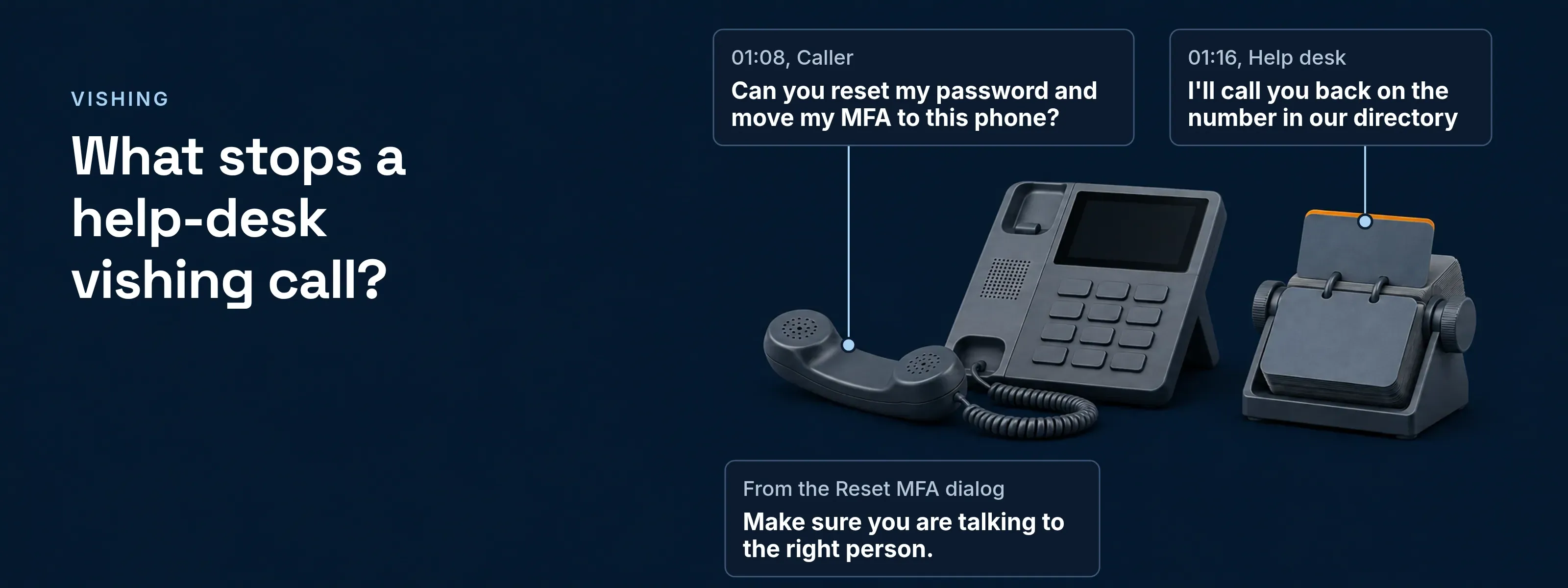
Each caller line carries one tactic from the advisory; the help desk wins at 01:16. The call is a reconstruction of the AA23-320A pattern, with example names at Acme (acme.example), not a real incident.
- 00:00Caller
“Hi, it’s Maria Lopez in accounts payable, employee ID 40718. I’m locked out.”
Tactic: Poses as the employee, with an ID gathered on an earlier call (T1598.004)
- 00:07Help desk
“I can help with that. Who is your manager, and which office are you in?”
Tactic: A knowledge check: everything it asks can be looked up
- 00:12Caller
“Daniel Reyes, Denver office. I moved into the payables lead role in March.”
Tactic: Detail borrowed from public profiles (T1593.001)
- 00:29Caller
“I got a new phone this weekend and my authenticator didn’t move over.”
Tactic: Sets up the ask with an everyday story
- 00:41Caller
“Quarter close is today. Daniel needs the payment run approved by noon.”
Tactic: Urgency, backed by the manager’s authority
- 00:55Caller
“Please don’t call my desk, I’m working from home. Just text the new phone.”
Tactic: Heads off the callback before it is offered
- 01:08Caller
“Can you reset my password and move my MFA to this phone?”
Tactic: The ask: password reset and MFA transfer (T1566.004)
- 01:16Help desk
“I’ll call you back on the number in our directory and confirm with Daniel first. Then I’ll open the reset.”
Tactic: The correct reply: verify on a channel the caller does not control
- 01:23Caller
“Forget it, I’ll sort it out later.”
Tactic: The call ends; the agent logs it as suspected vishing
The caller passed the knowledge check at 00:12. The callback at 01:16 is what stopped the call, because the attacker cannot answer Maria’s directory number.
How do attackers use vishing against a company?
The reset call is usually the last of several calls, each one gathering what the next one needs. CISA’s advisory AA23-320A describes the group it calls Scattered Spider. The group targets large companies and their contracted IT help desks. Its sequence:
- Before any callSearch social media, company websites and data leaks for names, roles and reporting lines (T1593.001, T1594).
- First callsAsk the help desk what a password reset takes and what it checks (T1598.004).
- Next callsCall employees and the help desk again to collect the reset details for one employee.
- Final callPose as that employee and ask for a password reset and an MFA transfer to a device the caller controls (T1566.004, T1199).
- After the resetTake over the account in the single sign-on environment, register the attacker’s own MFA tokens (T1556.006) and install remote management tools (T1219).
The advisory also lists push bombing and SIM swaps. Each T number above is a technique ID from the MITRE ATT&CK framework, which the advisory uses to map the whole intrusion.
What is the main difference between phishing and vishing?
Phishing and vishing want the same result, which is credentials, money or access, but vishing uses a live voice instead of an email. An email waits for a click. A caller answers objections, adds pressure in real time and can spoof caller ID over VoIP.
| Email phishing | Vishing (voice) | |
|---|---|---|
What is faked |
The sender and a sign-in page |
The caller ID and the voice |
The typical ask |
Click a link and type a password |
Reset a password, move MFA, read out a code |
The control that helps most |
Phishing-resistant MFA bound to the real site |
Call back on a number from the directory |
Smishing and quishing, and how all four channels relate, are on the hub page for types of phishing attacks.
Can attackers clone a voice?
Yes. In two public notices, the FBI has warned that criminals use AI-generated audio to sound like people their targets trust. The first notice covers calls that impersonate relatives and bank customers. The second covers voice messages that impersonate senior US officials, which the FBI itself calls vishing. A familiar voice on a call proves nothing.
- FBI I-120324-PSA, December 3, 2024. Criminals use AI-generated audio, which the FBI calls vocal cloning, to impersonate a close relative in a crisis and to get into bank accounts. The advice: hang up, look up the organization’s number yourself and call it directly.
- FBI I-051525-PSA, May 15, 2025. Since April 2025, actors have sent text messages and AI-generated voice messages that claim to come from senior US officials. The FBI names the two techniques smishing and vishing.
How should a help desk verify a caller?
Verify on a channel the caller does not control, and do it before any reset. The steps are our own practice; the call-back in step 1 is the FBI’s advice.
End the call and call back
Use the number in your directory or HR system. Never use a number the caller gives you, and never continue on the inbound line.
Confirm with the manager separately
Reach the manager through the directory, not through the caller. Ask whether the person really changed phones.
Send the person to self-service first
A recovery code or a second registered factor lets the real person recover without you. Reset only when nothing is left.
Tell the account owner on a second channel
Send a notice to the work email or the manager before the reset and after it. A real owner who did not call will say so.
Record who checked and who approved
Write the call-back number, the manager’s confirmation and the approver into the ticket. Require a second approver for administrator accounts.
AA23-320A also recommends FIDO/WebAuthn or PKI-based MFA, which resists phishing, push bombing and SIM swaps, along with vishing training for staff. The methods and how to roll them out are in phishing-resistant MFA.
What an SSOGEN admin sees before an MFA reset
In SSOGEN, Reset MFA sits in the Actions menu of a person under Identity > Users. A Super admin or a Directory admin runs it. The dialog’s last line is the check this page is about:
- What the reset ends. Paired phones, authenticator apps, passkeys and the remaining recovery codes stop working at once. Current sign-ins and remembered browsers end too.
- Set-up window. Where the sign-in policy offers set-up, the person has 1 to 720 hours after the reset to set up a new factor, 72 by default.
- Administrator accounts. Only a Super admin can act on an administrator’s account, and SSOGEN refuses a reset on the last administrator who can still sign in.
- Self-service first. People recover on their own with a one-time recovery code. Administrators can neither see nor generate those codes.
Every reset is in Monitoring > Audit under these event types:
mfa.reset_by_admin Reset MFA was run (one row, plus one per phone and passkey removed)authenticator.device_revoked A phone was revoked, by an administrator or by Reset MFAauthenticator.push_reported Someone tapped "This wasn't me" on a sign-in requestThe full procedure, from revoking one phone to a complete reset, is in the guide for a lost or replaced phone.
Questions people ask
What is an example of a vishing attack?
A caller poses as an employee, tells the IT help desk they have a new phone, and asks for a password reset and an MFA transfer. The call above shows it line by line, in the pattern CISA’s advisory AA23-320A describes, after earlier calls that collect the reset steps and the employee’s details.
How do you prevent vishing?
Treat every inbound call as unverified until you call back on a number you looked up yourself. For a company, that means a written help-desk check with a call-back and a manager confirmation, phishing-resistant MFA, and training that tells staff nobody from IT will ever ask them to read out a code.
Sources, all read 2026-11-18: CISA and FBI advisory AA23-320A, Scattered Spider (November 16, 2023, last revised July 29, 2025); FBI IC3 I-120324-PSA (December 3, 2024); FBI IC3 I-051525-PSA (May 15, 2025); CISA, Avoiding Social Engineering and Phishing Attacks (February 1, 2021, archived).
Updated