SSOGEN / Learn / App Passwords Explained: What They Are, When You Need One, and the Risks
Learn
App Passwords Explained: What They Are, When You Need One, and the Risks
An app password is a generated password that one app or device uses instead of your main password, because older apps cannot show a second-factor prompt.
Updated
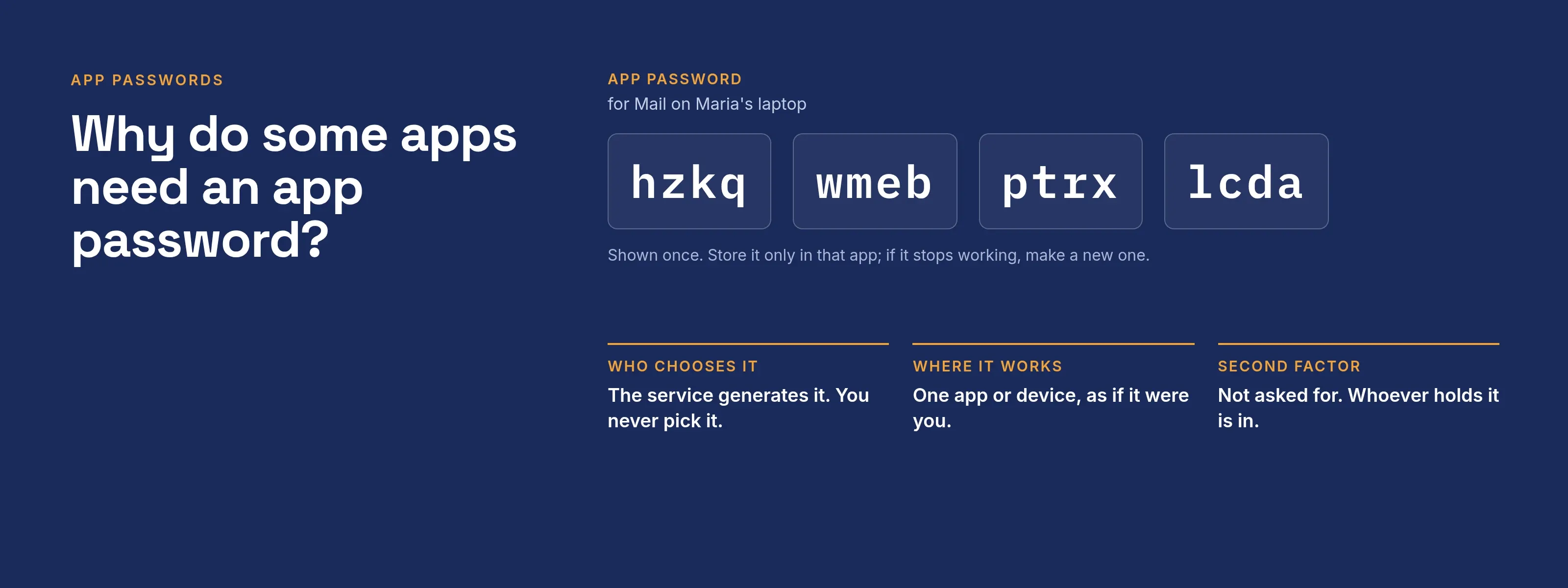
What are app passwords? An app password is a password the service generates for you. One app or device uses it in place of your normal password. It exists because some apps, such as older mail clients, cannot handle a second-factor prompt. The three large vendors define it as follows:
- Microsoft: the Entra documentation (page dated 2025-03-04, read 2026-10-09) says app passwords are generated for you, not chosen, and let an app skip the extra verification prompt.
- Google: the help page (read 2026-10-09) defines it as a 16-digit passcode that gives a less secure app or device access to your account.
- Apple: the support page (read 2026-10-09) says app-specific passwords let you sign in to your Apple Account in apps made by other developers.
The term has two meanings. At Microsoft, Google and Apple, it is a password you give to an app. In SSOGEN, “App passwords” is the page where you manage the passwords SSOGEN enters into applications on your behalf.
Searches for “app passwords” also return Apple’s Passwords app, which lists the sign-ins an iPhone or Mac has saved for websites and apps.
That is a password manager, so this page does not cover it. The vendor features and the SSOGEN feature each have their own section below.
Why do some apps need an app password?
Multi-factor sign-in interrupts the login: after the password, the service asks for a code or an approval.
- Microsoft. The Entra documentation says some older non-browser apps do not understand pauses in the sign-in process, such as Office 2010 or earlier and Apple Mail before iOS 11, so the user cannot authenticate.
- The fix. An app password replaces the regular username and password, and no extra verification prompt appears.
- Google. The rule is narrower: you need one only if the app does not support “Sign in with Google” and you use 2-Step Verification.
- Google’s advice. App passwords are not recommended and are unnecessary in most cases.
How is an app password different from your main password?
| Main password | App password | |
|---|---|---|
| Who chooses it | You | The service generates it (Microsoft: not specified by the user) |
| Where it works | Everywhere you sign in | One app or device |
| Second factor | Asked for after the password | Not asked for |
| How you recover it | Reset it | You cannot read it again; make a new one (Google) |
| Revoked when you change your main password | n/a | Google: yes. Microsoft: no, delete and recreate them yourself |
Check that last row: Microsoft’s and Google’s own pages describe different behavior, so do not assume either one.
What are the risks of app passwords?
- No second factor. The service accepts an app password without the prompt, so whoever holds it signs in as the app would.
- They last until someone removes them. The Microsoft and Google pages describe no expiry. Microsoft notes that a password reset does not automatically revoke app passwords and tells the user to delete and recreate them.
- Easy to leak. A generated string pasted into a config file, a ticket or a chat history is a standing credential.
- Limited visibility. For federated Microsoft users, the Entra page says app passwords bypass federation, and no on-premises authentication logging or auditing is available for them.
- Other limits.
- Microsoft documents a limit of 40 app passwords per user, and they do not work for accounts required to use modern authentication.
- Microsoft also warns they do not work in hybrid setups where a client talks to both on-premises and cloud endpoints: on-premises needs the domain password, and the cloud needs the app password.
- Apple allows up to 25 active app-specific passwords and requires two-factor authentication on the account.
What good practice looks like
- Use a modern sign-in where the app supports one. Microsoft says Office 2013 and later clients support modern authentication and need no app password; Google recommends “Sign in with Google”.
- Create one app password per device or app, and name it so you know what it is. Microsoft recommends one per device, named for the device, such as Laptop.
- Store it only in the app that needs it.
- Remove it when the app is retired, the device is lost, or you suspect a leak. Microsoft and Apple both document removing one from the account’s security page.
- After a password reset for a suspected compromise, delete and recreate the app passwords too.
Decision table: which sign-in should an old client use?
| Situation (Acme Corp) | Use |
|---|---|
| Mail client supports the service’s modern sign-in | Modern sign-in, no app password |
| Old client, no second-factor prompt, no alternative | One named app password per device |
| Script or service account | A dedicated account under a policy your security team approves, not a person’s app password |
| Client keeps failing after a password reset | Delete and recreate its app password |
SSOGEN app passwords: what the page in My Account does
This is a different feature from the vendor ones above. With a Saved application password in My Account, SSOGEN signs a user in to an application that accepts only a username and password typed into its own login page.
SSOGEN enters the password: the user signs in to SSOGEN once, and the application opens already signed in.
The page is at My Account, App passwords. Only that user can use the saved passwords, and SSOGEN never shows one again, not even to its owner.
To create one (example: Maria Lopez, application Acme Invoices):
- Either accept the offer after signing in on the application’s own login page (Yes, save it, then Save), or open App passwords, select Add (or Update), enter the Username and Password and select Save password.
- Before saving, SSOGEN requires a second step completed in the last 5 minutes: an authenticator app, a passkey or a code sent to the user. The password alone is not enough. An offer to save is valid for 5 minutes.
- The row then shows Saved, and the application opens without its login page.
To revoke one, select Remove on the row and confirm Remove password; SSOGEN stops signing the user in with it.
When something goes wrong or changes
- Needs update. If the application rejects a saved password, the row shows Needs update and SSOGEN stops trying the old one.
- Pause. After several failed automatic sign-ins within a few minutes, SSOGEN pauses for a few minutes so that the account in the application is not locked.
- Stop the offers. Clear Offer to save when I sign in.
- Managed sign-in. Where an administrator manages the sign-in, the page says so and shows no buttons.
Administrators set this up in Per-person form fill.
Related reading:
- Legacy application SSO. The options for older applications.
- MFA for legacy applications. The multi-factor side.
- My Account sign-in and security. The methods the second step uses; compare them in MFA types.
A message you can send to users
Subject: Creating an app password safely
Some older apps cannot ask for a second step, so your organization may let you create an app password for them. Please follow these rules. Create one per app or device and give it a name you will recognize. Generate it only from your account’s security page, never from a link in an email.
Paste it into the app and nowhere else: not a chat, a ticket or a document. You will not be able to read it again, so if it stops working, make a new one. If a device is lost or you think the password leaked, remove it right away and tell the help desk. If the app offers a modern sign-in, use that instead.
Questions people ask
Is an app password a second password for the same account?
In effect, yes. It is another credential that signs in to the account, so it needs the same care.
How do I find or reset a forgotten app password?
You cannot read one again, so create a new one and delete the old one.
- Google. An app password can only be checked once and you can generate another anytime.
- Microsoft. Delete existing app passwords and create new ones.
- Apple. You can remove one, or all, at account.apple.com.
Can I read an app password again?
Not at Google, which says to generate a new one. SSOGEN also never shows a saved password again.
Why did my app password stop working?
Google says changing your account password revokes app passwords. Microsoft says it does not, so look for another cause there, such as someone deleting the app password.
Does an app password protect me like MFA?
No. It bypasses the prompt, so treat it like a password.
Where to go next
- What is SSO. The single sign-on basics.
- Authenticator app explainer. How the second step works.
- Learn hub. Return to all guides.
Sources, all read 2026-10-09: Microsoft Entra documentation, Google Account Help, Apple Support.