SSOGEN / Learn / Is SSO Secure? What It Improves, What It Concentrates, and the Controls That Matter
Learn
Is SSO Secure? What It Improves, What It Concentrates, and the Controls That Matter
Single sign-on is secure when the one place everyone signs in is protected harder than the apps behind it, because it moves risk from many logins to one.
Updated
Is SSO secure? Single sign-on (SSO) can be more secure than separate logins or less secure, depending on how the sign-in point is protected. SSO:
- removes most passwords;
- puts revoking access and auditing in one place;
- lets you enforce one strong policy.
The cost is concentration. One account can now open many apps, and the identity provider and its signing keys become the target.
SSO is a single point of failure, but it is a single point you can defend properly, and the rest of this page covers what that takes.
For the general overview, see SSO benefits and risks; this page takes the security angle.
Is SSO a security risk?
Yes, but it replaces many small risks with one large one. Without SSO, each app has its own password, reset flow and leaver process, and any of them can be the weak link.
With SSO there is one sign-in to defend.
A stolen login is worth more to an attacker, while a well-protected one is much harder to use. The cards summarize the trade:
What SSO improves and what it concentrates
What SSO improves
- Fewer passwords to reuse, write down or phish
- One policy for strength, second step and session length
- One switch to disable a leaver or a compromised account
- One log of who signed in to what, and from where
What it concentrates
- One account that opens many apps, so a stolen sign-in is worth more
- The identity provider: if it is down, people cannot reach the apps
- Signing keys: whoever holds them can mint sign-ins
- One log you must actually read and protect
| What SSO improves | What it concentrates |
|---|---|
| Fewer passwords to reuse, write down or phish | One account that opens many apps, so a stolen sign-in is worth more |
| One policy for strength, second step and session length | The identity provider: if it is down, people cannot reach the apps behind it |
| One switch to disable a leaver or a compromised account | Signing keys: whoever holds them can mint sign-ins |
| One log of who signed in to what, and from where | One log you must actually read and protect |
In our view, the trade is usually worth making. One target can get a second step, monitoring and a short list of administrators; fifty separate logins rarely do.
What are the real security risks of SSO?
Each row below names a risk, how it happens, and the controls that address it. Sources follow the table.
| Risk | What happens | Matching controls |
|---|---|---|
| Account takeover | A stolen or guessed password opens every app that account reaches | A second step; phishing-resistant MFA; blocking breached passwords; limits on attempts. See credential stuffing |
| Prompt abuse | A person approves a sign-in they did not start | Number matching or phishing-resistant methods; see MFA fatigue attacks |
| Identity provider outage | Nobody can sign in to anything that depends on it | Redundant deployment, tested recovery, and at least two emergency (break-glass) administrator accounts that do not depend on the normal sign-in path |
| Forged assertions (Golden SAML) | An attacker with the provider’s signing key creates sign-ins for any user | Protect signing keys (a hardware security module where possible), restrict and monitor administrators of the provider, alert on certificate export or new trusted federation |
| SAML implementation flaws | A library or product accepts an altered assertion as valid | Patch SAML libraries and products promptly; follow vendor advisories |
| Session theft | A stolen cookie or token acts as the user, with no password or second step needed | Short session lifetimes, re-authentication for sensitive actions, revoking sessions after an incident, never sharing raw session files |
| Weak audit | Misuse is not noticed, or the record can be edited | Alerting on unusual sign-ins, and a log that shows tampering |
Golden SAML: what a stolen signing key allows
In SAML, the identity provider signs an assertion that states who the user is, and each app trusts the signature.
An attacker who takes the private key (or the certificate that holds it) from the provider can write assertions directly. No password check or second step takes place, because no real sign-in happened.
Real incidents document this:
| Source | What it documents |
|---|---|
| CISA alert AA21-008A, “Detecting Post-Compromise Threat Activity in Microsoft Cloud Environments” (released January 8, 2021, last revised April 15, 2021, read 2026-10-09) | A standard Golden SAML attack. It adds that a threat actor can add a new trusted AD FS instead of extracting the certificate and private key. Its focus is detection, including logged events for certificate export and federation configuration changes. |
| Microsoft’s write-up of the FoggyWeb backdoor (published September 27, 2021, read 2026-10-09) | FoggyWeb can return the token-signing certificate of a compromised AD FS server and works as a backdoor for abusing SAML tokens. |
Microsoft’s listed mitigations include:
- using a hardware security module;
- sending AD FS logs to a SIEM;
- reducing local administrator membership on AD FS servers;
- requiring MFA for all cloud admins;
- updating to the latest AD FS version.
The attack requires control of the identity provider’s server first. It targets the single point, which is why that point needs your strongest protection.
SAML implementation flaws
CERT/CC’s vulnerability note VU#475445 (public February 27, 2018, last updated June 5, 2018, read 2026-10-09) describes inconsistent handling of XML comments in several SAML libraries.
A remote, unauthenticated attacker could change SAML content without breaking the signature, and so bypass primary authentication at an affected service provider.
The note advises affected service providers to update to the latest releases of the libraries.
The lesson is narrower than “SAML is broken”: signature checking is subtle, so keep libraries and products current and prefer maintained ones.
Session theft
A signed-in session is a bearer token: whoever holds it is treated as the user.
In Okta’s account of unauthorized access to its support system (published October 20, 2023, read 2026-10-09), the attacker could view files that certain customers had uploaded in support cases.
Okta notes that HAR files can contain cookies and session tokens that can be used to impersonate valid users.
Okta revoked the embedded session tokens and recommends sanitizing all credentials and cookies or session tokens in a HAR file before sharing it. Short sessions limit how long such a token stays useful.
Can SSO be compromised?
Yes. Four things can each compromise SSO, and each has a documented case above.
- A stolen password with no second step.
- A stolen session.
- A stolen signing key.
- A flaw in a SAML library.
Compromising the identity provider itself is the worst case, because it reaches every connected app.
None of this is a reason to avoid SSO; it is a reason to list the controls and check each one. For each row of the table, ask “which control covers this for us, and who checks it?”
Is SSO more secure than MFA?
Neither; they answer different questions. SSO decides how many times you sign in, and MFA decides how strongly you prove who you are each time.
- SSO without a second step. It puts one weak lock on many doors.
- MFA without SSO. It gives you many strong locks, each with its own reset process.
- Both. Use both: SSO vs MFA has the comparison, and MFA types covers the kinds of second step.
What is the biggest disadvantage of SSO?
Concentration. One compromised sign-in reaches everything that person can reach, and an outage at the provider stops everyone.
The remedy is to keep SSO, reduce what a single sign-in can reach, and plan for the outage:
- Give each person only the apps they need, so one account reaches less.
- Require a second step, and a phishing-resistant one for administrators.
- Keep sessions short, and shorter for administrators.
- Create at least two break-glass accounts for the provider’s own administrators, protect them with strong, separately stored credentials and alert on any use.
- Test recovery: confirm that you can reach the admin console when the normal path is down.
What is a good SSO security checklist?
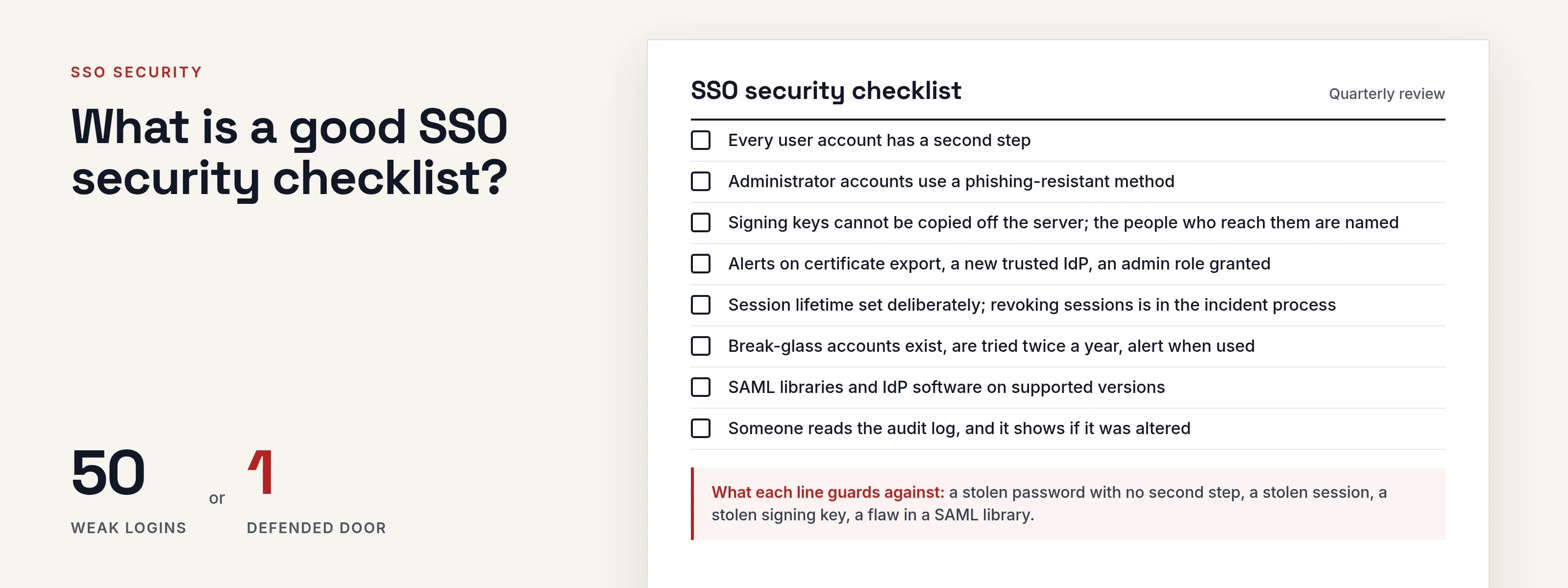
Use this list for a quarterly review, with your own values in place of the examples.
- Every user account, including Acme’s contractors at
acme.example, has a second step. - Administrator accounts use a phishing-resistant method.
- Signing keys are stored so the file cannot be copied off the server, and the people who can reach them are named.
- Alerts exist for: signing certificate export or change, a new trusted identity provider, an administrator role granted, and sign-ins from unexpected places such as
192.0.2.0/24when your office is elsewhere. - Session lifetime and idle timeout are set deliberately, and revoking sessions is a step in your incident process.
- Break-glass accounts exist, are tested twice a year and generate an alert when used.
- SAML libraries and identity provider software are on the vendor’s supported versions.
- Someone reads the audit log, and the log shows if it has been altered.
How does SSOGEN handle these controls?
In SSOGEN, these controls map to the following features:
- Signing keys. The Certificates page lists the keys SSOGEN signs tokens and sign-in assertions with, with each key’s algorithm and status. The signing key cannot be changed from the console, and its expiry shows on System Health.
- Sessions. On the security settings page, a sign-in session ends after 30 minutes without use by default (1 to 1,440 allowed) and after a maximum lifetime of 720 minutes (5 to 43,200 allowed). Admin mode has shorter limits of its own: 15 minutes idle, 60 minutes at most.
- Second steps. The multi-factor authentication guide covers the methods.
- Audit. The audit log is tamper evident. Each event depends on the one before it, so changing an old event breaks the hash chain, and an integrity badge reports whether the chain is intact.
What this page does not cover
This page does not:
- rank products or claim that any setup is attack-proof;
- explain how to build a forged assertion or exploit a flaw, only how defenders find and stop one;
- give an uptime figure for any provider, because we did not read one.
Where to go next
- Overview. Read SSO benefits and risks.
- Second step. Read SSO vs MFA or how attackers bypass MFA.
- SAML. Read what SAML is or the SAML assertion.
- Sessions. Read session hijacking.
- All explainers. Return to the Learn hub.
Sources, all read 2026-10-09: CISA AA21-008A, Microsoft’s FoggyWeb analysis, CERT/CC VU#475445 and Okta’s October 2023 incident summary, linked where they are used above.