SSOGEN / Learn / The Future of Authentication: What the Standards Say, What Is Slow, and Who Else Signs In
Learn
The Future of Authentication: What the Standards Say, What Is Slow, and Who Else Signs In
Standards bodies and phone vendors already describe the direction: key pairs instead of shared secrets, at least one phishing-resistant option, device-tied sessions, and software identities beside people.
Updated
The future of authentication is largely documented already. Standards bodies and the major browser and phone vendors have published what they expect sign-in to look like:
- credentials built on key pairs, not shared secrets;
- at least one option that resists phishing;
- sessions that are checked after sign-in, not only during it.
What the documents cannot tell you is how fast your own estate will move.
This page keeps the two apart. Fact means we read a source on 2026-10-09 and link to it. View is the author’s judgment, with no source behind it.
Will passwords become obsolete?
Fact. Current guidance still treats passwords as a valid authenticator. NIST SP 800-63B-4 (the revision dated August 26, 2025, read 2026-10-09), section 3.1.1:
- sets a 15-character minimum for a password used alone;
- prohibits other composition rules;
- prohibits forced changes unless there is evidence of compromise.
The same document defines phishing-resistant options and requires them at the highest assurance level.
View. “Obsolete” is the wrong word for the next several years. Passwords are being demoted: from the main way in, to one of several, then to a fallback.
For an organization, the question is not whether the last password disappears but how many applications still need one on the day you want to turn passwords off.
Our NIST password guidelines page covers the password rules in detail.
Are we moving away from passwords?
Fact. Yes, judging by the direction the vendors describe.
On May 5, 2022 the FIDO Alliance announced that Apple, Google and Microsoft had committed to expand support for its passwordless sign-in standard, including the use of passkeys on several devices without re-enrolling each account (FIDO Alliance announcement, read 2026-10-09).
- Apple documents that passkeys sync through iCloud Keychain with end-to-end encryption (Apple Support, read 2026-10-09).
- Google documents that they sync through Google Password Manager between Android devices and Chrome browsers signed in to the same Google account (Google for Developers, page updated 2026-10-01, read 2026-10-09).
The underlying W3C standard is Web Authentication. The page we read shows:
- Level 1. A Recommendation on 4 March 2019.
- Level 2. A Recommendation on 8 April 2021.
- Level 3. A Recommendation on 25 August 2026.
Level 3 defines the “backup eligibility” and “backup state” flags, which distinguish a synced passkey from a single-device one (W3C Web Authentication Level 3, read 2026-10-09).
Start with what a passkey is and passkeys compared with passwords.
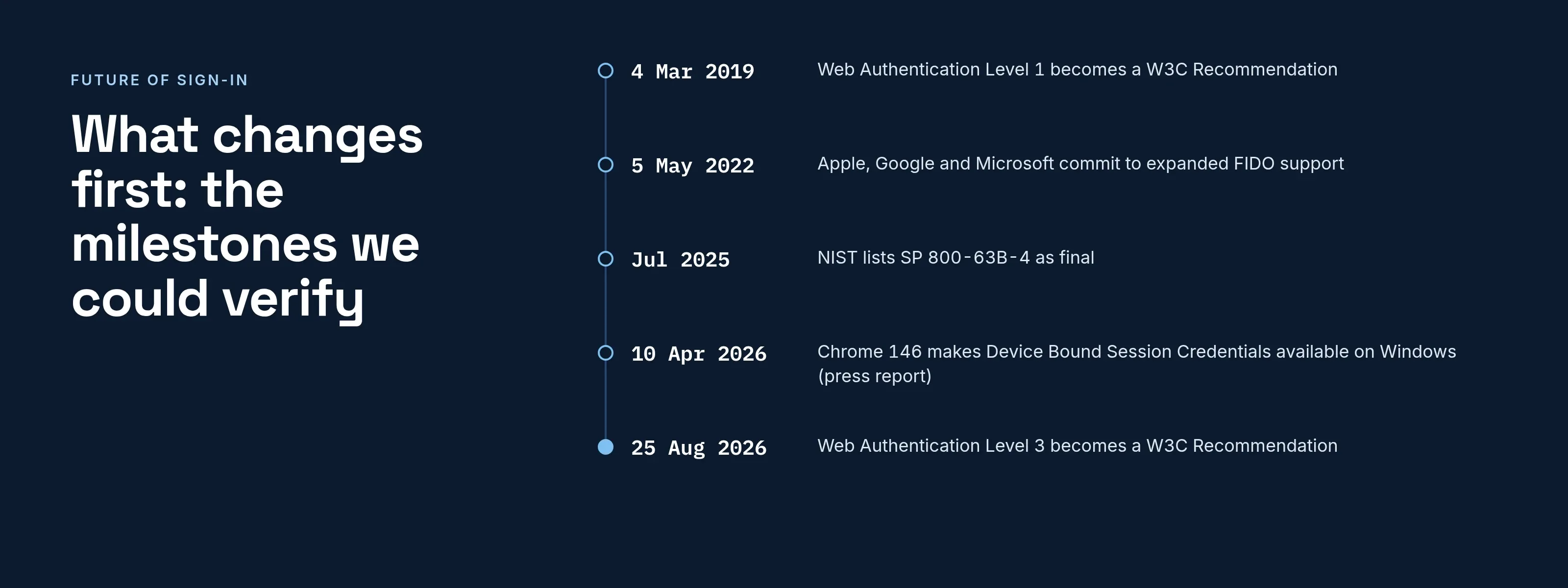
What changes first: the milestones we could verify
| Date | Milestone | Source read |
|---|---|---|
| 4 March 2019 | Web Authentication Level 1 becomes a W3C Recommendation | W3C, Level 3 document |
| 8 April 2021 | Web Authentication Level 2 becomes a W3C Recommendation | W3C, Level 3 document |
| 5 May 2022 | Apple, Google and Microsoft commit to expanded FIDO support | FIDO Alliance |
| July 2025 | NIST lists SP 800-63B-4 as final (its Appendix B covers syncable authenticators) | NIST CSRC, NIST text |
| 26 August 2025 | Date shown on the SP 800-63B-4 text we read | NIST |
| 10 April 2026 | Press report that Chrome 146 makes Device Bound Session Credentials generally available on Windows | The Hacker News |
| 25 August 2026 | Web Authentication Level 3 becomes a W3C Recommendation | W3C |
Notes on the table:
- Dates we could not read in a source, such as the founding of the FIDO Alliance, are left out.
- The July 2025 row comes from the NIST CSRC page for SP 800-63B-4, which gives a month, not a day.
- The April 2026 row is a news report, not Google’s own announcement. Chrome’s DBSC developer documentation (last updated April 15, 2025 per the page, read 2026-10-09) describes the mechanism.
What do government standards now ask for?
Fact. SP 800-63B-4 sets the following requirements:
- At the middle assurance level (AAL2), services must offer at least one phishing-resistant option (section 2.2.2).
- The highest level (AAL3) requires phishing resistance (section 2.3.2).
- Syncable authenticators must not be used at AAL3, because that level needs keys that cannot be exported (section 2.3.2; the non-exportable key requirement is in section 3.2.13).
CISA’s fact sheet on implementing phishing-resistant MFA (read 2026-10-09) rates the options:
- Phishing-resistant. FIDO/WebAuthn (physical tokens or authenticators built into laptops and phones) and PKI-based smart cards.
- Open to phishing. SMS and voice codes.
- Open to push bombing. Push approvals without number matching.
View. In practice, this is a two-tier rule.
- Ordinary access. Employees can use a synced passkey.
- Highest risk. Administrators, and anyone close to the highest-risk systems, need a credential bound to one device.
See phishing-resistant MFA, MFA types and MFA fatigue attacks.
Will the session be protected, not just the sign-in?
Fact. A stolen session cookie bypasses the sign-in entirely. Chrome’s documentation says Device Bound Session Credentials (DBSC) address this:
- At sign-in, the browser creates a key pair and keeps the private key in secure hardware, such as a TPM, where available.
- The site issues short-lived cookies.
- The browser can refresh those cookies only by proving it holds the key.
The same page warns that malware present while the session is being registered could extract the key, and that unsupported hardware falls back to normal behavior.
SP 800-63B-4 section 5.3 also describes continuous evaluation: ongoing checks of session traits such as velocity, device, location and IP reputation to detect fraud.
Read more in session hijacking.
View. The sign-in event matters less each year and the session after it matters more. A strong sign-in followed by a bearer cookie that works from any machine leaves a gap.
What is slow to change?
View. This table does not come from a survey. It lists what we expect to slow most organizations down.
| Area | Why it lags | What to check |
|---|---|---|
| Legacy applications | Many accept only a form post or an Apache/OHS login | Put sign-in in front of them rather than inside them |
| Account recovery | A recovery path that falls back to email or SMS reintroduces what the credential removed | Count the ways in; the weakest sets your level |
| Shared accounts | A passkey belongs to one person | Replace shared logins with named ones |
| Mixed fleets | Device-bound and synced credentials differ by operating system | Inventory devices before choosing a requirement |
| Old password habits | Reuse feeds credential stuffing | Remove passwords where the application allows it |
Which password is the most hacked?
Fact. The UK National Cyber Security Centre’s April 21, 2019 analysis of breached accounts found (NCSC, read 2026-10-09):
- “123456”. On 23.2 million accounts.
- “123456789”. On 7.7 million.
- “qwerty”. On 3.8 million.
- “password”. On 3.6 million.
- “1111111”. On 3.1 million.
This is a 2019 count of breached accounts, not a current ranking; we found no newer primary source.
What are the four types of authentication?
Fact. NIST names three authentication factors: something you know, something you have and something you are (SP 800-63B-4, glossary, and the threats discussion in section 6.1). No single standard lists four.
View. The fourth item people add is usually location or behavior. That is better described as a risk signal that decides how much to ask for, not as a factor.
SSOGEN’s adaptive authentication computes a sign-in risk score from 0 to 100. The score is deterministic: the same inputs give the same score, with no AI involved.
Who else signs in? Software and AI agents
Fact. People are not the only callers. OWASP’s Non-Human Identities Top 10 (2025 list, read 2026-10-09) names risks for service accounts, API keys, tokens and certificates, among them:
- Improper offboarding. Identities that outlive their purpose.
- Secret leakage. Credentials that escape.
- Overprivileged identities. More access than the task needs.
- Long-lived secrets. Credentials with no expiry.
It gives no count of non-human identities against people.
View. A passkey is no help to a nightly job or an AI agent, since neither can touch a sensor. “The end of passwords” is therefore only half of the future.
The other half is making software identities as accountable as people: an owner, narrow permissions, a short-lived credential and an end date.
Our non-human identity explainer maps the kinds, and the AI agent governance checklist turns it into controls.
What SSOGEN does about this
SSOGEN covers both halves. For people, it offers passkey sign-in, including security keys, and an authentication policy can require Passkey or security key as the sign-in strength. See multi-factor authentication setup.
For software, AI agent identity registers each agent as a non-human identity with one to five owners and a review date. Agents receive:
- short-lived tokens bound to the agent’s own key;
- a person’s consent when the agent acts for them, and approval for sensitive scopes;
- a kill switch, with every decision recorded.
Access decisions are deterministic, made by rules the customer writes.
A checklist you can use this quarter
- List every application and mark which accept something other than a password.
- Mark which accounts have a recovery path weaker than their sign-in.
- Decide which roles need a device-bound credential, per the AAL3 reasoning above.
- List every service account, key and agent, with an owner for each.
- Reduce password reuse risk first: block known-bad passwords, as NIST requires.
Questions people ask
Are passkeys safer than passwords?
Apple describes passkeys as highly phishing-resistant and designed so that there are no shared secrets. That is a vendor statement; the NIST requirement for a phishing-resistant option points the same way.
Should I use a passkey instead of a password?
Yes, where the service offers one and your recovery path is not weaker than the passkey. A passkey is a key pair, so there is no shared secret to phish, and NIST SP 800-63B-4 requires a phishing-resistant option at AAL2. Keep a password only where an application cannot accept one.
Is biometrics the future?
A biometric on a phone releases the key stored on the device. NIST lists “something you are” as a category that may be replicated, so it works as a local check, not as a secret to transmit.
Will SMS codes go away?
CISA rates SMS and voice codes as vulnerable to phishing. We found no source with a retirement date.
Where to go next
Read what a passkey is, SSO benefits and risks, SSO compared with MFA, or return to the Learn hub. Adoption at work hinges on legacy apps and recovery; see passkeys for enterprise.
Sources, all read 2026-10-09: NIST, W3C, FIDO Alliance, CISA, Apple, Google, Chrome, NCSC and OWASP pages linked above.