SSOGEN / Learn / Passwordless Authentication: What It Is, Which Methods Count, and How It Works With SSO
Learn
Passwordless Authentication: What It Is, Which Methods Count, and How It Works With SSO
Passwordless means signing in without typing a password, from passkey to email link, and only key-pair methods leave a fake login page nothing to reuse.
Updated
Passwordless authentication means a user proves their identity without typing a password. The replacement ranges from a passkey approved with a fingerprint to a link sent by email. The term covers both, and they are not equally secure.
The strongest methods use a key pair bound to the real website, so a fake login page captures nothing it can reuse. The weakest only move the secret from a password to an inbox or a phone prompt.
This page covers:
- the methods, ranked by phishing resistance;
- the benefits that have a source;
- a rollout order;
- where single sign-on fits.
What is passwordless?
Passwordless is a sign-in with no password in the flow: the user types no shared secret for the service to store or check.
Instead, the user presents something they hold (a device, a key, a card), usually approved with a fingerprint, face or PIN.
In the strongest form, the proof is cryptographic. The FIDO Alliance (read 2026-10-08) defines a passkey as a FIDO-standard credential stored on a phone, a computer or a hardware key, used with the same gesture that opens the device.
Passwordless does not mean “nothing else is checked”. A passkey on a phone that requires a fingerprint is two factors in one gesture; a magic link requires only mailbox access. For every method, establish two things:
- what the user holds;
- whether an attacker can collect it on a fake page.
Which passwordless methods are there, and how do they compare?
Two sources set the ranking:
- NIST SP 800-63B-4 (Revision 4, final, published 31 July 2025; web edition dated August 26, 2025; read 2026-10-09), section 3.2.5: phishing resistance requires cryptographic authentication. Methods where a user enters an output by hand, including out-of-band and one-time-password methods, must not be counted as phishing-resistant.
- CISA’s fact sheet on phishing-resistant MFA (October 2022, read 2026-10-08): FIDO/WebAuthn and PKI-based MFA rank first. App-based codes and push with number matching rank below them; they are open to phishing but resist push bombing.
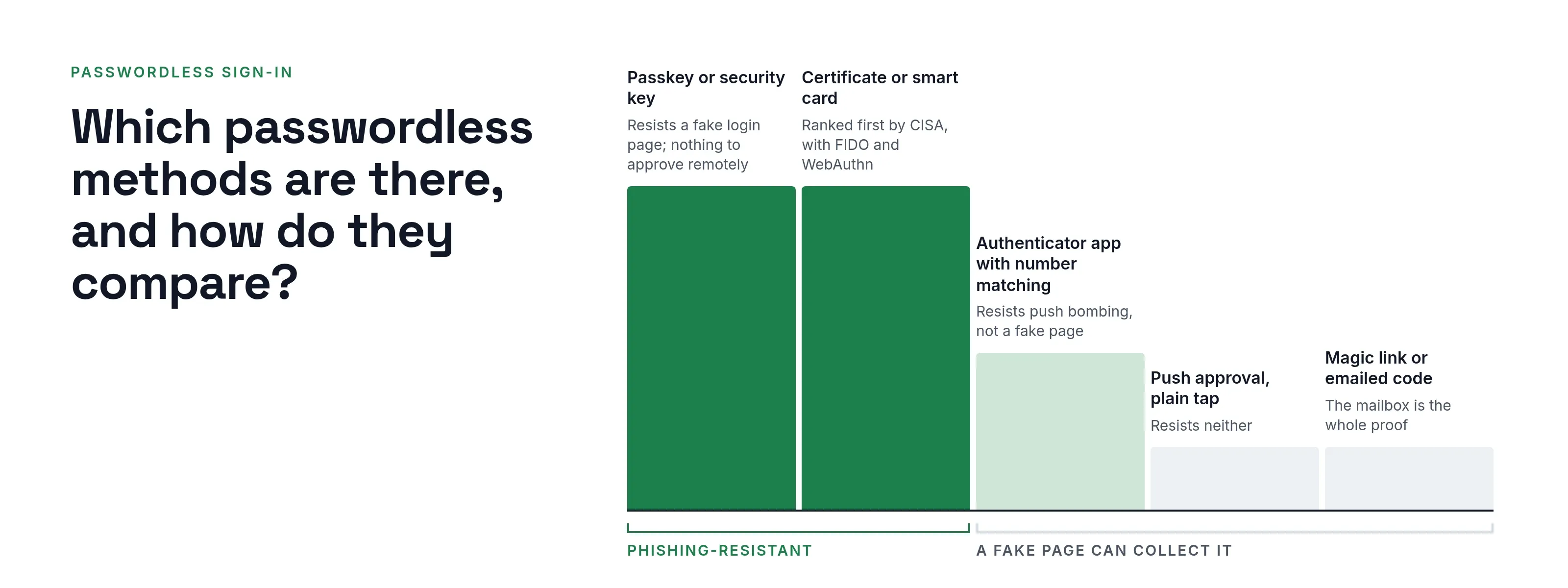
The ladder and table apply those two sources. The recovery and fit columns are our own working notes.
Passwordless methods by phishing resistance
- Passkey or security keyResists a fake login page, per FIDO and NIST. Nothing to approve remotely.Strongest
- Certificate or smart card (PKI)Ranked first by CISA, with FIDO/WebAuthn, for phishing resistance.Strongest
- Authenticator app with number matchingDoes not resist a fake login page, per CISA, but resists push bombing.Some resistance
- Push approval, plain tapResists neither a fake login page nor push bombing.Weak against phishing
- Magic link or emailed codeDoes not resist a fake login page. Control of the mailbox is the whole proof.Weak against phishing
| Method | Resists a fake login page? | Resists push bombing? | What recovery needs | Where it fits |
|---|---|---|---|---|
| Passkey (synced or device-bound) | Yes, per FIDO and NIST | Nothing to approve remotely | A second enrolled passkey or a verified recovery path | Most staff on current phones and laptops |
| Security key (FIDO2 hardware) | Yes | Nothing to approve remotely | Two keys per person, one stored safely | Administrators, shared workstations, regulated roles. See what a security key is |
| Certificate or smart card (PKI) | Yes, per CISA (PKI-based MFA) | Nothing to approve remotely | Card reissue with identity checks | Organizations with an existing card program |
| Authenticator app with number matching | No, per CISA | Resists it, per CISA | Re-enrollment after a lost phone | A step toward stronger methods; see what an authenticator app is |
| Push approval, plain tap | No | No | Re-enrollment | Avoid for anything valuable; see MFA fatigue attacks |
| Magic link or emailed code | No | Not applicable | Control of the mailbox is the whole proof | Low-risk sign-ins only |
NIST also says syncable authenticators, whose private key must be exportable, must not be used at its highest assurance level, AAL3.
Its Appendix B describes them as an option for applications up to AAL2, where a verifier must offer at least one phishing-resistant option. “Passkey” therefore covers more than one form, and the form matters.
How does a phishing-resistant passwordless sign-in work?
The W3C Web Authentication specification (Level 3, a W3C Recommendation, read 2026-10-08) scopes each credential to one relying party: only origins belonging to that party can access it. Browsers and authenticators enforce this together.
Microsoft’s passkey documentation for Entra ID (page dated 2026-02-02, read 2026-10-08) describes the exchange:
- The service sends a challenge.
- The user releases the key with a biometric or PIN.
- The authenticator signs the challenge.
- The service verifies the signature with the public key.
A lookalike site has a different origin, so the browser never offers the key. For the device side, read what a passkey is and passkey vs password.
What are the benefits of passwordless authentication?
This list includes only benefits with a source. Each was measured by the party named, on its own users.
- Fewer lockouts and faster sign-in. Microsoft reports, from consumer accounts using synced passkeys, that 99% of users registered one, that sign-in took about 3 seconds against 69 for a password plus traditional MFA, and that 95% of passkey sign-ins succeeded against 30% for legacy methods (Entra passkey page above). These are Microsoft’s figures for its own consumers, not a forecast for your employees.
- Less exposure to stolen and reused passwords. No shared secret exists for an attacker to replay, so passwordless defends against credential stuffing and password spraying, which both need a password to try.
- Less phishing exposure, for the strong methods only. CISA says push bombing, SS7 and SIM swap attacks are not applicable to FIDO/WebAuthn or PKI-based MFA (fact sheet above).
- Fewer reset calls. No primary source we found gives a general figure, so this page gives none. Measure your own help desk before and after the pilot.
What does passwordless not stop?
- A weak recovery path. If a lost device is replaced through an emailed link or a help-desk call, attackers target that path instead. NIST section 4.2 treats recovery as a separate process and requires saved recovery codes to carry at least 64 bits from an approved random bit generator.
- Stolen sessions. After a successful sign-in, attackers target the session cookie or token. See session hijacking.
- Downgrade to a weaker method. If a password, SMS code or email code stays enabled beside the passkey, a phishing page can steer the user to it. Microsoft’s passkey page names downgrade techniques as a way around stronger protections.
- Convenient methods presented as strong ones. A magic link or push tap is passwordless but not phishing-resistant.
- Anything a person approves by mistake. See how attackers bypass MFA and adversary-in-the-middle phishing.
How do you roll passwordless out?
Acme Corp (acme.example) has 400 employees, an office network at 192.0.2.0/24 and a mix of cloud and older applications. It follows this order:
- Inventory (weeks 1 to 2). List every application, how it authenticates users and whether it supports federated sign-in. Then list the groups: administrators, office staff, shop-floor shared devices, contractors, service accounts.
- Pilot (weeks 3 to 6). Select 25 volunteers, including two administrators and one employee who travels. Enroll a primary method and a backup, and track failed enrollments and help-desk contacts.
- Recovery before scale (weeks 4 to 6). Define what happens when a user loses every device: who verifies identity, how, and how long temporary access lasts. Settle this before widening the pilot.
- Legacy applications (weeks 6 to 12). Put older applications behind your identity provider so they inherit the passwordless sign-in (next section). Applications that cannot do this form your exceptions list.
- Exceptions. Shared kiosks, service accounts and old systems each get a named owner, a compensating control and a review date, so they do not become a silent allowance.
- Retire the password. When most sign-ins are passwordless, turn off password sign-in for groups that have finished, administrators first.
How does passwordless fit with SSO?
Passwordless is how a user proves identity; single sign-on is how many applications trust that proof. The identity provider performs the passwordless sign-in once, then tells each application who signed in, using SAML or OpenID Connect.
The applications never see the passkey or the card. See what single sign-on is and SSO vs MFA.
An example at Acme:
- Maria Lopez opens the payroll site, which redirects her to Acme’s identity provider.
- She uses a passkey with her fingerprint. The provider returns a signed assertion and payroll opens.
- She opens the ticketing tool. The provider reuses her session and does not prompt again.
One passwordless step covers both applications. That makes SSO the right place for your strongest method: you secure one sign-in, not twenty.
The trade-off is covered in SSO benefits and risks: a stolen session at the provider reaches every application.
What does SSOGEN document about sign-in methods?
SSOGEN is an identity provider and can also sign users in through another provider. Its identity providers guide describes four sources: local username and password, a directory over LDAP, SAML and OpenID Connect.
With SAML and OpenID Connect, the other system authenticates the user and applies any second step it requires, then tells SSOGEN who signed in. The authentication policy, not the provider, sets the second step an application demands.
SSOGEN offers these methods (multi-factor authentication guide):
- passkeys, a phishing-resistant sign-in on their own, which a policy can require for an application;
- authenticator app codes;
- emailed and texted codes;
- recovery codes.
Questions people ask
What are the four types of authentication?
CISA’s fact sheet names three factors: something you know, something you have and something you are.
No standard we found defines a fourth factor, so “four types” is best read as a list of methods, not factors.
Is passwordless the same as MFA?
No. Passwordless means no password; MFA counts factors. A passkey with a fingerprint can cover two factors in one step, while a magic link is one factor. See MFA types.
What is passwordless SSO?
SSO in which the identity provider signs users in with a passwordless method and the applications trust the result. Some applications still hold a password for emergencies, so check each one.
Is passwordless authentication more secure?
Only with the phishing-resistant methods. According to NIST and CISA, passkeys, security keys and smart cards give a fake login page nothing it can reuse; magic links and plain push approvals do not.
Recovery paths and stolen sessions remain open whatever the method, so the gain depends on the whole sign-in design.
What are the downsides of passwordless authentication?
- Recovery. If a lost device is replaced through an emailed link or a help-desk call, attackers target that path.
- Compatibility. Older applications may not support the method.
- Cost. Microsoft lists equipment, training and helpdesk support (especially after lost keys) as added costs of security keys.
- Sessions. Sessions can still be stolen after sign-in.
Do passwords disappear completely?
Rarely at first, because recovery and exceptions often keep a password somewhere. That is why the rollout above ends with retiring the password rather than starting there.
Where to go next
- Phishing resistance. Continue with phishing-resistant MFA.
- Passwords. Read the NIST password guidelines.
- Keep reading. Return to the Learn hub.
Sources, all read 2026-10-08: NIST SP 800-63B-4, CISA, the FIDO Alliance, the W3C and Microsoft Learn pages linked above. For where this is heading, and what is slow to change, see the future of authentication.